Insofar it was quite a bit of back and forth, it isn’t easy for me to tell it in a structured way.
First things first; this is on Slackware Current with most audio things installed either from slackbuilds.org or from slackware.uk.
Soundserver is jack, started and configured with cadence.
Ardour is official version 9.7
I found these two forum threads:
1)I installed setBfree from slackbuilds, and it didn’t include setBfreeUI, i don’t think i even tried it as a plugin in Ardour.
2) I then downloaded setBfree from x42-plugins and installed it with the included script.
That did give me setBfreeUI as standalone, but it wasn’t shown as a plugin in ardour at all (i scanned and all, not sure if for lv2 that is even needed).
3) I then downloaded the setBfree deb-file from kx.studio.com, converted it with deb2tgz and installed it (systemwide), and to my surprise it worked fine as a plugin in ardour.
I don’t really understand compiling, linking, libraries, plugins, but simply use them.
Not understanding too much, at least i compared setBfree form x42-website and from kx.studio, and i think they do differ
ROOT_Slack# diff /home/user/Downloads/setBfree/b_synth.lv2/ /usr/lib/lv2/b_synth/ -r
Binary files /home/user/Downloads/setBfree/b_synth.lv2/b_synth.so and /usr/lib/lv2/b_synth/b_synth.so differ
diff -r /home/user/Downloads/setBfree/b_synth.lv2/b_synth.ttl /usr/lib/lv2/b_synth/b_synth.ttl
29c29
<       lv2:microVersion 0 ;lv2:minorVersion 2078 ;
---
>       lv2:microVersion 0 ;lv2:minorVersion 2070 ;
Binary files /home/user/Downloads/setBfree/b_synth.lv2/b_synthUI.so and /usr/lib/lv2/b_synth/b_synthUI.so
differ
Only in /home/user/Downloads/setBfree/b_synth.lv2/: modgui.ttl
ROOT_Slack#
I’d like to know how to troubleshoot such problems in other cases too, in general, even though setBfree now works for me. I don’t have such problem often, but sometimes, and usually i then just give up. Starting Ardour from command-line or having a look at the info-box in ardour didn’t really help.
Thanks in advance.
Yeah, as said, it was quite a wild ride, and i might confuse a few things. I think i copied setBfreeUI after i unpacked the tar.gz file to /usr/local/bin; myself. Sorry i was unclear about that part.
I thought i might miss a library (thanks for the ones to look into, libmesa and libgl), hence my astonishment that the kx.studio version just worked.
lv2ls: thanks. I didn’t know it.
So i uninstalled the kx.studio version and re-installed the x42-plugins version. It is to be found at ~/.lv2/b_synth.lv2/
but lv2ls doesn’t list it.
/usr/lib64/lv2 is not a valid place for LV2 plugins. Ardour finds them since we patch Ardour to also look in non-standard locations because some distro maintainers cannot read and follow specs
Anyway it’s odd that ~/.lv2 is not included in your LV2_PATH.
try lv2ls | grep b_synth
and lv2info http://gareus.org/oss/lv2/b_synth for details
Yup. After a quite some time my conclusion was that my problem now shifted to ~/lv2 not being used at all.
I don’t have a lot of plugins there, perhaps 6 or 7, but none is recognized.
I was able to make the setBfree version from slackbuilds.org work though (don’t ask me how, i must have installed something which was missing before, partly thanks to your comment).
Don’t laugh, i just installed programs which seemed to make sense, perhaps they don’t make sense: glw, PyOpenGl, libglibutil, and also ardour from slackbuilds, not sure what dependencies it came with, slv2 failed to install)
This is getting more weird.
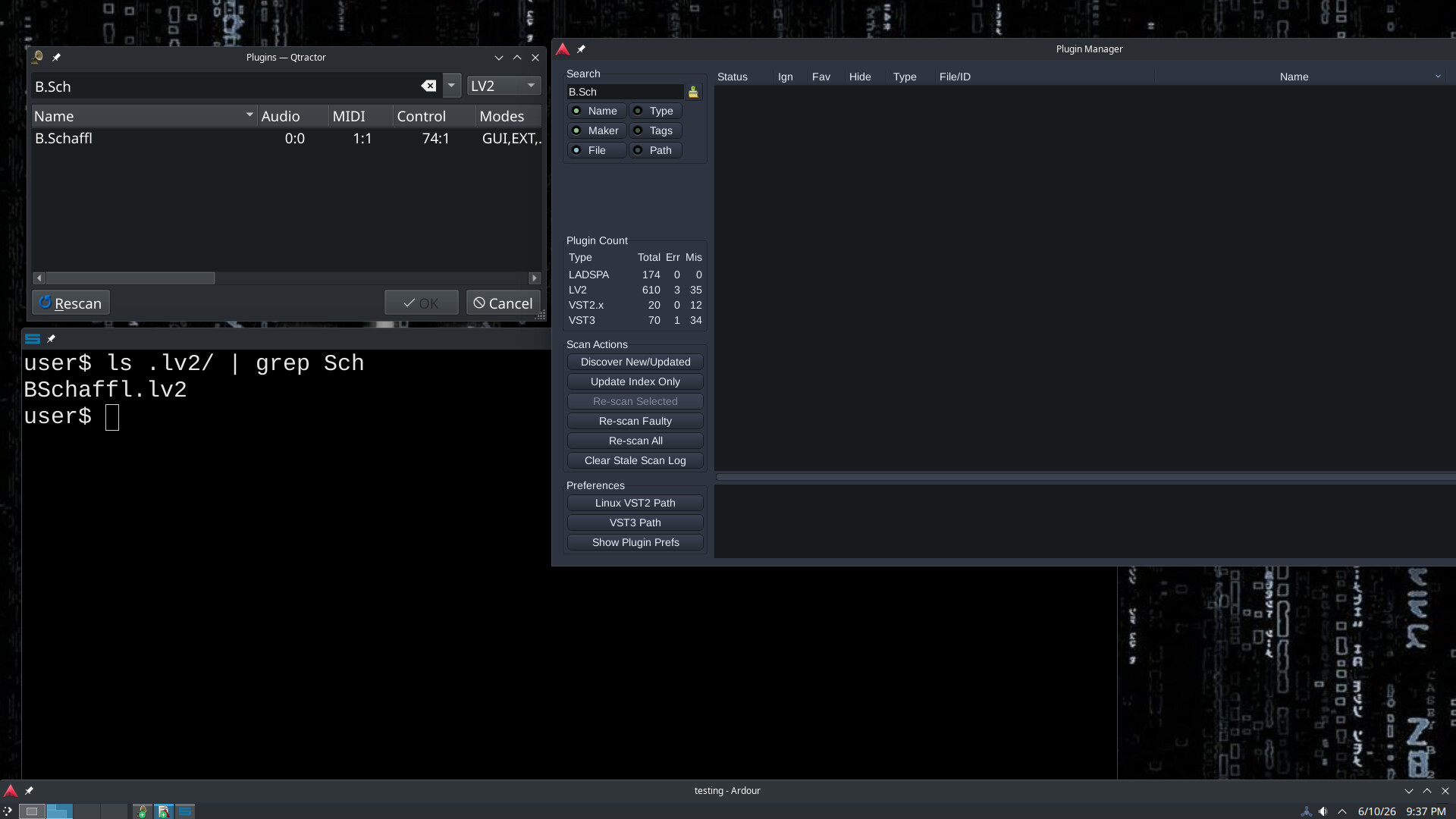
qtractor and reaper do recognize ~/.lv2
carla didn’t see it either.
I usually don’t use all three programs, so only as far i can tell.
I tested it with BSchaffl.lv2, cause i am sure that it is only to be found in ~/.lv2.
user$ locate BSchaffl | grep -v home
user$
lv2ls, as mentioned above, doesn’t see it either.
At least that problem got solved with a bit of help from a linux chatroom.
If i set LV2_PATH as said in the earlier given link: Filesystem Hierarchy Standard
No clue why i have to do it, cause on debian-based systems i don’t have that environment variable set, it seems.
If editing LIBDIRSUFFIX=“” in the slackbuilds file of lv2 will make it possible to use the standard /usr/lib instead of lib64, i’m gonna check later this night. If in the mood.
It likely that Slackware has removed ~/.lv2 from the built-in path of lilv.
If you run ldconfig -p | grep liblilv-0 you’ll get the path to your liblilv library.
Run strings <path-to-your-.so-file> | grep \\.lv2 and see whether it finds anything; which it probably won’t.
For me strings /lib/x86_64-linux-gnu/liblilv-0.so.0 | grep \\.lv2 shows ~/.lv2:/usr/lib/x86_64-linux-gnu/lv2:/usr/lib/lv2:/usr/local/lib/lv2