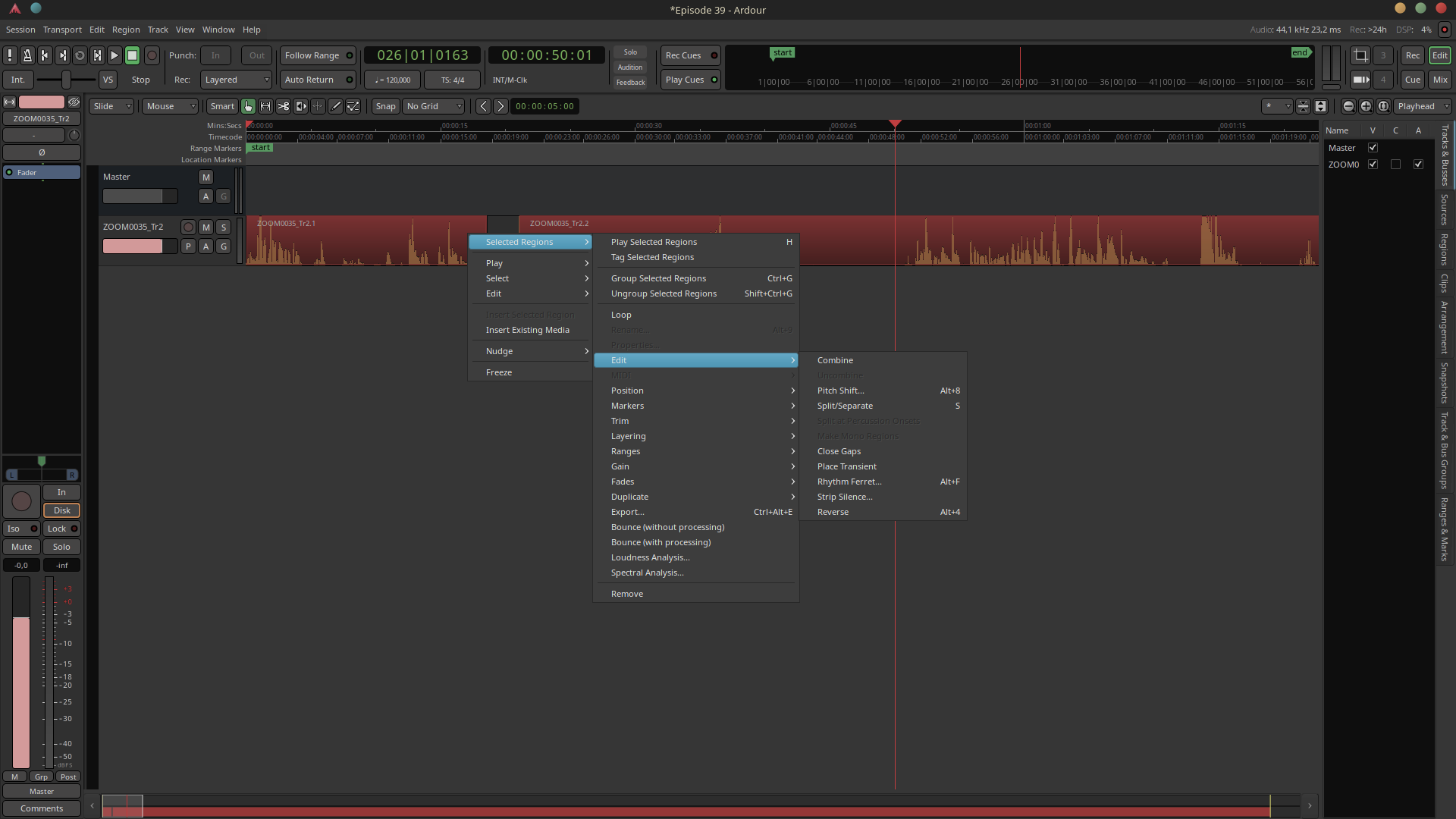
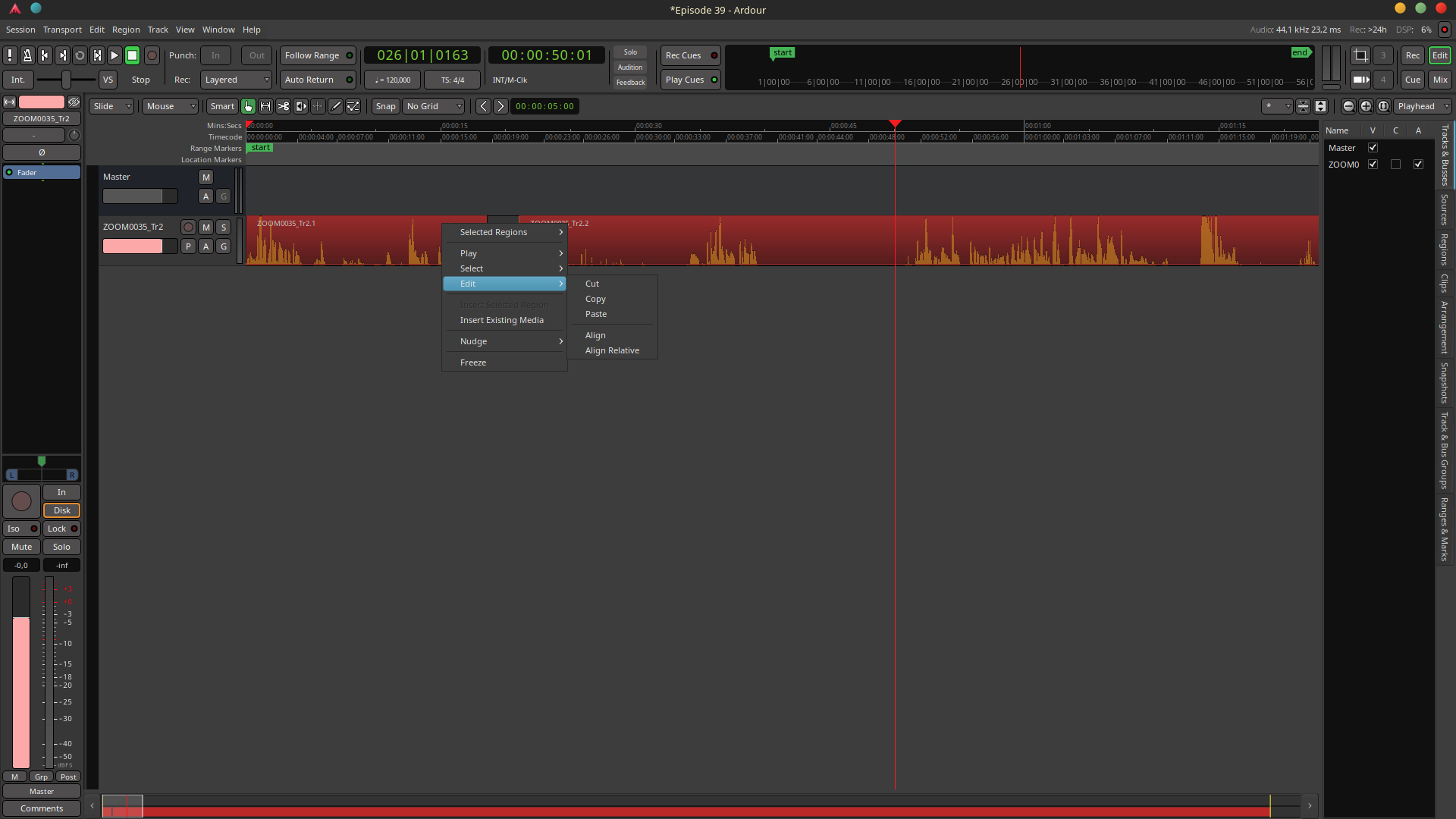
While I really enjoy Ardour for all of my podcasting needs, I have often wondered how come the option to combine two regions on a track is under: [right-click > selected regions > edit > combine]
when there is also: [right-click > edit] available.
The similarity in naming of the two “edit” (and the fact that the menu under [right-click > edit] has room for it) has had me wondering for a while if it not might be more user-friendly/intuitive to put “combine” and the other things under that one?
I have taken these screenshots to illustrate:
first the “edit” option where “combine” is currently placed:
It might be too difficult to build, but since I’ve wondered about this myself and had two podcasting friends question this on two separate occasions, I thought I’d put the question out here
Nor have I.
I expect there is some reason for the way it’s made, but I would love for the “Selected regions” submenu to move up a click, since it seems to be the main thing there.
Why not put the track-related actions in a “Track” submenu inside this region menu and move everything up one level, so that it remains accessible but doesn’t get in the way of what the user is most likely to expect when clicking on a region, and show only that track submenu when no region is clicked (keep current behavior) ? Even if tracks contain regions and not the other way around, in terms of user experience I think it’d make sense.