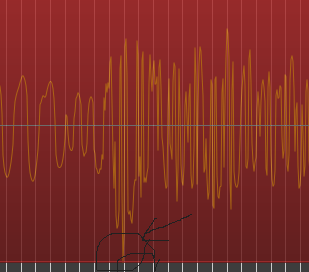
I need to normalize only a small certain section out of a region, my goal is to lower the loudness of the section to a lower one, so that I can boost the loudness of the whole region to a higher loudness (maybe someone has a better idea of how else could I achieve this). So my question: is there any way to select a small portion of a region and modify it’s loudness without affecting the rest of the region? I know I could cut the section, change loudness, and again combine it back with the rest, but I thought there might be a more elegant way to do that.
Example:
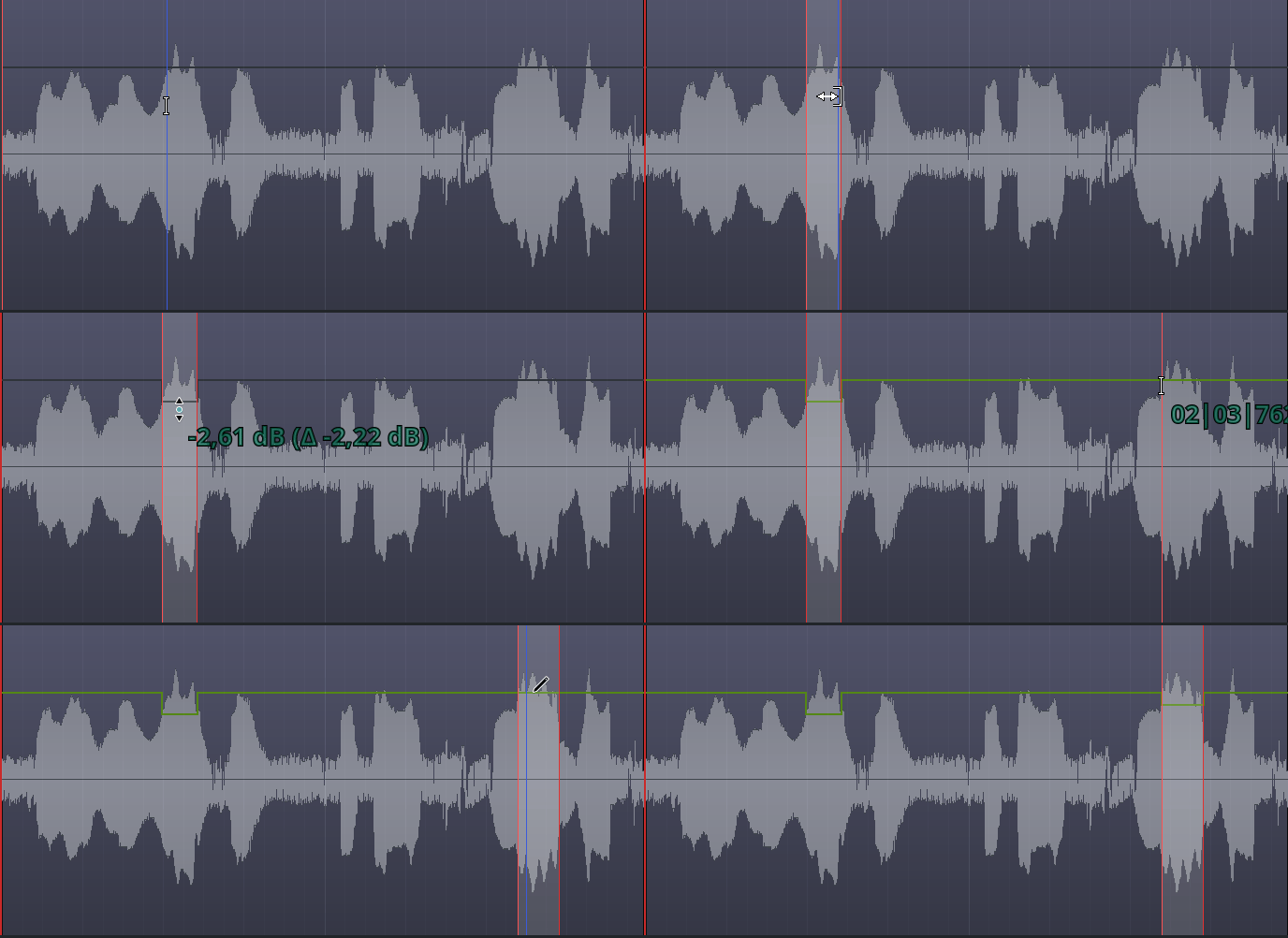
I need to lower the loudness of the pick position at the image to be approx. similar to the rest of the signal.
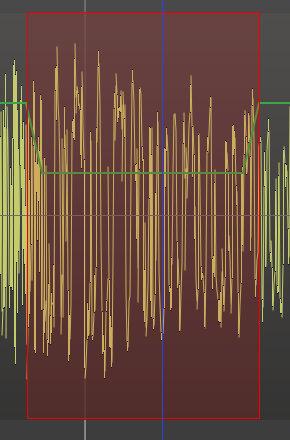
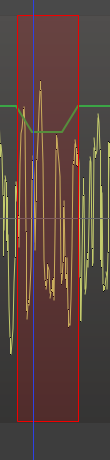
That looks nice, could you tell you use the draw tool to take down the loudness in square-form, for me it will look like a triangle:
Also it’s a pity that the editor doesn’t reflect the change of loudness in the shape of the signal, this way one could see better where the loudness has been changed
The next and biggest problem is I still was not successful with my plan: I wanted to bring down the loudest place (to approx. the rest), so that I can boost the whole again together.
Use the range tool to select the range first, then the draw tool to modify it, and you should be able to modify that section and drag the entire section at once. Make certain to click and drag on the existing line, not just click somewhere in there, I can’t remember but off hand that seems like it would just create a point.
You can automate what the compressor does like anything else, so you could automate the compressor ratio for instance so that the rest of the time it is 1:1 so it doesn’t affect anything around it outside of that.
Yes, it would add just one point. There is also a possibility that the waveform is zoomed in to (almost) the maximum level, and thus the envelope control points are at their maximum “resolution”. In such a case, Ardour won’t draw a square envelope.
So in my experience it never creates a complete square, but a trapezoid, it was just a matter of zooming in to see that: more zoomed-in, more the trapezoid becomes a triangle!
I had no idea the draw and range tools could combine line this. I’ve spent, well, not a lot of time, but more time than I should have at this point manually drawing in trapezoids over my envelopes and automations.
Thank you for the extremely clear animation!
Yes, I have tried this: editing the loudness of the peak-section (via region+draw), then boosted the loudness of the whole track. I don’t see and hear any differences yet, I do not know yet why this doesn’t work
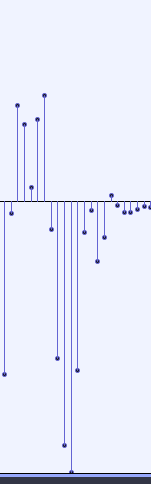
What I am missing here is the ease (as in Audacity, see img) how you can zoom into single sample-points of the signal and click on them to change their value, then boost the whole region again to a higher level
I meant the region gain (Alt+6 by default on Linux), not the track fader/trim operation. But of course, both methods should work. Honestly, I have no idea why it isn’t working for you, unless the region’s gain envelope is disabled. But then it wouldn’t be green…
You cannot do that in Ardour, and you will never be able to do that, I suspect. It’s a very early 90s approach to audio editing that might have a place in an audio file editor like Audacity, but we think has close to or actually no role in a DAW.
The acoustic implications of editing single sample values are very, very, very far from the way Audacity makes it appear. Remember - you’re looking at the synthesis (specifically, the fourier synthesis) of a set of different waveforms, and no point represents a single tone (unless you were magically editing pure sine waves).
For those not closely versed in Fourier analysis, a simple way to think of it is that a change to the waveform which occupies a short time window will occupy a wide frequency window, meaning that if you change one or a few sample values, it will result in a wide bandwidth burst of distortion around the change which is very unlikely to be what you want when editing most audio.
If this is a naturally loud portion of some recorded audio (-e.g. not some digital transient artifact), you just need to use either a clipper or limiter plugin.
→ A typical clipper is essentially a compressor but with 0 attack time, 0 release, and ∞ (infinite) compression ratio.
→ A typical limiter is just a compressor but with a very fast attack time, often very fast release, and ‘very high’ (10+:1) ratio.
 ) :
) :