I’m trying to find the post now and have been for the past 20 mins. It was someone suggesting changing the XML file structure. Talking about replacing or not use variables or actual color names and maybe using the hex/RGB code or something like that. That was as far as I remember reading in that post because the rest, if I recall was if the Ardour team was going to change the XML/color theme. The point of it was if they change it to …this…then it would be easier to associate a color with a particular part of Ardour when it comes to the GUI. I really thought it was a developer that wrote this but it’s possible it was an end user asking for these changes. I know I read it on these forums for sure, so it’s here.
It seem the history in Chrome only seems to be seeing the title of the post not any of the contents. I think it was a developer with you guy. I could have sworn also in that post the theme’s Diehard3 was also a topic. I made my topic post on the 9th. So I know I read it either on the same day or a day or two before the 9th. I could be wrong about the associating with the Diehard3 theme. I read a lot of post with theming topics and I can find it so it may have been more on the development side of topics instead. Either way I think it was a guy that was part of the devel team if I remember correctly.
Wow. well thanks Glen. Coming from anyone here…well that’s a compliment. Thank you. It’s kind of an unfinished mess. My best certainly isn’t on there yet but whatever. Music is so subjective it likely doesn’t matter either way. Some folks are impressed with farting in a mic with reverb others the complete opposite! lol Anyway thanks man!
I seemed to have really cause some waves here. I’m really sorry about this guys. My intentions was nothing more than to create a warm theme for myself and when others expressed interest in it I put in some effort to make it available for them as well.
Glen you had mentioned the Diehard theme. Down, below your original post that I’m replying to now
LAM is “asking” me about where I read a post read prior to making my post about my theme. I don’t think it was the topic of the entry but it was definitely mentioned with in the conversation. I THOUGHT that the theme Diehard3 was mentioned in this conversation but what was discussed by someone (I thought it was a member of the Ardour coding team not an end user…but I could be wrong). Anyway I was trying to show LAM this information. Someone in the conversation was talking about how the XML (.color) file could be modified by either not using the color names as variables or changing something to make it easier to either make color themes for the end user…or maybe just for the devel team? No clue because I didn’t read any further down than this. There was a paragraph or two of maybe a better way of modifying the XML file in some way to improve something but for the life of me I can’t find it. I did a history search in Chrome and it appears that Chomes history is only based on the title of the topic. You didn’t write the part that I’m thinking of regarding the XML file changes did you?
Holy crap Lam! Yes that’s the one!! I could not find that after more than a full 45 mins of looking! So you are a developer correct? I mean you’re with the Ardour devel team right?
Yeah that is the post I was thinking about.
That first post is as far as I got because I realized it was more of a development thing not some end user asking about something related to theming. My plan was to post a new message under your original post since it was related but then I noticed it was closed. Which is why I started my own. But I’m kind of sorry I did. It has seem to upset some. The truth is that I would delete the whole topic right now if I could. The very last thing I was thinking would happen is…well all of this.
Anyway thank you for pointing out the topic that I was thinking about. That was exactly the one I was referring to when replying to Paul D.
C
Don’t be sorry, you did a good thing by sharing your work with the community, I appreciate that and I’m sure there are also others sharing the same sentiment.
My proposal was about trying to make color theme editing easier, to foster new theme creators and ideas. Even if it was more or less ignored by most, at least, for as little as it did, I’m happy you found it useful or interesting.
Oh no kidding? You’re a “normal” user! lol Ok wow. Well thank you for your reply. I honestly was thinking you guys (meaning the devel group) was upset with me because of a color theme?!
But yes that was the idea, to share and since there was no theme like the one I made I thought others might like it to. That’s really all.
I would like to get further involved in Ardour. I’ve been using Linux since about 2005 so I have some idea how things work. I even did some custom devel work of my own on a project called Oasis Desktop back in 2008 (I think…it was just before the "new KDE4 was released) as I had like well over 1000 customs that were freaking out about Win XP going away and that’s what inspired me to see what else was out there.
Anyway thank you again for sharing you message/post with me. I thought I was going mad when I couldn’t find it. What are the chances of YOU actually being the one that wrote the post I was thinking about?! Amazing.
Regarding your proposal. I saw and read your message/topic after I had already dug into what I had to do to make a theme. Well anyway thanks for your reply. I really thought you were a devel based on the content of that post.
hey thanks, Yeah I do too. I used to have the monitors change into “night mode” by reducing the blue light at 18:00 hrs but now I just leave it that way on both monitors. Some people are just more sensitive to things like that. I am big time. Interior lighting, screens…everything. I noticed at 15 years old how different color of car interior made me feel different! Weird but true.
Since a few others found this nice to their liking I didn’t want have people digging through the Ardour system files so I made a Deb file for Linux folks and for Windows/Mac users I zipped up the .color file along with a “info.txt” file to instruct where to place the .color file on a Windows system or Mac.
I’ve always had really sharp eye site most of my life but I’ve been working with computers since I think 1981 (Texas Instrument 99 4/a)…then in 1998 I started a business making computers for the recording industry because back then there was little out there for this purpose. Then in 2002ish Alesis released the HD24 unit. Well that changed everything. At least for HD recording. But people wanted to recorded directly to their PC. Anyway I think being around PCs for this long made my eyesight get worse quicker than it would have otherwise. So at like 43 years old I started having trouble reading without glasses… I wonder how much of the blue light spectrum was related to that. I now have blue light blocking reading glasses.
Oh yeah! Okay I gotcha. I did see that word before but I think it’s specific to a certain brand of monitor that uses that word for it. I don’t think it’s HP…maybe Acer or ViewSonic?
C
By the way I’ve just created a pull request that fixes the issue I mentioned in that thread, if it’s merged themes using color aliases more freely (such as jean-emmanuel / ardour-arc-theme · GitLab) will work seemlessy.
Hey guys,
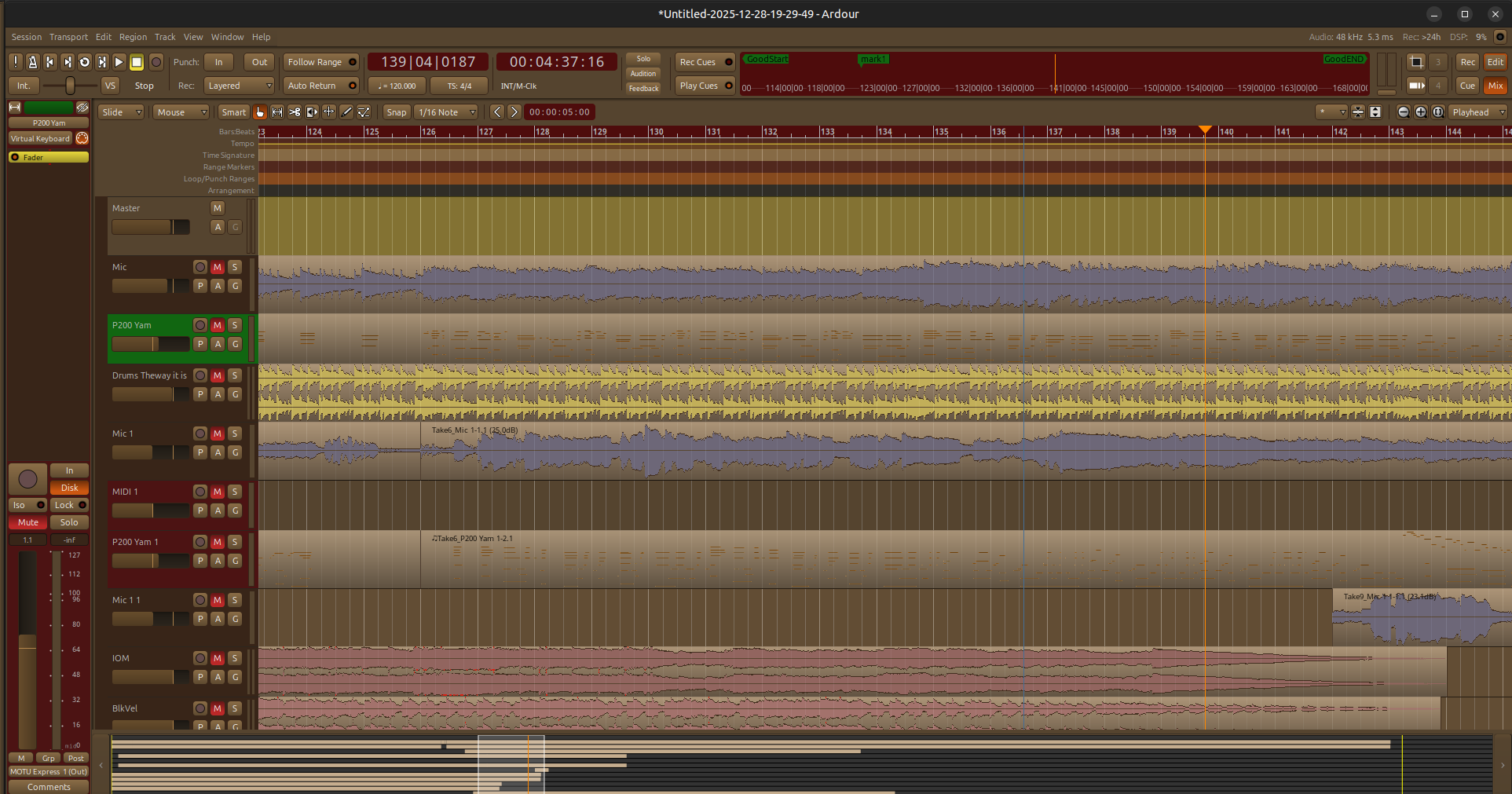
Ok there have been nine updates to this theme since it was uploaded. I would suggest if you had downloaded version 1 of this theme, to download the new 1.9 version of it.
There are several errors within the file itself which cause a few elements or “Item” that were assigned to a specific color not to find the color or display it properly.
The Ardour team had made some changes within the Marker Bar area at the top of the editor window. From Ardour 8.2 to 8.12 there were some enhancement made to consolidate the markers bars in providing more vertical space in the editor window, reducing the amount of marker bars.
This new version of the Autumn theme accommodates this change. Also, depending on the combo of marker bars that were in use, it was possible that two of the adjacent bars could be the same color, causing it to be confusing as to what bar your mouse is actually pointed to. This fixes that.
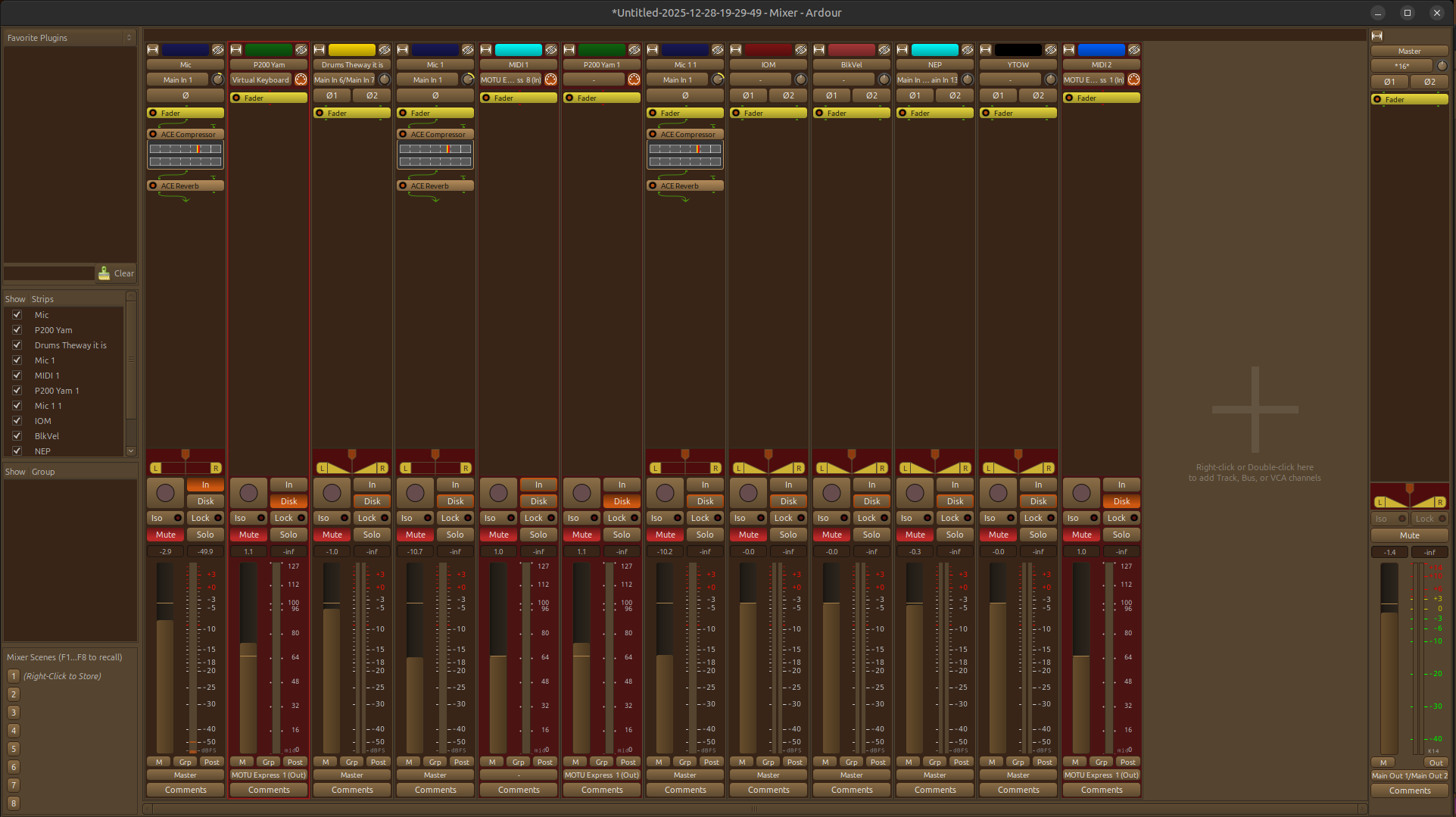
Finally, in the editor windows you’ll noticed that the Selected track is forest green but if you were using the mixer view at the same time (if you have a dual monitor setup you’d likely being doing this) you would find it difficult in the original theme to see which track/channel (in the mixer) was the selected track/channel. That has been resolved. Now with the 1.9 version there is a super bright red outline surrounding the currently selected track/channel.
Hey guys,
Just want everyone to know that I just discovered after Ardour 9 release that my Autumn theme doesn’t display correctly. I was just infored that there have been some added theme options and colors to Ardour 9 that previous versions didn’t offer. I was given a very helpful document from one of the developers that will make it a bit easier to track the new changes. When I have a bit of time I’ll dig into this and make this theme work with Ardour 9 as well as it did with versions 5 through 8. I’ll keep you posted.