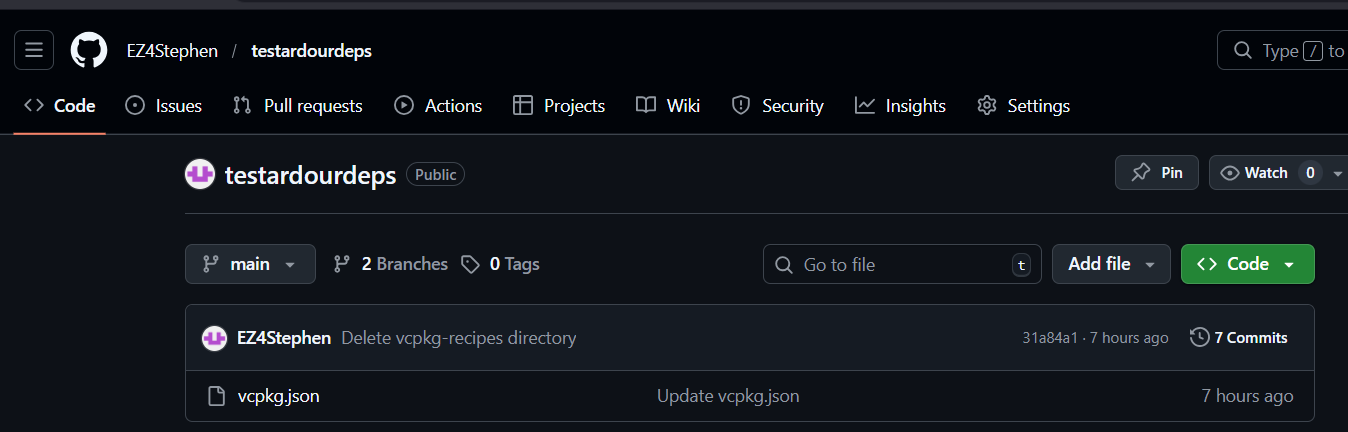
I’ll be honest with you Stephen, I’ve spent waaay too much time on this already. I honestly think you need to configure your repo to use the same folder names that Microsoft uses (along with all the packages that are relevant for your build!!) And there’s another important aspect you need to consider:-
When someone downloads Microsoft’s repo, the first thing they need to do is to run a batch file which sets things up correctly (for example it downloads a version of vcpkg.exe that’s known to work with the downloaded repo). The batch file is called bootstrap-vcpkg.bat and once again, it’s absent from your repo. So you need to consider adding that and the doing whatever’s necessary to make it work. Once you’ve managed to get it all working again, I’ll be happy to give it another try.
In fact there’s another important aspect which @x42 and @paul need to consider…
Even if you make this all work, it’s by no means a quick shoe-in for potential new developers. For Microsoft’s official repo, the various packages often depend on other packages which we don’t need in Ardour. So to build everything takes a very long time. I’ve built Microsoft’s repo here up to glibmm and even on a fast machine, it took over 7 hours 
Based on your feedback, I’ll incorporate downloading vcpkg and doing what’s needed to that bootstrap file as well. Vcpkg by itself should handle getting any dependencies’ dependencies. Personally, the one-time cost of using vcpkg feels low (Except for maybe time and disk space), but when it works, it doesn’t need to be rerun.
If any file/dependency version changes down the line, I assume only the baseline commit string can be optionally edited by whoever has a copy of vcpkg.json, and only the packages that are affected will rebuild when running vcpkg install.
Do I think a script could be made to install all dependencies, instead of relying on vcpkg for most of them, + a script? Yes. Am I going to look into that? Unlikely.
Added the python script to build the remaining deps if everything from vcpkg.json successfully installed. Note that the script also handles making a copy of pkgconf.exe as pkg-config.exe, and the renumbering of jack.pc’s version to 1.9.22, and the creation of aubio’s .pc files.
Also added boost-uuid to the file as a library to be installed, but it’s for building rather than passing configuration.
(Note that The python script is yet to incorporate downloading and installing vcpkg, and run the install command by itself.)
There’s also a small inconvenience that some of the .pc files’ prefixes are hardcoded paths instead of prefix=${pcfiledir}/…/… , while the chances of one moving those dependencies around is low, that is a current limitation that will need a little fix.
TLDR: If installing with vcpkg works, the script should be good enough (except for maybe including pkg-config.exe in your path, and PKG_CONFIG_PATH before running configure for Ardour), though the MSVC version line might give an error.
Someone other than me or @John_E please try installing. Feedback to confirm whether the libffi error is more widespread, and if anything else gives errors, or if the whole thing works, is needed.
Thanks to ccache it’s been a while since I’ve rebuilt the whole stack from scratch, but on other platforms it’s a 45 min - 3 hour task (depending on CPU and disk speed).
Well in any case, Stephen’s repo is considerably simpler than Microsoft’s so with any luck, it might not be a problem.
Were you talking about building the stack with vcpkg? If you’ve done that in the past it’d be worthwhile if you could try it with Stephen’s repo and let us know how it goes.
no, I refer to the build stack we use for official binaries (mingw cross compile on Linux).
I never compiled Ardour or its dependencies on Windows.
A big part of the time for vcpkg builds are that they rely on libraries that we don’t need. For example, atk in vcpkg depends on libgettext (which I don’t think we build??) I know we build atk ourselves these days but as an example, gettext alone takes over an hour to build
Robin - do you remember Adrien (the guy who developed AAF for Ardour)? And can you remember which platform he was working on? If it was Windows, I wonder if he’d be interested in testing Stephen’s repo for us?
@EZ4Stephen - no-one seems to be coming forward to test your edited repo so I downloaded it this morning. One thing I’ve noticed is that the previous version had about half a dozen files called vcpkg.json but the current version only contains one (and it no longer makes any reference to libffi or glibmm). Is that what you’d expect?
Hi John, sorry but I’m a linux guy, not very familiar with windows dev…
That’s okay Adrien, thanks for letting us know…
Yeah. It needs some updates for the 2 files to be sufficient to get everything to both configure and build, but for testing configuring, that should be enough to pass.
Thanks Stephen but there’s something I’m not understanding here. I know you’re not building glibmm in the revised repo but just staying with glibmm as an example…
IIRC you were building an earlier version of glibmm (2.62.0 ?) and I’d thought that the way you’d achieved that was to edit the vcpkg.json file for glibmm - so if you’re not including those vcpkg.json files any more, how will it know to build an earlier version?
The python script handles downloading, extracting and building glibmm.
@John_E I have two more ideas on what you should try doing.
- Use vcpkg classic. Instead of relying on the vcpkg manifest, since you have vcpkg installed, run
vcpkg install boost-ptr-container glib libsndfile curl libarchive liblo taglib vamp-sdk libusb rubberband jack2 pthreads fftw3[threads] aubio[core] libpng pango lv2 libxml2 cppunit libwebsockets portaudio[asio] libsamplerate serd sord sratom lilv boost-uuid boost-tokenizer boost-multiprecision boost-pool boost-algorithm boost-property-tree boost-multi-array getopt
- If that gives errors about libffi again, can you try downloading, building and installing libffi from it’s source? (As in, without the use of vcpkg). Because if you succeed, you can share the commands you ran, and I can try fixing up something in the dependencies repo I have, that can have a go at solving the libffi build errors. First try the source files from the 3.5.2 tag, if that doesn’t work try the latest source files. If at any point you get errors in trying, I’d appreciate if you share them.
I don’t have enough time today, but I will be testing installing all the (non libsigcpp/glibmm etc) deps from scratch via vcpkg classic tomorrow. I did run the command to test its validity, and it was valid. And if that works, I can ditch the manifest version for the classic version, and put the install command of those deps in the python script as well, ditching the other file.
Hi Stephen - I don’t quite understand. Why are you needing to build everything from scratch again?
And do you mean to build from your modified vcpkg? Or from the official repo? I was always using classic mode with yours.
Either way, here in the UK next week is the end of our tax year so I won’t have much availability for a couple of weeks.
I just want to make sure everything I suggest works in one go.
Neither, I mean just running the full command with the package names. (Though this assumes you didn’t uninstall vcpkg.)
Really? Just to clarify:
vcpkg install
^manifest mode. You don’t name the packages in the command itself, instead you rely on a vcpkg.json. the deps get installed into a folder called vcpkg_installed.
vcpkg install boost-ptr-container glib …
^classic mode. You only need the vcpkg repo installed. You might need to add a .\ prefix to the command. The deps get installed to where you downloaded vcpkg.
I didn’t realize the tax year end was almost here. I can wait for you to be done with taxes and such before doing anything I asked.