I’m having an issue with LSP’s impulse response loader. When I close and reopen the Ardour project, I open the GUI for the IR loader, and it says “Unsupported format.” I can reload the IR, and everything works, but it would be nice if it just works when I open the project.
I tried looking through the project directories, and I’ve seen that Ardour creates links to external files instead of referencing absolute file paths. I found this in project/plugins. I went to the folder at the bottom, and it has what looks like a link to the IR .wav file that I want, but the link is broken. I tried to create a link manually and replace the bad file, but that didn’t seem to fix it.
Is there a way I can fix this so Ardour creates a link that works?
Everything related to my “guitar amp project” is in the directory ~/Documents/3 - Music/Guitar amp. From here, the Ardour projects are in a folder called Ardour, and the IRs are in two folders called IRs - Cab and IRs - Reverb. Inside each IR folder, there are subfolders with the .wav files in them.
I downloaded a .sf2 file and plugged it into ACE FluidSynth. I closed an reopened the project, and it actually worked. I’m also using Neural Amp Modeler, which is loading the amp just fine. It just breaks for the cab and reverb IRs, both of which are LSP plugins.
For some clarification, I’ve been using Ardour as a guitar amp on Linux Mint. Recently, I’ve been migrating everything over to Arch. When I first installed Ardour on Mint, I think I had this same issue on the first project, but none of the other projects. I just remembered this, so I tried opening another of the projects I transferred, and it seems to work fine.
So this issue may only affect the first Ardour project. Worst case scenario, I suppose I could recreate that project from scratch, and it might work. Heck, it’s a relatively small project, so it wouldn’t be the end of the world. It would be convenient if I didn’t have to do that, though.
I had a similar issue on Mint, but it was mainly Neural Amp Modeler not loading the file. So I think it’s an issue with the first Ardour project, rather than LSP specifically.
I wonder if it could have to do with the project saving in general. In the demo video, I attempted to close without saving, expecting it to ask me if I would like to save. It didn’t ask, so I saved manually with Ctrl+S, then closed Ardour. Maybe it didn’t actually save?
I could try adding a new track or plugin, then saving and closing, and see if that works. I could also try to save it as a new project: if this only affects the first project, maybe I can trick Ardour into thinking it’s actually a new project. (Edit: I tried adding a new plugin after reloading the files, saving, and closing, but the files were still not loaded automatically. I tried doing a “save as,” and it failed. I tried duplicating the project folder, and I still got the same results.)
By the way, I love your plugins! The UI looks cool, and I feel like I have a lot of control over everything.
@Sadko it looks like the plugin does not always send a StateChanged message when a new file is loaded. So it can happen that Ardour won’t ask the user to save.
But I cannot reproduce the issue. Using the LSP GUI of “LSP Impulse Responses Mono” LV2 convolver (v1.2.23) to load a file and then save the session correctly generates the symlinks.
A relative link from session-dir/plugins/*/state*/ to session-dir/externals/,
and from externals to the actual absolute path.
Reloading the session restores the state correctly.
Those links are all created by liblilv (LV2 library), not Ardour per se. @TySpicer are you using Ardour form Download Ardour | Ardour Community or a distro build? If the latter then perhaps liblilv as shipped by that distro may or may not be responsible.
Is the session saved on file system that supports symbolic links, and not a USB disk with Windows vfat?
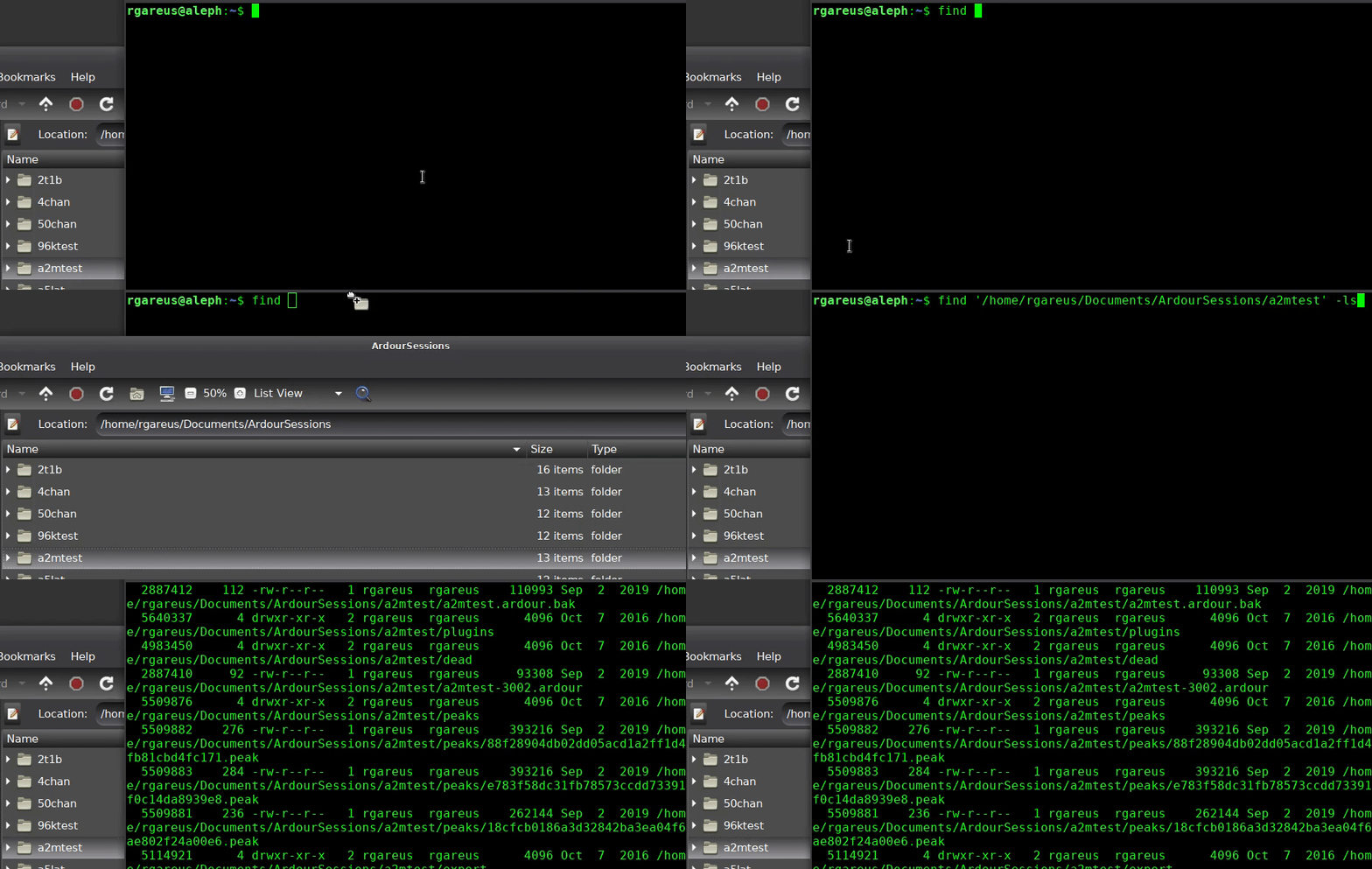
Can you show the output of
find /path/to/your/the-session-dir/ -ls
–
PS. @SadKo when I choose “edit with generic controls” and pick a file using Ardour’s file selector (LV2 property" nothing happens. Is that expected?
Hmm, interesting! I uninstalled the Arch version of Ardour, and installed the demo version from the Ardour website: Download Ardour | Ardour Community
I opened up the project, and it looked like it was still broken. I loaded up the IRs, closed and reopened Ardour, and they were loaded! So I bet you’re right, it’s probably an issue with liblilv.
I’d rather not use the demo version, and I’d rather not pay for the full version. If this is a bug with liblilv, I wonder if it’s just not fixable. I may just have to recreate that particular project from scratch. It will be a chore, but it’s not a huge project.
I’ll try re-installing the Arch version of Ardour, and see if that changes anything. Other than that, it looks like I might have to rebuild the project.
Edit - I uninstalled the demo version, and re-installed the Arch version. I opened up my Church practice project, and the IRs loaded! I guess the official version fixed the broken links, so everything is fine now. And I don’t have to recreate the project!
Yes, it was saved incorrectly. So re-load won’t fix it.
You can keep that around, official builds from ardour.org can be installed in parallel with distro builds. The official binary is Ardour with an upper-case “A”, distro builds use ardour (lower case).
Yes, the bug happens when saving the project (not when loading).
Yes, but as far as I can tell, the issue has been fixed.
However, I have a new problem. Ardour won’t open at all! I’m using Rofi to open it, and nothing happens. I tried running ardour8 in the terminal, and this is the output:
WARNING: Your system has a limit for maximum amount of locked memory!
         This might cause Ardour to run out of memory before your system runs
         out of memory. You can view the memory limit with 'ulimit -l', and it
         is normally controlled by /etc/security/limits.conf

Ardour8.12.0 (built using 8.12 and GCC version 15.1.1 20250425)
Ardour: [INFO]: Your system is configured to limit Ardour to 524288 open files
Ardour: [INFO]: Loading system configuration file /etc/ardour8/system_config
Ardour: [INFO]: Loading user configuration file /home/tyspicer/.config/ardour8/config
Ardour: [ERROR]: ** ERROR ** VSTFX: Failed opening connection to X
Ardour: [ERROR]: could not initialize Ardour.

(ardour-8.12.0:2512): Gtk-WARNING **: 13:12:29.585: cannot open display:
I’ve been messing with a couple other things, namely a display manager (gdm) and Hyprland plugins (hyprexpo). I don’t know if these would have broken something. I’ve tried uninstalling and reinstalling, system updating, rebooting, and I can’t seem to run Ardour. Did I break something?
@Sadko it looks like the plugin does not always send a StateChanged message when a new file is loaded. So it can happen that Ardour won’t ask the user to save.
PS. @SadKo when I choose “edit with generic controls” and pick a file using Ardour’s file selector (LV2 property" nothing happens. Is that expected?
Yes, looks like a regression in LV2 TTL generator and LV2 wrapper. Fixed it in this commit:
I suppose it has been fixed until you change the file to some another one and try to save the project.
I already have had issues with lilv library like this:
And seems that no one has moved forward in lilv to fix these problems.
It appears you managed to break the X windowing system on your computer.
Are you using native X, or Wayland with XWayland?
Do other graphical applications still start ok?
What exactly do you mean by messing with gdm? Changing the configuration file, or you previously had e.g. SDDM and have now changed to gdm?
Yeah, I must have broken something. I’m using Hyprland, which I believe is Wayland. I’m not entirely sure how to tell, but fastfetch says WM: Hyprland 0.51.1 (Wayland). Is there something else I should check?
It seems most of my other programs are working. LibreOffice Calc had different colors for a second, but I fixed it. Discord seems to be the only other thing not opening.
I just installed gdm, I haven’t messed with any config yet. I was logging in with the Arch tty before. I was having an issue with hyprsunset, and someone recommended using uwsm.
I also can’t reproduce the issue with current lilv main (9d303e8f2139c8aaf305de2f9b97e5b67432b7bc version 0.24.27). I can’t tell from the video if the session was actually saved? Having a loaded session with unknown history makes it hard to guess what’s going on, can you reproduce it from a new empty session?
I am doing this:
Create a new session
Add an LSP IR Stereo to the master bus
Open its UI and select some wav
Save the session and quit Ardour
Launch Ardour and load the session
Open the plugin UI and confirm that the wav is still set
Then again, to confirm changing it multiple times works:
Select a different wav
Save the session and quit Ardour
Launch Ardour and load the session
Open the plugin UI and confirm that the wav is still set
After this the plugin’s state directory should have unbroken links to both wavs in the externals directory (although only the second one is used now).
That’s a good point, it’s not exactly clear from the video. At 0:36, I tried to close without saving to see if it would offer to save. It didn’t offer, so I cancelled the close at 0:38, pressed Ctrl+S to save (not visible, of course), then closed at 0:40. So as far as I know, I did save the project, but maybe Ardour didn’t recognize any changes made, so it might not have actually saved. I’ve also tried to make an actual change, like adding another plugin, and I still get the same behavior where it doesn’t load the .wav files.
That’s the thing, it only affected the first session I opened. Everything else seems to work so far.
Unfortunately, I can’t even test anything at the moment, because I think I broke my compositor. I made a post on the Arch forum to try to figure that out. Hopefully I can figure it out soon, because I want to use my guitar amp! Well, that’s Linux sometimes, I suppose. I appreciate having great power over my computer, so I accept the great responsibility. I’m optimistic that it will be worth it eventually!