Looking for any Pipewire / pipewire-jack troubleshooting guide

On Arch based-systems, pipewire-jack-client can be installed to automatically create bridge connections between pipewire-pulse and jack2
(similar to bridges between pulseaudio and jack2 using module-jackdbus-detect)

PipeWire Wiki - JACK Bridge
PipeWire Wiki - Guide JACK - jackdbus-bridge
LinuxMusicians - PipeWire (0.38.1+) as a JACK client

If you’ve started Ardour and it doesn’t show up in pw-top it likely means that you’re started it with the ALSA backend
You may have to install pipewire-jack (or whatever it may be called in Trixie) and optionally start Ardour using something like pw-jack -p 256 /path/to/ardour9 on the command line.

1 Like

No I started Ardour with pipewire. But I have to correct myself:

pw-top AND pavucontrol do work, but not when my USB microphone is the I/O device, like I just noticed. Also, apparently an application has got to be running when you start either of them. Didn’t expect that.

So what now? Does the output of pavucontrol

ERROR:…/src/devicewidget.cc:116:void DeviceWidget::setVolume(const pa_cvolume&, bool): assertion failed: (v.channels == channelMap.channels)
Bail out! ERROR:…/src/devicewidget.cc:116:void DeviceWidget::setVolume(const pa_cvolume&, bool): assertion failed: (v.channels == channelMap.channels)
Aborted

point at further configuration requirements for the USB microphone? I’m at a loss here, havent’t looked that far under the bonnet jet.

I can record and the result seems reasonable, but the frequent xruns are a nuisance, I’d really like to get rid of them. I tried liquorix, but the installation failed because I have the nvidia-driver package intalled and liquorix couldn’t build the required Nvidia module, so much for that.

Technology is a nice thing as long as it works…

1 Like

Bravo, you speak my heart. I’ve been sick and tired for some time now by the contemporary super-scientific approach to everything and the obsession with reinventing the wheel on virtually every field. All I’ve seen as a result so far is bloat everywhere. Whatever happened to the KISS principle being applied to the big picture?

Allright, let’s not deviate any further to off-topic opinions, the issue at hand is serious enough.

1 Like

This is just a guess on my part, but possibly pavucontrol is expecting a stereo configuration (typical desktop audio configuration) and the error is indicating that the USB microphone does not match the expected channel configuration (i.e. the microphone is a mono device and the configuration expects stereo).

Well, obviously i can’t answer that. Ever since i use Linux (which is the same time as using computers), they seem to have the desire to change some basic workflow. If i wanted to put it sarcastic i’d say: they change it as soon it works well (does that mean soon enough pipewire will be replaced too? :slight_smile: ).
Others claim in those basic workflows something didn’t work, and that is the reason for the change.
This way or the other: over the years it really is exhausting relearning basic workflow, while documentation often is still lacking, instead of getting things done. At least for some of us.

Just wanted to let you know that you not alone with questions, perhaps anger. But i agree to avoid a further offtopic meta-discussion, which will have no impact on how things get handled anyway. We have to live with it (if i hadn’t discovered ardour 6 years ago, i would have lost all interest in computing)

Best wishes.

@mcannavo In any case, you should be able to run with pw-jack or with jackd, you shouldn’t have to remove pipewire for jackd to work.
My advice : keep a jackd installation if you can’t manage to avoid xruns in pipewire.
First of all, try Ardour with pure ALSA. No need to remove anything. If there are still issues, then pipewire is not the source : check your system config. Try also with a jackd , dbus started by cadence, qjackctl or J2SC. It will take ALSA over pipewire, so you shouldn’t be annoyed.

In short, configuring and using Jackd2 was complex, but the system was mature; with a reasonable amount of effort, I could achieve excellent results—results I haven’t been able to replicate since Pipewire was adopted across distributions.

I wanted to share my thoughts on the forum to see if anyone else had encountered the same difficulties. Some respondents had; others view the shift to Pipewire as a positive innovation, even if it entails compromises I find hard to accept (such as frame handling and increased latency—issues that can be mitigated by using an audio interface’s Direct Monitor feature).
Some even consider Pipewire to be superior.

My view is that when making music, I want to focus on the music itself rather than struggling to get the recording software working properly. I say this as a software developer and OS2/Unix/Linux specialist (my first distro was Slackware back in the 90s) with 40 years of experience.

Personally, I’ll be using Ardour by interfacing directly with ALSA (for as long as I can manage it, and until they destroy ALSA too…), and I’ll no longer be surprised by people who prefer using unofficial or pirated software to make music.

Thanks, everyone.

Best Regards
MarcoC

Thanks a lot.
I’ll follow your advice

Regards
MarcoC

I checked the info on this site and found it to be OK, albeit lacking some crucial information. But you’re totally right. It is indeed AI generated content. I hate to feed people with stuff like this, because anyone can generate something similar for themselves using an LLM of their choice. Sorry about that.

Unfortunately, I’m not aware of any legitimate site that explains the gory details of PipeWire/WirePlumber in an approachable way, including the project sites themselves. :frowning:

I know this is off-topic, but some people seem to have completely misunderstood my point, and the point of Pipewire in the first place.

Exactly!

And most people are the same, myself included. But this desire is largely incompatible with your first statement.

And this is the point. Most people, especially people who are new to Linux, and even a great many who have been using it for while for other tasks, do not have the skills to get Jack running reliably with low latency without “struggling”. Which then pushes them towards using Mac or Windows instead.

Yes, I know. I did say there were hacks and tools, like bridges.

The point is, someone who isn’t deeply familiar with Linux won’t know how to do this, and would be ridiculous to claim that it is easy for these people. Most people’s eyes glaze over at the mere hint of a command line.

Yes, there are distros which have come a long way to make this easy for newbies, but if you’ve installed and been runing Linux Mint, or Fedora, or whatever for the last few years, you don’t want to be told that you have to install a new OS to make this easy to work.

Pipewire is an attempt to make audio on Linux (on ALL distros) as easy to use as audio on Macs.

And, yes, it’s annoyed a lot of people who have learned the old way and got it working reliably. But it’s not aimed at you. It’s aimed at people who are specifically NOT like you and who would struggle with Jack.

I will leave this here (with a content warning for bad language) - and, no I don’t completely agree with Glenn: I thinking he’s cherry picking and many of his complaints don’t apply to home studio users. But he has some good points.

Cheers,

Keith

Pipewire is highly configurable. But the distro or the desktop environment tweaks could not configure it correctly for your suits. It should not add latency, and if it does, then we should be able to solve it. I am currently writing a tool with this purpose in mind, but as said there is a myriad of new tools these last months because of AI abilities, and mine is not enough mature to help you for the moment.

What we all need is a good and simple tool that make easy config for everyone, without big knowledge. And I’m pretty sure it is doable with pipewire.

You mean something like set which soundcard is to be used?
Holy moly, that was a struggle to figure it out.
(for jack i just set it in qjackctl or cadence, might be cable is supposed to do it too, but i sure couldn’t).
Same for buffersize, iirc.

For all of you guys complaining about how horrible it is that computer software evolves and changes every now and then I can recommend Debian Bullseye.
It’s ALSA/Pulse/JACK only, unless you really want to install the optional pipewire package (but why would you?) and if you get the ELTS it’s supported for another 5 years.

Or get the corresponding Devuan release, to make sure there’s no systemd in sight either.

1 Like

That is a bit of a stretch. I just checked an installation of actual stable with xfce, and it would do just as well, per default.

Really? Talking about Debian Trixie? Amazing how different things can be from user to user, it’s the very Distro I’m having trouble with. Could it be because I’m using Mate? Since you tried it with Xfce.

For the last 15 years or so you get the same audio system installed whether you’re using Mate, XFCE or any other DE.
For modern distro releases it’s Pipewire with Pulseaudio, and optionally JACK, emulation and for older ones it’s pure Pulseaudio and JACK

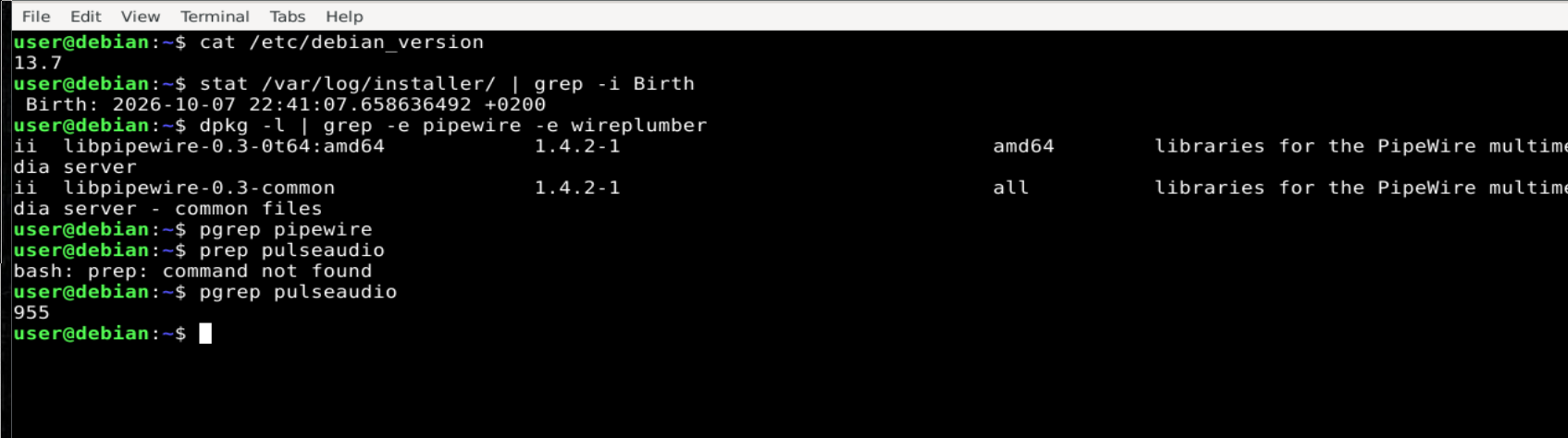
Yes, really. I double checked, cause you know how easy it is to get confused … So i just reinstalled once again to be really sure (the other installation is like 3 days old … and yes, devuan has no pipewire with xfce whatsoever, debian has two libs, it seems, i was wrong above, sorry for that )
xfce is installed via tasksel, i wanted it quickly done. If you install the DE after the installation process, just the metapackage, it is also often different.

Also, as a really last note: I don’t want to convince anyone of anything, all i am saying is: if , and only if, it is wanted, then it is possible. In fact i use pipewire myself now, with a grumpy face though (cause i switched distro and not too comfortable with non-debian-based yet …). Best probably is to get the head into the new “standard”, that is my opinion. But it is none of my business what solutions others choose.

Debian Backports has a more recent version of Pipewire. Not saying it will help anything but working OK here.

$ apt list -i pipewire
pipewire/stable-backports,now 1.6.9-2~bpo13+1 amd64 [installed]
2 Likes

PipeWire is a real nightmare.
For what it’s worth—and in case it hasn’t been mentioned yet—the only way I’ve found to work effectively with a distribution other than AVLinux or Ubuntu Studio is to install “cable” and configure it properly.

Then, modify the application launcher by adding this prefix:

pw-jack

For example, for the Ardour launcher:

pw-jack ardour

or Reaper:

pw-jack reaper

That way, I don’t have any more issues.