Linux & Drum VSTi

This is EXCELLENT information @ccaudle! Where were you when I was trying to convert my daily-driver distro to a recording rig? LOL!

What you are describing seems to fit my symptoms. When I first load some of my plugins is when an xrun or 2 appears. Then it “settles in” and everything is fine. With Ugritone, the xruns continue…like a SLOW counter…until it freezes my system or crashes out. But loading Ugritone, or switching instruments (loading the new instrument samples?) is when the bulk of xruns happens.

I was focused on the cpu governor, as my default is “powersave”, if I remember correctly. I cannot choose “ondemand” with my cpu (an Intel i5 listed above in my curated inxi -Fxz output)…can’t remember why. So “performance” is where I’m at now. It’s noticeably better, but not ideal.

I found a program/utility called Millisecond that checks your system parameters and suggests manual tweaks. I go through the checklist at every boot/reboot. It’s been very helpful for performance, but not perfect.

Millisecond incorporates a lot of the suggestions from linuxaudio.com

System configuration [Linux-Sound]

Your suggestions for manual frequency-set and kernel preemption are interesting, because I haven’t heard of or seen them discussed before. I will absolutely give them a try, but I need a spare day to focus on things, as life is too hectic and chaotic at the moment. I’ll let you know how helpful your suggestions are/were by tagging you in this thread. TKS Chris!

Try Drumlabooh (Drumlabooh | Драмлабух: LV2/VSTi drum machine). It’s LV2/VST3i plugin that supports Hydrogen, SFZ and own format drumkits.

3 Likes

I’m late to the discussion, but a while ago I made this:

Please note that my remarks about SM Drums at the end may be out-of-date, I haven’t looked into it for a while.

3 Likes

I had a thought yesterday - if your edrums use a Roland module, or one of the Yamaha or Alesis ones listed here, or a Millennium 850, then you could buy one of the somewhat-affordable Sound Editions from drum-tec.com and load the better samples into your module and drum away.

If the sounds cut the mustard then voila just record the audio out. If not, then you’ve potentially got better dounds for monitoring while you just record the raw MIDI into Ardour.

I dunno. Food for thought anyway.

My Alesis is the DM10-MKii Pro module. The only Alesis kits that allow loading 3rd party samples appear to be Crimson and Strike kits. And I think the newest kits, the Strata Club and Strata Prime, allow 3rd party samples. Appreciate the link, because I didn’t know that website existed and I’m sure others will be glad to know about it.

I don’t care about onboard sounds, because I don’t play live, I only record. And I record with MIDI because I absolutely want to “fan out” the individual tracks for each trigger/sound. So 3rd party sounds are meaningless to me, but could be big deal to anyone who records stereo analog/audio tracks, or plays live.

cool share willy!

2 Likes

@ccaudle

finally getting around to tinkering with my system, per your suggestions.

entering the 'sudo cpupower frequency-set 2.4G command in CLI yields the following output:

jim@OptiStudio:~$ sudo cpupower frequency-set 2.4G
At least one parameter out of -f/--freq, -d/--min, -u/--max, and
-g/--governor must be passed

not sure what else it’s looking for here? I’ve already set my cpu governor to performance mode. Is any of this helpful info?

jim@OptiStudio:~$ cpufreq-info
cpufrequtils 008: cpufreq-info (C) Dominik Brodowski 2004-2009
Report errors and bugs to cpufreq@vger.kernel.org, please.
analyzing CPU 0:
  driver: intel_pstate
  CPUs which run at the same hardware frequency: 0
  CPUs which need to have their frequency coordinated by software: 0
  maximum transition latency: 4294.55 ms.
  hardware limits: 800 MHz - 4.60 GHz
  available cpufreq governors: performance, powersave
  current policy: frequency should be within 800 MHz and 4.60 GHz.
                  The governor "performance" may decide which speed to use
                  within this range.
  current CPU frequency is 3.27 GHz.
analyzing CPU 1:
  driver: intel_pstate
  maximum transition latency: 4294.55 ms.
Segmentation fault (core dumped)

I also checked my preempt settings, and seems like I might benefit from your suggestion.

jim@OptiStudio:~$ sudo cat /sys/kernel/debug/sched/preempt
[sudo] password for jim: 
none voluntary (full)

Lastly, I’m noting that something changed in my system, as I get xruns now just opening an Ardour session. It doesn’t even have to be playing…just open. The xruns just keep totaling…it doesn’t crash, but I can hear the momentary sound glitch. No hardware changes, no software changes. I keep my system up-to-date, so I’m guessing something unexpected has changed under the hood. I’m eyeballing new kernel, perhaps. I know I’ve had 2 kernel updates. Currently on 6.8.0-90-lowlatency kernel and Lubuntu 24.04.3 which was modified by the Ubuntu Studio configuration package.

I’ve seen some references to the lowlatency kernel no longer being required, as the generic kernel is now tuned for low latency throughput. I’ll try the generic kernel, for sake of comparison, but if that doesn’t solve the issue, I can’t imagine what else might have changed. Any thoughts to help troubleshoot?

As the message indicates you have to specify what parameter you are attempting to set.
Since in your case you wanted to set the clock frequency directly it would be

sudo cpupower frequency-set --freq 2.4G

although I am not sure that will set the frequency to a fixed value, you may need to have the “userspace” governor selected for that. Your system seems to only have performance and powersave available as governors to select, but my system has these available to choose:
conservative ondemand userspace powersave performance schedutil

That is good, that indicates preempt-full, which is the best you can get short of the full preempt-RT configuration.

Recent kernels allow a configuration known as dynamic preempt, where the preemption level can be set at boot time rather than at compile time. It allows a single kernel to be set to any of the three standard preempt levels (actually four now, there is a new level named “lazy” which is like full but with some optimizations to not disadvantage standard processes as much if there are no RT processes running).

Still using the ALSA backend?
There is a utility which can help check your system configuration:

Setting the interrupt priorities with the rtirq script used to be common, but I don’t see that on my distribution now, so I’m not sure if it fits well with the latest systemctl tools or not.

1 Like

I did switch to generic kernel, but no change in xrun behavior, so switched back to low latency. xruns continue, but in addition to Lubuntu updates, I’m also realizing I have updated some Audio Assault plugins…Amp Locker (now shows as Mix Locker in the GUI) and Drum Locker. And I THINK I remember LSP plugins getting updated, through KX repos. More stuff got updated/changed than I realized.

I’m also noting that sometimes LXQT-panel seems to hog the CPU on occasion. Not sure what triggers that yet, but killing the panel and restarting it resolves the issue…until next time.

And yes, I’m using ALSA as backend, although I know Pipewire is on this system. I’m just not sure how that works anymore. JACK is also here, but Ubuntu Studio config indicates JACK is redundant with Pipewire. I had JACK and Cadence dialed in on old system…no issues whatsoever…never had a single xrun over years.

I’ve used the rtcqs utility before, but using Millisecond now, which seems to do the same thing(s)? in simpler fashion.
https://github.com/gaheldev/Millisecond

Sincerely appreciate your willingness to help, as I suspect you have forgotten more Linux Audio stuff than I have learned in total! And I don’t want to hijack this thread, about Linux Drum VSTi, to subvert into an xrun troubleshoot session. Is there a way to message you directly? I can’t find a way to do that on this forum? Thoughts?

Is there a good drum plugin for hip-hop (rap)?

Depends on the style.
I use surge XT for all kinds of 808 style sounds. Especially the twisted oscillator has some very suitable waveforms. You can also get some cool drill hats out of this synth.
If you want to go more boom bap old school style,
Use anything that can load and trigger samples.
Just get a copy of the Winston Brothers Amen Break, chop it up into individual sounds and bang away.

1 Like

Millisecond uses rtcqs under the hood.

1 Like

Nowadays almost all systems use message signaled interrupts (MSI) instead of pin-based interrupt signaling. As far as I can see rtirq has no support for that yet. rtcirqus does support MSI but with MSI shared IRQs are a thing of the past so it’s kind of a moot point if it’s still useful to set IRQ priorities. Unless you like shared IRQs and use pci=nomsi as a kernel option :wink:

1 Like

Sure, but it isn’t clear to me if that has bearing on whether setting interrupt priority is still helpful or not.
MSI is a replacement for individual hardware pins, but the interrupt handling will still be split into a short routine which reads the hardware registers and writes anything needed to re-arm the interrupt, and a kernel thread to do all the rest of the work required.
Setting priority on the kernel thread portion is still useful to make sure the RT related devices have priority for finishing the softirq work.

1 Like

Exactly my thoughts. Something to read up on.

I found sitala. It’s the right one for me

1 Like

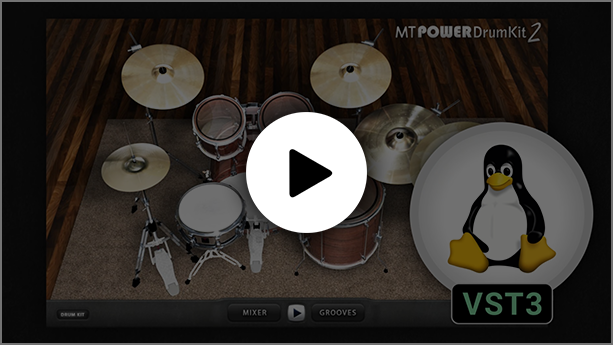
MT PowerDrumKit now also has a native Linux version

4 Likes

That looks cool! It does not seem to be open source, so not for my toolchest. But good find :+1:

MTPDK has had a linux version for awhile, but it was actually a special version of the program designed to be bridged with WINE, yabridge, or similar.

When you say “native linux version”…what gets unpacked from the zip file? is this a DEB file, or RPM, or is it still a specialized windows version that’s easy to bridge with WINE/yabridge tools?

EDIT: The system requirements page still lists Linux requirements as WINE & VST bridge. So I downloaded the zip and looked into the files and there are instructions for Arch, Fedora, OpenSUSE and Ubuntu installation. Summarized, the user just needs to copy the referenced folder/files to the hidden .vst directory in the users home directory. This sure looks a lot like other native Linux plugins I’ve installed!

I messaged the developer circa 2018-2019 to ask about a Linux version and he was at least kind enough to respond that a Linux version was on his development roadmap, but couldn’t say when it would happen. I’m glad to see he’s following through with it and wish him well. Good find Axel!

The latest version from the Manda Audo Linux page is native Linux, not Wine. The Install on Ubuntu.txt file in MTPDK-2.1.4-VST3-64bit-Linux-BETA3.zip says:

HOW TO INSTALL
==============

Step 1)

Copy the whole folder "MT-PowerDrumKit.vst3" into:

Home -> .vst3

You may have to enable "Show hidden files" in your file explorer settings for the folder to show up. 

If the folder .vst3 doesn't exist in your Home directory, just create it yourself. All major DAWs are scanning this location by default.


Step 2)

Install required libraries.

Most of the required libraries might already be installed on your system. To make sure everything is present and up to date for debian based systems e.g. Ubuntu just copy and paste the following command into your terminal.

sudo apt update && sudo apt install \
  libx11-6 \
  libxcb1 \
  libxcb-util1 \
  libxcb-cursor0 \
  libxcb-keysyms1 \
  libxcb-xkb1 \
  libxkbcommon0 \
  libxkbcommon-x11-0 \
  libfreetype6 \
  libglib2.0-0 \
  libcairo2 \
  libpango-1.0-0 \
  libpangoft2-1.0-0 \
  libfontconfig1 \
  libpng16-16 \
  zlib1g


 Please submit your bug reports to:
 https://www.powerdrumkit.com/linux.php

 Consider donating to support the development:
 https://www.powerdrumkit.com/donate.php?ref=linux_release


My two cents about native Linux version: I can only hear floor tom, snare and left crash if I use a mouse. If I use a MIDI keyboard a little more sounds are available but not all of them. Native Linux version doesn’t recognize a purchased license and opens in free mode (click start to enable sound). It doesn’t work in Tracktion Waveform. It’s still beta.