nice to hear, that you think to change to MXLinux.
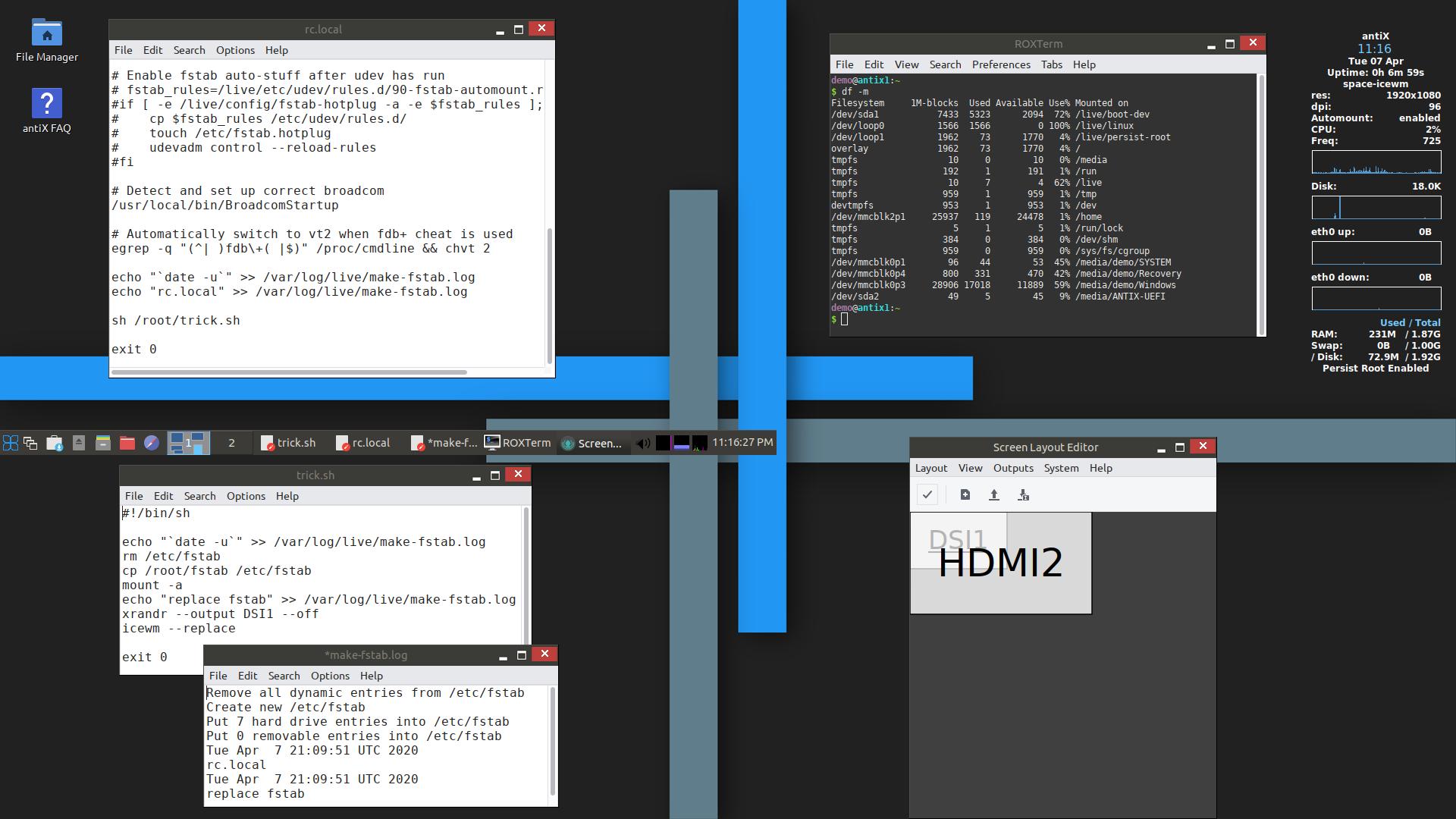
But just to tell you - here is one “nasty” tool in the live persistance tool of Antix and I think also MX-Linux (as fare as I checked, the live tools are the same): make-fstab - it overwrites the fstab, if you you use live-persistance. I think for music and video production its necessary to have a partition, thats bigger than 4 GB. I did not really look into this problem, but I think it is the 4 GB limit in a fat32 partition, because I need my fstab. https://www.antixforum.com/forums/topic/installation-antix-on-2-intel-atom-devices/
I found a dirty hack for this problem, which you can see in the last image on page 4 - make a small script for rc.local
I wanted to create a special antiX iso for Intel Atom sticks, tablets and laptops with 1 or 2 GB, which are in the meantime unuseable with windows - but because of illness in the family, this project is postponed…
and by the way - you have to use the live-usb-maker tool to create the stick you are working on the new iso - if you use rufus or something else, remastering is not working…
I think there may be some confusion, MX/AntiX have tools for you to create a custom bootable ISO with persistence from a running USB Key session, but they also have an “MX Snapshot” tool to make an ISO from your actual install of MX (not live). If I move AV Linux to MX I would not be using the ‘Live’ ISO tools I would be using the Snapshot tools which will generate an ISO that shouldn’t need an fstab at all, it should be like most other ISO files from various distributions. I am currently working on tweaking an MX base and have not yet even tried the Live Boot tools, I will like be a couple of months before I even have an alpha ISO to try…
@GMaq, I’m a huge fan of MX Linux so I’m thrilled at this potential spin. MX Linux essentially put a halt to my seeming constant distro-hopping. I keep an eye on Ubuntu Studio and have your AV Linux at hand for use on my laptop in order to utilize the internal HDD for recording on location.
The only thing I’d say is that I’ve fallen out of love with XFCE (at least the MX Linux spin on things) and switched to Plasma which seems lighter on resources, surprisingly. I note also that Ubuntu Studio is moving to Plasma for next release for what it’s worth…
@anon60445789, I agree with you, that Plasma developed quite nice, but lighter on resources I cannot agree. I have tested Manjaro Arm on the Pi4 with 4 GB - they have a XFCE + a Plasma version - the Plasma Version is definitly quicker, but it is nealy impossible to work with the Plasma version, because you run very quick out of memory. To work with XFCE is no problem - the difference on empty desktop are nearly 2GB - something 1.7 or 1.8, if I remember right.
I think, AV-Linux should run nice on machines with 4 GB
Haha, My first few years were with LXDE and I felt great guilt for burdening the system with a busy and heavy DE like XFCE4 when I moved to it! I know XFCE4 inside and out and for all it’s plainness and lack of sex appeal (it reminds me of myself… ) I think as a presentation base to launch all of the great apps like Ardour, GIMP, Blender, and the VIdeo Editors it is perfect… It’s scalable from 10+ year old machines up to brand new hardware and for remastering and distribution is very logically laid out to retain and pass it’s settings on to new systems and I have put endless hours into making Thunar an absolute beast of a helpful File Manager so there will be no move to KDE/Plasma from this guy…
The desktop icons of XFCE with truncated labels drove me a little crazy but there’s probably a way to fix that. At the time I couldn’t figure it out apart from making the icon spacing huge. Oh, and the taskbar clock that always seems to get screwed up visually if you change one of its setting I admit, I love Thunar!
I use XFCE every day and yes the default taskbar clock is not good, but just remove it and install Orage Panel Clock in its place. Orage allows more customization, for example I want to be able to read the clock from a distance and Orage lets me use a huge font. XFCE is very light on resources (Ram, Gpu and processor) and (at least on Manjaro) it has sane defaults. I don’t need to tweak almost anything. One of XCFE’s best features is it does not get in your way, it just stays in the background and lets you start the programs you use. On the other hand Plasma is not light on resources and the defaults needs a lot of tweaking. This is of course a matter of opinion
You are right, I was misremembering the posting on ubuntustudio.org. I believe they found an increase of ~50MB in ram usage for Plasma vs XFCE. I have 16GB on this machine and reasonably good GPU so the increase is insignificant for me at least. I haven’t tweaked anything for the default plasma install from MX package installer but it may be more curated than a stock Plasma. I don’t really know.
I will definitely give the Orage clock a try! Certainly when @GMaq produces his “MX” edition I’ll no doubt install it très rapidement.
The default clock does some weird things if you dare to change the way it displays the time (like completely disappear or develop odd transparency interactions with the underlying taskbar. My further issues are with the desktop icons that truncate the label. If you toggle the “show full filename” in the MX tweak app, you get multi-line filenames that carriage return in the middle of words I couldn’t figure out a solution other than increasing icon size and spacing to unacceptably high levels. No doubt there’s a fix to be had…
EDIT: Back on XFCE I’ll try to figure out the desktop label truncation / carriage return on full issue…
Thanks for the tip on the Orage Clock (reminds me of “Orange Clown” but that’s the leader of the free world… ) OK, back on topic, you’re right it behaves better with hovering and transparency and with some decent fonts can be made quite visible… Thanks for the tip!
Teaser… that screenie is from my AVL-MX Desktop… It’s going much better than I imagined…
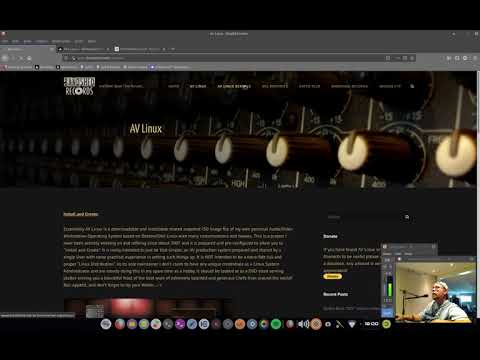
In case anyone is interested in the progress/process of moving AVL to MX Linux here is a screencast discussing it… I’m always appalled at how long it takes to barely say anything of value… Sometimes I fear I have ‘Ents’ in my ancestral DNA…
There is a prototype ISO up BUT!!! There is another RC coming in a week or so that is pretty much 100% complete. Please test the existing RC2 if you like but it is not the finished dealio in any way!
It was so preliminary I didn’t even post it beyond MX Forum and Linuxmusicians… One big ‘fixme’ to be completed is a patched Kernel to fix the recent BlueZ stack vulnerability…
Thanks so much. I will, however, take your advice and wait for the next RC. After a brief fling with Manjaro (no end of printer issues and didn’t really gel with the package management system) I ended up with Mint XFCE while I await the fruits of your labor.
 ) I think as a presentation base to launch all of the great apps like Ardour, GIMP, Blender, and the VIdeo Editors it is perfect… It’s scalable from 10+ year old machines up to brand new hardware and for remastering and distribution is very logically laid out to retain and pass it’s settings on to new systems and I have put endless hours into making Thunar an absolute beast of a helpful File Manager so there will be no move to KDE/Plasma from this guy…
 I admit, I love Thunar!

 ) OK, back on topic, you’re right it behaves better with hovering and transparency and with some decent fonts can be made quite visible… Thanks for the tip!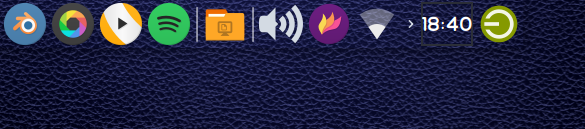
 Sometimes I fear I have ‘Ents’ in my ancestral DNA…