Hi,
I am using Ardour 9.0.0.
Okay, I found the distributed midnam files.
But where should I store my own midnam files? And is there some logging if there’s an error in them?
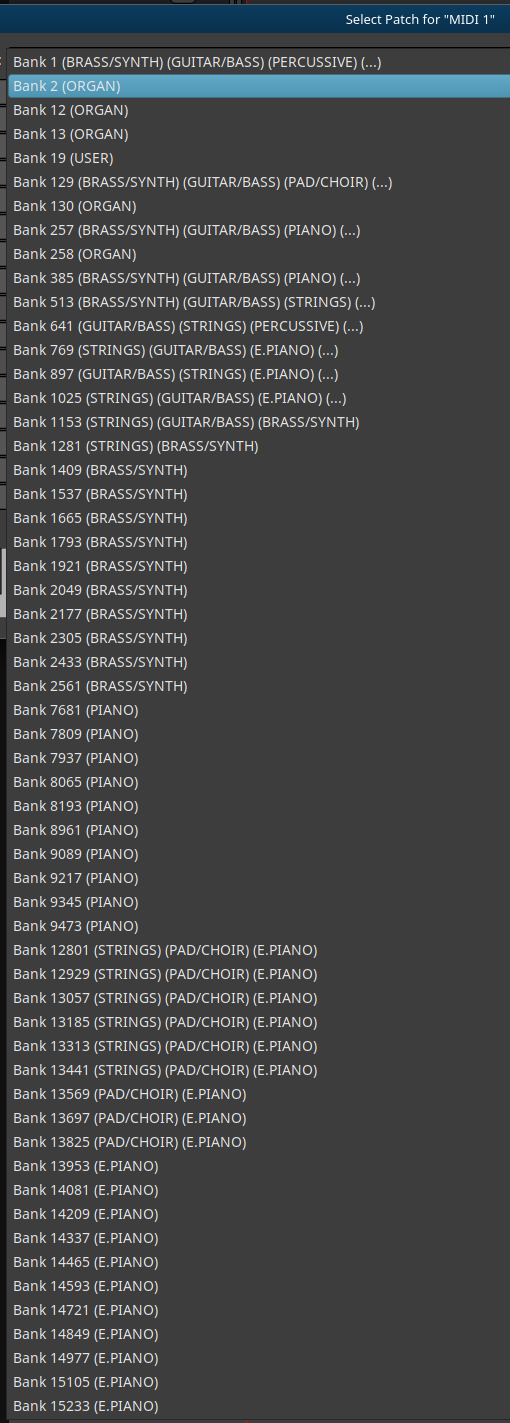
I also found the patch selector window, but it only shows GM patches,
Basically my question is:
where can I add my set of vintage MIDI synths?
where can I associate them with a midnam file?
The basic communication already works.
If I can get my setup in here I have with Ardour my goto tool for the next few years.
Once you are satisfied with your file, you have to put it at a location where Ardour picks it up. The best place would be the (hidden) directory Ardour configuration directory subdirectory patchfiles. in your home-folder. Should the sub-directory patchfiles not exist yet, just create it. The path and file-names are case-sensitive. The file should end with ".midnam ".
After you have done modifications to a file, it is a good idea to validate it. This can be done using the tool xmllint
After restarting Ardour, hit the small Log-button in the upper right corner of the main window. It should say something like (this is Linux, MacOS or Windows will be different):
Loading 3 MIDI patches from /home/username/.config/ardour6/patchfiles
Okay, The last response made me realize where I went wrong and I now have a nice working track. So, a big thanks first and foremost!
Now the Roland D-110 midnam file is rather empty (well, there are patches, but with names like pgm-1, pgm-2. I have already created the correct files for Rosegarden, so it should not be too hard to convert them to correct midnam files. How to submit them when I’m done? Git repo fork and PR, or email somebody, or something else?
In case you’ve not already realised it, to actually record the audio from the D-110 you will need to connect the audio outputs from it to an audio interface and record onto a separate audio track if you want to “bounce” the MIDI track to audio.
Typically, this would be for “post-production” work, where you start working on the mixing and mastering. But you can, of course, do this at any point, and it may be useful if you are recording multiple tracks on the synth.
Some more modern synths actually have audio and MIDI presented on a USB interface, so you can do this all with a single USB cable, and no need for an audio interface.
I have to admit that - it took me a little while to figure that out myself… For a while I couldn’t figure out why I’d get the full ensemble when “playing” the recorded MIDI tracks - but would be missing everything external when “exporting”. Have to “record” the output of everything external before export. Will have to see if there is an existing feature request for a “bounce to audio” upon export checkbox. Would be nice and clean and avoid the temporary audio tracks.
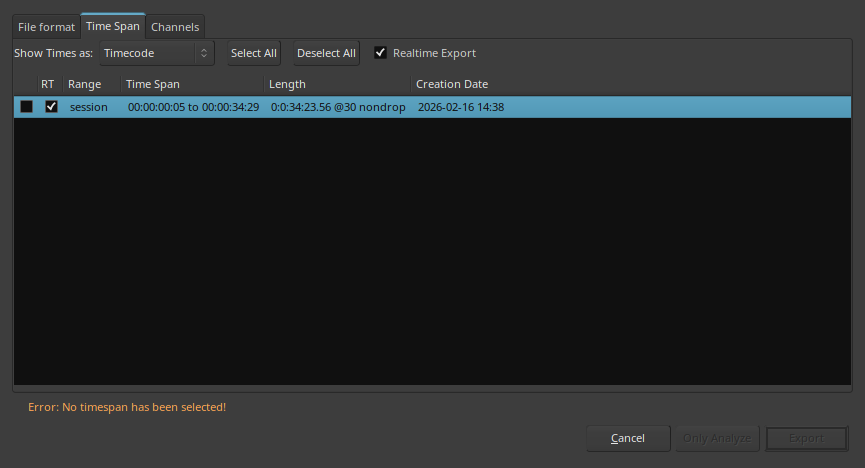
You don’t have to bounce MIDI before exporting. Simply make sure the outputs of your synths are routed to the master bus input (for example via buses), and then proceed with a realtime export (by checking the RT box in the Time span tab). This step is necessary because hardware synths can’t do freewheeling (just like external effects).
After revisiting this after your post. The two key parts to get it to work for me just now was checking the “RT” box and making sure the “Time span” entry was highlighted (even if there was only one). I’d had the “RT” box checked before… but still didn’t get any events to the external synths. Had wasted hours. The missing action was selecting and highlighting the “Time span” entry.
Hmm, that’s a bit strange. I was pretty sure Ardour wouldn’t allow exporting without a time span selected. I just checked, and indeed, exporting isn’t possible unless you select a timespan and at least one channel:
Though it has happened to me several times that I forgot to check the RT box for the whole session range, leaving it checked only for the individual ranges — and then wondering why my external effect disappeared in the final export.
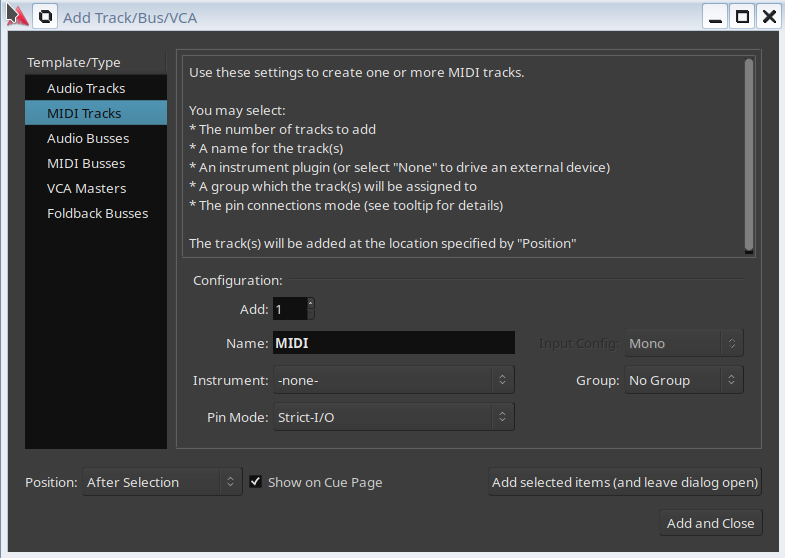
Since for some reason I can not start a new topic, let’s continue here. So I can continue learning Ardour.
Okay, So I’ve added all my synth and now have 16 MIDI tracks.
Every synth has a different channel selector setting for
In the preferences I have enabled the “MIDI input follows MIDI track selection” option.
Some questions:
The Mixer shortkeys is Alt+M, the editor is also set to Alt+M by default? A bit weird?
When going to patch selector I have to select the midi channel there as well? I do not understand why, but okay.
The patch selector always says “Bank 16384”. Why?
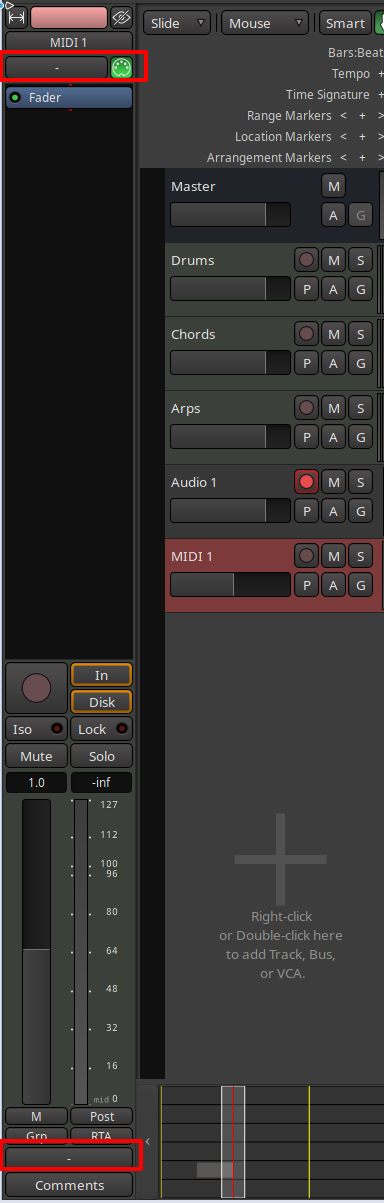
When I ‘open’ the track so it goes to full hight I do not see patch selection options that I was expecting based on The Ardour Manual - MIDI Track Controls.
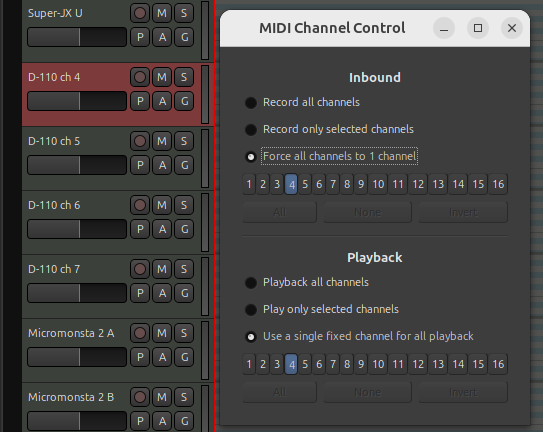
In the track MIDI channel control window I have set the channel for that synth. So by Inbound I have ‘Force all channels to 1 channel’ and I selected the channel for that synth. At outbound I set it to "Use a single fixed channel for all playback’ to that same channel for that particular synth. Still, when I select a single track and hit a note they all play at the same time. That is a bit weird.
I hope somebody can help me out here.
Regards,
Jeroen
p.s. I already checked out the source and I will be sending some MIDNAM files when I’m done.
Just to save you the hours I spent running around in circles. After writing a MIDNAM file that validates OK - don’t be surprised if Ardour doesn’t populate the MSB/LSB correctly.
Currently for Ardour best if the MIDNAM file is flat with everything within one NameSet scope if you can get away with it.
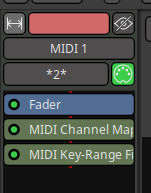
Forget how other DAWs do things. In Ardour - all channels from the source are routed to the destination via the MIDI connection matrix. You have to use a plugin MIDI channel map or channel filter to reduce down to only one channel through that track. There are other caveats that I’ve tripped over but in your case you might not encounter them.
There are quite a few historic threads discussing this. Short answer - Ardour tries to be clever and group what it thinks are patch banks. But many external sound modules haven’t worked that way for decades. Some other DAWs have additional files in adjunct to MIDNAM to provide the patch bank grouping info. At the moment Ardour tries to guess.
I’ve also seen that it also selects which PatchBank(s) are shown in the drop-down when different PatchBanks are defined within different ChannelNameSets in the MIDNAM file.
Example for @kwoot
In my case - I have Organ Patches and Organ Controls on Channel 14 and Memory Recall Controls defined as PatchChanges on Channel 15. But all Orchestral Patches are Channels 1-13, & 16. So when I select Channel 14 - only Organ patches are shown; whereas, if I select Channel 1 then only Orchestral patches are shown; and if I select Channel 15 only User Memory patches are shown.
Thank you so much for these clear answers. Much appreciated.
Ah, so your answer 3 is to my question 4, so your 4 is most likely to my question 5. Okay, I’ll try to be a bit more elaborate.
For a MIDI track, there’s a ‘MIDI channel control’ window that I can open. In there I have set the channel for every separate synth. So synth one is set to MIDI channel 1. And in the ‘Inbound’ part of the ‘MIDI channel control’ window I have set ‘Force all channels to 1 channel’ and I selected channel 1 for my first synth. At the ‘outbound’ section of the ‘MIDI channel control’ window I have set it to "Use a single fixed channel for all playback’ to channel 1 for the first synth. I have done this for all available synth. So every synth has his/hers own channel. Still, when I select a single track in the edit window and hit a note on the keyboard then all synths play at the same time. That is a bit weird. Especially since I have checked in Preferences the “MIDI input follows MIDI track selection” option. So basically I do not understand why they all play at the same time now. Running 9.0.0.
Any and all answers are highly appreciated.
I am at the beginning of setting up my studio. At some point I will try to add audio channels that get the audio over USB from the X32, but first let’s see if I can get MIDI to play nice.
Until today… I had never really touched the Time Span dialog; just selected the channels before exporting. I had never highlighted the Time Span. Yet I have quite a few exports.
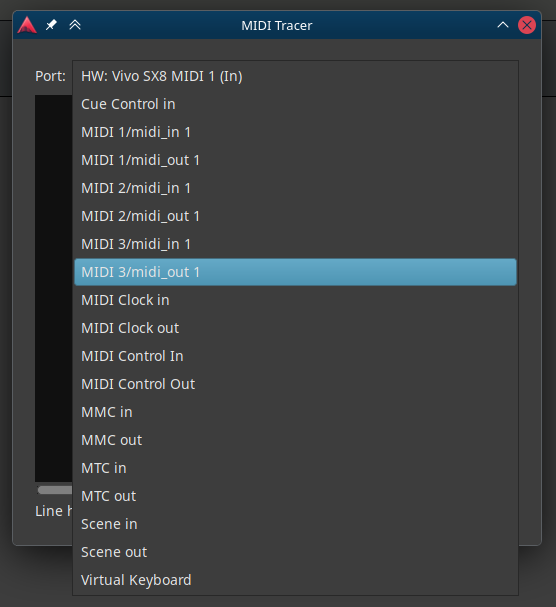
Can can use the MIDI Tracer (Menu: Window->MIDI Tracer) to see what events are actually being received and sent from MIDI tracks. This will show you what channels the events are on.
Hi.
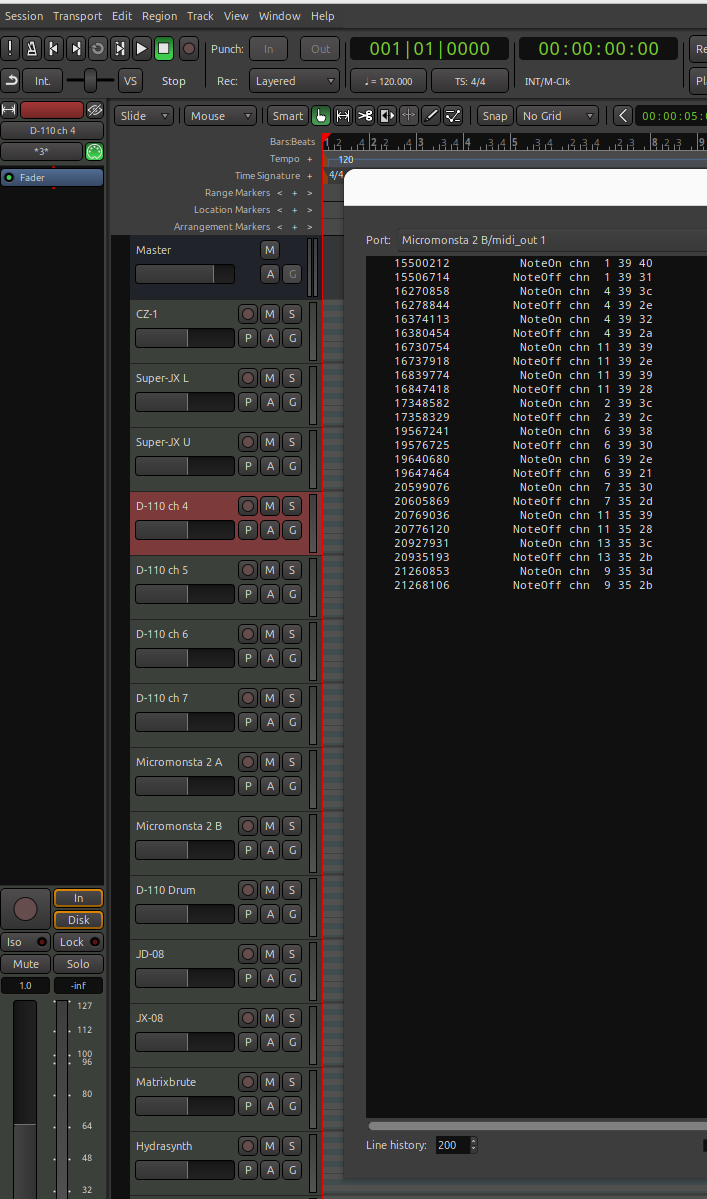
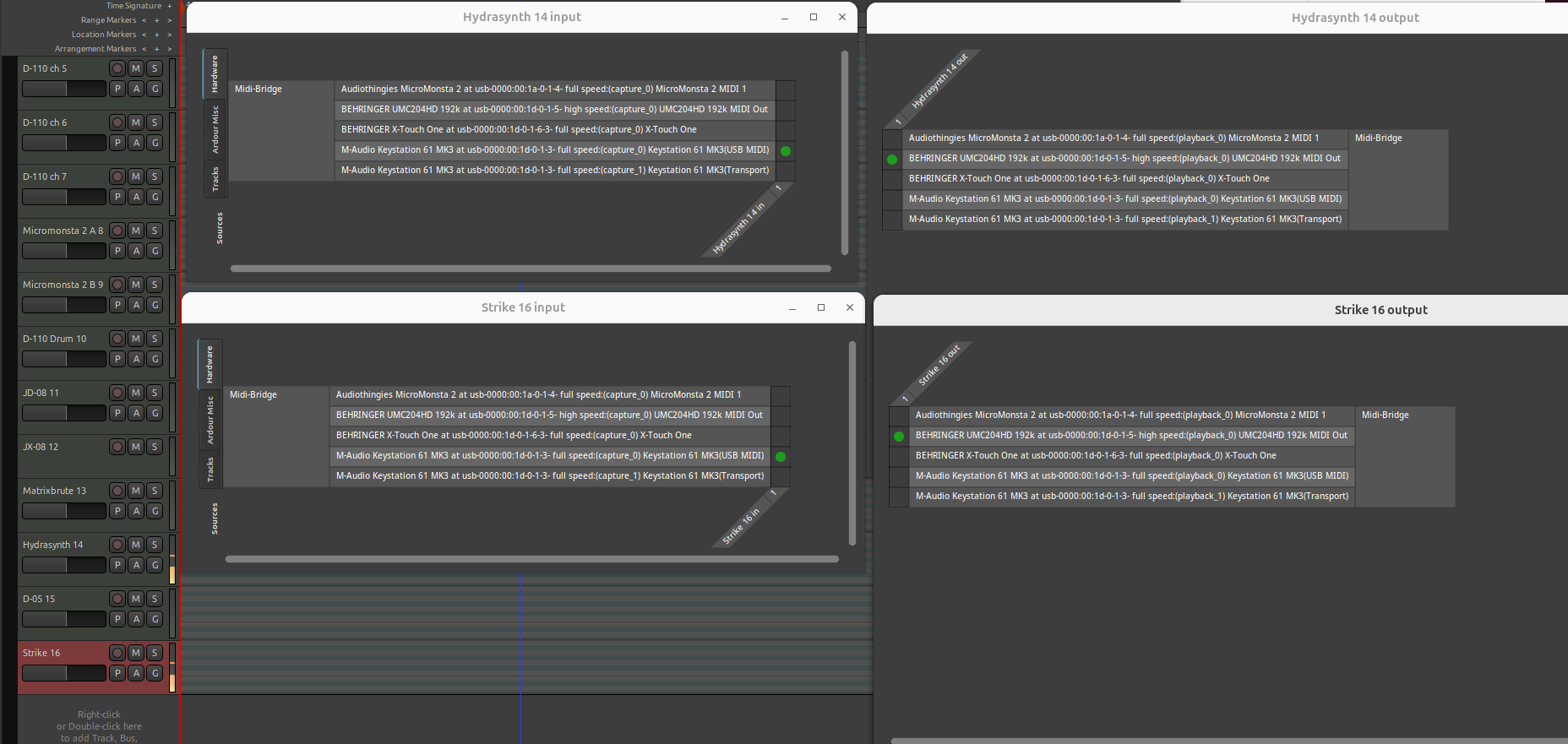
So I just used the midi tracer. As y8ou can see, I selected one track.
The midi tracer shows note on/off going out for every track I have defined:
Midi out is usb to a Behringer UMC204HD. The Midi out led blinks when I play a note. I can
select this Behringer UMC204HD in the midi tracer, but no output is shown when I play a note.
When I select any of the individual channels in the midi tracer, I see output like this:
All tracks have different channel settings according to the attached MIDI synth channel.
It’s like Ardour9 makes every note an OMNI ON or something. It’s weird.
All running on Ubuntu 24.04 realtime kernel using Pipewire.
AllI want is to have one track one midi channel out info. I have one keyboard so that is always the incoming info.
No doubt I am doing something wrong. I just don’t understand what it is.
Here the in and out channels for two tracks. play one note on the keyboard, both channels respond.
Okay, so changing the channel out on the keyboard makes the sound go out the correct synth. And since Ardour can have every combination of MIDI channels on a single track, that sort of makes sense.
But it would be soooo nice, if the outgoing channel on the keyboard doesn’t matter for the recording, because the outgoing MIDI channel would depend on the active track.
Or am I just getting to old, remembering with some fondness the days of Steinberg Pro24…
Can you show the MIDI Channel Control dialog for that Micromonsta 2 B track you have selected? Have you confirmed that the track actually has the correct settings?
I believe you would need to also solo the active track. At least given the context of your comments I believe you are using the term “active track” for what should be called the “selected track.”
Selecting a track has implications for what items are available in the context menu, and what editing operations are available, but it does not limit playback to that track, playback will still play data from all tracks. The mute and solo controls determine which tracks produce audio or MIDI data during playback.