Is anyone else having trouble loading the vst3 version of Surge XT on the RC? For me it just crashes Ardour. I am able to load the lv2 just fine.
Yes I know I can just use the lv2 version, but it would be nice to have the choice.
Is anyone else having trouble loading the vst3 version of Surge XT on the RC? For me it just crashes Ardour. I am able to load the lv2 just fine.
Yes I know I can just use the lv2 version, but it would be nice to have the choice.
No problem here with 9 RC and Surge XT 1.3.4 VST3.
Between 9.0-rc1-9 and 9.0-rc1-17, VST3 plugins with sidechains inputs (such as Surge XT) will have caused problems.
It should be fine with recent rc-19 and later.
that’s great set of changes/improvements. Good work everyone!
hi! thanks for the great work, im really happy about ardour 9, especially reigon fx!
i would like to report that im getting segfaults whenever i load the harrison xt guis of ACE plugins after loading the an xt gui before in the same session
Arch Linux or a derivative ? If so this is likely the same as [SOLVED] Ardour crashes when re-opening a plugin window - #2 by x42
If so, try updating mesa to mesa-git 25.3.0.
ah, sorry, yeah, im on arch, that fixed it, thank you, and sorry
I’m very impressed with new Ardour. But there is still a big issue with graphics on Mac - especially for mixer window. I think is a slightly better than earlier, but it doesn’t work so fluently as in Reaper or Luna 
While we’re happy to take any random praise, when it comes to criticism it needs to be a lot more precise. Information like: version of macOS, screen size, resolution and connection type(s), all relevant macOS-specific options in Ardour, and something more about what “not as fluent” really means to you?
I suggest you heed @paul’s advice, and perhaps submit a proper bug-report over on the bug tracker.
I use macOS as well, and have similar problems to what you describe.
So I think I’ll submit my own bug report as well…
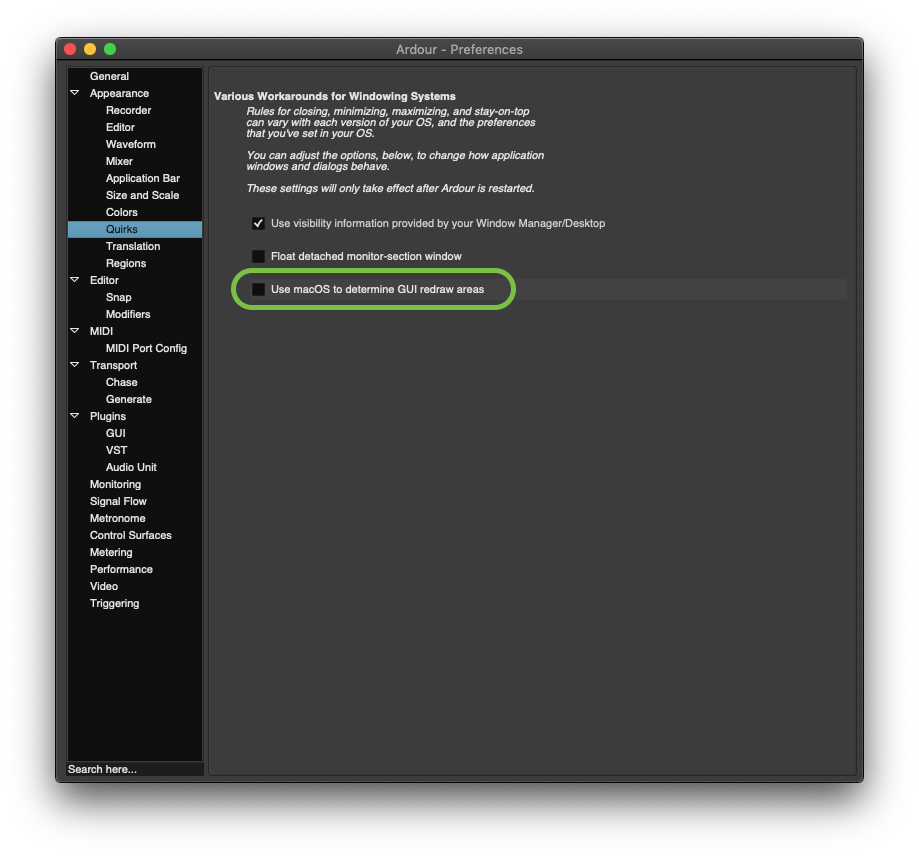
In the meantime, I suggest flipping this setting in your preferences window to see if it helps improve things:


-J
I’ve been using the nighties for a bit, and I would love to submit some helpful bug reports, specifically ones relating to crashes, etc. I downloaded the debugging version. If I experience a crash, where am I most likely to find relevant information to send?
For example, I have been experiencing hangs/crashes pretty consistently when I try to save a copy of a session under a new name. When that happens, what information is helpful to submit?
Thank you for your work.
Please see Debugging Ardour | Ardour DAW for instructions on how to get backtraces that we can use, then file a bug report. If you can’t do that, try to find a reproduceable step-by-step recipe.
Oh, please forgive me. My apologize. It was not a criticism, just a Ardour’s fan and user report. I work in many DAWs such as Samplitude on PC, Luna Pro and Ardour on MAC.
MacBook Pro M3PRO, Tahoe 26.1, native 16" resolution 3456 × 2234 but the graphic issue appears especially when I’m working with external 34" monitor - it slows all bargraphs. They show value non in “realtime” cohehent to the sound, but only one sampled value for various time, such as second or two  But it seems to the smallest vertical bargraphs near to the channel names show properly
Thank you for your good job!
Just discovered the drag deadzone setting, great addition !
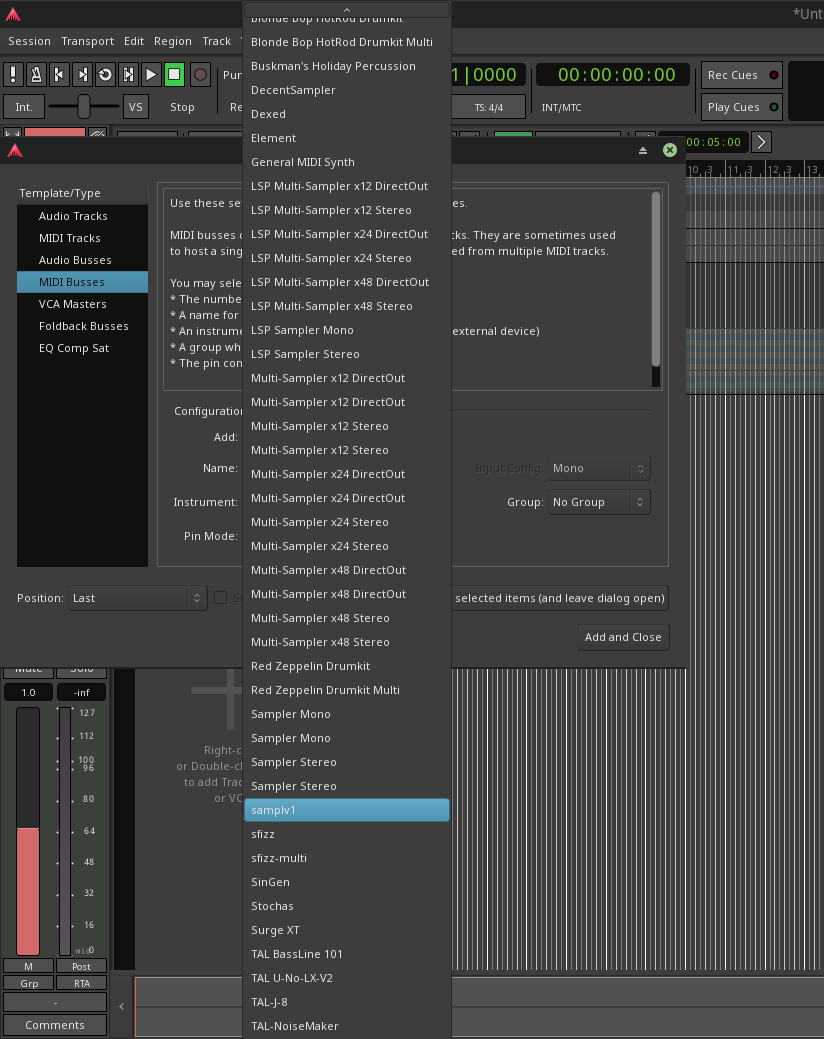
Looking good so far! Would it be possible to get the MIDI Instrument drop-down to be nested, so it’s not a massive list to scroll. Not sure if nested is best, but I cannot think of another way to shorten the list. Or maybe a search bar within the drop-down. Maybe use less plugins, I guess. 
Maybe an ‘Add MIDI Instruments - Favorites’ option that shows only Favorited instruments ? I think that would be easy to implement in Ardour, and give a similar result.
I always seem to pick from a small pool of what I have installed, but do use the other instruments from time to time.
Why not use the same list as when you add a plugin in a mixer strip, but limited to instruments? Favorites / By Creator / Tags.
RC1 really has some welcome changes. Midi editing is so much more user friendly.
Thank you
Hiding the automation lanes is confusing, I’m not quite sure how I managed to do it in the end.
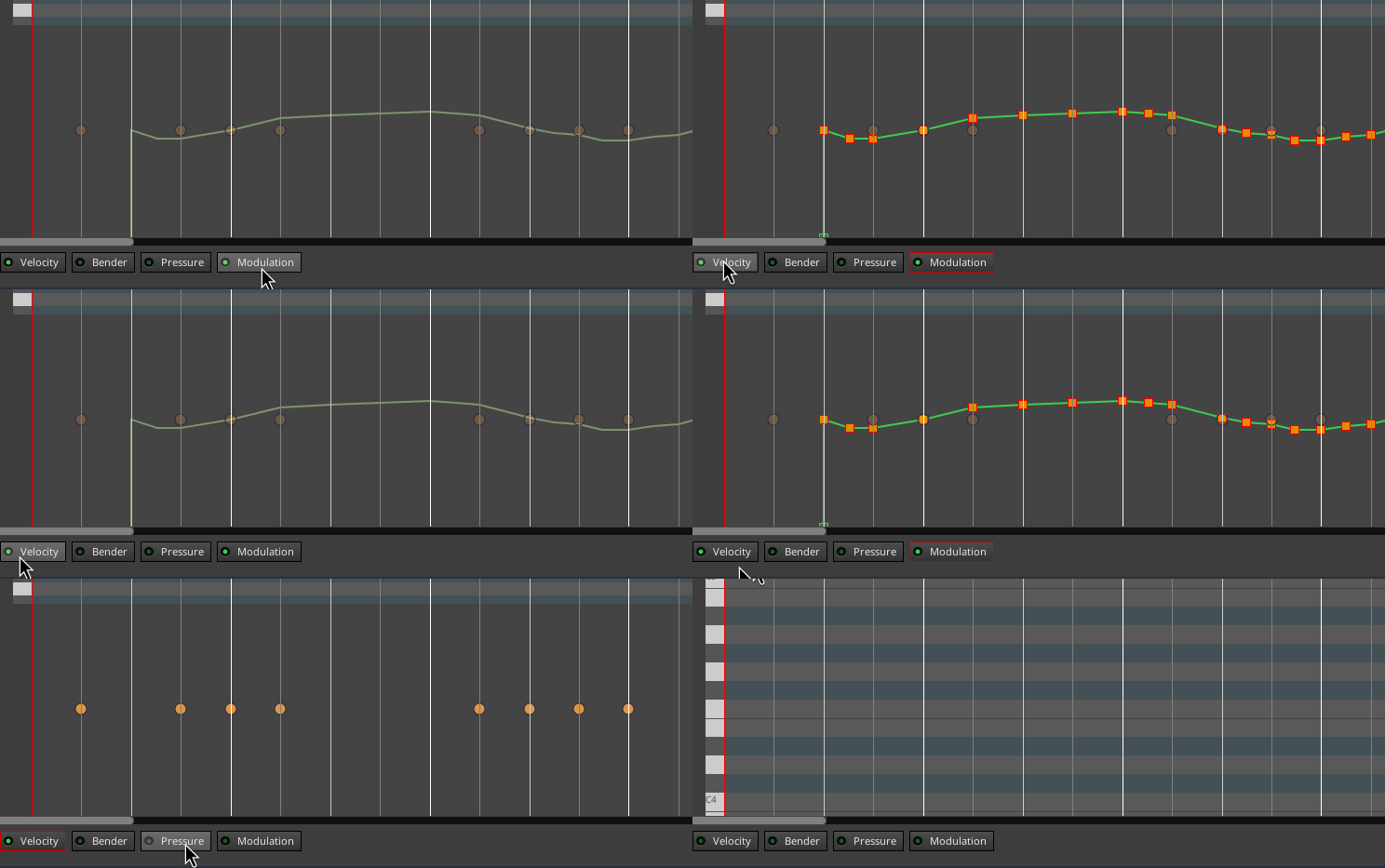
How do I reduce the height of the automation lane?
How do I edit other controller numbers?
It’s hardcoded to 33% of the overall bottom pane height. It was 50% originally.
Not possible at the moment, likely a 9.x feature.