expand on what you mean by this, please.
Oh, of course, If only I can.
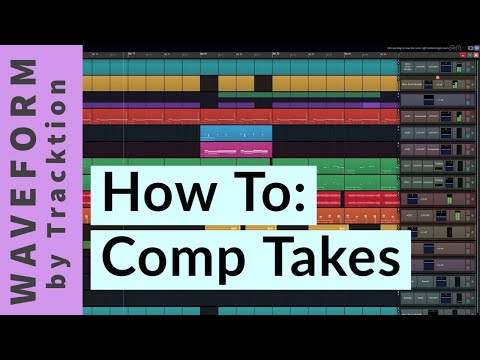
In today’s DAWs the comping is most often implemented by couple of layers/takes you can expand or collapse instantly by some kind of icon and then you can select ranges just by using your mouse which part from which take you want to use in a “master” layer/take. The ranges are highlighted by different colors, you can move edges of these ranges with your mouse. Options like “delete unused takes” are welcome. In comparison using basic layers where you need to manually split the regions and drag the fragments up and down seems dated. I don’t know if I wrote this as precisely as I want to, so maybe this short video will be more informative, as English is not my strong point…
4 Likes
You mean something like this?
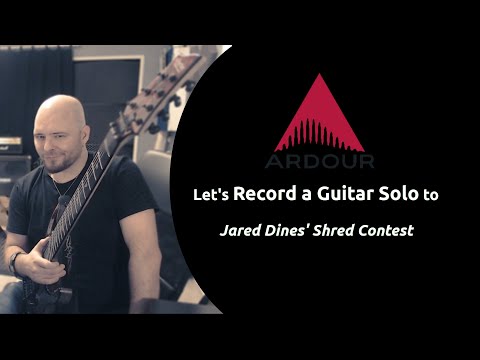
about 9:50 in this video:
2 Likes
It is the necessity of applying a cut instead of just selecting the range. The cut is an additional step, no longer required in most daws comping workflows.
Oh, it looks handy indeed !
Since that discussion is generally useful (and not related to “What’s coming in Ardour 9” I have split it into a separate topic.
2 Likes
Indeed. Also “move to the top” is an additional step. That can be sidestepped by just “muting” regions on top (Region > Gain > Mute – Alt+1)
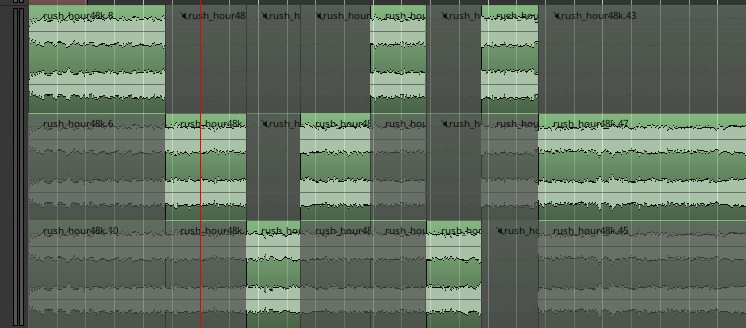
With many layers, a feature “mute all layers, except currently selected one” might go a long way. One would still need to split the regions first, though.
3 Likes
Isn’t that as simple as pressing the “S” key after selecting the range? That hardly feels like a deal-breaker to me.
Cheers,
Keith
1 Like
This has me wondering is a Lua Script here might be a potential improvement for folks, one that would take a range selected by the range tool, split both ends, and move to the top layer, to be bound as a single button press.
I haven’t looked into it, but that seems to be doable from a scripting standpoint at least. The trick would be determining which of the layered regions is intended to be moved to the top, generally it would be the one under the mouse, but not sure if that is possible to detect via Lua.
Seablade
2 Likes
This is unfair … the Traktion workflow shown in an earlier video requires an equivalent drag-to-select range.
Now, I understand that for some folks, this may seem more, ahem, intuitive than performing splits, but press-drag-release vs. s-move-s is a rather small difference.
Small steps add up. Small steps on different input devices even more.
According to unscientific and entirely self centered intuition, the mouse muscle memory is usually mapped closer to spatial operations on the screen. Whereas the keyboard is more suitable for direct effects. Being able to do the spacial operations without the need to use the keyboard is not a small improvement imho.
Last time I looked, most Ardour users (perhaps not all) have two hands, not one. Learning to use them both at the same time is extremely powerful if the DAW is designed to promote that (which Ardour is).
6 Likes
Totally get your point. I am a heavy vim user 
Still, the mouse has its place in space. Being able to clickedy click a comp while holding my beer is nice.
Edit:
Also as a guitarist, it is sometimes awkward to reach with both arms over the guitar for quick edits. Fiddling with the mouse while resting the left hand on the neck is much easier.
Edit2: Another thought. I read that touch screen improvement is on the roadmap. No need for a keyboard shortcut would make sense here as well.
1 Like
Touching the screen is just as much a different input device as using the kbd.
You can’t split regions without at least two taps on the screen.
If you have side/extra buttons on your mouse, you could remap them using a program called “input remapper” to use the s key.
2 Likes
That’s a great idea. Will try it out, thanks.
This topic was automatically closed 91 days after the last reply. New replies are no longer allowed.