AV Linux and MX Moksha 25 Released!

Hello and Happy New Year!

Hmmm, a couple of things… First, with this machine do you have openGL compositing enabled in Enlightenment as described earlier in the thread? Also since AVL uses the MX ‘advanced hardware’ ahs Repo and it recently had a Mesa update I wonder if we’re bumping into the same LSP issue as the Arch users here with a bad version of Mesa…? Pure Debian 13 would still have the older version of Mesa and older LSP. An updated AVL has newer Mesa and latest LSP Plugins.

Are other Plugins and performance OK?

1 Like

I need to check that when i get the chance to tinker with laptop again, but…
As far i i remeber i checked the Enlightment’s compositor setting and it was set to OpenGL while it was still on AMD/Ati iGPU. Checked in the terminal output for GPU and it said that Ati was enabled/nvidia disabled, and the renderer was Ati, and Open GL engaged.
But, that wasn’t the winning combo in Ardour.

Then i installed NVidia proprietary drivers using instructions in that video above, loged out/loged in as root and added enviroment variables using commands described in that video description (to make MX use Nvidia as a default renderer), using AVL root account. Restarted. Log in as user.
Again checked in terminal output of gpu, and it surely said that it is using nvidia 3050 for rendering and OpenGL is active.
Tried that, got the described results.

OK, thanks for the info. To be clear there shouldn’t be any direct relationship between the Enlightenment compositor rendering settings and Ardour/LSP but I have had a few reports that the non-openGL software rendering can cause higher CPU usage and poorer Video playback etc… I would guess on older systems with no openGL support in the first place.

1 Like

Ok, more info. (Lenovo Ideapad Gaming 3, Rayzen 5600H+AMD/ATI Radeon iGPU + Nvidia GTX 3050 4GB + 16 GB Ram, AVL 25, installed Nvidia proprietary drivers).

OpenGL compositing in Enlightment is set up as Glen described before.
Other plugins except LSP work with no issues. I managed to run more than 20 of instances with GUIs of different plugins with no issues. LSP also work (with OpenGL), as long as it’s not more than 3 of LSP GUI’s open at the same time. If i pull up 4th, it locks Ardour up, and i have to kill Ardours process to continue.

Then i noticed something, using this command.

glxinfo | grep “OpenGL version”

It showed AMD/ATI. Renderer actualy reverted back to iGPU.

So, since it’s actualy iGPU, that behaviour actualy made sense, cause, this AMD/ATI iGPU is exactly that much better compared to Intel iGPU’s i tried earlier (2GB vs 1GB), so it took that much more pressure to get LSP to missbehave.

Then i tried to update BIOS so i could set discrete Nvidia 3050 GPU to be used constantly.
No luck there. Even the latest Bios offers only 2 options:
1.) to use only iGPU
or
2.) the GPU’s to be switchable. No constant use option for discrete GPU in BIOS.

I found out by googling that i could make specific apps use discrete GPU in MX Linux with these commands:

export __NV_PRIME_RENDER_OFFLOAD=1;
export __GLX_VENDOR_LIBRARY_NAME=nvidia

And sure thing, i could make “some” changes using that in terminal, cause, now if i run:

glxinfo | grep “OpenGL version”

I get:
OpenGL version string: 4.6.0 NVIDIA 555.5

Cool. But, i can’t find a way to be sure that Ardour actualy use the discrete GPU(and i suspect it dosen’t), cause, if i try to run Ardour from terminal, after changing directory to Ardour’s, and applying forementioned commands, when i try to run Ardour(like in that example below) i get:

ljuba@mx:/opt/ARDOUR-8/bin
$ ./ardour-8.12.0
./ardour-8.12.0: error while loading shared libraries: libardourcp.so: cannot open shared object file: No such file or directory

…and yes, the file is already set to be executable…owner is root.
Maybe it’s something about syntax in this case, i realy don’t know.
That’s where i’m stuck right now.
Ideas?

P.S. Question. If i manage to run Ardour on discrete GPU using this method, will LSP surely also be rendered using discrete GPU? Will LSP inherit those commands/settings?
And…subquestion :slight_smile: If i do the project on this machine, and then move it to another machine which has trouble supporting OpenGL, will that project be normaly editable with Cairo?
Hmm…by reading previous Vladimir’s comments about using enviroment variables directly from terminal i gather that i could maybe try:

export __NV_PRIME_RENDER_OFFLOAD=1;
export __GLX_VENDOR_LIBRARY_NAME=nvidia
…and then adding full ardour path right beneath those lines?

Syntaxwise, that could work, right?

Ok, the path to ardour wasn’t right earlier. Path to ardour is ok now (look at example below), it opens up, but it still isn’t using discrete Nvidia GPU. Instead, it still uses integrated AMD(something is wrong with those lines):

export NV_PRIME_RENDER_OFFLOAD=1
export GLX_VENDOR_LIBRARY_NAME=nvidia
/opt/ARDOUR-8/bin/ardour8

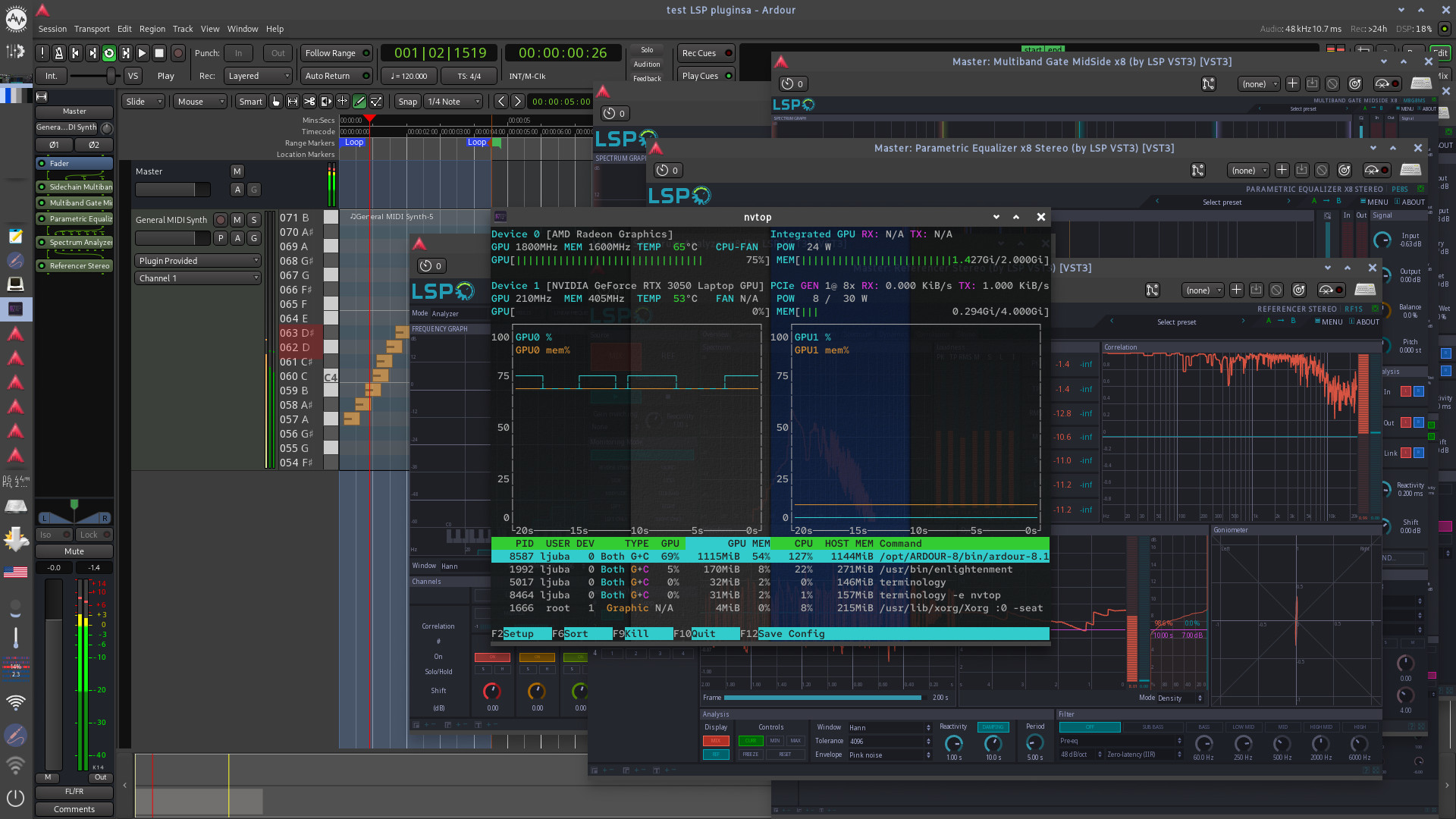
And, as i suspected, when you throw more demanding graphics tasks with more LSP instances (3 is max for it to stay normal, 4th locks up ardours responsivnes), amd usage jumps high, and ardour locks up. Look at NVTOP info from this screenshot:

P.S. Hey, i have an idea. Maybe those commands don’t work since i installed proprietary Nvidia drivers? I don’t know is that method related to foss and proprietay drivers, or only one of those possible situations…Does anybody have a clue?

Hi,

I think those commands would only work with proprietary nVidia drivers because they are what provide the ‘nvidia’ driver, otherwise it would be Xorg ‘nouveau’ driver by default… I still think the latest Mesa drivers in MX/AVL may possibly be a potential suspect here. I wonder if a pure Debian or MX Linux ‘non-ahs’ ISO would exhibit this issue as well? That said it does seem odd that you aren’t seeing any issues when using other multiple instances of other Plugins… I believe the reported issues here with Mesa on Arch were also with LSP at least in some cases…

1 Like

Hi Glen.

Hey, great, i have some directions now.

Ok, first i’ll try to run even more plugin GUIs from other vendors to try to instigate this same problem, but as i have seen until now, only LSP locks ardour up. I mean, yes, LSPs are most complicated out of them all, but still…
I’ll let you know here, how exactly did that go.

Then i’ll try to install Debian13 Kde, set it to X11, install newest Ardour + newest LSP and try that out.

Maybe, in the meantime, i somewhere find more info on how exactly can i make MX use discrete GPU with Ardour+LSP.

Cheers!

P.S. One more, maybe dumb question…should i run sudo apt-get update & apt-get upgrade after installing Debian and then install the rest to try it out, or should i not update anything before this test?

If you install Debian 13 with KDE then maybe try things without upgrading although you will not get as new a Mesa version as AVL/MX if you stick to the Trixie-only Repos even if you do update. I personally have no experience with hybrid GPU machines but they seem to kind of be a nightmare (on Linux anyway). Although MX has it’s own application for installing nVidia proprietary drivers to my knowledge it doesn’t differ from Debian as far as how you run a hybrid system…

Maybe Bumblebee is helpful…? Unfortunately I don’t have one of these systems and in so many years you’re the first person to ask about this…

https://wiki.debian.org/Bumblebee

1 Like

To be honest i didn’t even know it was “hybrid gpu” setup when i bought it (about 2-3 years ago), cause these Lenovo Gaming, Alienware and ROG are pretty common around here if you want something for more intensive tasks, like video editing (4K was my goal, and it does that).
I tought you just choose which gpu you want to use during OS instalation or startup and that’s it. Didn’t even think about it. I didn’t even notice until now, when i reserched BIOS upgrade, that it actualy actively switches between iGPU and discrete GPU to preserve battery power.
But hell, it is what it is, i’ll try to handle it the best way possible :slight_smile: …And it is kinda damn powerful for a laptop, if you forget about repulsive ergonomics and short battery life (which is why i wouldn’t recommend it to anyone).

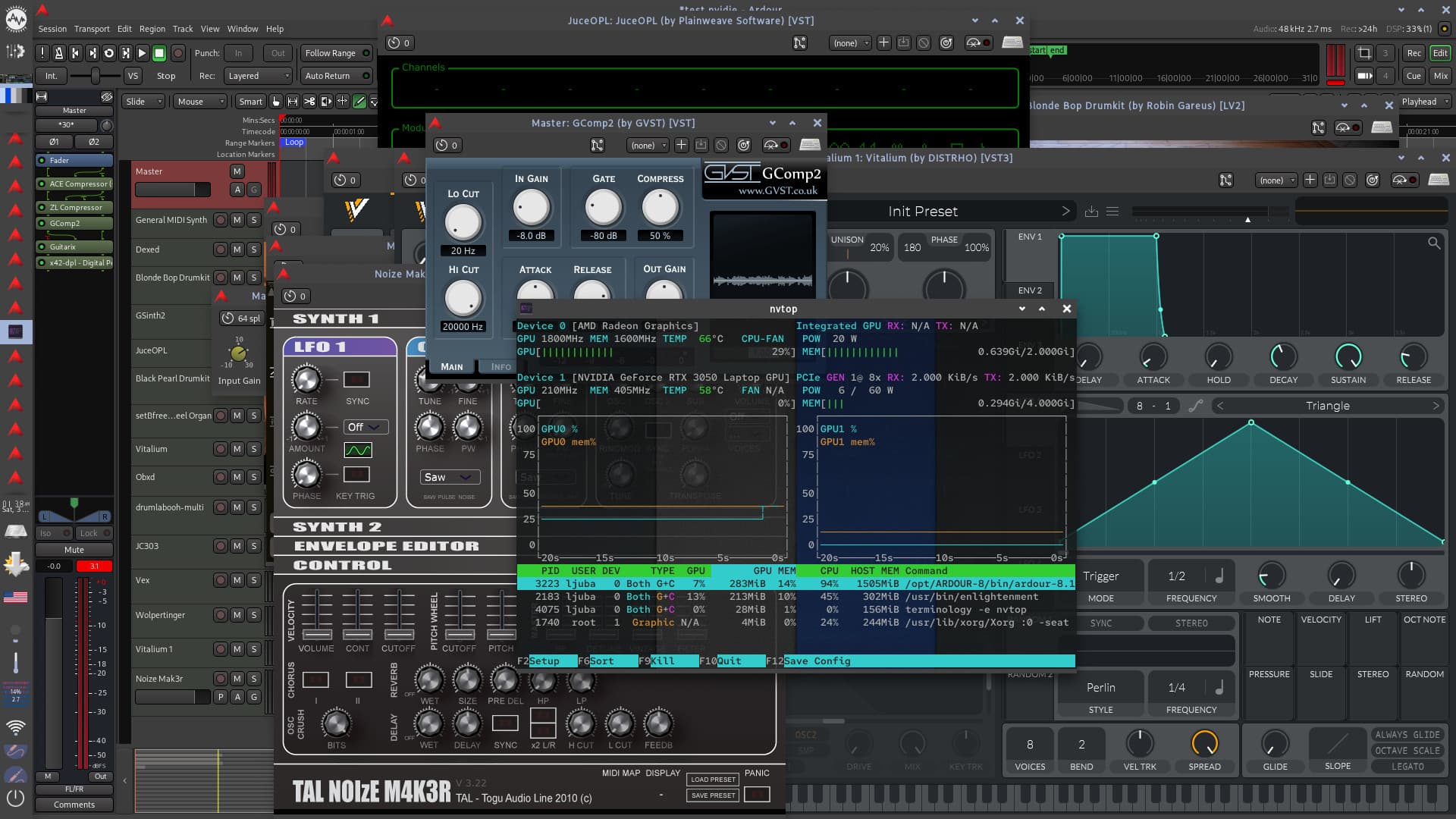
Look at this :slight_smile:
With other plugins - almost every virtual instrument GUI in AVL on screen on top eachother and a bunch of random-no-logic-involved effects pulled up on master track, i’m not yet even at 35% of iGPU usage. So it’s practicaly almost impossible to overload Ardour with other effect GUIs on this machine even with iGPU, except when it comes to LSPs. I’ve grown tired of pulling things up on screen, and it still is going strong :slight_smile: … And just to be said, audio is playing back nicely at 128 samples buffer size (jack/pipewire).

Now, i’m sure that if i managed to overload the iGPU, it would break…but, how to overload it in practice with these plugins :slight_smile: ?

I didn’t find a sure way to use discrete GPU with apps on this OS yet.

I’m gonna try lxvst/vst 2 versions of LSP first on this OS (cause those were lightest in my tests for now in every occasion, and then i’m gonna move on to testing Debian13 KDE.

Unfortunately, for this machine (Lenovo Ideapad Gaming 3),

  • Debian13(KDE) makes me jump trough the 50 different hoops just to support laptops’s hybrid GPU setup.
  • Pop! OS looked promising (gpu setup worked right away) until i realised it’s Wayland only (no X11 session option) which was a big no go - made Ardour+LSP behaved weird.
  • I didn’t want standard Ubuntu or Ubuntu Studio cause telemetry etc.
  • Landed on Mint 22.2 Cinnamon. It’s looks promising right of the box. Hybrid GPU setup work (you can dedicate an App to discrete GPU with the right click of the mouse), you can choose between Nouveau or proprietary NVidia drivers in Mint’s Driver Manager, system use X11, Ardour and LSP’s are in Mint’s Software Centre right away…looks promising. We’ll test it out and see :slight_smile: . The only thing that bothered me is that Mint’s installer installed Grub on my Windows drive, neverminding the fact it’s got a whole ssd drive just for itself. That’s a dumb bug, in my humble opinion.

@Gmaq Hi Glen, I was thinking you may want to include my project, FreeFactoryQT in a future release of your AV Linux. I think it would be a really good fit.

While Ardour/Mixbus can do much of what FFQt can do when exporting, it does allow for much more functionality and flexibility as well as batch processing and even streaming. I usually run most exported Ardour projects through it at some point. Please give it a look and test and see if you agree. I would be completely willing to create complex exclusive presets (Factories) for specific tasks if desired.

1 Like

Wow, that’s really cool! I think this would be a great addition! I will have a closer look later this week, to incorporate it into AVL I would need to package it as a Deb, I would imagine that will be pretty straightforward and I’ll also look at that in more detail.

Great work!

1 Like

Thank you! I know nothing about creating .deb files, but if RPM .spec files are at all similar, it is on COPR with the .spec file as a potential guide. Might be useful for the dependencies anyway, which are not that many.

Edit: I added the .spec to the repository.

1 Like

@Ljuba and anyone else with Intel GPUs experiencing openGL issues both in general and with LSP Plugins on AVL/MXM 25, here is a link to try a newer version of the Mesa Video packages, this Mesa version reportedly fixed the issues for Arch Users who were having similar problems…

https://forum.mxlinux.org/viewtopic.php?p=846427#p846427

2 Likes

Reading this entire thread on MX Linux Forum i got the impression that the problems went away with simple and install&update after Debian, in the meantime, updated its repos? Anyway, i’m not yet ready to get into testing again, cause i’m pretty busy with work and babysitting throughout workdays in this week, but i cincerly hope i could have some small test-fest this weekend. Yesterday i went out and bought some more ssd-s, keyboards etc and another monitor (i plan to use those afterwards, not just for testing this stuff out :slight_smile: ), so, the plan is to test, at least, 5 machines with different configs.
After that, i must try building from devs branch as Sadko suggested, but i suspect that’ll take a while, cause i’ll have to upgrade my linux skills to do the implied.
Cheers!

1 Like

Of course, life always needs to be prioritized first…lol

The @guth issue we worked through on the MX forum was not clearly a Mesa problem, it’s still a mystery what happened, what seems to be important is for newer Intel GPU’s to be using the modesetting driver and to ensure the renderer is the GPU itself not the llvmpipe fallback. Until these recent problems I had never had any trouble with Intel GPU’s at all so I literally knew nothing about effective troubleshooting but with some help from the MX devs we muddled through…

No hurry from my end, I would imagine by the time you get around to testing that Mesa version will be in the regular MX Repos and I will be releasing an update 25.1 ISO fairly soon (not a new version just an updated ISO to keep pace with updates in MX and Debian). It also sounds like @SadKo will have a new release of LSP with different openGL handing too… Lol maybe waiting a bit will fix everything!

Here’s some good news at the bottom of this thread:

So, as you can see there, i’m less and less convinced it was the Mesa problem :slight_smile: , but i will try AVL with those drivers also as soon as i get the chance (I’m kinda stealing time from everyday life whenever i get the chance to click some linuxy stuff. Half an hour in the coffee shop, half an hour in the empty kitchen etc :slight_smile: ) …

Haha,

Oh, I get it! AVL was completely born, grew up and lives daily in stolen time… :wink: A divorce will buy you some more Linux time but I don’t really recommend it… :laughing:

1 Like