Great. I was planning to install new version of AV Linux on my take-it-everywhere-and-break-it -if-you-must laptop these days as soon as i manage to catch a breath, so i was very curious when it’ll appear.
I’m kinda sad that the original image will not contain Ardour 9, but hey, whatahell.
One quick question for Glen.
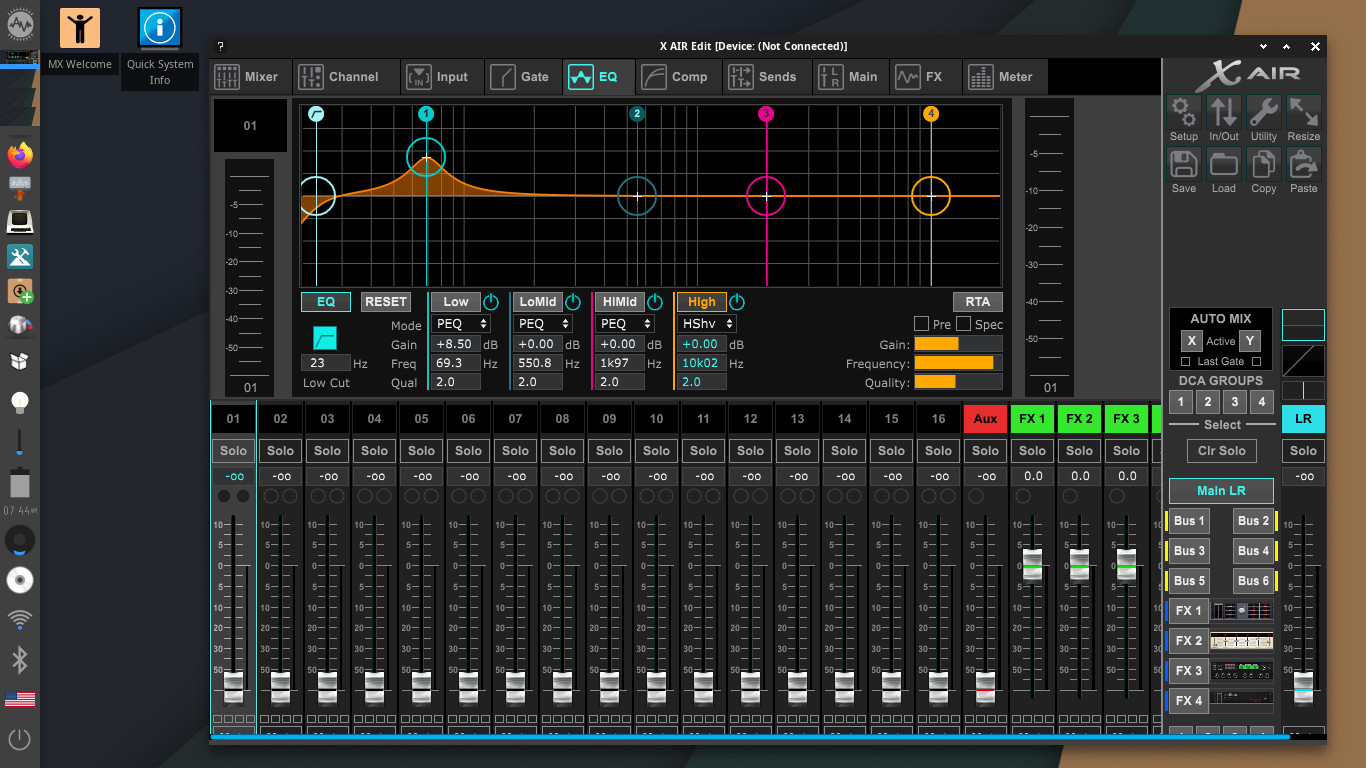
Have you ever tried using remote control mixing applications for live mixers like Midas M,MR, Behringer X,XR and Wing series (occasionally A&H Qu) with AVLinux? I suspect it’s not going to be the problem (since they offer linux versions of their applications) but still…any experience? Very often i end up doing live sound for some band so i kinda need this. How’s support for different wi-fi routers, lan etc.
?
Hi, thanks so much for your interest in the project!
TBH I have never used AVL with these product-specific applications so I can’t give specific advice. AVL uses ‘Connman’ for internet connections so it does differ from Distros that use the more common Network Manager, whether this is a pro or a con I can’t say… In my experience WiFi has worked as expected but this has only been in my own home or in the Studio. There are not many reports of trouble in this regard so I would hope things would be successful.
On the subject of WiFi, the Enlightenment Desktop Environment provides an extremely simple frontend for Connman, I do provide a more detailed frontend called ‘Connman UI Setup’ and it can be found in the ‘Internet’ menu…
Distro seems cool as always, plug-in selection is awesome, but …
…something is up here, i’m kind of running in circles
Something’s not right with audio playback and proc usage when using Ardour.
I’m guessing it’s me not being familiar with pipewire (in older versions of AV Linux i was using
straight up Jack, and used to set it up with QJackCtl.
Here’s what’s happening. I’m just trying to mess with midi and audio (no real need for 0 latency monitoring/recording) in Ardour using this laptop so i can preview-mix using internal audio device and headphones, but the playback is choppy even on highest buffer settings in both cases - using pipewire/jack or alsa. Just one instance of LSP plugin (say Multiband Compessor) can eat up to 80% of processor. Drum Locker (installed to try it with their 70s Drums) playback is choppy even when i turn on just some dynamic processing or reverb in it.
Now, this is not state of the art Laptop, but it aint that bad i guess . Where talking of Fujitsu Lifebook E746, i5-6300U, Integrated Intel HD 520 Graphics, and 8GB of ram.
Now, using Win on the same laptop i pull up bunch of processing on every track + on groups + on master and it just plays, no fuss. So, i’m guessing it’s something i’m missing with audio settings in AV Linux or something else i didn’t grasp yet…
Any Ideas?
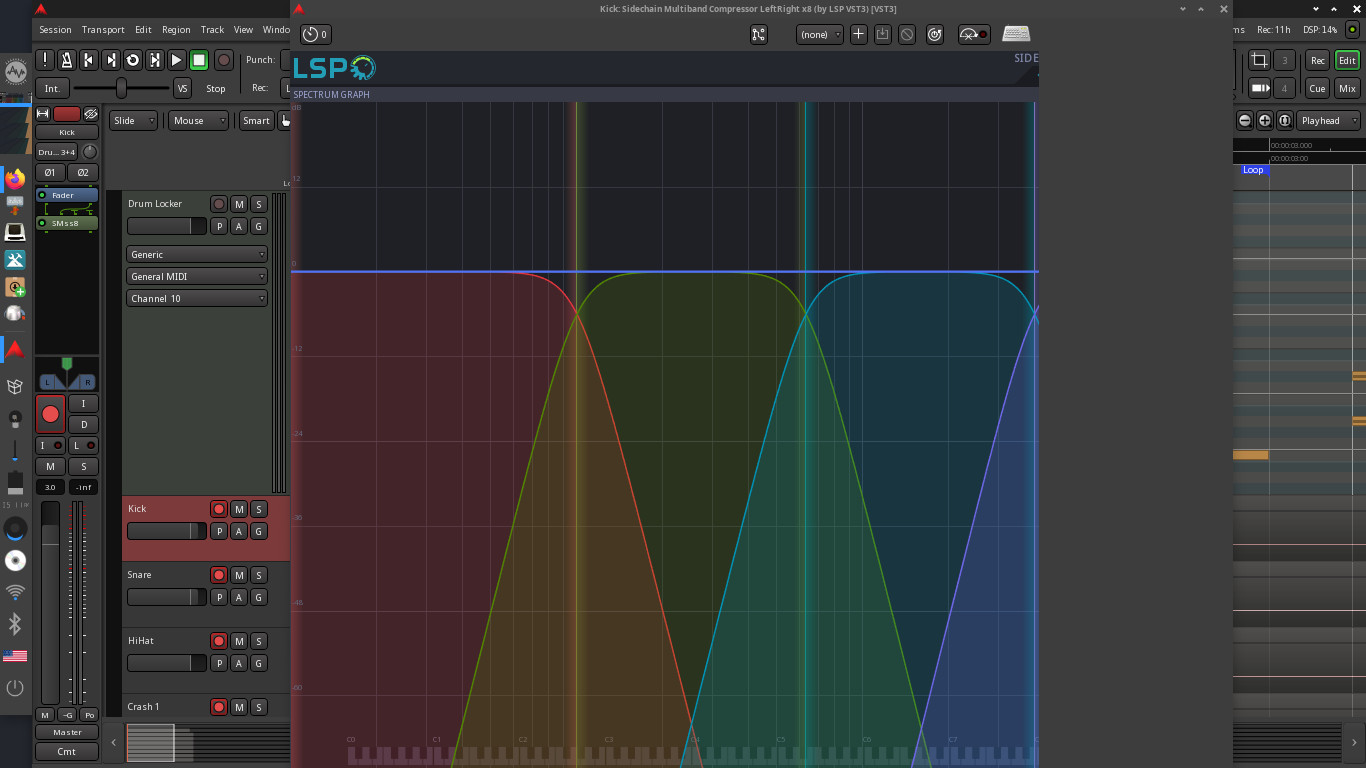
Also, there’s this probem with LSP GUI’s wich tend to be larger than this laptops screen (screen resolution is just 1366x768…yeah…i know that sucks). Some of those, mainly larger GUI’s just crash, or are just unresponsive, so i have to kill that process using Evisum). Is there any way to adjust these plugs GUI’s to fit normaly?
Ah yes, i tried it also with iRigUA wich is always in my backpocket, but the problem remains the same (not that i like that “inferface”, i actualy think it sucks, but i bought it one occasion while traveling in Germany, so i kept it for quick idea capturing).
I also have steinberg ur22mkII, m-audio 2496, and m-audio delta 1010 rack unit but i use those on different, desktop computers, so i didn’t get the chance to try it yet.
Sorry to hear you are having issues, to be clear you have the same problems when using PipeWire and ALSA backends? I will let you in on a scandalous secret; I have personally not used JACK or PipeWire for production for many years… . I make an effort to do the usual Linux Audio performance tweaks and of course before I release AV Linux I make sure that pipewire-jack is linked to libjack so applications wanting to connect to JACK find PipeWire automatically and I make sure in a live session that Ardour transport ‘just works’ when Ardour runs out of the box. I also supply a few known-to-work Ardour udev rules. Beyond that I just add Debian’s stock PipeWire Repo packages and as of AVL-25 I provide ‘Cable’ or my own 'PipeWire tools for PipeWire tweaking.
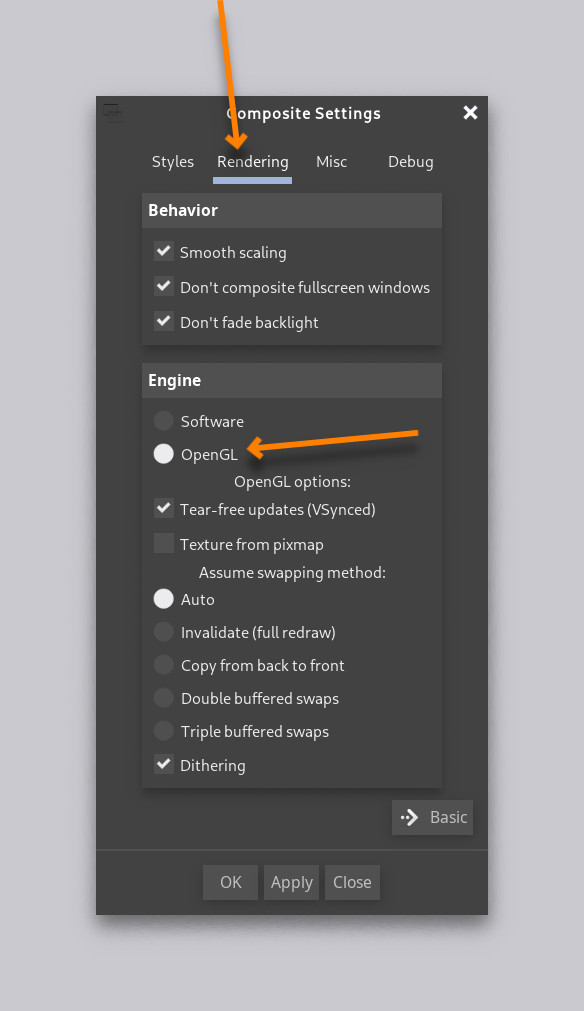
Your machine has plenty of processing power and RAM especially for Enlightenment, that’s not the issue although I would agree the screen resolution is below the unspoken minimum but not much can be done about that… So what are some things we could look at… An unlikely cause is that Enlightenment is using it’s software compositing which normally isn’t noticeable but on some systems I’ve seen it affect performance in rare cases. Have a look in Menu–>Settings–>Settings Panel–>Compositor–>Advanced–>Rendering tab. If your Video card will support it you want ‘OpenGL’ selected.
I understand that Windows is performing without issues but if the system is not sharing vital IRQ’s with Windows (or another Linux) installed there is always the possibility that this system with AVL installed is sharing IRQ’s and that can just be luck of the draw. You can have a look at the system IRQ’s and see if your Audio device is sharing an IRQ by pasting this command into a terminal;
cat /proc/interrupts | awk '{print $1, $NF}'
If anyone else is noticing unusual performance issues please let me know, it would be nice to know if this issue is specific to this hardware or a wider issue…
Yes, audio playback problem remains with alsa, and also pipewire/jack backend.
I noticed that audio works okayish using pulseaudio backend,
but, that being said, i have to raise the buffer all the way up to 8192 samples (which i can’t do with
alsa or pipewire/jack). But then the animated graphic side (metering etc) in Ardour becomes very slugish, chopped up.
Composite settings/Rendering tab is adjusted the way you descibed it.
Also, the problem with LSP plugins is definitely on the GUI side of things, cause, if i only insert it and use
the plugin with generic UI, everything’s else work as usual, and procesor usage is optimal. But as soon as i start up its real LSP GUI, whole Ardour becomes unresponsive, procesor usage skyrocket, so i have to kill the process. Other plugins seem to work fine, just LSP ones don’t, and it’s definitely something to do with GUI.
Okay, news .
It’s weird. I think that problem is not the backend per se.
I managed to set the Pipewire buffer (quantum) in “Cable” to 8192 samples,
and then the audio choppynes in Ardour when using Pipewire/Jack went away.
Same behavior is with Pulseaudio when i set the buffer to 8192.
Alsa doesn’t allow buffer to be set that high anywhere i looked, so audio in Ardour remains choppy even with 4096 samples buffer(highes allowed option with alsa backend).
But raising audio buffer that high is weird.
Also, animated graphics in ardour becomes choppy with audio buffer that high, but i remember i read somewhere that it is it’s normal behaviour in that case.
Problem with LSP plugins GUI’s remains. Other plugins seem to work normal as far as i’ve tested.
New development.
I think i nailed the screwy audio playback thing.
Might be a false alarm.
Last night, at about three in the morning I realized i was testing the playback with the one particular instrument always present - Audio Assault’s Drum Locker 70’ Drums. So i turned off it’s internal effects and - voila. Suddenly I was able to lower the buffer to 2048 and add bunch of other stuff like Vitalium, Yoshimi etc and everything worked…
…until LSP GUI . Still no luck with that…
EDIT: Yes, i just tested audio/buffer/dsp for about 40 minutes, creating some loop using Dumlabooh, Obxd, Yoshimi and bunch of effects. Everything works just fine at 2048 samples buffer. Audio glitching and stuttering was definetely caused by internal Drum Locker effects.
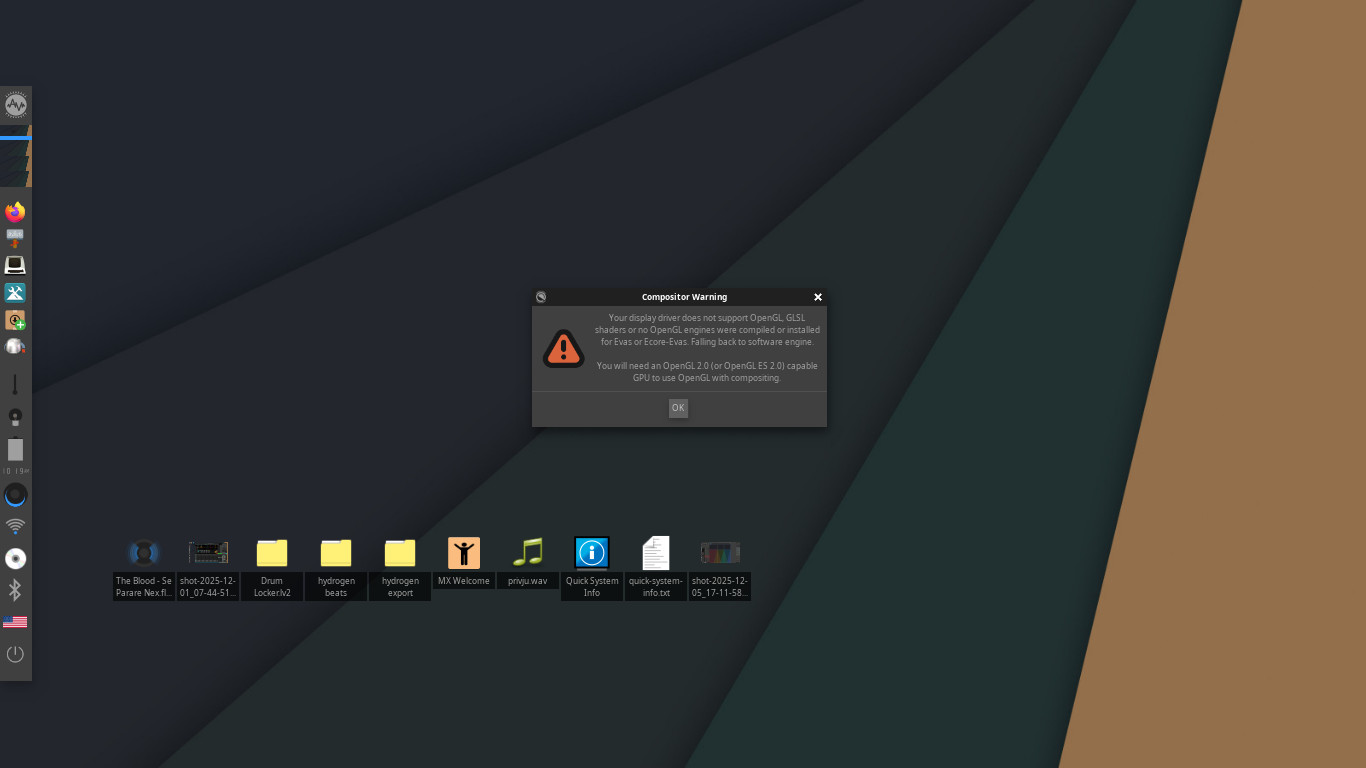
Just need to find a solution for graphic adapter/openGL version/LSP plugins GUI problem - i think it’s connected. My suspition is that i need to find the right driver who will seamlesly support OpenGL with this GPU. While messing around and switching to Intel’s GPU driver, after reboot i got this message:
Sorry, I got busy upgrading my build system to AVL-25 and didn’t get back to this. That warning does seem to indicate that there may be on OpenGL version issue, it appears Enlightenment has switched to it’s software compositing and as long as that works and if you’re getting better performance that way then the compositor was likely not the bottleneck. 2048 is still not great but 8192 should never be necessary… As far as LSP they also don’t work when switched from OpenGL to Cairo?
Even though your machine has decent enough specs the OpenGL thing is baffling me, I wonder the Kernel and Mesa Video drivers are too new for that particular Intel Graphics chip…?
Laggy audio was definitely caused by Audio Assault’s Drum Locker internal FX. That I realised while still using standard GPU driver provided with AV Linux with compositor set to OpenGl. I think it’s not related to gpu/open GPL problem. Yeah, 2048 buffer is kinda high, but not uncommon with these integrated sound chips in 20ish-something tracks projects with processing and heavy virtual instruments all around, so, once i saw it work with 2048 buffer as expected, I didn’t even test it with lower buffer. I will, as soon possible but I’m pretty sure it’s gonna be ok.
When I saw audio playback work, then I started tinkering with different GPU drivers to try to resolve LSP GUI issue. Installed a few different driver options using MX Package Installer. Also, somewhere in the system settings (don’t remember where right now out of my head ) i thicked on the “use intel driver” box.
Got that message i posted after one of the reboots while changing drivers.
LSP GUI problem, unlike audio playback problem, most likely is somehow connected to GPU driver/OpenGl version. Audio side of LSP plugins works normally, without seriously affecting CPU performance(tried it successfully a couple of times with generic Ardour plugins UI). As soon as i catch some free time, I will investigate it further, and I’ll get back what I found out here.
LSP GUI - After tinkering for hours with opengl vs software rendering, Mesa vs Intel drivers, and searching for right info about Intel HD 520 OpenGL version support, i just tought to myself: “Let’s see when did LSP introduce OpenGL support”…turns out, not that long ago. So i just downloaded LSP plugin pack version 1.2.1 (older) - and those just work without issues. Gui’s responsive, processor behaves normaly.
Glitchy audio - no real problems there. It was all caused by weird behaviour of internal FX in Drum Locker. I tested it for few hours and audio works good with 512 samples buffer, reducing latency to about 10ms. All good as far as i can see.
Have you tried to switch to Cairo when using LSP?
I would not recommend to use 1.2.1 version since there were already many changes, bugfixes and new plugins implemented in recent version.
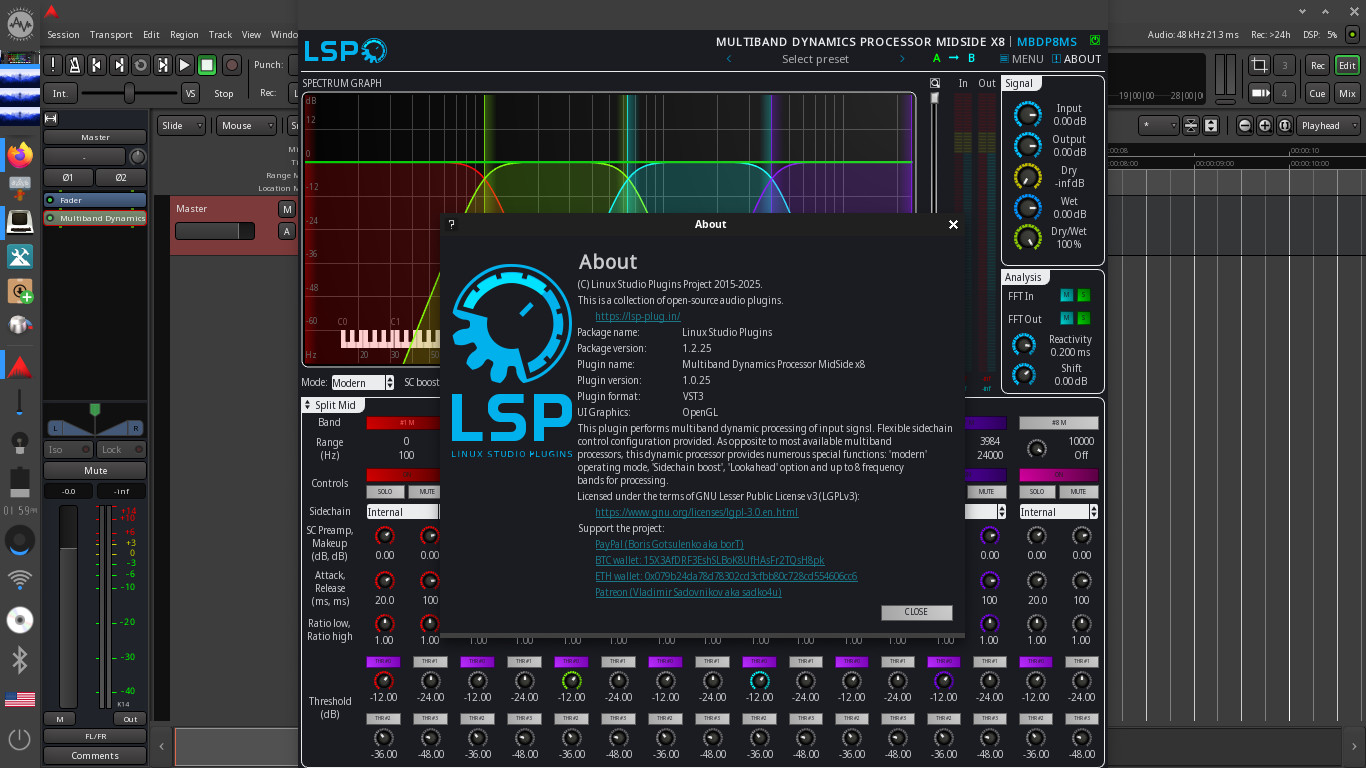
To switch from OpenGL to Cairo, you need to set up the LSP_WS_LIB_GLXSURFACE=off environment variable and restart user session. In the About dialog you should see ‘Cairo’ instead of ‘OpenGL’.
Well…here’s what’s happening.
I’ve set the enviroment variable by editing the .bashrc file using export command.
Saved it, rebooted, checked if it’s off using terminal and printenv command and i got:
It is not a snap (hell no!!). Ardour in AV Linux is the official bundle wrapped in a Debian Package, so the executable is here:
/opt/ARDOUR-8/bin/ardour8
I also tried changing the environment variable in the Desktop Environment itself but I also get OpenGL in LSP ‘About’ when I run Ardour. I will try further and post back later.

 . I make an effort to do the usual Linux Audio performance tweaks and of course before I release AV Linux I make sure that pipewire-jack is linked to libjack so applications wanting to connect to JACK find PipeWire automatically and I make sure in a live session that Ardour transport ‘just works’ when Ardour runs out of the box. I also supply a few known-to-work Ardour udev rules. Beyond that I just add Debian’s stock PipeWire Repo packages and as of AVL-25 I provide ‘Cable’ or my own 'PipeWire tools for PipeWire tweaking.