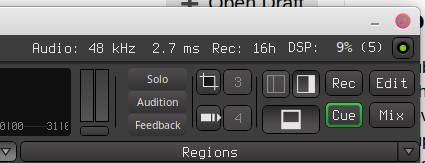
I just installed Ardour 9.5 on Linux Mint 22.3 (X11-based). When I open the Cue view and add a clip to a track or sometimes after clicking on this new clip in the track Ardour changes the size of the main window and it does not fit on the screen anymore. The maximize button on the top right is removed and I can only minimize or close Ardour (see screenshot)
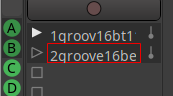
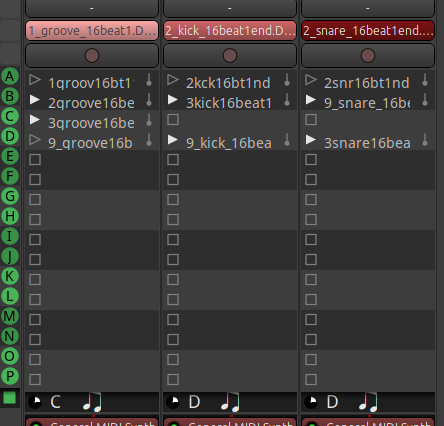
Then I added more clips, created a sequence and the little white triangles left from the clips do not ‘show up’ or ‘vanish’ correctly (I mean the blinking).
I’ve experienced this several times as well, but in my case it’s hard to reproduce.
I’m pretty sure it happened once or twice when I expanded the MIDI Inspector in the pianoroll. Ardour resized the main window beyond the screen size, although the maximize and other buttons didn’t disappear. I bet it may be window manager dependent. I’m using Debian Trixie with KDE Plasma on X11. I hadn’t noticed this behavior before 9.5.
If you can reproduce it reliably, I’d suggest filing a bug in Mantis.
I have it too … but: i am on rather restricting hardware (in this case probably size of monitor/s )
It is a different workflow when i run into it though ( in editor-window).
My workaround is:
either: disable editor-mixer before i enable editor-list
or: keep the scaling/size in ardour prefrences low.
also: switching from draw to grab mode can help.
It is different in different WindowManagers or DesktopEnvironments. Some handle it slightly better.
From your picture it seems you don’t have editor-mixer enabled, and editor-list you might need for cues. In other words: Those workarounds might not help you at all.
You sure can disable editor-list temporarily, so you don’t have to close ardour if it happens (also: from draw to grab mode switch).
I don’t use “bottom pane” that often, might come into it too.
But yes, i have it too. And sometimes even so bad that ardour freezes by it (which it usually doesn’t). As said: with really low-spec hardware.
I expect 9.5 requiring full HD (1920 x 1080) with 100% screen scaling; but it looks you use a custom font, and scaling is relative to the desktop font size. And looking at the screenshot it is taller than the default, so in your case it may require more space.
The problem with the little white triangles is still there, but no big deal for me. The bottom line shows the right letter for the actual slot and the played clip is the right one. Only the triangles are not greyed out in every inactive slot.
Thanks for pointing me into the right direction (and for Ardour of course).