Ever since Version 9.xx I can not trim fresh/new recordings, Midi as well as Audio.
Please view pic
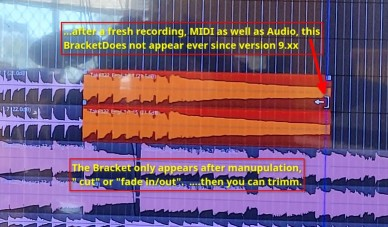
…only after “cut” or 'fade in/out" operation the trim bracket appears.
…rather annoying.
i am surprised no one else seams to have the problem
regards
Ever since Version 9.xx I can not trim fresh/new recordings, Midi as well as Audio.
Please view pic
…only after “cut” or 'fade in/out" operation the trim bracket appears.
…rather annoying.
i am surprised no one else seams to have the problem
regards
Fresh session, fresh recording, hitting keyboard “g”, then I can pick up end of region and shorten it immediately like ever before. No problems
Ardour 9.5 / Linux
…great ! works …but why ?
anyway : Solution
… that is a shortcut to enter object mode. You will be seeing the little hand in the bar above being highlighted
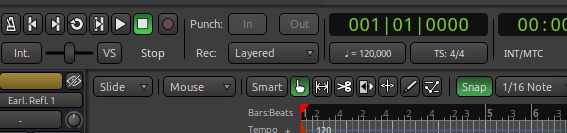
Search for Mouse Modes:
… @peter.zenk I guess we were typing basically the same response at the same time… : P 

Yes, pressing G puts one in “Grab Mode” (which is technically referred to as a “Mouse Mode”). You can also just click the hand icon here to enter that type of mode:
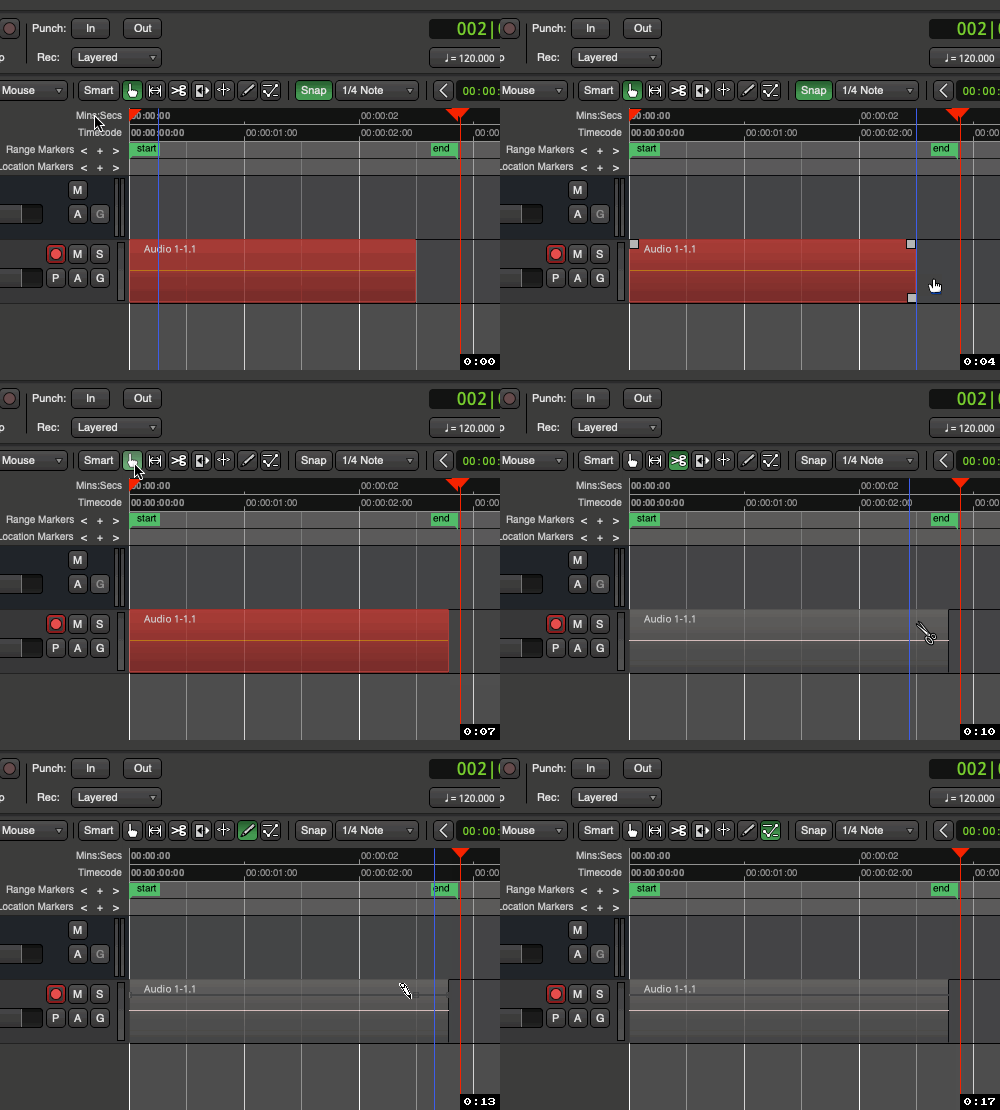
Always make sure you’re using the right Editing Mode for what you’re trying to do, otherwise it will appears as though everything in Ardour is suddenly broken/off. This includes minding these settings as well:
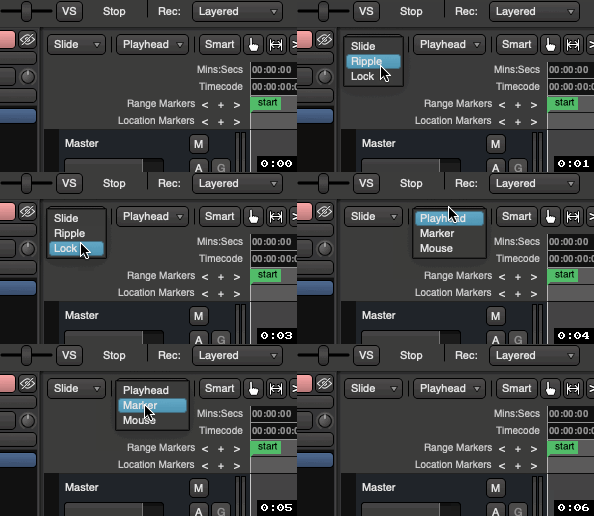
You can learn more about this here in the manual:
~Peace!
-J
oh, yes the slide/ripple/lock mode brought me lots of hassle in earlier days 
I think the default is “Smart” mode which is supposed to determine whether it should grab or select range depending on where the cursor is located.
I find that sometimes it is difficult to remember where the cursor should be to change to grab mode, or if the tracks are set to very short height it is sometimes difficult to keep the cursor in the right location.
Perhaps that is what cause the OP problems.
Well, I’m on Ardour 9.5 and in Grab mode, but I never get the trim handle on new recordings, just like @hase mentioned:
So I think there still is something wrong here?
@hase There was actually a bug, the fix is now in sources (and will be in tomorrow’s nightly).
The likeliness for it to occur depended on how fast waveforms where created, this could explain that.
This topic was automatically closed 91 days after the last reply. New replies are no longer allowed.