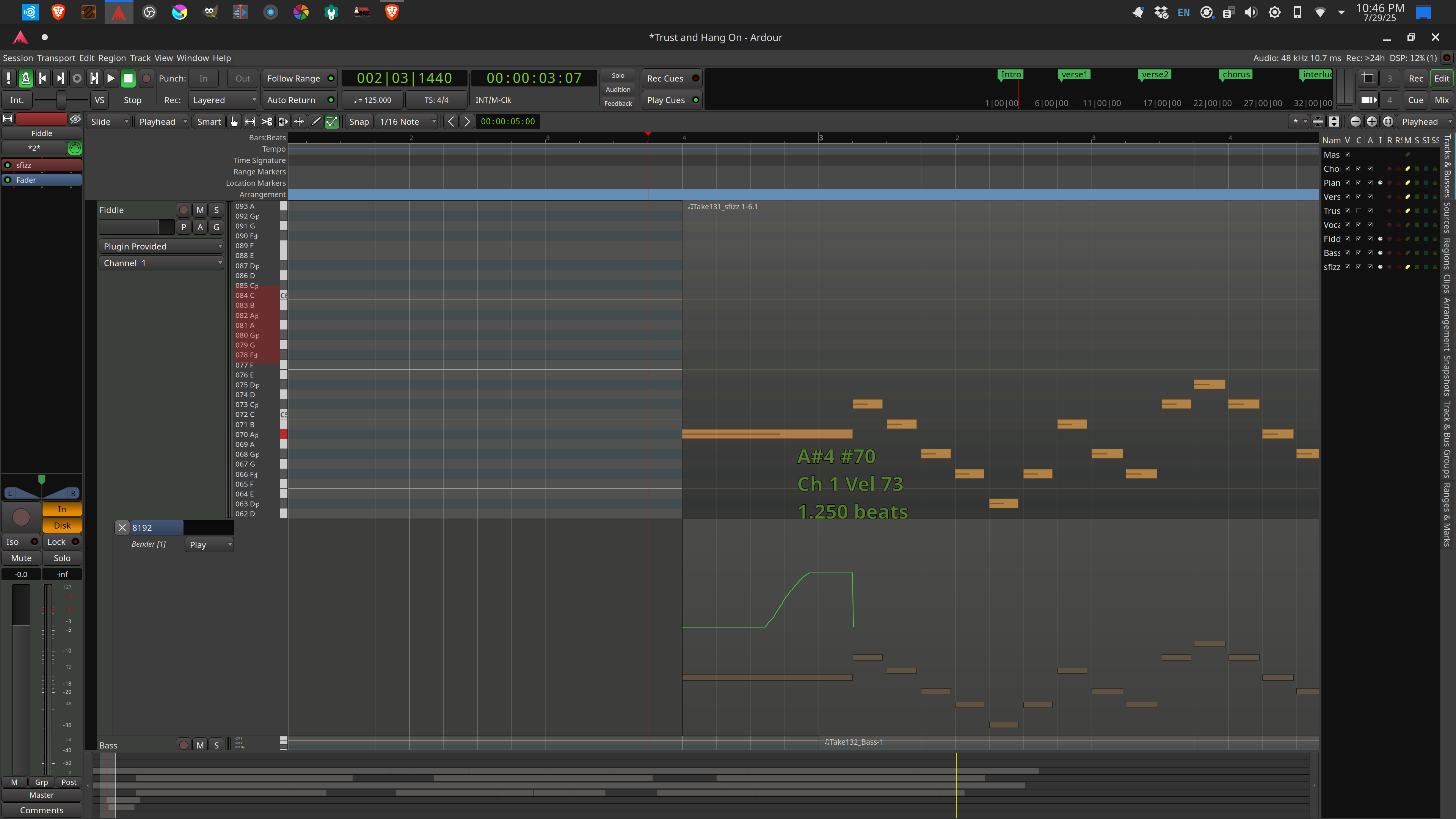
I used my pitch wheel to slide up one semitone, from A# to B. However, now Ardour wants to play everything that follows in that track one semitone too high. I tried to add a point at the start of the next note with Bender set back at 8192 (or neutral), but I am getting a strange sort of wobble sound between the two notes.
In my experience (I have not tested your file) you cannot do instant changes like those pictured in your screenshot. There is no space at all between A# and C#, and the bender must somehow slide back.
Possible solutions that come to mind:
Try to shorten a bit the A# (press ALT to disable snapping), so that the descending part of the automation curve starts and ends in the gap between the notes. Also draw a couple of neutral points (8192) after that, just to be sure the MIDI get those.
Instead of bender you can use the portamento, if the instrument supports it (also check portamento length and other parameters).
You are saying that I can go into edit mode and select the MIDI notes I don’t want transposed and change them to channel 2, correct? Then start another automation lane in the same track and set that to channel 2 as well?
I did try the above scenario and it didn’t change anything. However, it made me think of starting another track to house the MIDI notes that are not supposed to be affected by the automation and that worked fine. It’s not a very elegant solution, though. So, if there is something I can do better, I would be happy to learn. Thanks!
Yeah, I tried shortening the A#, but it either became too short or it doesn’t solve the problem. I get what you are saying about the bender sliding back, though.
Unfortunately, the instrument I’m using does not use portamento.