shantikari
December 7, 2025, 5:20am
#1
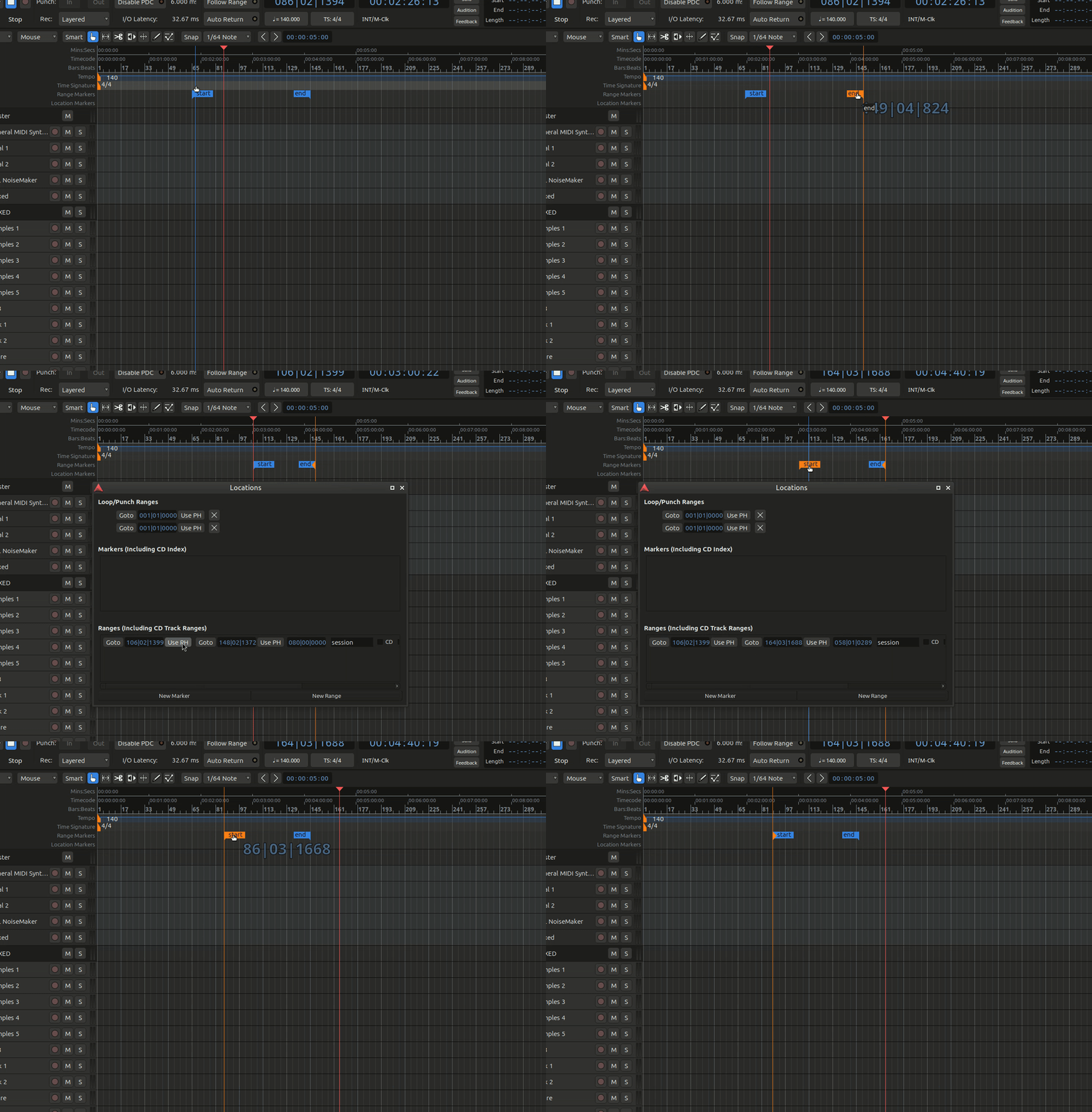
Just installed Ardour on my new laptop and facing this issue: the start/end markers are always moving together as pair, I can’t move them separately?
I can technically use ‘Set Session Start/End from Selection’ but it’s still annoying to be unable to adjust start/end without affecting the other. And I can’t find any option in preferences to adjust this…
x42
December 7, 2025, 1:32pm
#2
That is odd. Only explanation would be that both markers are selected…
Which version of Ardour is that (Menu > Help > About )?
Can you try if you can manually set them Ardour Menu > Window > Locations :
Either enter value, or “Use PH” (playhead) to move the marker to the current position…
shantikari
December 8, 2025, 11:14pm
#3
Ardour 8.12.0 “Sonora Portraits” (rev 8.12), running on Linux Mint 22.2 (Xfce).
Yes this works to set them separately, both manually setting values and “Use PH ”. But outside of the Locations window they’re still linked and inseparable.
shantikari
December 9, 2025, 12:56am
#4
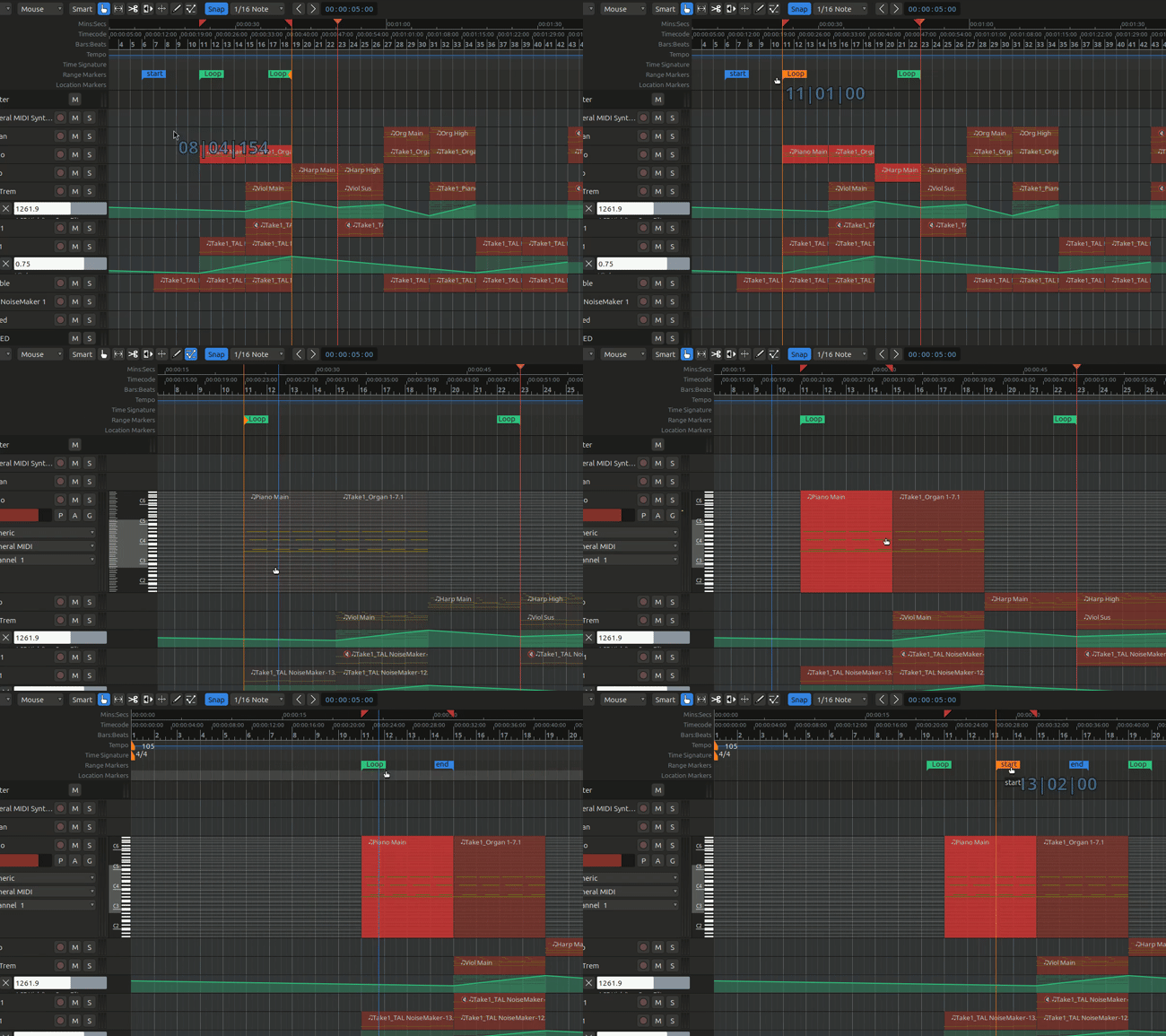
FYI This is happening with all paired region markers: Loop In/Out, Punch In/Out, etc.
Piergi
December 9, 2025, 4:16pm
#5
Have this something to do with the fact that you don’t (seem to) have any region in your session? Try to draw/import/record a short region.
shantikari
December 10, 2025, 2:51am
#6
Same issue occurs with regions too…
shantikari
December 13, 2025, 11:48pm
#7
Bumping… no ideas anyone?
x42
December 14, 2025, 12:29am
#8
Does this affect all sessions on your system or just a specific one?
If the latter, could you share a session that exhibits this behavior? Maybe make a copy and remove all the audio data…
If this affects all sessions… perhaps try to re/move Ardour preferences. While Ardour is not running:
mv ~/.config/ardour8 ~/.config/ardour8.bak
shantikari
December 14, 2025, 5:50am
#9
That fixed it, thanks!
Here’s the old config folder incase it would help troubleshoot/debug.
Lexridge
December 14, 2025, 7:10am
#10
Wow, Limewire is still a thing? I thought that died years ago.
1 Like
x42
December 14, 2025, 1:30pm
#11
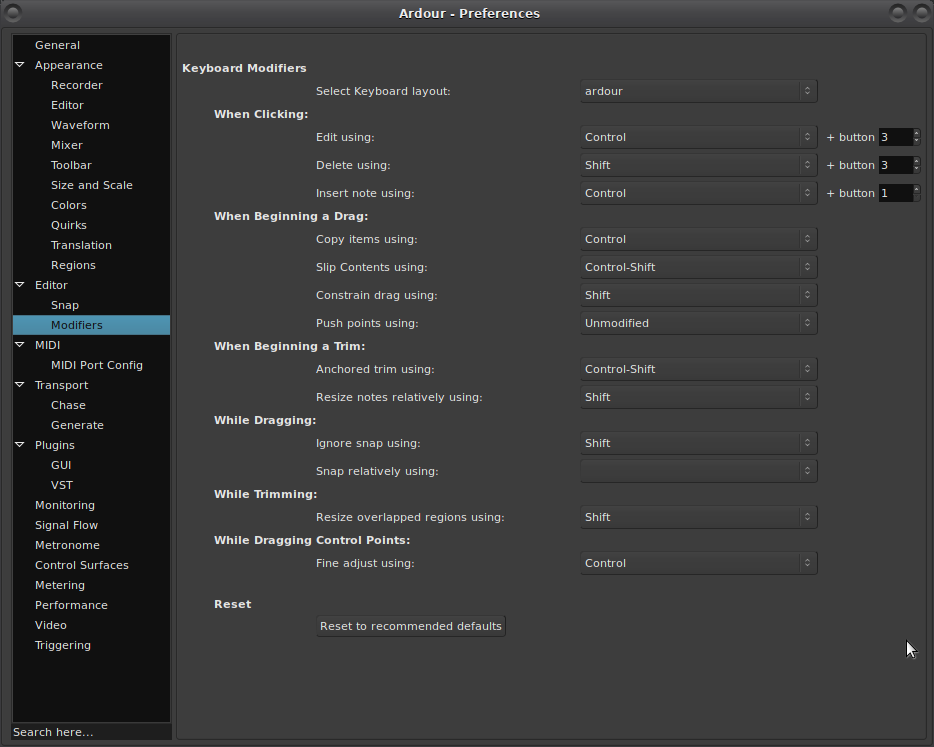
Aha! So the issue is that your have customized Modifiers, specifically
Preferences > Editor > Modifiers …
“Shift” is also overloaded, and you have an unset “snap relative”…
I suggest to just reset those to default (button at the bottom).
3 Likes
system
March 15, 2026, 7:30pm
#12
This topic was automatically closed 91 days after the last reply. New replies are no longer allowed.