Yamaha CP300 stage piano does not have panel knob/button, nor menu setting / config item to modify the release time of its instruments/voices. (Think needing to have sustain but without a sustain pedal.)
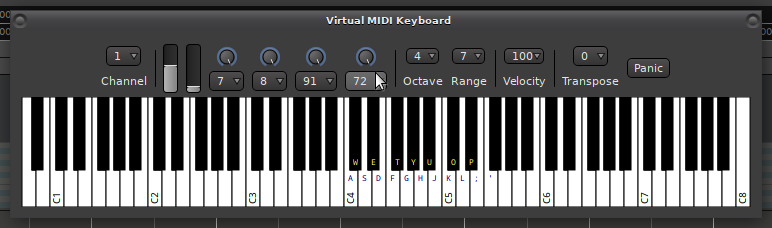
However it can receive event 72 (release time) via MIDI channel. Is Ardour capable of transmitting such control signal? (and via USB cable, which the CP300 also has a port for)
If the CP300 is recognized as a MIDI device by your operating system (you did not mention your platform so I can’t be any more specific) when you’re connecting it via USB, there’s nothing to keep Ardour from sending MIDI CCs. Notice that the way envelope time events are handled is open to the manfacturers’ implementation so it’s hard to predict how long the modified sustain will persist. Probably until a different vale for #72 is sent - OTOH it probably can’t hurt if you just keep sending CC #72 in a loop if it really wants to be set per note-on.
A bit further along now; CP300 has interfaced with Ardour on Win10.
So far my attempts to send CC72 have not had an effect.
I know it’s a broad question but what are things I can check on to see what might be missing or configured incorrectly?
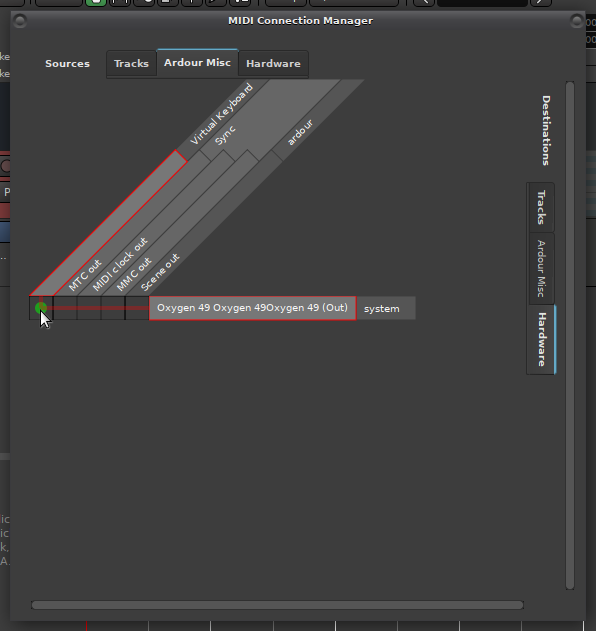
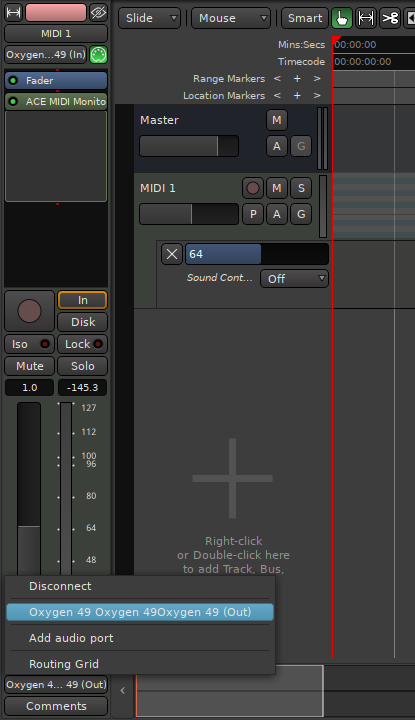
It was the connection in MIDI Connections that I was missing.
Pedal-less sustain is now a go!
This is great cos I have the CP300 height to where I’m standing up, and to me at least, it feels unnatural to pedal versus when sitting down.