We understand that. It appears to be a newish bug that I imagine will be fixed (again) in the next release. It certainly isn’t behavior we intended, and it has not been reported before.
1 Like
Aha. Ok, good to know. Thanks for the video on MIDI, that solves the problem for me.
I have to admit that I find it confusing that the “Record only this MIDI channel” is hidden behind a right-click and that the “Channel” select on the Midi Track has nothing to do with MIDI Channel.
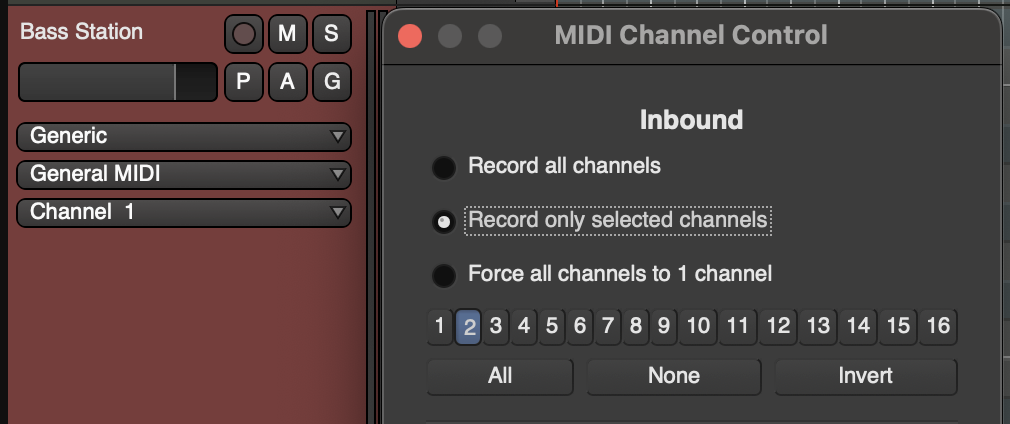
Where can I find out about what that select does?
1 Like
If you move your mouse over it, a popover should say “MIDNAM Channel Display”. It controls what set of MIDNAM data you want to use for e.g. note names.
The whole MIDNAM thing (i.e. all 3 of the vertically stacked selectors) is problematic as a policy issue. For people (still) using h/w synths, MIDNAM is a lifesaver (and for a lot of people, a game changer). But for people using plugin synths, it’s just a confusing waste of space most of the time, since few plugins provide a MIDNAM and most of those people don’t actually know what they are, and the plugin UI tells them most of what they need to know.
Some other DAWs (e.g. Reaper) have reinvented tiny parts of MIDNAM to provide, for example, drum names for notes. We chose to stick with the whole industry standard instead, which comes with its own costs.
Ok. I’ve never heard of MIDNAM. So I’ll ignore that then.
Maybe there should just be a setting to hide / show MIDNAM?
Something else I noticed on the LK mk4 is that the pots behave weirdly for track level. Turning the knob to the right will take it to maximum volume and then it stays at max, regardless of how much more you turn the knob to the right (which is as I would expect). BUT turning the knob to the left does not behave the same way, there it takes the track down to zero level but then immediately wraps around to max level if you keep turning the knob to the left.
Also just to be clear – emulating a 3-button mouse on Mac is not possible without 3rd-party software. The native settings available do not facilitate that. So currently there’s no way for me to map my controller to CC with Ardour as far as I can tell?
1 Like
Isn’t that (cutting audio every few seconds) what the demo binary does?
No, it goes silent and puts up a dialog to allow you to ask for more time in non-silent mode.
I think I was remembering the behavior of a demo plug-in I tried previously.
May or may not be related to the described problem, but fade out at regular intervals doesn’t sound like a daw bug I’ve ever encountered.
I think it was acknowledged that it was caused by a plugin.
I have created MIDNAM files myself, so I would appreciate if that feature won’t dissappear.
Honestly, when I switched to MIDI work in Ardour this confused me too. And still confuses me from time to time.
But the reason I chiming in is to say that it would be nice to have a separate button for the channel selector somewhere in the MIDI track header. It would save some mouse clicks in a complex MIDI channel setup…
Well, I’m in charge of that, so I’d appreciate specific feedback.
2 Likes
Novation is known to ship faulty USB cables by default. I definitely had one with my Launchpad X.
We will not get rid of MIDNAM. We do think it needs to move to some other part of the GUI, to avoid the confusion that it causes so many people.
2 Likes
Purely anecdotal but I’ve consulted the manual a fair bit since switching to Ardour and I think the documentation is stellar. Thanks for all the work you do on that 
8 Likes
The channel selector had a reverse evolution trajectory UI-wise. First it was like this:
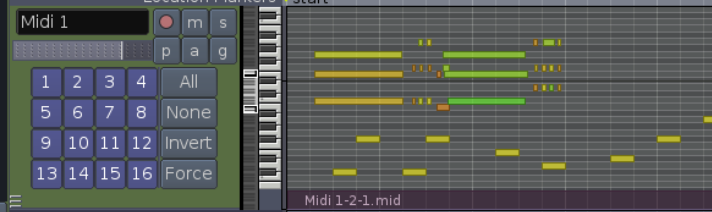
Then like this:
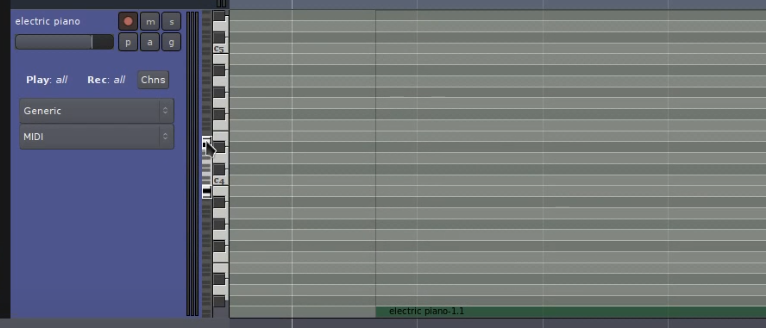
And now it’s even further, all the way in the right-click menu.
1 Like
It’s still in the track header if the track header is larger than a certain height.
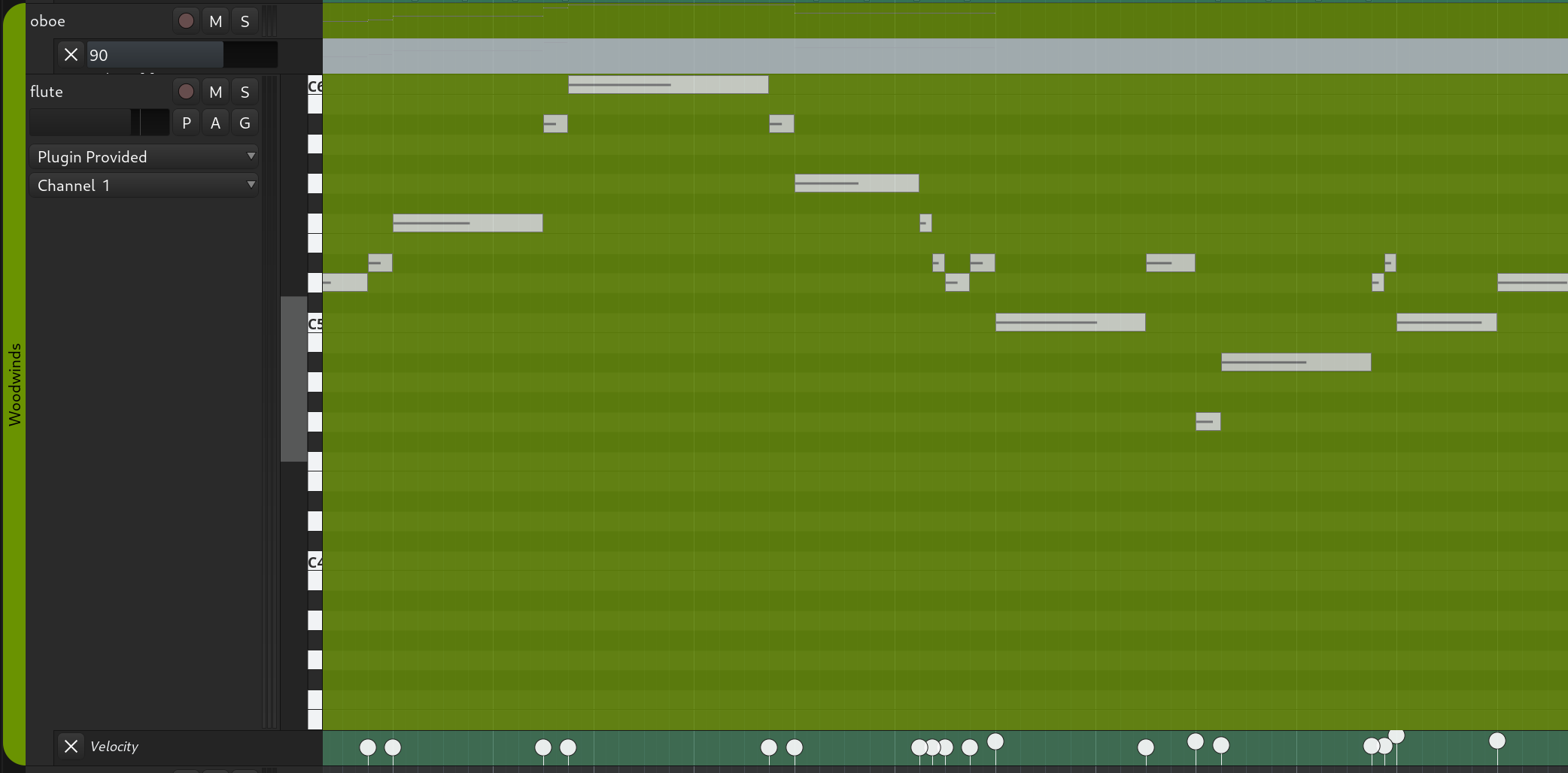
You’re right, I wasn’t thinking clearly about what “the channel selector” meant.
Wow. This is 3.0, isn’t it? Using Ardour since 2.0 and really don’t remember this. Looks nice, but obviously it doesn’t have as much functionality as today’s channel selector. It would be difficult to put all the stuff there. But instant visual feedback regarding the channels state is priceless.
Yeah, this looks familiar. It would be really useful to have something similar nowadays. There seems to be lot of real estate in the (expanded) track header.
PS Sorry for hijacking the thread. How about moving the posts regarding the MIDI UI to a separate one?
Yep 
I think the second iteration was informative and discoverable enough. But I guess the team had reasons to move it into the menu. I don’t know what those reasons were, though.