I don’t recall precisely the cause(s) of the crash. But I am used to the Ardour workflow and when I use it with Reaper … problems.
I would also like to point out that Ardour’s way of doing things is superior to the other DAWs. When using Cubase, I feel like I am looking for an afterthought stacked on 25+ years of development when trying to find where they stuffed a feature. Bitwig it seemed necessarily clunky and difficult to do certain small tasks. Reaper is OK, but it just does not flow good for me.
Having the REC / EDIT / MIX / CUE buttons is fantastic! I would like a MIDI button myself, that shows just the MIDI tracks with the piano roll at the bottom when the track is selected. Maybe in the future ?
Most things, if not all, can be done from a left-click menu select on a region. The channel strips are well laid out in Ardour. Usually no need to scroll and hunt like in other DAW’s.
There are plenty positives to Ardour. I first tried Ardour in about 2003. I think it only did audio with possibly LADSPA plugins. I thought " Hmm… this looks interesting…I will have to keep an eye on this project". I was trying to use ProTools free at the time, but didn’t use it much because of hard drive space. It has become an awesome open source project.
1 Like
Does that mean you uninstall pipewire, or is there a way to use Alsa while pipewire is installed? (I am about to upgrade my PC, and the new installation comes with pipewire.)
1 Like
When the Ardour ALSA backend is started the software sends a request to pipewire to allow taking exclusive access of the chosen interface, and pipewire releases the current access for Ardour to take over.
4 Likes
To be clear there is nothing wrong with PipeWire for general Desktop Audio stuff, no need to uninstall or go back to inferior PulseAudio. Simply select Ardour’s ALSA backend in the Audio setup dialog… done!
5 Likes
It’s also worth noting that the lead developers of Ardour, Paul and Robin, have different views on the feasibility of using PW/Jack with Ardour.
Robin says here above “I have never been able to run Ardour with pipewire reliably with any version of pipewire so far” and Paul appears to be using it just fine on a daily basis.
I seem to recall Paul mentioning it in the last couple of months as well (I just couldn’t find that post) but here’s a quote from last September, anyway :
2 Likes
debian+mate+alsa and ardour work very stable too here
1 Like
That’s also what I’m currently using, though my main workstation is still Debian 11.11.
3 Likes
I tried Ardour today for the first time and I have to say this is the worst experience I’ve ever had with a DAW and I’ve used a few – Cubase, Logic, Ableton, ProTools. How does anyone get anything done? (I’m on Mac btw)
I’ll just list the show-stoppers I encountered:
- I created two midi tracks, then deleted them and then could not create any more. The logs showed errors like this:
2025-05-15T22:58:57 [ERROR]: BackendPort::connect (): wrong port-type trying to connect ardour:x-virtual-keyboard and ardour:OB-EZ/audio_in 1
2025-05-15T22:59:30 [ERROR]: BackendPort::connect (): wrong port-type trying to connect ardour:x-virtual-keyboard and ardour:OB-EZ/audio_in 1
2025-05-15T23:00:13 [ERROR]: BackendPort::connect (): wrong port-type trying to connect ardour:x-virtual-keyboard and ardour:OB-EZ/audio_in 1
2025-05-15T23:01:38 [ERROR]: BackendPort::connect (): wrong port-type trying to connect ardour:x-virtual-keyboard and ardour:OB-EZ/audio_in 1
2025-05-15T23:21:37 [ERROR]: ardour::register_port: Port already exists: (ardour:OB-EZ/midi_in 1)
2025-05-15T23:21:37 [ERROR]: No more JACK ports are available. You will need to stop Ardour and restart JACK with more ports if you need this many tracks.
2025-05-15T23:21:37 [ERROR]: could not create 1 new mixed track
2025-05-15T23:21:42 [ERROR]: ardour::register_port: Port already exists: (ardour:OB-EZ/midi_in 1)
2025-05-15T23:21:42 [ERROR]: No more JACK ports are available. You will need to stop Ardour and restart JACK with more ports if you need this many tracks.
2025-05-15T23:21:42 [ERROR]: could not create 1 new mixed track
2025-05-15T23:21:58 [ERROR]: ardour::register_port: Port already exists: (ardour:OB-EZ/midi_in 1)
2025-05-15T23:21:58 [ERROR]: No more JACK ports are available. You will need to stop Ardour and restart JACK with more ports if you need this many tracks.
2025-05-15T23:21:58 [ERROR]: could not create 1 new mixed track
-
No matter what I did, I could not get two MIDI tracks to each respond to a different MIDI channel. My options were either
Follow Selection, in which case whichever track is selected responds to all MIDI channels, or all tracks respond to all midi channels. There’s no in between. -
Each midi channel has 2 - 3 cryptic select elements, the point of which remains a massive mystery to me.
-
Documentation is sketchy at best
-
Audio would fade and cut out every few seconds before returning.
-
MIDI CC Learn mode seems to rely on scrollwheel click (which Mac doesn’t have).
Why are are using JACK?
Now I’m in half a mind to remove JACK support for Ardour on macOS 
EDIT: looks like this No more JACK ports are available. message is a false positive. It can also show when Ardour/Coreaudio is used.
Sorry for the misleading info.
Because the Ardour dmg installer for Mac said to install it, so I installed it. I have no idea what it is.
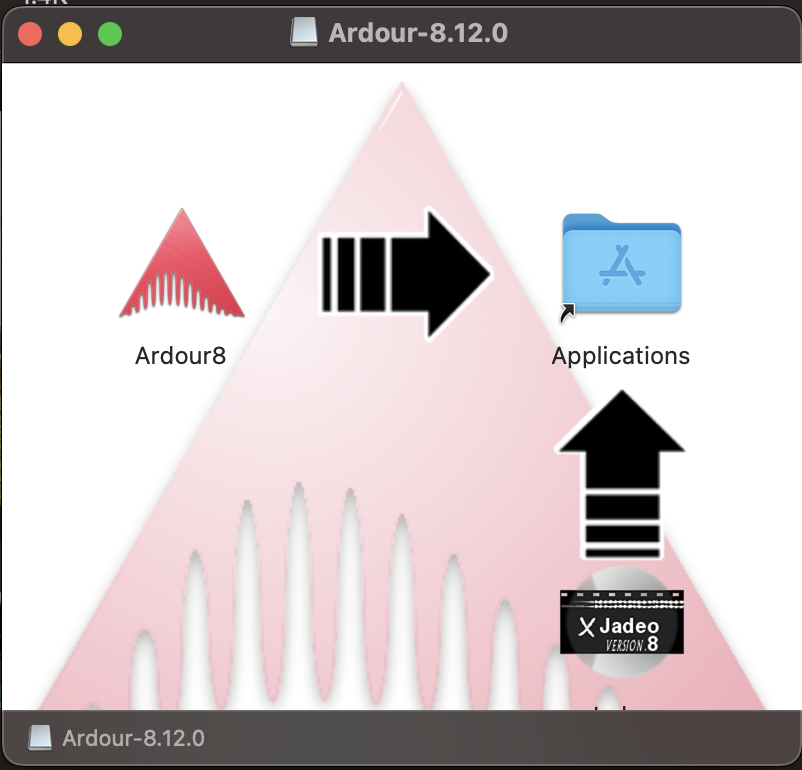
It’s not even called jack, it’s called Jadeo, as far as I can tell. Or if that’s not it then I don’t know how JACK got involved. I’m not using it on purpose.
Problem #1 is caused by the JACK configuration on your system, and your use of JACK. is a false error, as x42 just noted.
Problem #2 is reflection that Ardour differs from most other DAWs in that MIDI tracks handle all MIDI channels at once by default, not a single MIDI channel. We’ve seen other people run into this conceptual problem when they’ve come from the single-channel world.
Problem #3 I don’t actually understand what you’re describing here.
Problem #4 is real, and a perennial problem for open source projects. On the other hand, I was just using Bitwig the other day and discovering that even their online manual is not current with their released version, and the element I was looking for has been radically moved within the interface.
Problem #5 not a known problem to us.
Problem #6 our install instructions say that we expect you to have a 3 button mouse or to have setup your scrollpad to be able to emulate a 3 button mouse.
The binding for MIDI learn goes back to a time when requiring a 3 button mouse didn’t seem like that big of an issue. Yes, we know that in 2025 lots of people find this onerous, difficult or stupid.
That is the video monitor, unrelated to the issue at hand. a separate application if you want to use video-timeline in Ardour
#1. I’m not “using JACK” I’ve never heard of JACK. I didn’t click anything that said JACK. So I’m not sure how that’s on me.
#2. Great but surely you want different tracks to only respond to one channel – otherwise what’s the point of channels?
#3. I can’t show you because JACK won’t let me but basically on the track itself, there’s a select where you can choose from a bunch of manufacturers / synths or Generic (but once you choose a manufacturer you can’t get back to generic) and then there’s a select where you can select between something like “General Midi” and “MIDI” whatever that means. And then there’s a channel select (which I presume means MIDI Channel), which it seems to ignore.
#4 OK
#5 It was specifically with a particular plugin synth, so maybe not an Ardour issue
#6 Bummer
#7 Also it seems to lose track of my Launchkey mk4 MIDI controller periodically and I have to restart
#2: multichannel MIDI and multichannel synths are a real thing, and were quite widely used in the past. This has become less common now.
#3: those selectors are for choosing MIDNAM information for a synth - either external, or a plugin. Most plugins do not provide MIDNAM data, but Ardour comes with a hundred or more MIDNAM files for hardware synths. These allow us to name patches and notes. You don’t need to do anything with them. We have debated hiding these from time to time, because of the sort of confusion they have caused you.
The channel selector is much more than just “choose a MIDI channel for this track”.
#7 I have an LK mk4 and have not seen this behavior
Ok well thanks for the very quick replies. Unfortunately, none of that helps me
#1 I’m stuck not being able to add any MIDI tracks and when I did (before it got stuck), they all trigger when I can’t control what midi track I’m playing from the LK mk4 because as far as I can tell, that’s not possible. So I can’t just use the control surface, which kinda defeats the purpose of having a control surface.
#3 The channel selector needs some documentation then.
#7 It might be the cable then
I need to reiterate something I said upthread that is central to these sorts of complaints:
workflow matters.
If you use Ardour in the way that its developers, testers and most vocal users tend to use it, things are likely to work quite well for you.
If you use Ardour in ways that differ significantly from them, implying that they have not been as extensively tested or quality tested, you are more likely to run into problems (and get headaches trying to figure out how to do things).
This applies in reverse … every time I try to use another DAW (which is rare), I find them incredibly hard to use, and often it takes me a very long time to determine that something I do all the time in Ardour is either difficult or not possible,
2 Likes
#7 it is probably not the cable. You’re likely doing things with the LK mk4 that we haven’t tested much yet (these are relatively new devices, and not many visible users have them). What do you mean by “loses track of” ?
I mean the controller vanishes from the MIDI Connections window and disconnecting / reconnecting it doesn’t fix that. I have to restart Ardour before it will see the LK mk4 again.