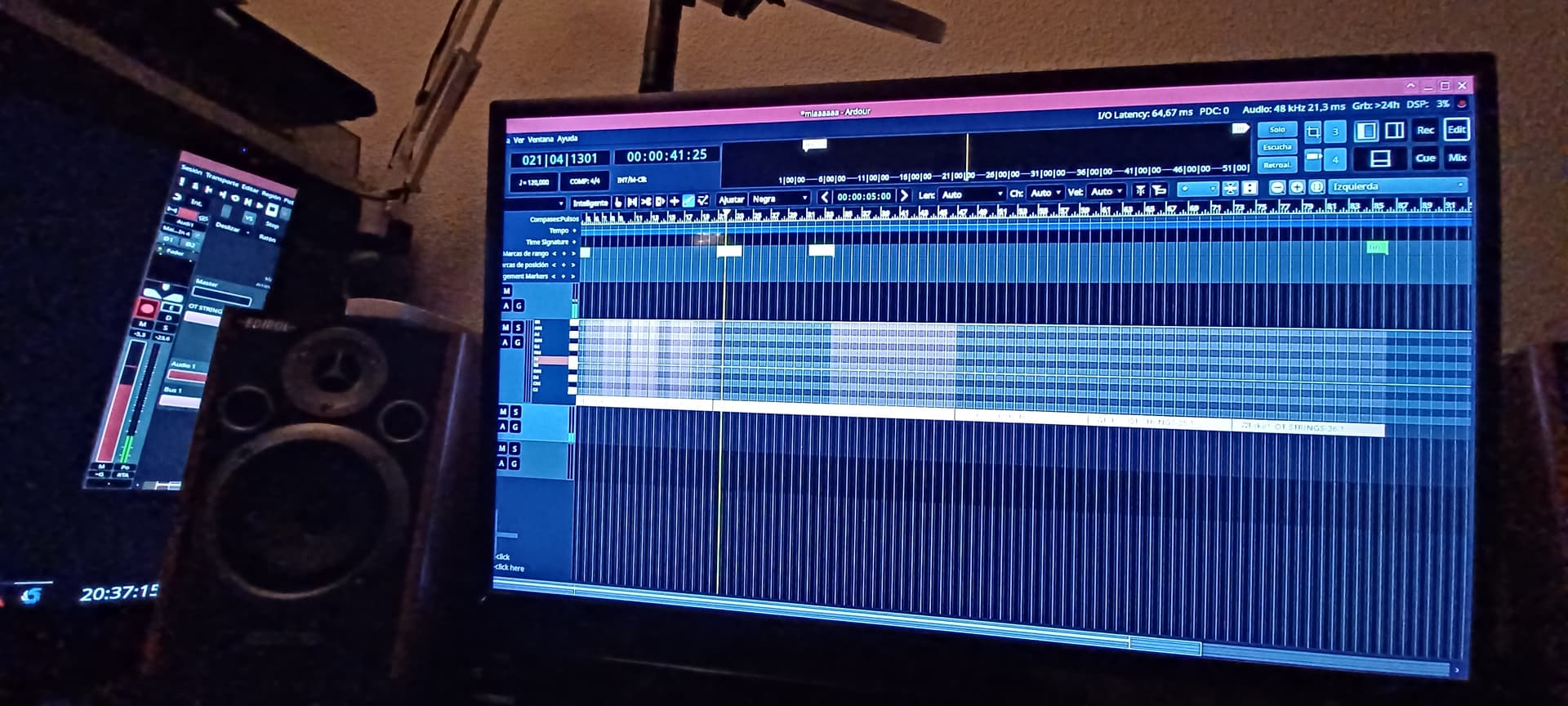
Hello, I have found a problem, in ardour 9.2 when selecting the draw tool a peculiar thing happens
part of the ardour window is expenaded to the adjacent screen, it only happens with that tool and I have to manually adjust the ardour window to the screen it should be on, in my case the rightmost of the 3 screens.
The minimum width of the window is constrained by the editor toolbar which is more crowded in draw mode, as far as I know the only thing you can do about it is to reduce UI scaling (or switch to a desktop environment that doesn’t respect the application’s resizing policy like i3).
Hello, indeed Robin, if I put ardour in English the problem disappears,
I am completely unaware of how the translation files are configured or edited and work in ardour, but I understand that in the Spanish translation there is some margin or space that is too large in the corresponding file.
I can use ardour in English, I understand the language reasonably, although I prefer to use it in my language, Spanish, to avoid possible confusion because I am dyslexic, which sometimes complicates my life.
For now I will use it in English, but please review the problem when possible.
I thought it could be due to the changes in the upper part of the ardour interface, where the different transport controls and buttons are, edit cue, mix and rec, etc., but it doesn’t seem to have anything to do with the translation in this case into Spanish.
It’s obvious, Robin, that you’re used to dealing with these things.
The dopdown is sized according to its longest option, in this case “Playhead” which translates to “Cabezal de Reproducción” (I’m just reading the file here), we have a similar issue in french where the only workaround would be to use a short name at the expense of making the translation a little less accurate (no perfect solution I guess).
Not sure if i fully understand your case, but it seems something at least similar happens to me:
if i have editor-mixer enabled and open editor-list and the scaling is quite high/big, then often the window gets resized (depending on my WM/DE, even ardour fully freezes and can be only pkill’ed). I try to workaround by first disabling editor-mixer (which i forget all the time, of course).
I’ll try what was proposed in this thread later.
I tell you as i was pretty confused no one else seemed to have a similar problem, and for the life of me i couldn’t find the reason. So it seems you not alone, even if slightly different workflow to make it happen.
Edit:
Testing a few minutes after having read this thread: changing from edit-mode to say grab-mode before enabling editor-list sure helps a lot. Making editor-list rather small doesn’t seem to hurt either.
Hello Jean-Emmanuel in Spanish and I imagine that in other languages perhaps not in all, it is not always necessary to write the complete sentence to understand what is being talked about or read, as in this case.
That is to say, if “cabezal de reproducción” (“playback head” in Spanish) creates problems due to excessive length, it could be perfectly acceptable to simply write “cabezal”(head), given that we are in a specific context, (an audio editor), in that specific menu one of the options is precisely to choose the playback head, the point is that we already know what a playback head is, so if we simply write "cabezal (head) (in Spanish), there is not much doubt about what we are choosing, that is, the playback head.
It is undoubtedly better to do a correct translation, but if it happens that the length of a sentence causes problems due to the space available in the interface of in this case, ARDOUR 9, I think it is acceptable to write only “cabezal” (head) (in Spanish), (playhead in English).
If I’m not mistaken, translations are mostly user-contributed via pull requests, and debates over language specifics are left to the contributors. Feel free to submit one after reading ardour/TRANSLATORS at master · Ardour/ardour · GitHub (the spanish translation has not been updated since 2024, it may require significant efforts).