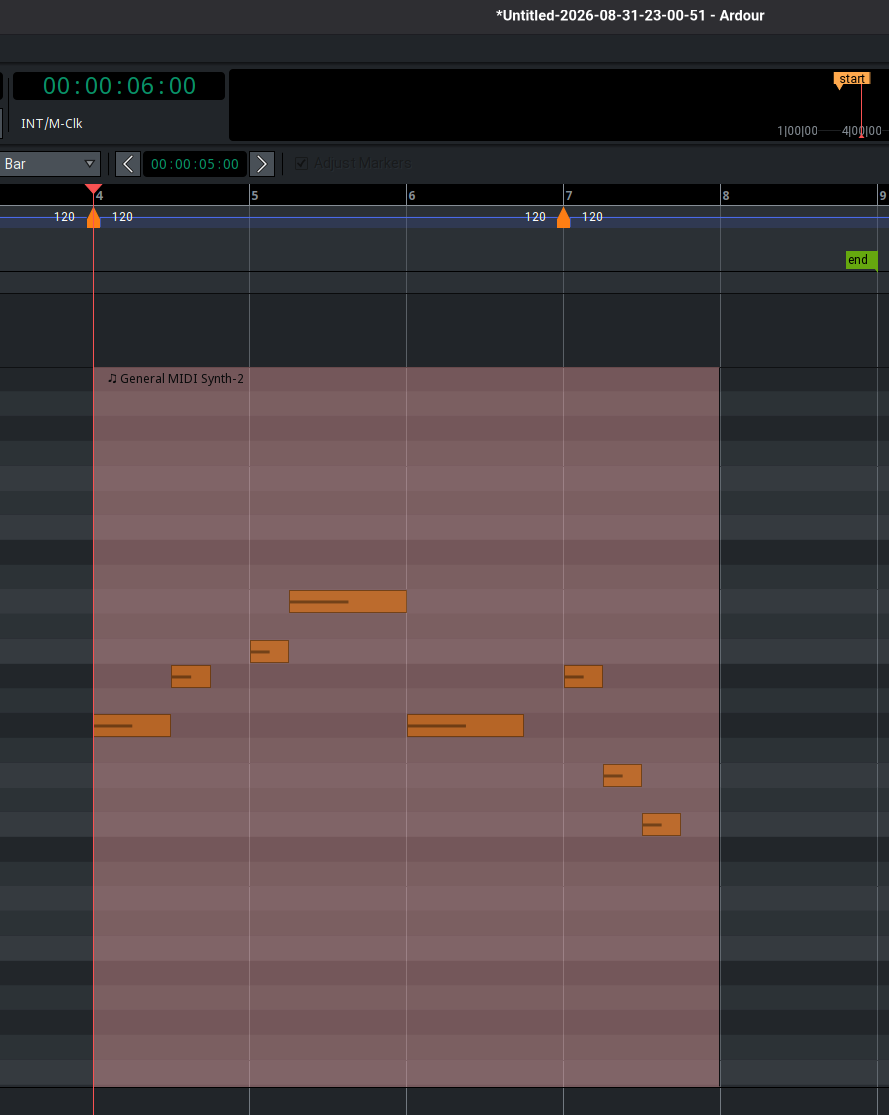
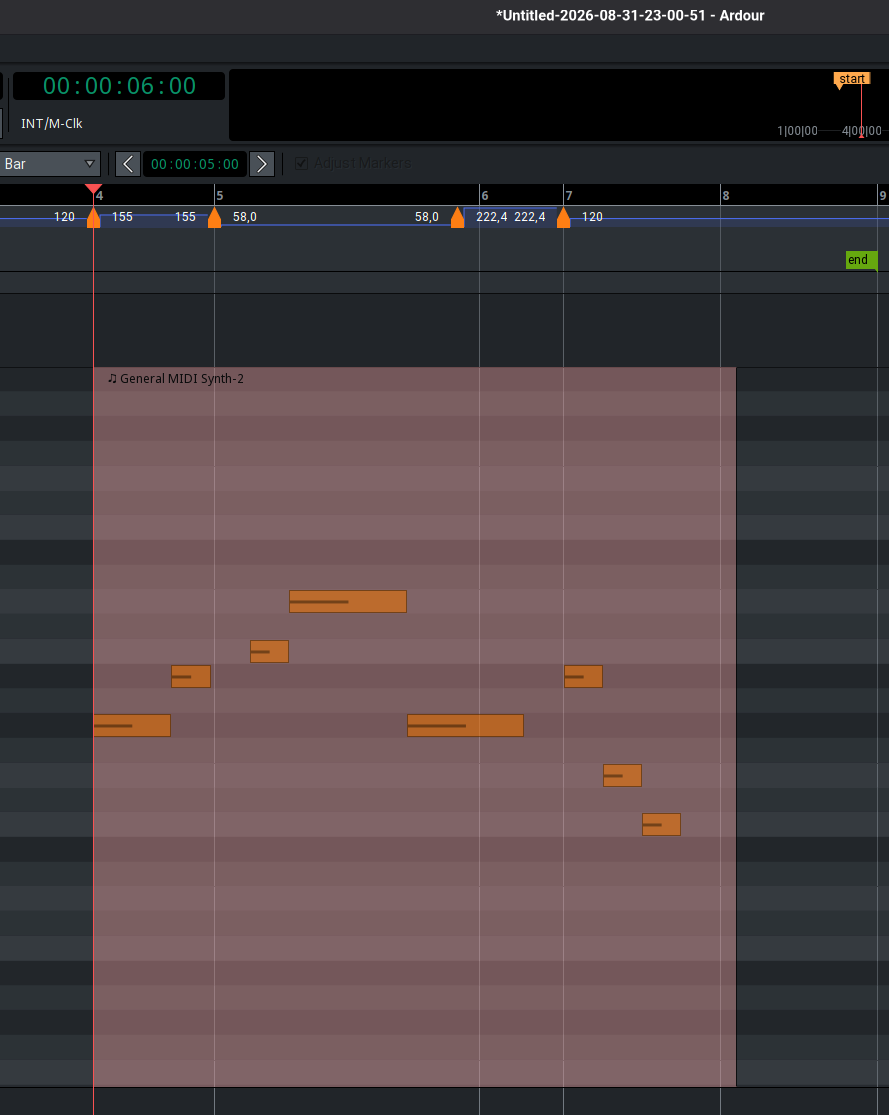
I recorded my new album two weeks ago using Ardour 9.7. I have to say it was pretty difficult: lots of display errors, and occasional crashes that resulted in lost takes made things challenging. I wanted to report one problem because it seems very strange to me and I need help to fix it:
Before each new song in the studio, I worked with the same pre-created template for rehearsing. As soon as we started recording afterward, I saved the project with the song name using “Save As.” For the next song, I reopened the old template, and so on. During the recordings on different days, I made commits via Git the whole time, which allowed me to track down the problem. The problem I’m facing now is that one song has the wrong tempo—one that I didn’t set or change anywhere. I don’t know if saving the project as “Save As” was the source of the problem.
The problematic song I recorded was at 180 BPM. It stayed that way until we recorded another song (some days later) at 61.666 BPM
I see that the song, which is supposed to be at 180 BPM, is now also at 61.66, and what’s really strange is that the MIDI tracks are now set to 61.666 and they sound correct (just wrong click). So if I reset the project to 180, all the MIDI tracks are, so to speak, broken. To fix this, I’d go back to Git, clean up the MIDI session, export it, switch to git-head, change the tempo, and then import it again. Are there perhaps better ways to do this? I searched the forum for ways to change the tempo without stretching the MIDI, but didn’t find anything. It would also have been very helpful to preserve data like the positions in the MIDI recordings, but exporting and importing will cause that to be lost—along with a lot of the cleanup work I’ve already done, since I noticed the problem so late.
Does anyone see a good way to fix this problem? Or maybe how it came about?
I’m including three versions of the Ardour file from the Git history here:
Version 01 where the BPM was still correct (180)
Version 02 from a few days later, when we recorded the vocals and it suddenly became 61.66.
Yes, the better way is that you shouldn’t have to be doing any of that fixing in the first place. Clearly something went very wrong here somewhere, –whether user-error or a legit bug. But to answer your question, I don’t think there is a way to alter tempo without affecting the midi regions. (Someone more knowledgeable about midi in Ardour might be able to confirm this though.)
Thus, the goal here should really be to find-out why the hell any of this happened in the first place, and then either avoid doing things that way in the future, or have some potential bug fixed, etc…
Perhaps this is somehow git+Ardour related? -as your particular workflow/setup sounds quite unique to me… Because when Ardour is working on one session, it seems impossible to me that it would ever impact or alter some other session. o___o
So I looked at your files, and I can clearly see what you mean. If it was a change you made (-accidentally), you’d expect your one midi track (“Pianoteq 9”) and midi regions to have lengthened dramatically, and they did not.
Hmm…
So I think there’s a good possibility that there is some bug hidden here in the way Ardour is handling templates or something. So I suggest heading over to the bug tracker and submitting a report there.
… @paul Any comment on this? What @MimoMusic describes is super weird.
Hmm thanks… its actually not the way i want do do it, since those are not just midis crafted on the computer, those are midis recorded in the studio with the artists. So i like to have the funcionalities of the original positions etc. I think i will do a git branch with the last working piano just to work on the piano, then export the midi ones its finalized from the exact start of the song. So i have a reproducable workflow, where i can go always back. Very strange this problem. I cannot imagine how this could happen…
Thanks to get in here… Yes it is super weird… If I can help anything to track it happy to help. This particular project is not priority so I can take time to fix it.
I try to take a look into the bug tracker next week.