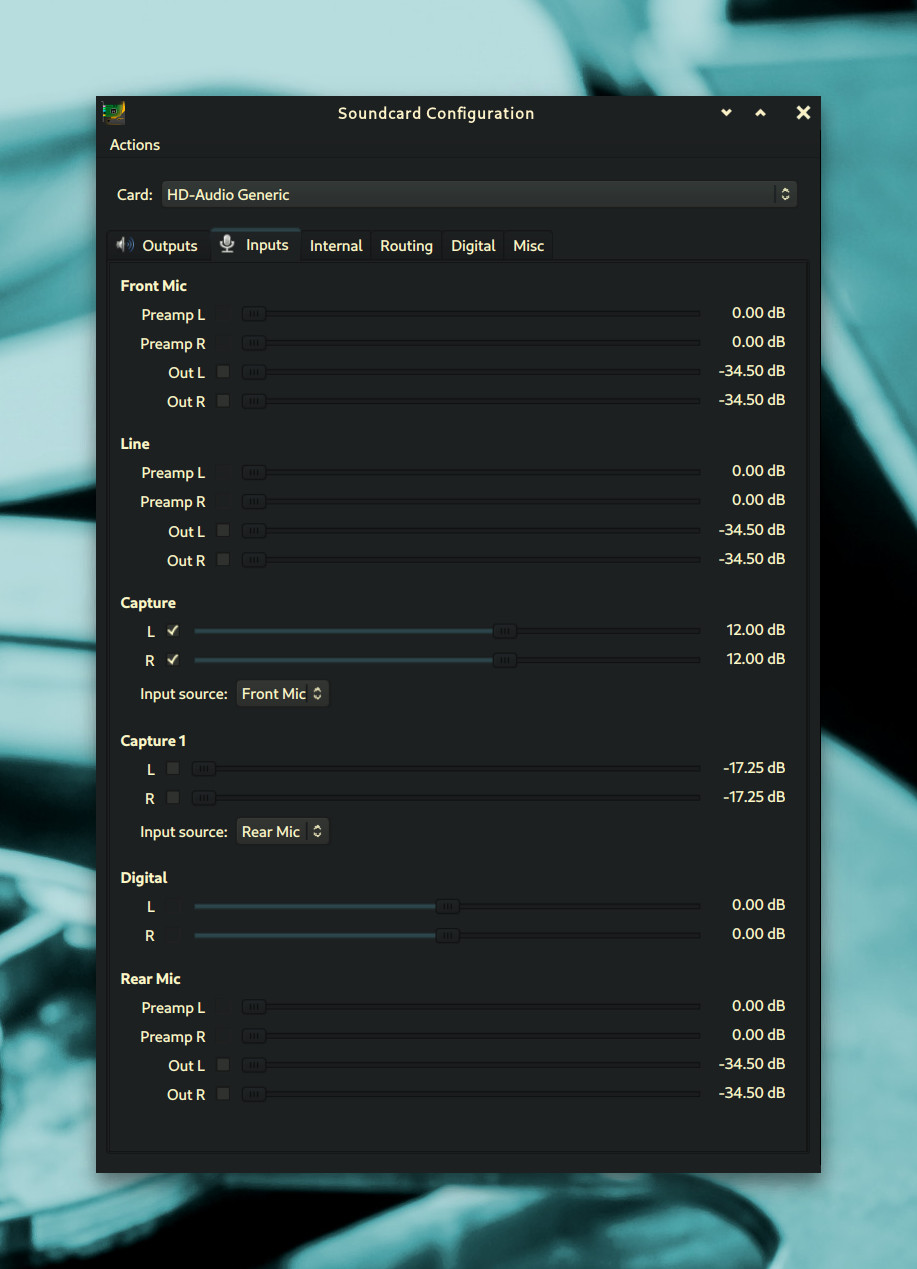
It is recommended that Ardour is run using ALSA for best results.
However when ALSA is used, I notice that my system volume controls do not work with Ardour.
My Linux distro uses Pipewire
The two system volume controls I have tested are…
-My desktop environments “Panel” has common PulseAudio plugin which shows speaker icon in system tray that you can adjust volume by scrolling mouse wheel up/down when cursor is on the icon.
-I also have volume controls linked to the command line application called “amixer”
Both of call up the same volume on screen display indicator.
When using Ardour + ALSA, this on screen volume display still shows up on screen.
The volume bar does visually go up and down, but the actual volume does not actually work.
What is strange is that this only occurs when I use ALSA in Ardour.
I installed other applications just to test this out, such as VLC media player as well as downloading AppImage of the application Audacity.
When I set these other applications to use ALSA, I do not experience any issues.
Both sets of volume controls work as expected.
I was wondering two things…
-Would anyone be willing to verify this and comment whether they experience this or not.
-Does anyone know why these volume controls do not work with Ardour + ALSA? and can provide a solution for how to fix this?
Ardour takes exclusive control of your ALSA device. It is expected behaviour. Also if you search this forum this is one of the most asked questions (generally in the form “when I use Ardour I cannot hear YouTube videos”)
Solutions: either use the (hardware) volume of your sound card, or use pipewire-jack to have more than one software interacting with your audio card.
The term is used ambiguously, ALSA refers to the hardware driver interface for audio hardware used by the Linux kernel, and also refers to a library which is part of the ALSA project and acts as an intermediate layer between applications and the ALSA hardware drivers.
Applications such as VLC use the ALSA API, which in a current distribution is usually emulated by Pipewire rather than directly by libasound. In that situation the controls are changing the gain of the software layer which is running between the applications and the ALSA hardware driver.
When Ardour uses the ALSA backend, it explicitly only accesses ALSA hardware drivers, not software which exposes the ALSA API. Some devices have a hardware volume control which you can access with amixer, but not all do.
If you want volume control when using the Ardour ALSA backend and do not want to use external hardware, the best way is to use the Ardour monitor section after the master bus so you can control your monitor volume independently of the audio levels.
Thank you guys for the responses / recommendations.
@ccaudle
Thank you very much for this explanation.
Just want to make sure, would anyone be able to verify if these are true.
When starting a new project the Audio/MIDI Setup Dialog opens which shows Audio System: drop down, which shows the following three items ALSA JACK/Pipewire PulseAudio
ALSA
So this setting right here has nothing to do with Pipewire-ALSA at all, this is specifically the setting that allows Ardour access to ALSA hardware drivers
Meaning this setting has been the same before and after Pipewire had been adopted.
JACK/Pipewire
This setting allows Ardour to be used with multiple audio based applications at the same time, using either JACK or Pipewire to do so.
If Pipewire is used here, then is Ardour using Pipewire-ALSA?
PulseAudio
Due to latency issues this setting is typically not used, but in this case is this setting using Pipewire-PulseAudio?
Thank you to anyone who reads this and for any info provided.
I have a question about a possible request post about “Monitoring Section” that I will mention in reply below if anyone is interested.
It is not Pipewire/ALSA. It is Pipewire/Jack. Both run on top of ALSA but Pipewire handles JACK connections and handles them differently from your normal audio apps (ie Firefox, VLC). This is why you will not see Ardour show up in your Pipewire/PulseAudio mixer (usually using a Pulseaudio emulated mixer). Using Pipewire/JACK you need to control the output volume of Ardour via the Alsamixer (good) or the Ardour output monitor section (best). However, all your other audio apps are available to Ardour as inputs. This means you can record into Ardour what you are presently watching in your browser or listening to from a network stream. Best of both worlds, imo.
PulseAudio is fine for mixing but not for recording. Yes, very high latency. When using this mode, Ardour is considered to Pipewire as just another app needing audio. ie, just like Firefox or VLC again.
@Lexridge
Thank you for taking the time to confirm/explain this.
This was well explained but I will mention a little more about JACK/Pipewire in a reply below if you or any other users are interested.
Okay, so it is confirmed that these are correct
ALSA
Other applications, for example media players such as MPV and VLC, when set to ALSA, are using Pipewire-ALSA.
(Typically other applications have no need for Pipewire-ALSA and would more likely be using Pipewire-PulseAudio instead)
ALSA option in Ardour, before and after Pipewire was adopted has always remained the same, it is dealing directly with ALSA hardware driver itself and has no association with Pipewire.
PulseAudio
So what I mentioned about this is true as well.
ALL applications including Ardour are using the same Pipewire-PulseAudio when using this option/setting.
ALL applications including Ardour are now on the same audio level.
That is why system volume controls DO work when Ardour is set to PulseAudio option.
Sorry, at the moment cannot try this because when I try to use JACK/Pipewire option I get error dialog. "Could not reconnect to Audio/MIDI engine"
I have many JACK based items installed but maybe missing main ones on my machine.
JACK/Pipewire
When I said “Pipewire-ALSA” I did not mean it this way, so ignore.
I know the option is JACK/Pipewire
In response above, it was said “Both run on top of ALSA”
In the past before Pipewire was adopted, this option was just called “JACK”
So now naming-wise does this option name mean
“Pipewire-JACK” like how PulseAudio option means “Pipewire-PulseAudio”, where the word “both” means Pipewire + Jack but they are 1 (JACK server within Pipewire server).
OR
Where “both” means 2 different options covered by the same option JACK = literally the JACK server that has no association to Pipewire server (pre-Pipewire adoption)
AND Pipewire = Pipewire server that allows access to any applications set to use
Pipewire-ALSA
Pipewire-JACK
Pipewire-PulseAudio
So in this case JACK server is run within the Pipewire server.
So because “Pipewire-JACK” or “JACK/Pipewire” (depending on answer above), are running on ALSA hardware driver, which Ardour is as well, even when this JACK/Pipewire option is used in Ardour, Ardour will still not show up because it remains on ALSA hardware driver level.
This JACK/Pipewire option just allows all other applications that DO use Pipewire server (because they are using either “Pipewire-ALSA” or “Pipewire-PulseAudio”) to be accessed into Ardour as inputs.
If anyone would be willing to clarify what I mention above.
Thank You
The second. More precisely, the option JACK/Pipewire in Ardour means using a server which implements the JACK API. Currently there are two servers which implement the JACK API, either jackd, which is a separate program which runs to provide the JACK server, or pipewire-jack, which is a module loaded into the main pipewire server which provides the JACK API from pipewire. The two are mutually exclusive, you use either jackd, or pipewire-jack, but never both at the same time.
No, when using the ALSA backend for Ardour, then Ardour accesses the ALSA hardware driver directly.
When using the JACK/pipewire backend, Ardour uses the JACK API of a JACK server, so that Ardour and any other applications using the JACK API all show up in the JACK connection graph.
When using the jackd server for JACK, then only applications using the JACK API are available in the JACK connection graph. When using pipewire-jack, then other applications which use a different API, e.g. PulseAudio API, will be translated by the pipewire server to also show in the JACK connection graph.
When using jackd there are additional programs which can be used to bridge between non-JACK aware applications and the JACK server, but that is more work to setup, and is generally much easier using Pipewire along with pipewire-jack and pipewire-pulse than it was using jackd. There are still some advantages to jackd, especially in large or complex audio configurations, so jackd seems likely to remain available for a long time but likely without many changes from the currently implemented features.
I think there is some confusion here. The Jack API built into Pipewire does bypass the PulseAudio mixer which is actually NOT a PulseAudio mixer. It is a Pipewire mixer. Pipewire emulates both Jack and Pulse but it handles ALL the audio regardless. The jack emulation has to work the same as a real jackd server, thus cannot access the PA mixer so PW channels the audio in parallel to ALSA. Since Pipewire still handles all those connections, it allows anything in the PW/Pulse mixer to be added to the pipewire/jack patch bay. Yes, it is confusing.
As @ccaudle mentioned, you cannot run both stand-alone JACK and Pipewire-Jack at the same time (or the Pipewire server for that matter). It’s one or the other. Pipewire will totally fail to start if a real jackd server is running, as it completely occupies the audio kernel driver. Nothing else is allowed to connect. Pipewire completely alleviates this situation while still allowing Jack connections directly to ALSA via Pipewire.
Okay so it is not just me, can be a little confusing
Thank you guys for these replies.
The information you guys have provided has been the best explanations I have seen about this topic.
Thank you again for taking the time to answer all my questions about this, really appreciate it.