Start and end markers missing

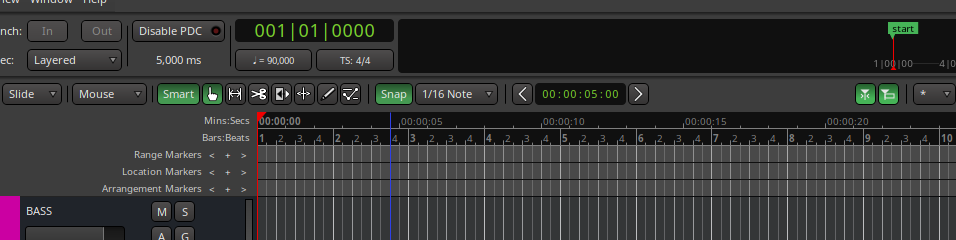
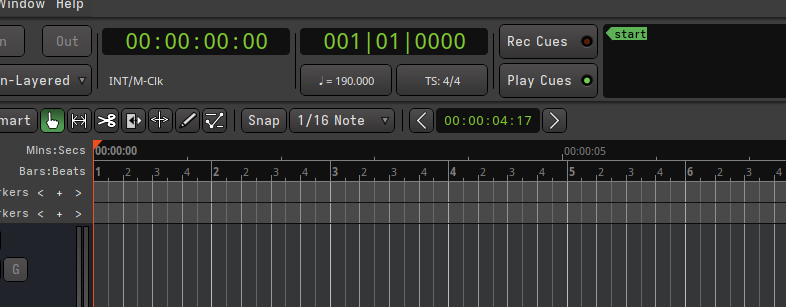
I started a new session and began recording, then realized that the start and end markers were missing. I see them in the top timeline, but not among the location markers where they should be, nor in the list on the right.

I usually move the start marker a bit, as my sessions don’t always start at 0.

I tried making a new marker and named it ‘start’, but, as Titus Andronicus sang: " He don’t act like me, but we lookalike".

Is it a bug?

1 Like

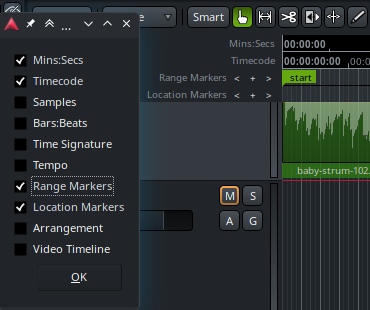
Not this time. :slight_smile: They live on the Range Markers lane, so you have to enable it:

rm

Hmm, no luck there, unfortunately. I have no clue why it didn’t show up as usual. I’ll try to reproduce it when I can.

Quick check: Seems to be depending on which template I’m using to create a session…

1 Like

That’s strange indeed. It may be worth checking the ‘broken’ templates for anything unusual. I’m not familiar with this part of Ardour configuration, but here’s how the session range (with zero length) looks in an almost empty template:

<Locations>
    <Location id="256" name="session" start="a0" end="a0" flags="IsSessionRange" locked="0" timestamp="1787239569" cue="0"/>
</Locations>

Notice the IsSessionRange flag, which I believe stands for the session range. Maybe it’s missing or mangled in your case?

No, I have fiddled around with different templates for a while now. Most work (start/end markers show up in the ranges lane), and some don’t. For the faulty ones I have been commenting out sections, copying sections from working templates etc, but to no avail.

Then I opened a bad template, re-saved it as a new template with the same name (overwrite:ok), and now it works.

Strange problem, but quite easy to resolve. Thanks Krzysztof, for pointing me into the world of templates :slight_smile:

2 Likes

This problem happens to me quite often too.
[edit] I solve this issue by manually editing the .ardour file replacing the <Location> tag by one copied from my template.

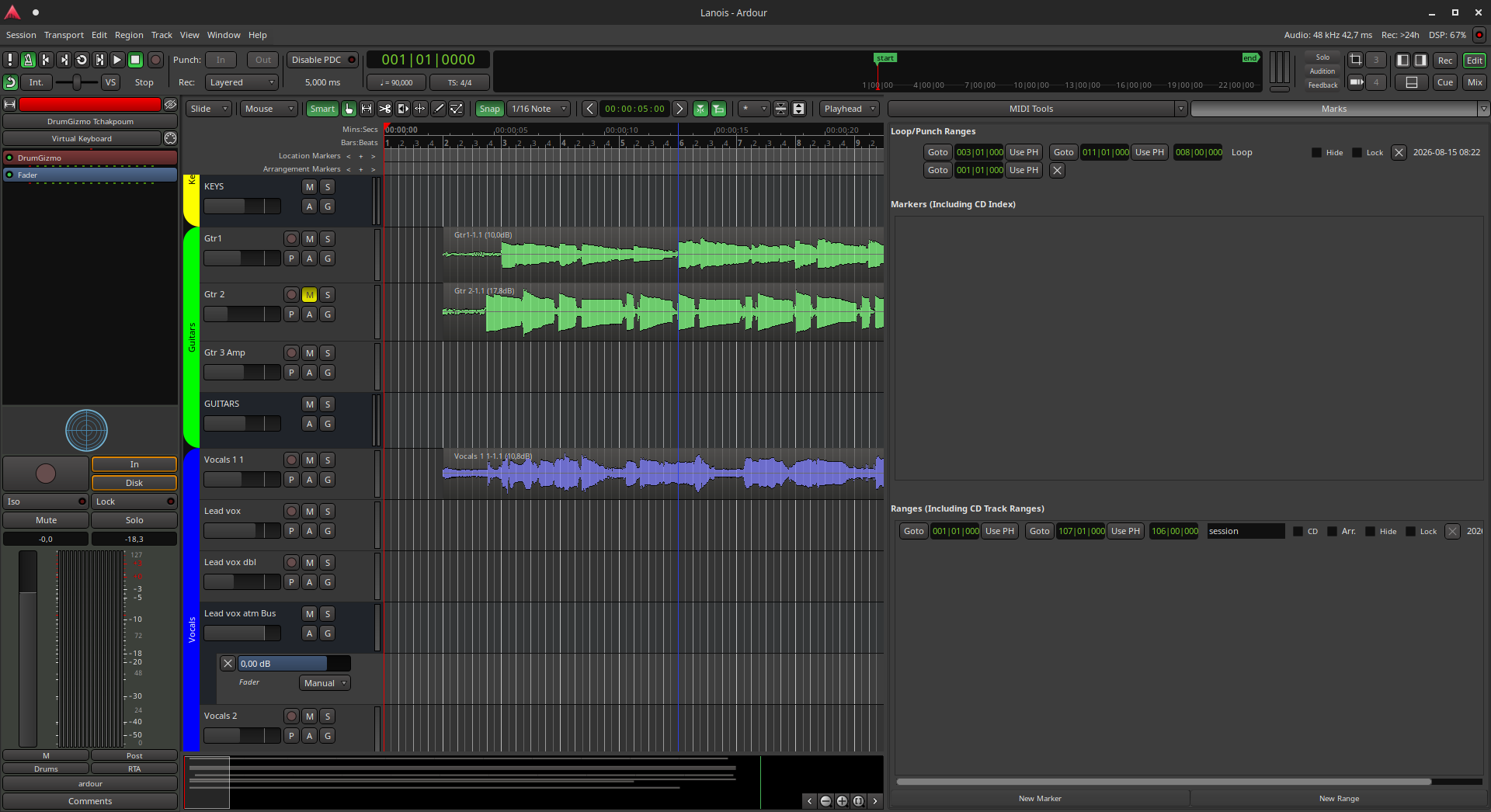
This happens to me often too. Today I have a new variantion: I have a End marker but no Start marker.

There’s a “Start” shown in the Navigation timeline

but not in the Range ruler

image

Clicking “End” in the Navigation timeline jumps to the End marker but clicking “Start” does nothing.

In my .ardour file I have

  <Locations>
    <Location id="515" name="session" start="a-129260739720" end="a83895152040" flags="IsSessionRange" locked="0" timestamp="1793836525" cue="0"/>
  </Locations>

I closed my session and edited my .ardour file to

  <Locations>
  </Locations>

but reopening this crashes Ardour :joy_cat:

I tried instead

  <Locations>
    <Location id="256" name="session" start="a0" end="a0" flags="IsSessionRange" locked="0" timestamp="1787239569" cue="0"/>
  </Locations>

and this opened and restored the markers, though it put them right on top of each other

image

so of course I need to move them back to where I want them after this fix

image

The ‘a-129260739720’ in my broken session file looks suss. I wonder if there’s an overflow somewhere that’s wrapping… that number is longer than 32 bits which makes me think some step somewhere is using a int32 when it should be using uint64:

>>> (-129260739720).bit_length()
37

we don’t use 32 bit math for any locations/times.

However, you’re also correct that the number should never be negative.

1 Like

Interesting. I looked to see if I had any other examples with this script:

#!/bin/sh
find "$1" -name '*.ardour' -print0 | \
  xargs -0 -n1 \
  python3 -c '
import sys,xml.etree.ElementTree as E;
print("\n".join(E.tostring(e,"unicode").strip()
      for e in
      E.parse(sys.argv[1])
       .iterfind(".//{*}Location[@flags=\"IsSessionRange\"]")
     ))'

but all my other projects have nonnegative starting points. I guess I deleted the broken sessions. If it happens again I’ll share my session file.

It looks like this has been happening sporadically for at least a few versions: No end markers in v. 8.7 - #4 by ToniLink

In the meantime I’m glad to find a workaround that’s not rebuilding the entire session! Thank you @songo and @tarball , and thank you @paul for writing this software we all benefit from so much :clap:
1 Like