Hi,
I am entirely new to this, is there a way I can see the Audio files (mp3/wav, etc) spectrogram in Ardour? Please let me know the procedure, if any.
1 Like
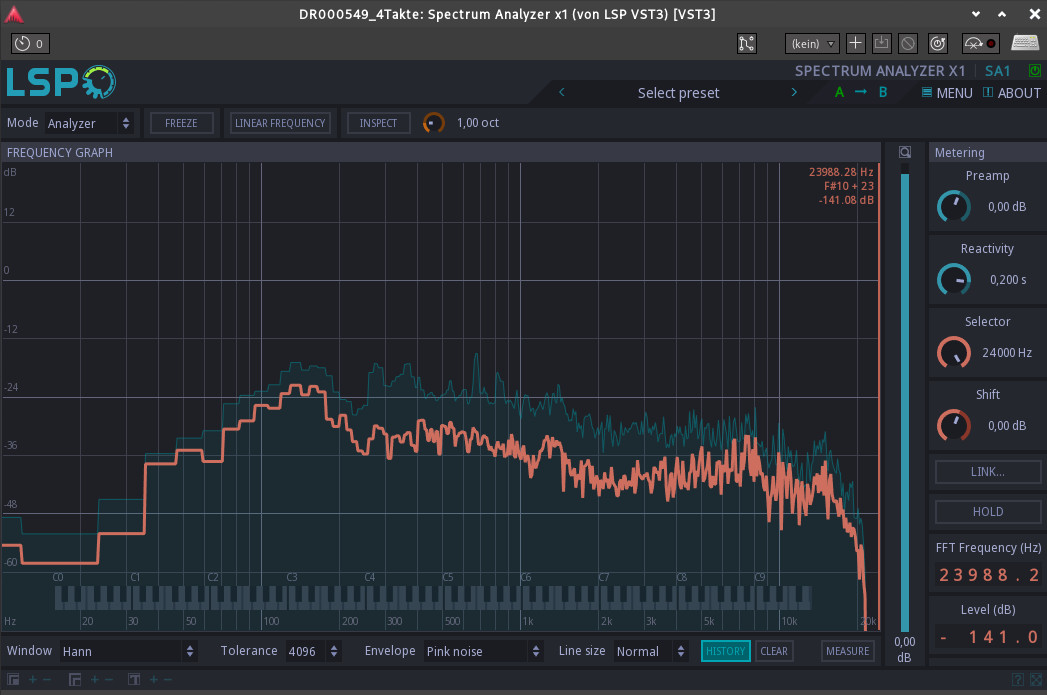
You can add a plugin to the channel strip (here, LSP Spectrum Analyzer x1)
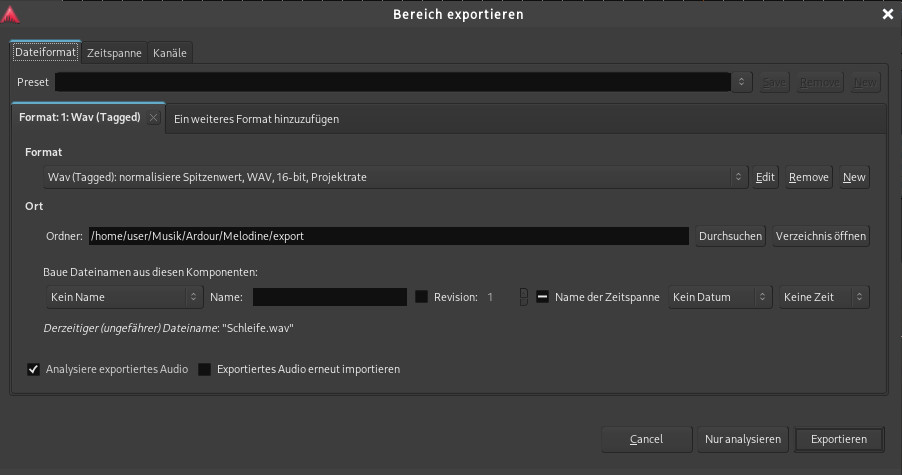
Or, after exporting audio, check the “Analyze Audio” box.
I hope this helps.
2 Likes
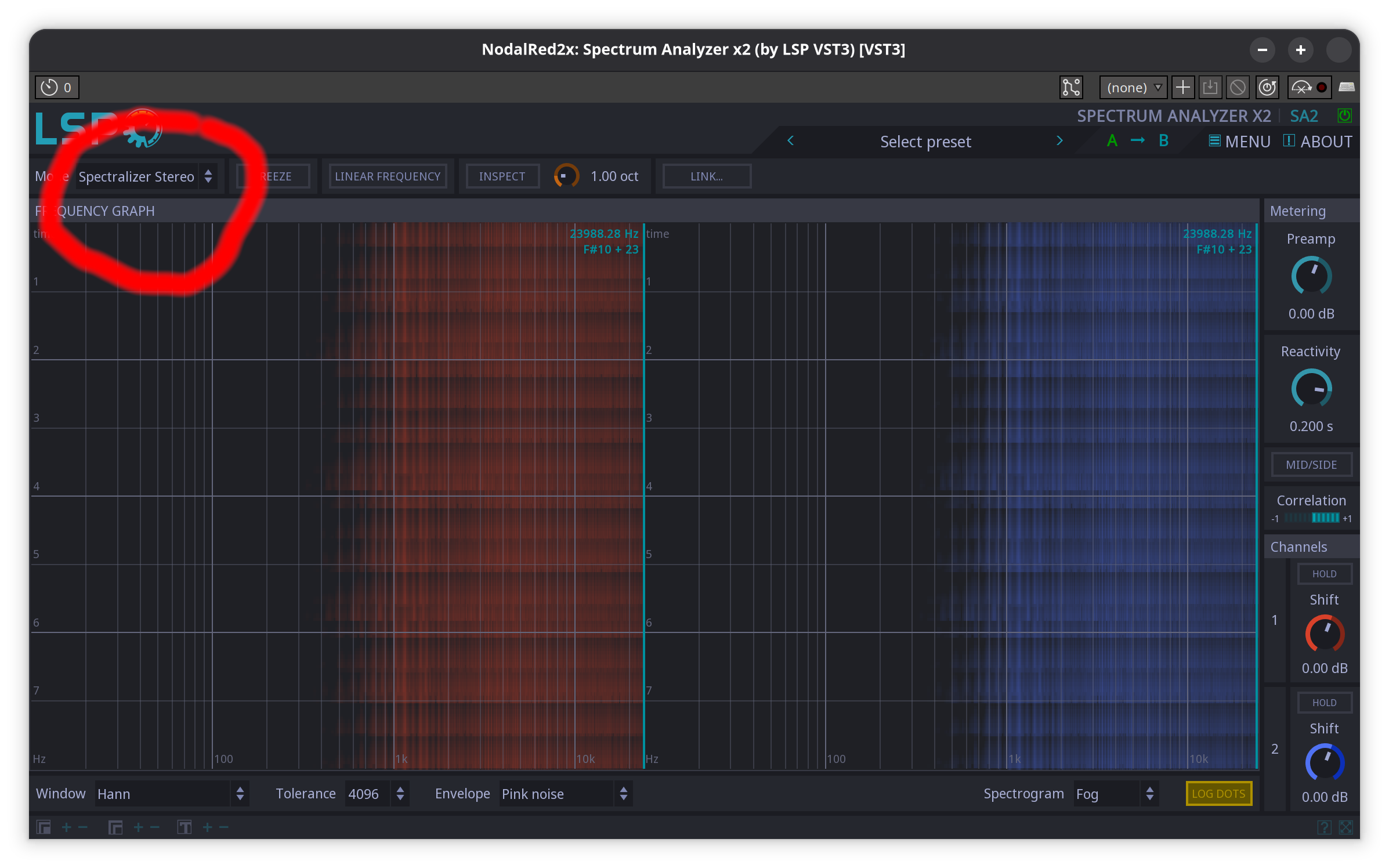
LSP analyzer is great choice. Make sure to explore the different ways of visualization available. Lot’s of information. It is just not the fastest. It does not matter in most cases, but does when it does.
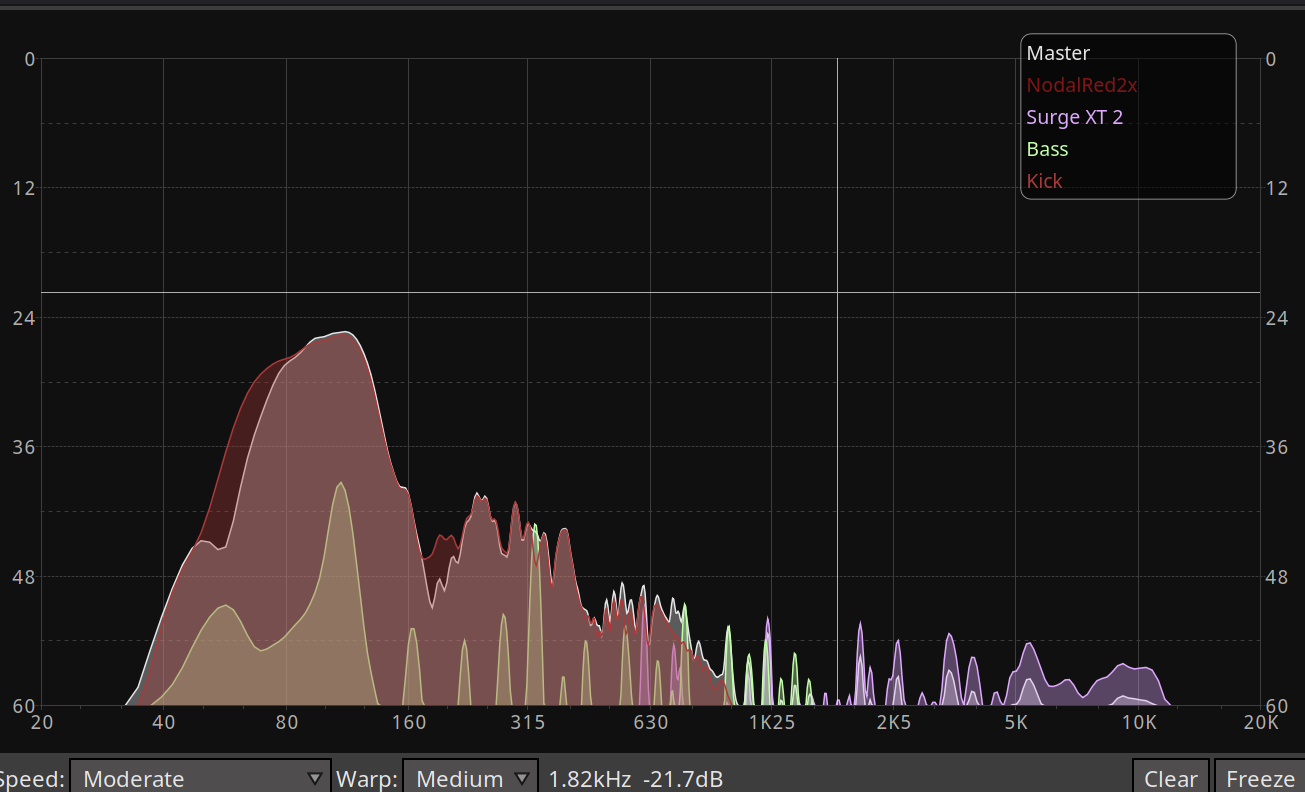
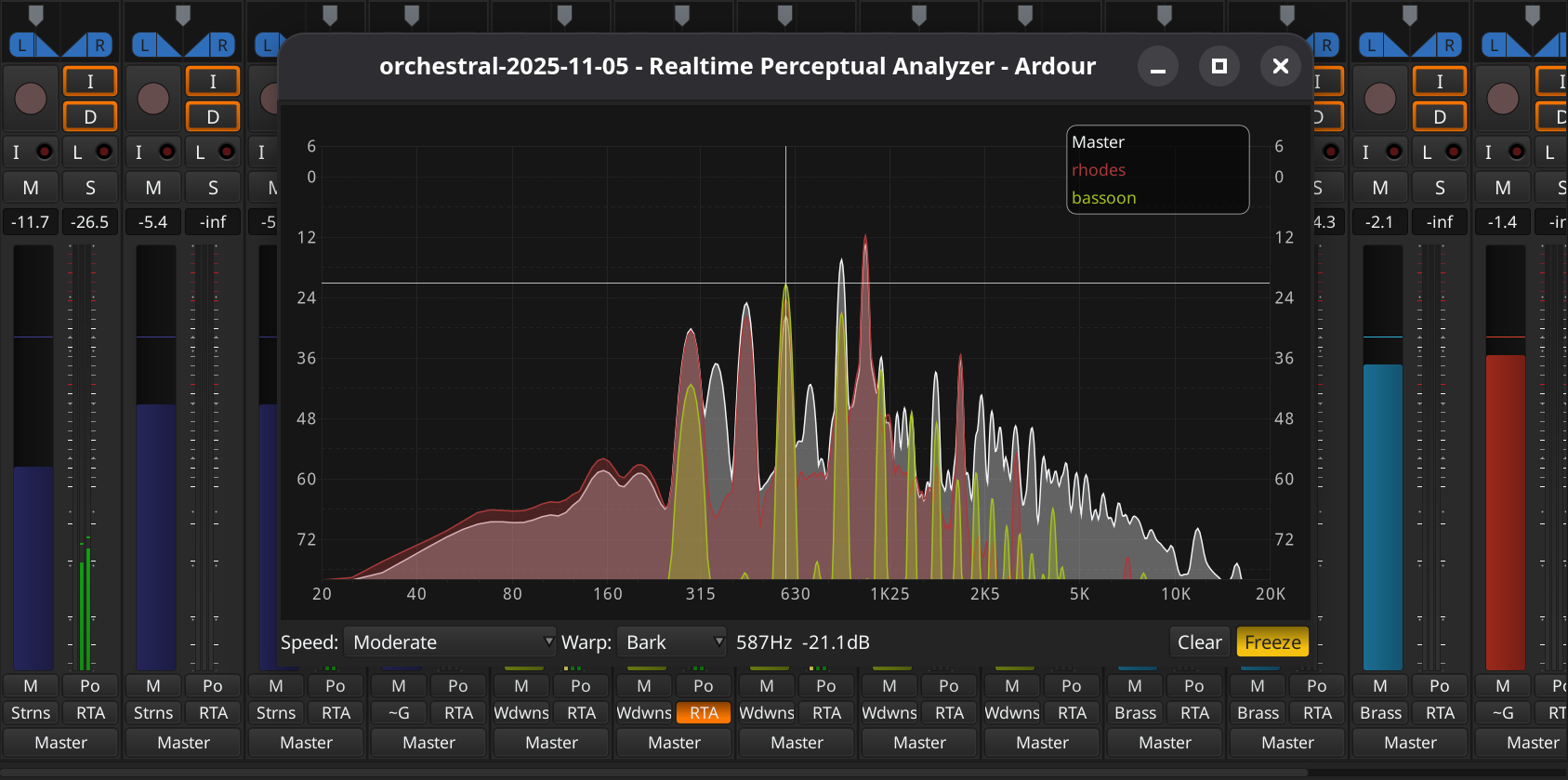
Since Ardour 9 there is also the built in Real Time Analyzer. By default, it show the master channel spectrum, you can add individual channels for comparison, by clicking the RTA button in the mixer. You find it under the “Window” menu entry or just pull it up by hitting Shift+Alt+s.
There is also a ACE spectrum analyzer plugin. It has an inline display, that will show the spectrum inside the channel strip.
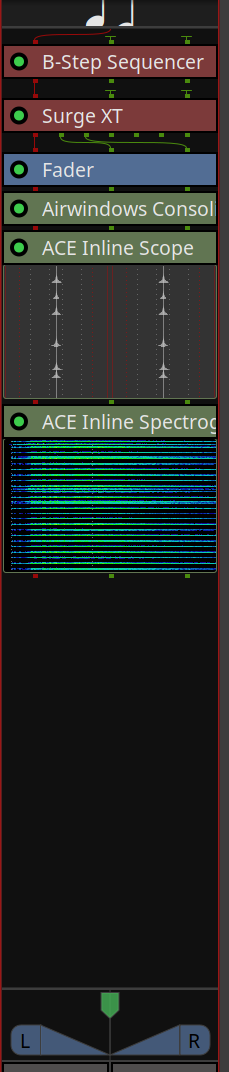
The inline displays are also quite handy to view what happens before and after a plugin at a single glance.
Edit again: Forgot the @x42 analyzer plugins. They are quite performant, but they are not scaling correctly on my computer, which makes them nigh impossible to use ( I think that is a wayland issue, not a plugin specific issue).
3 Likes
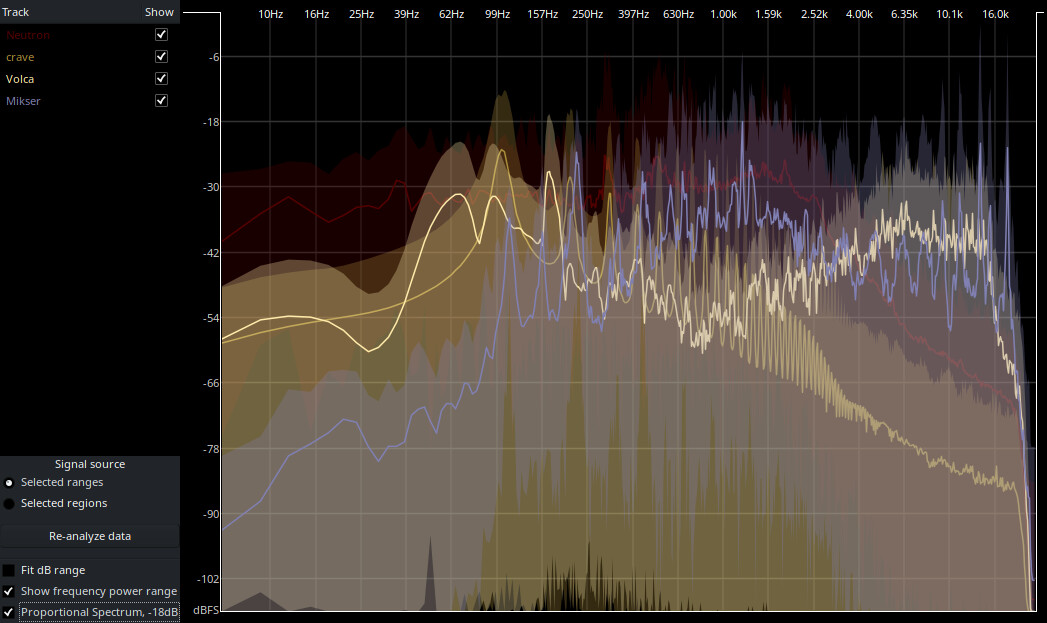
And if you don’t need a realtime analyzer, don’t forget the good old built-in Spectral Analysis tool. Simply select a region, multiple regions or range, right-click, and choose Spectral Analysis.
3 Likes
Thank you all for your time, so many options!!
3 Likes
This was in the release notes for 9.0 (I have not used it myself yet):
Realtime Perceptual Analyzer
A dedicated perceptual analyzer window is now available within Ardour which allows one to visualize the live spectrum of multiple signals. A key feature is that one can overlay individual sources (tracks and busses) on top of each other. This allows one to see which track contributes a given of frequency range to the overall mix, find conflicting ranges or holes in the spectrum.
4 Likes
This topic was automatically closed 28 days after the last reply. New replies are no longer allowed.