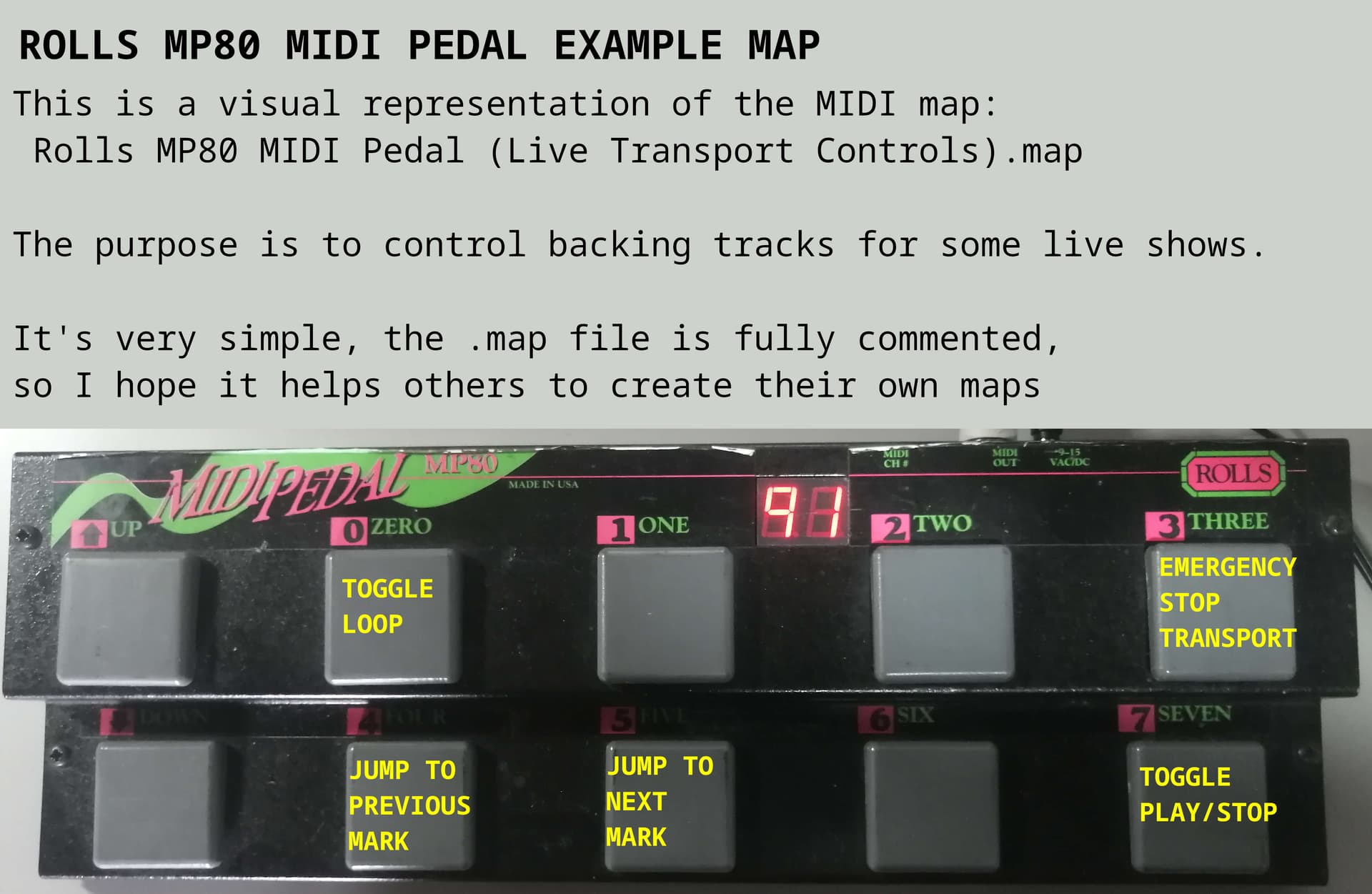
HERE IS THE CORRESPONDING MAP
Copy and paste the following into a file: Rolls MP80 MIDI Pedal (Live Transport Controls).map
Linux: Place the map in a folder called ~/.config/ardour8/midi_maps/
<?xml version="1.0" encoding="UTF-8"?>
<ArdourMIDIBindings version="1.0.0" name="Rolls MP80 MIDI Pedal (Live Transport Controls)">
<!--

NOTE: The patch number displayed is different than the MIDI program change number sent.

	PEDAL              MIDI                                  FUNCTION
     90        Program Change chn  1 72                    TOGGLE LOOP
     91        Program Change chn  1 73                    UNUSED
     92        Program Change chn  1 74                    UNUSED
     93        Program Change chn  1 75                    EMERGENCY STOP
     94        Program Change chn  1 76                    PREVIOUS MARK
     95        Program Change chn  1 77                    NEXT MARK
     96        Program Change chn  1 78                    UNUSED
     97        Program Change chn  1 79                    TOGGLE PLAY/STOP

        -->
<!-- PEDAL 0: Toggle Loop Range -->
	<Binding channel="1" pgm="72" function="loop-toggle"/>

<!-- PEDAL 1: UNUSED -->
	<Binding channel="1" pgm="73" function="" />

<!-- PEDAL 2: UNUSED -->
	<Binding channel="1" pgm="74" action=""/>

<!-- PEDAL 3: Transport Stop - Absolute emergency stop when in a panic	 -->
	<Binding channel="1" pgm="75" function="transport-stop"/>

<!-- PEDAL 4: Jump To Previous Mark -->
	<Binding channel="1" pgm="76" action="Common/jump-backward-to-mark" />

<!-- PEDAL 5: Jump To Next Mark	 -->
	<Binding channel="1" pgm="77" action="Common/jump-forward-to-mark" />

<!-- PEDAL 6: UNUSED -->
	<Binding channel="1" pgm="78" function=""/>

<!--  Transport Roll  -->
<!-- 	<Binding channel="1" pgm="79" function="transport-roll"/>  -->

<!--  Transport TOGGLE Roll rather than just roll - makes it easier to hit the one pedal start/stop-->
	<Binding channel="1" pgm="79" action="Transport/ToggleRoll"/>
</ArdourMIDIBindings>