[SOLVED] Corrupt session - This one has me baffled. Any ideas?

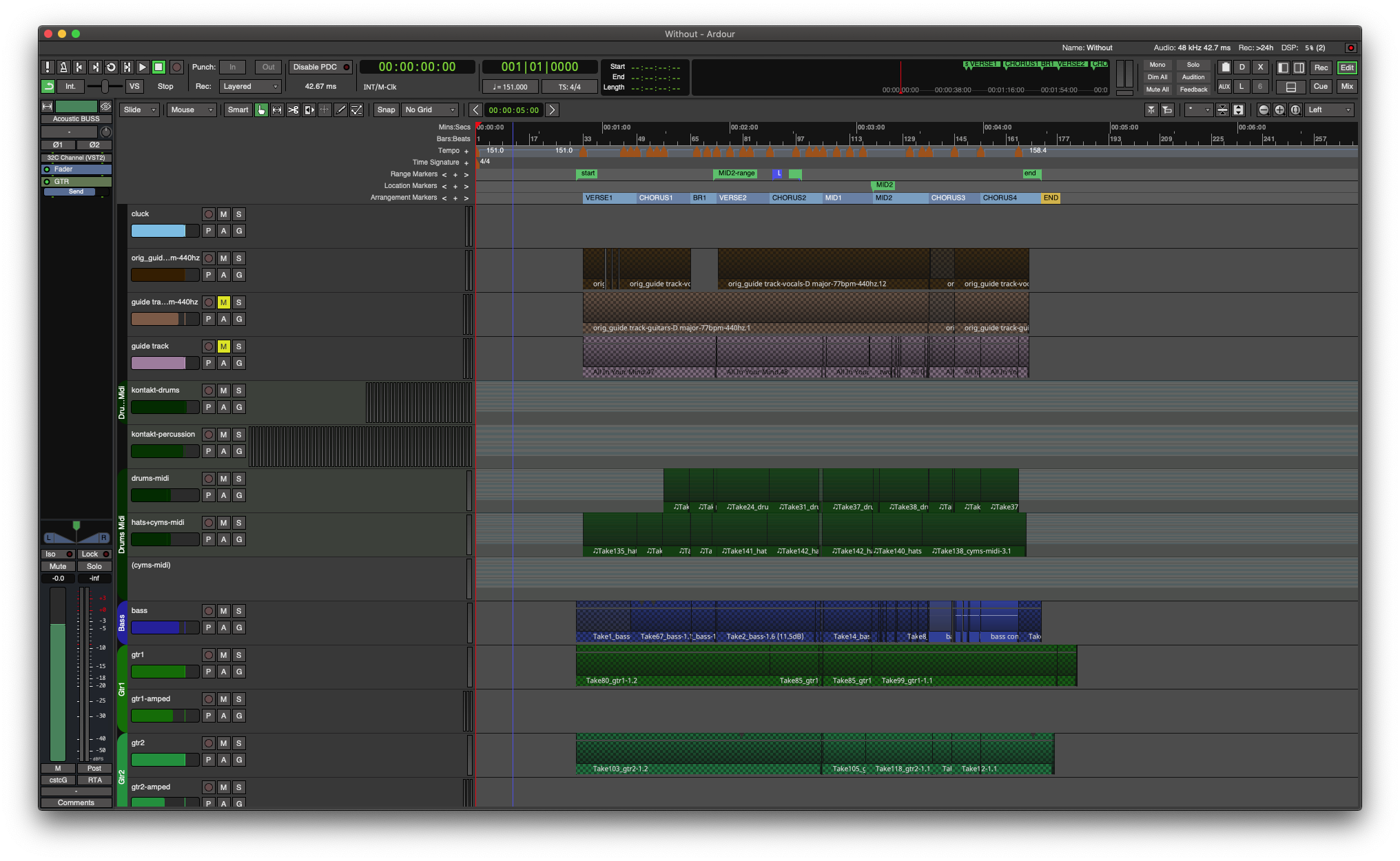
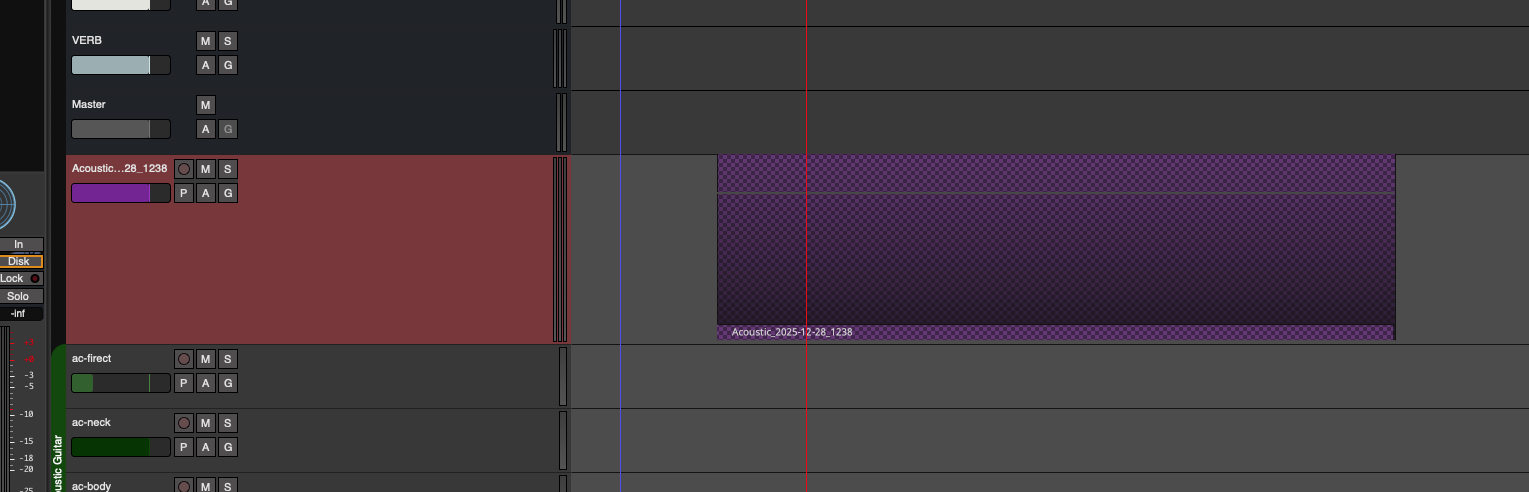
This has been driving me nuts. A source file Acoustic_2025-12-28_1238.wav was imported into the session, and I had been working on it since then, over a number of days and backing up. Today, none of the session files that contain this source will open, including backups. No crash involved.
As can be seen below, Ardour is complaining about not being able to find the source id.

  • The three channels are in the interchange directory, and are valid wave files.
  • Tried various versions of Ardour (7/8/9), including the exact version that was last used to edit.
  • Tried editing the session file. Removing the <Region> section gives the same error. Removing the associated <Playlist> causes a segfault.
  • Tried changing source id, but from what I can see, the source id is not mismatched.
  • Tried a clean session and the offending file imports and the session reopens just dandy.
  • Tested other projects with multi-channel files and no problems.
  • Name of the file is correct.

Anyone care to take a look at the session file?
https://my.opendesktop.org/s/ZAjKJmApJJi2zKa
Even just getting rid of this source/playlist would be fine, as it was just a straight import with no edits.

Console output:

ERROR: Session: XMLNode describing a AudioRegion references an unknown source id =4659154
ERROR: Session: cannot create Region from XML description. Can not load state for region 'Acoustic_2025-12-28_1238'
ERROR: Session: XMLNode describing a AudioRegion references an unknown source id =4659154
ERROR: Playlist: cannot create region from XML
ERROR: Session: cannot create Playlist from XML description.
ERROR: Session: failed to load active playlists
ERROR: Could not set session state from XML

One extra line appears in the error popup:

ERROR: Session: cannot create Region from XML description. Can not load state for region &apos;Acoustic_2025-12-28_1238&apos;

Have you verified that the file actually exists?

It’s also a bit weird that it spits out an “'Acoustic…”
Has the file been named 'Acoustic… , with an apostrophe in the beginning of the name?
Usually quoting filenames with apostrophes is only necessary if the filename contains spaces or ampersands or similar things.

Checked that - in the session file and in console output, there is no extra apostrophe, the name of the file is the same. File exists in the right place (as three mono channels).

In block in the Without.ardour file there is no entry for an audio file with basename “Acoustic_2025-12-28_1238”. But it’s referenced later in , line 1462.

I can’t say how this might have happened, but an audio region needs a source file it references.

I’d start by making a backup copy of the .ardour file, removing this line and trying to launch the session again.
You also could try and see if “Without.ardour.bak” (there should be such a file next to the actual “Without.ardour” session file) still mentions the source, and copy the line over.

I don’t think the apostrophes play a role here, the error message just translates it to the corresponding html code for some reason…

1 Like

Simply removing all references to the region that references the given source allows to load the session: In Your Mind

If the File exists in the Session folder .../Without/interchange/Without/audiofiles/ you can re-import it.

Unclear as to what could have caused this issue. Perhaps Session > Cleanup in an older version of Ardour?

1 Like

@x42 is probably correct about some older version bug/error causing this. And I would further add that it might be related to the fact that this “Acoustic_2025-12-28_1238.wav” source of yours has 3 audio channels. -Maybe some niche-bug somewhere was ‘tripped-up’ by that… who knows?

Anyway, I managed to “fix” and open your XML with some basic editing. :grimacing: :+1:

First, I noticed that “Acoustic_2025-12-28_1238.wav” isn’t referenced anywhere in the .ardour file at all, -only “Acoustic_2025-12-28_1238” is, indicating that the needed <Source... blocks do not exist in the XML. -They don’t exist, but one <Region... block still references them:

    <Region name="Acoustic_2025-12-28_1238" muted="0" opaque="1" locked="0" video-locked="0"
automatic="0" whole-file="1" import="0" external="1" sync-marked="0" left-of-split="0" right-of-split="0"
hidden="0" position-locked="0" valid-transients="0" start="a0" length="a12444440232@a0" sync-
position="a0" ancestral-start="a0" ancestral-length="a0@a0" stretch="1" shift="1" layering-index="0"
tags="" contents="0" rgroup="0" envelope-active="0" default-fade-in="0" default-fade-out="0" fade-in-
active="1" fade-out-active="1" fade-before-fx="0" scale-amplitude="1" id="4659157" type="audio" first-
edit="nothing" source-0="4659154" source-1="4659155" source-2="4659156" master-source-
0="4659154" master-source-1="4659155" master-source-2="4659156" channels="3"/>

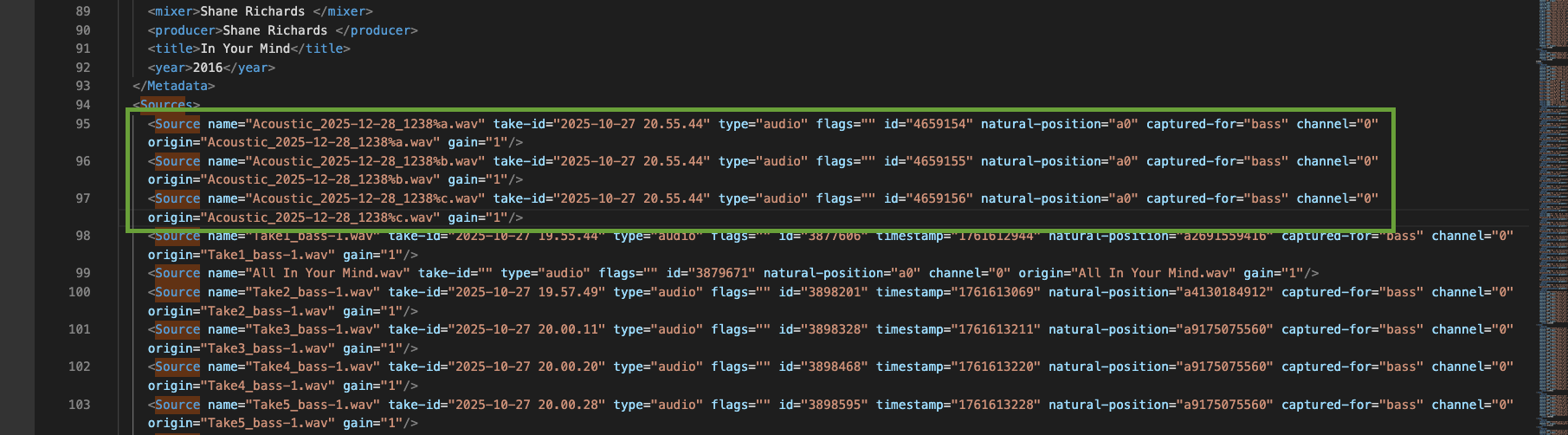
Also, notice the x3 IDs there :point_up_2:, one for each channel: 4659154, 4659155, and 4659156.
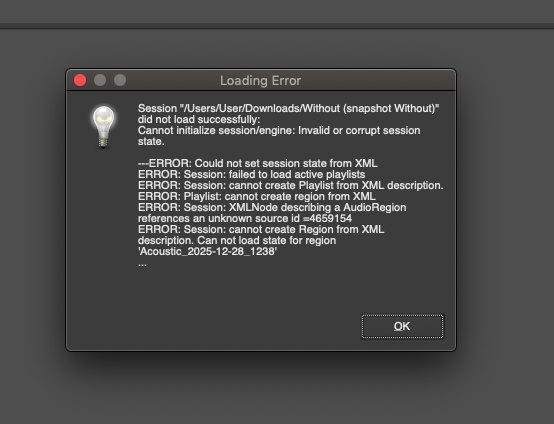
So anyway, with no editing, yes, I get this like you do:

Screen Shot 2026-02-08 at 5.59.54 PM

…
However, when I inserted some made-up, pseudo-<Source... blocks, which do however use those x3, real IDs, like so…

~I am then able to open your song! :smiley:

And, the good news is that your regions/references to that specific source (Acoustic_2025-12-28_1238) should still exist. … In fact, I see it right here:

Anyway, you can download this ‘repaired’ XML here if you want to try opening it yourself:

But as Robin mentioned:

→ So the best option is (imo), once you’re back into this project, erase the Acoustic_2025-12-28_1238 region, then delete it as a source from the Source List (Shift-L to open), save, and then re-import the 3-channel file (or files) into Ardour, and continue editing from there.

I hope this helps! :slight_smile:

~Peace,
-J

…
[PS: Does this 3-channel source/recording appear as those “%a.wav”, “%b.wav”, and “%c.wav” files, as I put in the pseudo-<Source... blocks? Because this seems to be how Ardour deals with more-than-2-channel sources (-i.e. Ardour uses lower-case letters like that, and not “%L.wav” and “%R.wav”, as it does with stereo recordings). If so, I’m not exactly sure how you’d re-import them… Hmm… @x42, how can one re-import a single source like this split across 3 .wav files??? :woozy_face: … If you can’t re-import, then I suggest just manually editing the XML to use the correct, exact filenames/etc. (for the <Source... blocks). … You’ll know it’s all good when you open-up your project and can see/hear your 3-channel region/part. :slight_smile: ]

2 Likes

Thanks Robin :slight_smile:

I have no idea what happened.

Thanks Ghosty
Have a nice day :slight_smile:

1 Like