Simply, how do I install Ardour 9 on Linux Mint? After downloading I get an error message about wrong text, or something.
Perhaps make the file executable before installing it?
1 Like
a) make executable: right click downloaded install file, open file properties, go to something like “file permissions” tab (or something similar - I’m on a german system right now…), activate something like “execute”… close file properties…
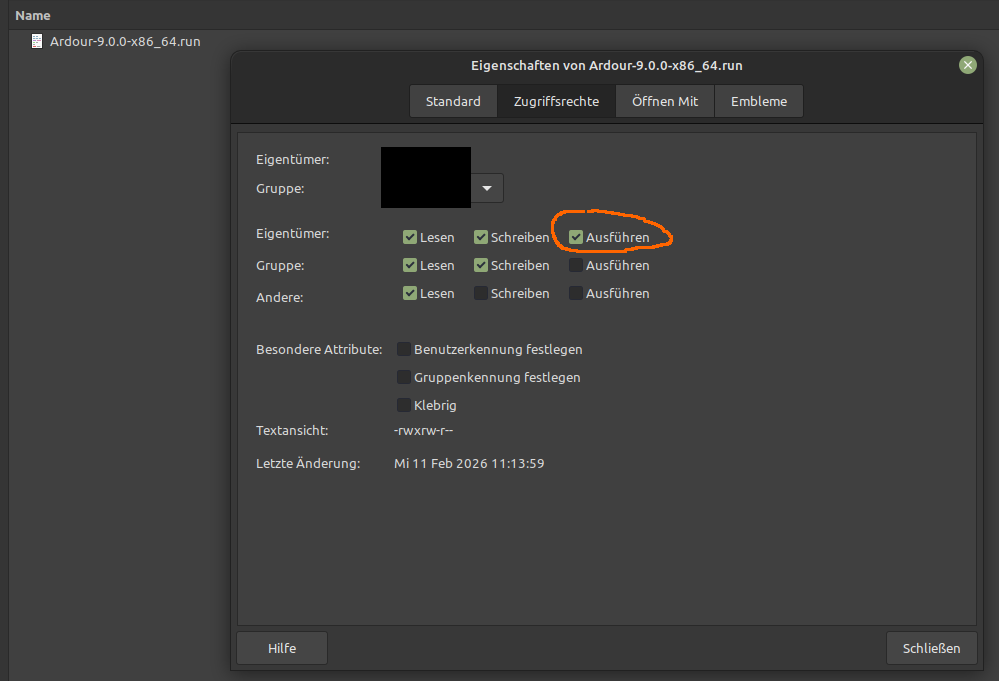
b) open a terminal in the directory where the install file resides and run:
$ ./Ardour-9.0.0-x86_64.run
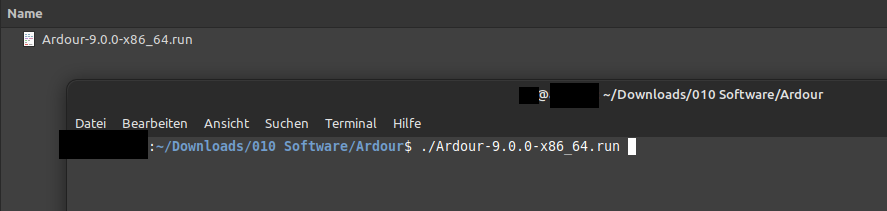
… and follow the questions/instructions in the terminal from there…
OK? Or do you have any specific questions?
2 Likes
I have a side question for the devs:
I usually download the program and then I do just:
$ sh ./Ardour-9.0.0-x86_64.run
without bothering to chmod-id.
It seems to work.
Is there some caveat to this procedure? —I know it is not exactly the same, but also I don’t know exactly the difference 
There shouldn’t be a difference, it’s just that ./<executable> is necessary when it’s an actual executable versus a shell script. I haven’t used the standalone installer, but the fact that your procedure works implies it’s a shell script rather than a compiled executable — if it were the latter, you would have to chmod it to run it. ./<shell script> uses the hash-bang at the top to figure out what to run it with (hence the oft-cited #!/bin/bash or #!/bin/sh or whatever which goes at the top of almost every script). If you don’t have the hash-bang at the top of a script, I’m not sure what executing it actually does (perhaps it picks a default or runs it within the current shell — probably the latter).
In Ardour .run the sha-bang calls the default shell (in my case dash), but I remember that sometimes using this trick did not work (with other scripts), because some variable did not get initialised or something, can’t remember.
Oh, weird. I mean, there’s a technical difference with subshells and all of that (sh ./<blah>.run is different from ./<blah>.run because the latter inherits the current environment, whereas the former runs in a new subshell), so that might be part of what’s going on.
I think by default nowadays many systems use dash as sh (I know Debian does), so those are calling the same thing. But if sh were linked to /bin/bash instead, then sh ./<blah>.run and ./<blah>.run would potentially do different things.
Just to add to the confusion (but actually make things simpler)… In some File Managers (no idea what Linux Mint uses) you can allow scripts to execute by double-clicking BUT! you still need to make the Ardour bundle executable as shown at the beginning of this this thread… So to summarize: right click on the Ardour download and make sure it is set to execute and then see if your File Manager allows to execute shell scripts by double clicking.
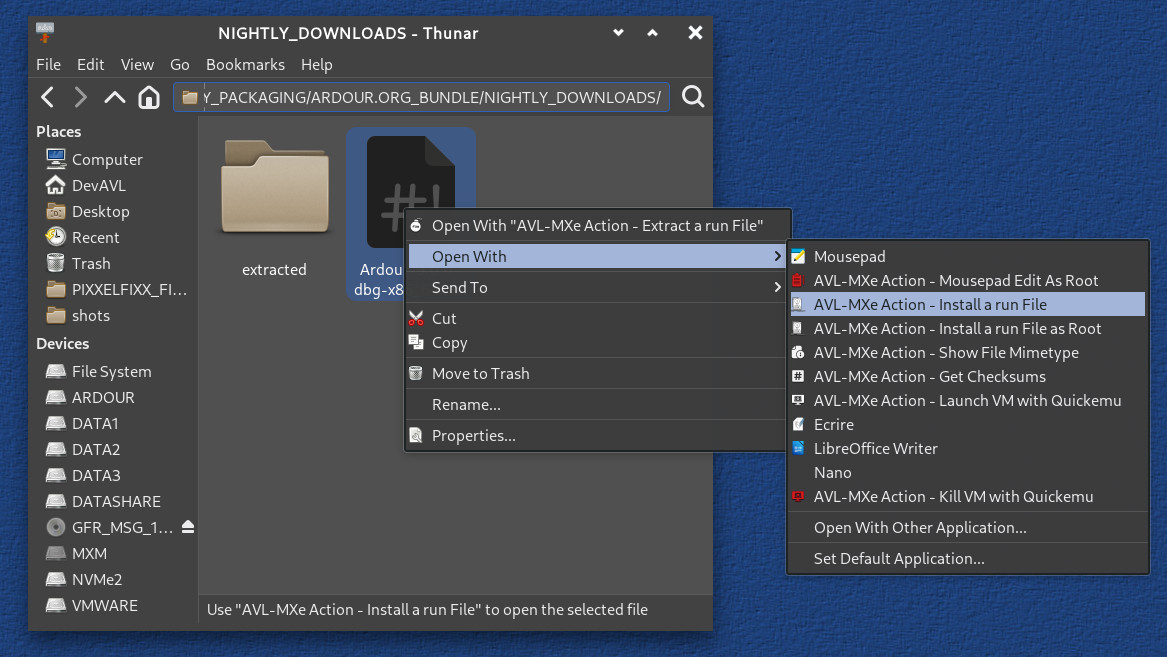
Some Distros (well OK, one Distro) has a special file action for installing Ardour specifically… 
2 Likes
This topic was automatically closed 91 days after the last reply. New replies are no longer allowed.