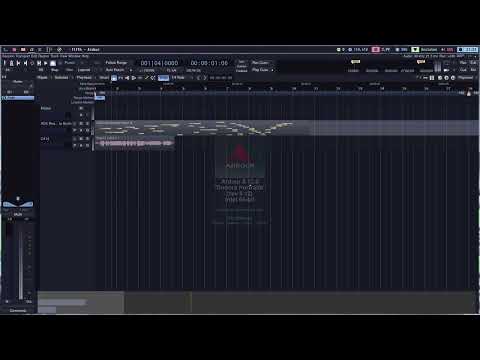
Hello, I have an odd issue with scrubbing inside Ardour 8. I have two mice, each run at 1,000hz polling rate. A Glorious Model O Wireless and a Zaunkoenig M3K. I am also running Ardour on Linux.
When scrubbing the timeline with my Model O, the motion and response is very fluid. When doing the same with the M3K, the scrubbing is very choppy. Is anyone aware of what might be causing this issue? I come to the Ardour forums, as this is the only program where this behavior takes place.
Is this just the main canvas? Is mouse movement also choppy in other areas? It rather looks like a missing redaw, as the mouse cursor does move.
I have not seen that, nor do I have an explanation.
In fact that is the first time that I hear about anyone mentioning polling rates for mice, I’d expect them to trigger an on interrupt and not rely on polling. At least that’s how both the touchpad and trackpoint on this laptop work.
What OS are you running?
Can you try to run a debug version of Ardour from the commandline, setting the GTK_DEBUG environment variable:
GDK_DEBUG=events Ardour8
or from the source tree:
GDK_DEBUG=events ./gtk2_ardour/ardev
Then moving the mouse will print motion notify message to stderr. Which you can correlate with your event log. Maybe that sheds some light.
Thanks for the swift response! Yes, this seems to only occur on the main panel. All the other pages seem to work very smoothly. Is there another page with a similar canvas to scrub on? If so, I can try there. I’m pretty new to the UI, so apologies on the slight ignorance.
I’m running Void Linux with the kernel version 6.12.48_1.
Here’s output from
GDK_DEBUG=events Ardour8
Ardour8.12.0 (built using 8.12 and GCC version 14.2.1 20250405)
Ardour: [INFO]: Your system is configured to limit Ardour to 4096 open files
Ardour: [INFO]: Loading system configuration file /etc/ardour8/system_config
Ardour: [INFO]: Loading user configuration file /home/xlae/.config/ardour8/config
Ardour: [INFO]: CPU vendor: AuthenticAMD
Ardour: [INFO]: AVX capable processor
Ardour: [INFO]: AVX with FMA capable processor
Ardour: [INFO]: CPU brand: AMD Ryzen 9 5900X 12-Core Processor
Ardour: [INFO]: Using AVX and FMA optimized routines
Ardour: [INFO]: Loading plugin meta data file /usr/share/ardour8/plugin_metadata/plugin_tags
Ardour: [INFO]: Loading plugin statistics file /home/xlae/.config/ardour8/plugin_metadata/plugin_stats
Ardour: [INFO]: add_lrdf_data ‘/home/xlae/.config/ardour8/rdf:/usr/share/ardour8/rdf:/usr/local/share/ladspa/rdf:/usr/share/ladspa/rdf’
Ardour: [INFO]: read rdf_file ‘file:///usr/share/ladspa/rdf/ladspa.rdfs’
Ardour: [INFO]: read rdf_file ‘file:///usr/share/ladspa/rdf/ladspa-rubberband.rdf’
Ardour: [INFO]: Loading default ui configuration file /etc/ardour8/default_ui_config
Ardour: [INFO]: Loading user ui configuration file /home/xlae/.config/ardour8/ui_config
Ardour: [INFO]: Loading 461 MIDI patches from /usr/share/ardour8/patchfiles
Ardour: [INFO]: Loading color file /home/xlae/.config/ardour8/themes/catppuccin_mocha-ardour.colors
Ardour: [INFO]: Loading ui configuration file /etc/ardour8/clearlooks.rc
Ardour: [INFO]: Loading bindings from /etc/ardour8/ardour.keys
Loading ui configuration file /etc/ardour8/clearlooks.rc
Found nothing along /home/xlae/.config/ardour8/templates:/usr/share/ardour8/templates
I didn’t see any NOTIFY messages, only INFO logs. This was after scrubbing on the main canvas.
Perhaps get a Ardour9 debug build from https://nightly.ardour.org/ (demo is fine, and comes with an uninstaller too). That way you can keep Ardour8 as-is.
I installed the pre0.1804 version and collected the following stderr log.
Something I noticed is that I get all of this output in realtime, as in right as my mouse moves. But the time for the program to update my position differs drastically. I have no gpu or cpu spikes, hence this working perfectly with my other 1k hz mouse. It wasn’t hard to log 22k lines with minimal mouse movement.
That is what I feared. So Ardour cannot tell a difference, and yet when one mouse causes the events the canvas redraws immediately, but not with the other.
I thought perhaps your 1kHz Mouse might inject events but that’s not the case according to the log.
A mystery then.
Have you checked that this also happens if the M3K is the only mouse when you boot the system?
If you’d like to keep digging…
When moving the mouse over the main canvas Ardour only redraws the 2 vertical lines: where the old line was, and where the new line will be.
You can confirm this like:
CANVAS_HARLEQUIN_DEBUGGING=1 Ardour9
(warning strobe effects)
Does the issue also persist when you do a rubberband rectangle selection (mouse press and drag): a larger area is redrawn?
When Ardour finally catches up with the slow mouse: is the whole area between the old and new position redrawn?
A mystery, for sure. The function is the same even after a reboot, having just the m3k plugged in. The mouse seems to perform the same issue with the rectangle selection. Yes, the whole area seems to be redrawn once ardour catches up.
@xlae - it looks like the colour scheme is different for your two examples so are these running on 2 different computers?
Remember also that USB is a serial bus, so if you’ve some other item sharing the same USB socket as your mouse, that other product might be interfering with it (e.g. causing the socket generally to be very slow). In the past I once had a router which was painfully slow when connected to a particular USB socket but worked fine if connected to any of the others (though presumably you’ve already tried stuff like that??)
[Edit…] Or is one mouse connected to a USB port but the other one’s connected to a normal mouse socket?
The difference in color scheme is me showing the Ardour 9 pre-release, while the other is the Ardour 8.12.0 release. My main point was to show the differences between the two. I’m running the two on the same computer.
I have an active usb cable which normally connects my m3k mouse. Though to test, I’ve used only my model o and m3k through that active cable. I get the same responsive behavior as shown in the video with the model o, but the slower behavior with the m3k through the same active usb cable.
Both are connected via a usb port. And both work perfectly “smooth” outside of the Ardour edit canvas. So, both mice have performed differently over the same cable. I’ve tried isolating that one cable to it’s own usb section on my motherboard to reduce possible throughput, but the issue persists.
Hmmm… could it be a driver mixup? What I mean is that when you connect the Model O, it uses its own driver and therefore works smoothly. But when you connect the M3k it’s also using the Model O’s driver and maybe then not working properly?
It looks like Ardour does receive events from both mice instantly (the mouse cursor moves, and events are printed in the log), but one also triggers expose callbacks, while the other does not…
It could be some event-loop issue, maybe priority related.
It looks that while the mouse is moving and sending events, no redraw happens.
We’d have to add some debug messages to libs/tk/ydk/x11/ to figure out if that is the case and why.
Just an update here. I’ve updated a couple of packages since my last post and the issue seems to have been resolved. I’m still on version 8.12, so I suppose it was a package doing something?