Hi all. I’m using Ardour 9.0.0 in Ubuntu Studio 24.04. I have been using AudioThing plugins with no problem a lot. But yesterday I tried plugin Type X - installed as vst3 - and though it is recognized the scanning seems to be stuck. It ran for hours and I had to cancel the process. I cannot find any specific log entry on this. Using the plugin in Audacity on the same configuration works Ok, so I figure the plugin itself is OK. Anybody can help me out on this? I’ve posted this one already in the AudioThing forum.
Could you try to scan it manually from a terminal Window? The output of that may shed some light:
LD_LIBRARY_PATH=/opt/Ardour-9.0.0/lib/ /opt/Ardour-9.0.0/lib/ardour-vst3-scanner -v -f ~/.vst3/audiothhing.vst3
I guessed where audiothing.vst3 is, you may have to change the path to the VST3 bundle.
–
PS. Also Ardour 9.0 has a few critical bugs, it is highly recommended to update to 9.2.
Thanks Robin. I will do the scan in a terminal window as soon as I’ m behind the desk again. I heard somebody else in the AudioThing forum experienced the same with this plugin in Ardour.
I ran the scan and it gets stuck again:
[Info]: Scanning: /home/jan/.vst3/TypeX.vst3
[Info]: FactoryInfo: ‘AudioThing’ ‘https://audiothing.net’ ‘mail@audiothing.net’
[Info]: Class count: 3
[Info]: Class: 0 ‘Type X’ ‘Audio Module Class’
[Info]: VST3: media: kAudio dir: kInput type: kMain n_busses: 2
[Info]: VST3: - bus: 0 count: 2
[Info]: VST3: media: kAudio dir: kInput type: kAux n_busses: 2
[Info]: VST3: - bus: 1 count: 2
[Info]: VST3: media: kAudio dir: kOutput type: kMain n_busses: 1
[Info]: VST3: - bus: 0 count: 2
[Info]: VST3: media: kAudio dir: kOutput type: kAux n_busses: 1
[Info]: VST3: media: kEvent dir: kInput type: kMain n_busses: 0
[Info]: VST3: media: kEvent dir: kOutput type: kMain n_busses: 0
OK, so it hangs somewhere in the cleanup stage, after correctly detecting the channel layout
I’ve never seen that before with a VST3. I suppose feedback from the vendor would be helpful here.
–
PS. Ardour’s plugin manager scan has a default timeout of 30 sec. Did that show up during your scan?
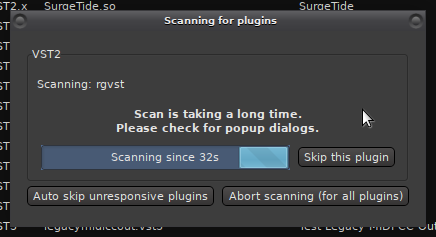
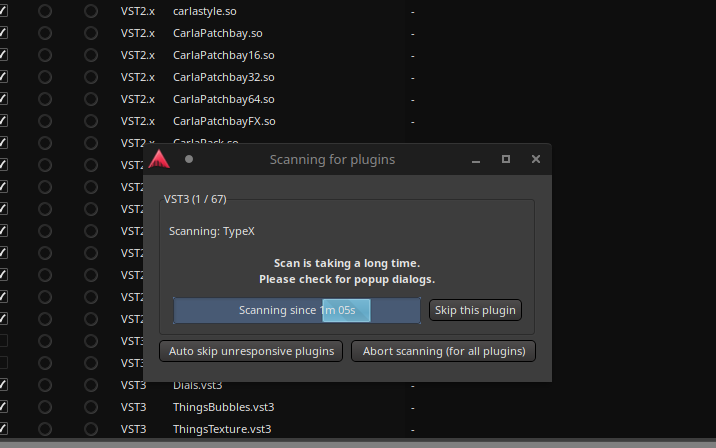
Yeah, it’s just a clue.
Some plugins show a license dialog or wait for a user to activate the plugin; others (e.g. waves) may ask for a folder where samples are located, when they are first loaded.
Sometimes those dialogs show up on a different screen, or behind the scan dialog.
But in case of Type X it seems to be a bug somewhere…
Do other plugins from audiothing work? Have you tried the VST2 version?
Other AudioThing plugins work OK (vst3). I have not yet checked with vst2. In the AudioThing forum they thought it might relate to the sidechain implementation within the plugin. They already have send me 2 new builds, but to no avail. Gonna sleep now, will have a look at it again tomorrow.
Just checked it out. Vst2 version is scanned correctly and works.
1 Like
That is good news. So you have at least a working solution.
All this indicates that the issue is likely a bug in Type X.vst3.
Are you in contact with audiothing ?
Yes, they already shared 2 new builds with me which - unfortunately - did not work. They think the side chaining within the plugin related to how Ardour processes this could be the issue. Is the way a vst3 is processing side chaining within Ardour different from how a vst2 plugin processes it?
btw I installed Ardour 9.2.0 yesterday and tested all in this version, but vst3 of this plugin is still not scanned/processed properly.
Side-chain (busses) are entirely different in VST2 and VST3 specification.
Other VST3 plugins with side-chain work just fine. They’re really just busses here and show up in the scan log that you posted. The plugin has stereo side-chain input.
The plugin hangs after scanning of the first class, when it is deactivated, and resources are released: see above Scanning stuck with Audiothing TypeX plugin - #5 by x42
This topic was automatically closed 28 days after the last reply. New replies are no longer allowed.