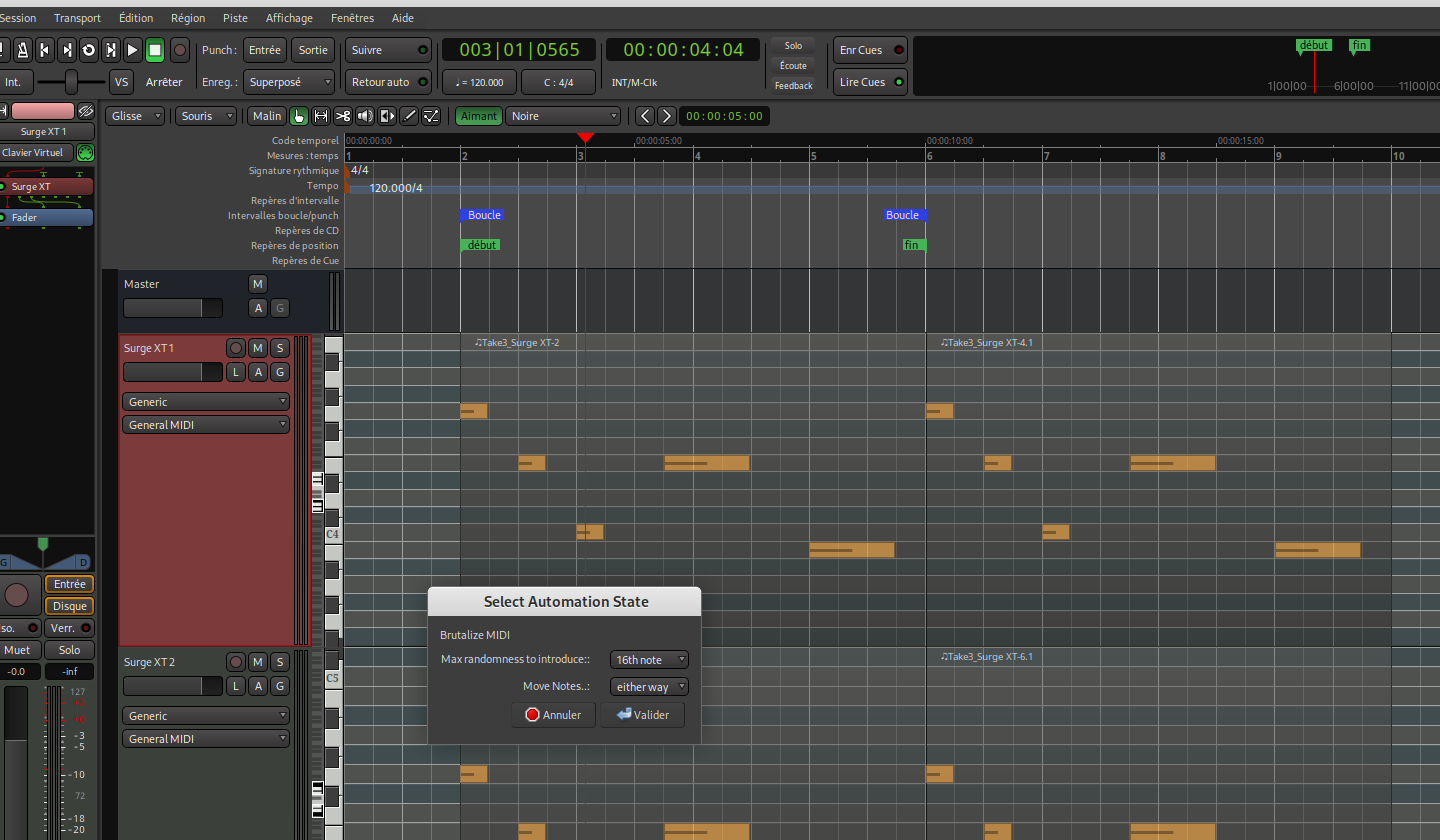
I think more than half of what I need is in your example.
I tried running your script, but I probably made a mistake. When I launch it, I don’t see any effect on my midi track. Also, I can only run it once; I have to close my Ardour session and reopen it to run your lua script again.
I launched Ardour from the command line, and I don’t receive any messages.
Open the script in Ardour Menu > Window > Scripting, then add some print messages.
Select a MIDI region (with grab tool) and then Run the script in that window
Perhaps some strategic messages like:
diff --git a/share/scripts/brutalize_midi.lua b/share/scripts/brutalize_midi.lua
index 7a8e734431..0a461fbcc0 100644
--- a/share/scripts/brutalize_midi.lua
+++ b/share/scripts/brutalize_midi.lua
@@ -41,9 +41,11 @@ function factory () return function ()
        -- iterate over all selected regions
        local sel = Editor:get_selection ()
        for r in sel.regions:regionlist ():iter () do
+               print ("Selected:", r:name())
                local mr = r:to_midiregion ()
                -- skip non MIDI regions
                if mr:isnil () then goto continue end
+               print ("Found MIDI Region:", r:name())

                -- get MIDI Model of the region
                local mm = mr:midi_source(0):model ()
@@ -55,6 +57,7 @@ function factory () return function ()
                        -- note is-a https://manual.ardour.org/lua-scripting/class_reference/#Evoral:NotePtr
                        -- get current position ..
                        local old_pos = note:time ()
+                       print ("Found MIDI Note at:", old_pos:get_beats ())

                        -- ..generate random offset..
                        local tickdiff = math.floor (rv['rand']() * max_distance);
I copied and pasted the script, with some additional print messages, in the script window:
---- this header is (only) required to save the script
-- ardour { ["type"] = "Snippet", name = "" }
-- function factory () return function () -- -- end end
function factory () return function ()

	-- Ask user about max randomness to introduce
	local dialog_options = {
		{ type = "label", align="left", title = "Brutalize MIDI" },
		{
			type = "dropdown", key = "divisor", title="Max randomness to introduce:", values =
			{
				["8th note"]             = 2,
				["16th note"]            = 4,
				["16th triplett (1/24)"] = 6,
				["32nd"]                 = 8,
				["32nd triplett (1/48)"] = 12,
				["64th"]                 = 16
			},
			default = "16th note"
		},
		{
			type = "dropdown", key = "rand", title="Move Notes..", values =
			{
				["only forward in time"]  = function () return math.random() end,          --  0 .. +1
				["only backward in time"] = function () return math.random() - 2; end,     -- -1 ..  0
				["either way"]            = function () return 2 * math.random() - 1; end  -- -1 .. +1
			},
			default = "either way"
		}
	}
	local rv = LuaDialog.Dialog ("Select Automation State", dialog_options):run()
	if not rv then return end

	-- calclate max distance in 'ticks'
	local ticks_per_beat = Temporal.Beats (1, 0):to_ticks ();
	local max_distance   = ticks_per_beat / rv['divisor']

	-- iterate over all selected regions
	local sel = Editor:get_selection ()
	for r in sel.regions:regionlist ():iter () do
	    print ("Selected:", r:name())
		local mr = r:to_midiregion ()
		-- skip non MIDI regions
		if mr:isnil () then goto continue end
		print ("Found MIDI Region:", r:name())

		-- get MIDI Model of the region
		local mm = mr:midi_source(0):model ()
		-- Prepare Undo command
		local midi_command = mm:new_note_diff_command ("MIDI Note Brutalize")

		-- Iterate over all notes of the MIDI region
		for note in ARDOUR.LuaAPI.note_list (mm):iter () do
			-- note is-a https://manual.ardour.org/lua-scripting/class_reference/#Evoral:NotePtr
			-- get current position ..
			local old_pos = note:time ()
			print ("Found MIDI Note at:", old_pos:get_beats ())

			-- ..generate random offset..
			local tickdiff = math.floor (rv['rand']() * max_distance);
			print (old_pos:get_beats (), old_pos:get_ticks (), tickdiff)

			-- .. and calculate new position.
			local new_pos = Temporal.Beats (old_pos:get_beats (), old_pos:get_ticks () + tickdiff)

			-- now modify the note (but don't allow to move a note before the session start [1|1|0])
			if old_pos ~= new_pos and new_pos > Temporal.Beats (0, 0) then
				local new_note = ARDOUR.LuaAPI.new_noteptr (note:channel (), new_pos, note:length (), note:note (), note:velocity ())
				midi_command:remove (note)
				midi_command:add (new_note)
			end
		end
		-- apply changes, and save undo
		mm:apply_command (Session, midi_command)
		::continue::
	end
end end
I received this:
LuaException : [string "---- this header is (only) required to save t..."]:35: attempt to call a nil value (method 'to_ticks')