Problem Getting Sound In From Board

Hello;

 Hoping someone on here would be kind enough to help me.  I've been trying to get sound off my board into Ardour, currently 9 and I've never seemingly had any luck.  My board is a Behringer X1204 USB.  I can find options to connect the input but I get no sound.


 The strange thing is that I have **no** problem getting sound off the board in Audacity.  I do know that Audacity is using ALSA.  I was actually wondering if this is a problem with the interaction between Pipewire and ALSA as I'm running Pipewire/Jack in Ardour.

Thanks again for any help offered!

If you try with ALSA, are you able to get it to work? That would be the logical place to start first (especially if it works with Audacity).

Unfortunately, no luck with that. I also went through to check the signal routing and that didn’t clear it up. I don’t know if you can follow any of the dialogue out of Ardour on the session but here’s what it was saying while I was trying to get it working:

2026-03-07T19:28:10 [WARNING]: LADSPA</usr/lib/ladspa/csladspa64.so>: LADSPA no plugins found in module.
2026-03-07T19:28:22 [INFO]: Scanning folders for bundled LV2s: /opt/Ardour-9.0.0/lib/LV2
2026-03-07T19:28:30 [WARNING]: LV2http://kxstudio.sf.net/carla/plugins/carlapatchbaycv: Port 7 (‘CV Input 1’) has unsupported data type.
2026-03-07T19:28:30 [WARNING]: LV2http://kxstudio.sf.net/carla/plugins/carlapatchbaycv: Port 8 (‘CV Input 2’) has unsupported data type.
2026-03-07T19:28:30 [WARNING]: LV2http://kxstudio.sf.net/carla/plugins/carlapatchbaycv: Port 9 (‘CV Input 3’) has unsupported data type.
2026-03-07T19:28:30 [WARNING]: LV2http://kxstudio.sf.net/carla/plugins/carlapatchbaycv: Port 10 (‘CV Input 4’) has unsupported data type.
2026-03-07T19:28:30 [WARNING]: LV2http://kxstudio.sf.net/carla/plugins/carlapatchbaycv: Port 11 (‘CV Input 5’) has unsupported data type.
2026-03-07T19:28:30 [WARNING]: LV2http://kxstudio.sf.net/carla/plugins/carlapatchbaycv: Port 12 (‘CV Output 1’) has unsupported data type.
2026-03-07T19:28:30 [WARNING]: LV2http://kxstudio.sf.net/carla/plugins/carlapatchbaycv: Port 13 (‘CV Output 2’) has unsupported data type.
2026-03-07T19:28:30 [WARNING]: LV2http://kxstudio.sf.net/carla/plugins/carlapatchbaycv: Port 14 (‘CV Output 3’) has unsupported data type.
2026-03-07T19:28:30 [WARNING]: LV2http://kxstudio.sf.net/carla/plugins/carlapatchbaycv: Port 15 (‘CV Output 4’) has unsupported data type.
2026-03-07T19:28:30 [WARNING]: LV2http://kxstudio.sf.net/carla/plugins/carlapatchbaycv: Port 16 (‘CV Output 5’) has unsupported data type.
2026-03-07T19:28:43 [WARNING]: LV2http://moddevices.com/plugins/mod-devel/2Voices: Unsupported required LV2 feature: ‘LV2 Buf Size’.
2026-03-07T19:28:43 [WARNING]: LV2http://moddevices.com/plugins/mod-devel/Capo: Unsupported required LV2 feature: ‘LV2 Buf Size’.
2026-03-07T19:28:43 [WARNING]: LV2http://moddevices.com/plugins/mod-devel/Drop: Unsupported required LV2 feature: ‘LV2 Buf Size’.
2026-03-07T19:28:43 [WARNING]: LV2http://moddevices.com/plugins/mod-devel/Harmonizer: Unsupported required LV2 feature: ‘LV2 Buf Size’.
2026-03-07T19:28:44 [WARNING]: LV2http://moddevices.com/plugins/mod-devel/Harmonizer2: Unsupported required LV2 feature: ‘LV2 Buf Size’.
2026-03-07T19:28:44 [WARNING]: LV2http://moddevices.com/plugins/mod-devel/HarmonizerCS: Unsupported required LV2 feature: ‘LV2 Buf Size’.
2026-03-07T19:28:44 [WARNING]: LV2http://moddevices.com/plugins/mod-devel/SuperCapo: Unsupported required LV2 feature: ‘LV2 Buf Size’.
2026-03-07T19:28:44 [WARNING]: LV2http://moddevices.com/plugins/mod-devel/SuperWhammy: Unsupported required LV2 feature: ‘LV2 Buf Size’.
2026-03-07T19:28:47 [WARNING]: LV2http://ssj71.github.io/infamousPlugins/plugs.html#envfollowerCV: Port 2 (‘CV Out’) has unsupported data type.
2026-03-07T19:28:50 [WARNING]: LV2https://www.zrythm.org/plugins/ZLFO: Port 3 (‘Gate’) has unsupported data type.
2026-03-07T19:28:50 [WARNING]: LV2https://www.zrythm.org/plugins/ZLFO: Port 4 (‘Trigger’) has unsupported data type.
2026-03-07T19:28:50 [WARNING]: LV2https://www.zrythm.org/plugins/ZLFO: Port 73 (‘Sine’) has unsupported data type.
2026-03-07T19:28:50 [WARNING]: LV2https://www.zrythm.org/plugins/ZLFO: Port 74 (‘Triangle’) has unsupported data type.
2026-03-07T19:28:50 [WARNING]: LV2https://www.zrythm.org/plugins/ZLFO: Port 75 (‘Saw’) has unsupported data type.
2026-03-07T19:28:50 [WARNING]: LV2https://www.zrythm.org/plugins/ZLFO: Port 76 (‘Square’) has unsupported data type.
2026-03-07T19:28:50 [WARNING]: LV2https://www.zrythm.org/plugins/ZLFO: Port 77 (‘Custom’) has unsupported data type.
2026-03-07T19:30:29 [WARNING]: VST3</home/daniel-j-fontes/Downloads/av/TAL-J-8_64_linux/__MACOSX/TAL-J-8.vst3>: Invalid VST3 Module Path: ‘’
2026-03-07T19:30:37 [INFO]: xjadeo version: 0.8.15
2026-03-07T19:30:39 [INFO]: harvid version: 901
2026-03-07T19:30:42 [INFO]: Loading menus from /opt/Ardour-9.0.0/etc/ardour.menus
2026-03-07T19:30:58 [INFO]: Cannot set I/O Priority for disk read/write thread
2026-03-07T19:30:58 [INFO]: Loading user ui scripts file /home/daniel-j-fontes/.config/ardour9/ui_scripts
2026-03-07T19:31:01 [INFO]: Loading plugin order file /home/daniel-j-fontes/.config/ardour9/plugin_metadata/plugin_order
2026-03-07T19:31:02 [INFO]: Loading history from /home/daniel-j-fontes/Untitled-2026-03-07-19-27-44/Untitled-2026-03-07-19-27-44.history
2026-03-07T19:31:02 [INFO]: Untitled-2026-03-07-19-27-44: no history file “/home/daniel-j-fontes/Untitled-2026-03-07-19-27-44/Untitled-2026-03-07-19-27-44.history” for this session.
2026-03-07T19:32:59 [ERROR]: AlsaSeqMidiIO: Device initialization failed.
2026-03-07T19:32:59 [WARNING]: AlsaMidiOut: failed to open midi device ‘144:0’.
2026-03-07T19:32:59 [ERROR]: AlsaSeqMidiIO: Device initialization failed.
2026-03-07T19:32:59 [WARNING]: AlsaMidiIn: failed to open midi device ‘144:0’.
2026-03-07T19:32:59 [ERROR]: AlsaSeqMidiIO: Device initialization failed.
2026-03-07T19:32:59 [WARNING]: AlsaMidiOut: failed to open midi device ‘145:0’.
2026-03-07T19:32:59 [ERROR]: AlsaSeqMidiIO: Device initialization failed.
2026-03-07T19:32:59 [WARNING]: AlsaMidiIn: failed to open midi device ‘145:0’.
2026-03-07T19:33:00 [INFO]: ALSA slave ‘hw:CODEC,0’ added
2026-03-07T19:36:00 [WARNING]: Ambiguous latency for port ‘Audio 1/audio_out 1’ (0, 144)
2026-03-07T19:36:00 [WARNING]: Ambiguous latency for port ‘Audio 1/audio_out 2’ (0, 144)

There doesn’t seem to be much here related to what is causing the issue outside of the lines that begin at timestamp 19:33:00, which would have been when I switched over to ALSA.

Run Audacity. While it is playing audio, open a terminal window and run this command:

cd /tmp && wget https://ardour.org/files/adevices.sh && bash ./adevices.sh

(it will not modify your system)

Then quit Audacity. Startup Ardour as you were doing, and in the terminal window, run this command:

cd /tmp && bash ./adevices.sh

Paste the output of both commands here.

1 Like

Thanks for your personal assist! Here’s what I got Paul: -OptiPlex-7020:~$ cd /tmp && wget https://ardour.org/files/adevices.sh && bash ./adevices.sh
–2026-03-08 12:18:37-- https://ardour.org/files/adevices.sh
Resolving ardour.org (ardour.org)… 54.235.123.47
Connecting to ardour.org (ardour.org)|54.235.123.47|:443… connected.
HTTP request sent, awaiting response… 200 OK
Length: 2347 (2.3K) [application/octet-stream]
Saving to: ‘adevices.sh’

adevices.sh 100%[===================>] 2.29K --.-KB/s in 0s

2026-03-08 12:18:38 (1.99 GB/s) - ‘adevices.sh’ saved [2347/2347]

========================================
Part I: ALSA
Advanced Linux Sound Architecture Driver Version k6.8.0-101-lowlatency.

Card 0 (CA0106):

  • Playback Device 0 (CA0106):

    • Subdevice 0 (hw:CA0106,0,0):
      closed
  • Playback Device 1 (CA0106):

    • Subdevice 0 (hw:CA0106,1,0):
      closed
  • Playback Device 2 (CA0106):

    • Subdevice 0 (hw:CA0106,2,0):
      closed
  • Playback Device 3 (CA0106):

    • Subdevice 0 (hw:CA0106,3,0):
      closed
  • Recording Device 0 (CA0106):

    • Subdevice 0 (hw:CA0106,0,0):
      closed
  • Recording Device 1 (CA0106):

    • Subdevice 0 (hw:CA0106,1,0):
      closed
  • Recording Device 2 (CA0106):

    • Subdevice 0 (hw:CA0106,2,0):
      closed
  • Recording Device 3 (CA0106):

    • Subdevice 0 (hw:CA0106,3,0):
      closed

Card 1 (U49e):

Card 2 (PCH):

  • Playback Device 0 (ALC3220 Analog):

    • Subdevice 0 (hw:PCH,0,0):
      closed
  • Recording Device 0 (ALC3220 Analog):

    • Subdevice 0 (hw:PCH,0,0):
      closed

Card 3 (HDMI):

  • Playback Device 3 (HDMI 0):

    • Subdevice 0 (hw:HDMI,3,0):
      used by: pipewire (PID 401624)
      access: MMAP_INTERLEAVED
      format: S32_LE
      subformat: STD
      channels: 2
      rate: 48000 (48000/1)
      period_size: 1024
      buffer_size: 32768
  • Playback Device 7 (HDMI 1):

    • Subdevice 0 (hw:HDMI,7,0):
      closed

Card 4 (CODEC):

  • Playback Device 0 (USB Audio):

    • Subdevice 0 (hw:CODEC,0,0):
      closed
  • Recording Device 0 (USB Audio):

    • Subdevice 0 (hw:CODEC,0,0):
      closed

========================================
Part II: jack/pipewire
401698 ? S 0:16 /usr/bin/jackdbus auto
401624 ? S<sl 0:23 /usr/bin/pipewire
401625 ? Ssl 0:00 /usr/bin/pipewire -c filter-chain.conf
401633 ? S<Lsl 0:08 /usr/bin/pipewire-pulse
jackdmp version 1.9.21 tmpdir /dev/shm protocol 9
pipewire
Compiled with libpipewire 1.0.5
Linked with libpipewire 1.0.5

Part III: jack-dbus config
— status
stoped
-OptiPlex-7020:/tmp$ cd /tmp && bash ./adevices.sh

Part I: ALSA
Advanced Linux Sound Architecture Driver Version k6.8.0-101-lowlatency.

Card 0 (CA0106):

  • Playback Device 0 (CA0106):

    • Subdevice 0 (hw:CA0106,0,0):
      closed
  • Playback Device 1 (CA0106):

    • Subdevice 0 (hw:CA0106,1,0):
      closed
  • Playback Device 2 (CA0106):

    • Subdevice 0 (hw:CA0106,2,0):
      closed
  • Playback Device 3 (CA0106):

    • Subdevice 0 (hw:CA0106,3,0):
      closed
  • Recording Device 0 (CA0106):

    • Subdevice 0 (hw:CA0106,0,0):
      used by: pipewire (PID 401624)
      access: MMAP_INTERLEAVED
      format: S32_LE
      subformat: STD
      channels: 2
      rate: 48000 (48000/1)
      period_size: 1024
      buffer_size: 2048
  • Recording Device 1 (CA0106):

    • Subdevice 0 (hw:CA0106,1,0):
      used by: pipewire (PID 401624)
      access: MMAP_INTERLEAVED
      format: S32_LE
      subformat: STD
      channels: 2
      rate: 48000 (48000/1)
      period_size: 1024
      buffer_size: 2048
  • Recording Device 2 (CA0106):

    • Subdevice 0 (hw:CA0106,2,0):
      closed
  • Recording Device 3 (CA0106):

    • Subdevice 0 (hw:CA0106,3,0):
      closed

Card 1 (U49e):

Card 2 (PCH):

  • Playback Device 0 (ALC3220 Analog):

    • Subdevice 0 (hw:PCH,0,0):
      closed
  • Recording Device 0 (ALC3220 Analog):

    • Subdevice 0 (hw:PCH,0,0):
      used by: pipewire (PID 401624)
      access: MMAP_INTERLEAVED
      format: S32_LE
      subformat: STD
      channels: 2
      rate: 48000 (48000/1)
      period_size: 1024
      buffer_size: 32768

Card 3 (HDMI):

  • Playback Device 3 (HDMI 0):

    • Subdevice 0 (hw:HDMI,3,0):
      used by: pipewire (PID 401624)
      access: MMAP_INTERLEAVED
      format: S32_LE
      subformat: STD
      channels: 2
      rate: 48000 (48000/1)
      period_size: 1024
      buffer_size: 32768
  • Playback Device 7 (HDMI 1):

    • Subdevice 0 (hw:HDMI,7,0):
      closed

Card 4 (CODEC):

  • Playback Device 0 (USB Audio):

    • Subdevice 0 (hw:CODEC,0,0):
      closed
  • Recording Device 0 (USB Audio):

    • Subdevice 0 (hw:CODEC,0,0):
      used by: pipewire (PID 401624)
      access: MMAP_INTERLEAVED
      format: S16_LE
      subformat: STD
      channels: 2
      rate: 48000 (48000/1)
      period_size: 512
      buffer_size: 32768

========================================
Part II: jack/pipewire
401698 ? S 0:16 /usr/bin/jackdbus auto
401624 ? S<sl 0:26 /usr/bin/pipewire
401625 ? Ssl 0:00 /usr/bin/pipewire -c filter-chain.conf
401633 ? S<Lsl 0:08 /usr/bin/pipewire-pulse
jackdmp version 1.9.21 tmpdir /dev/shm protocol 9
pipewire
Compiled with libpipewire 1.0.5
Linked with libpipewire 1.0.5

Part III: jack-dbus config
— status
stoped
daniel-j-fontes@daniel-j-fontes-OptiPlex-7020:/tmp$

So, I see no sign of Audacity itself. Both sets of output show pipewire controlling some/all of your audio devices.

Where do you expect to record from and where do you expect to hear output, given that you have roughly 4 different audio devices?

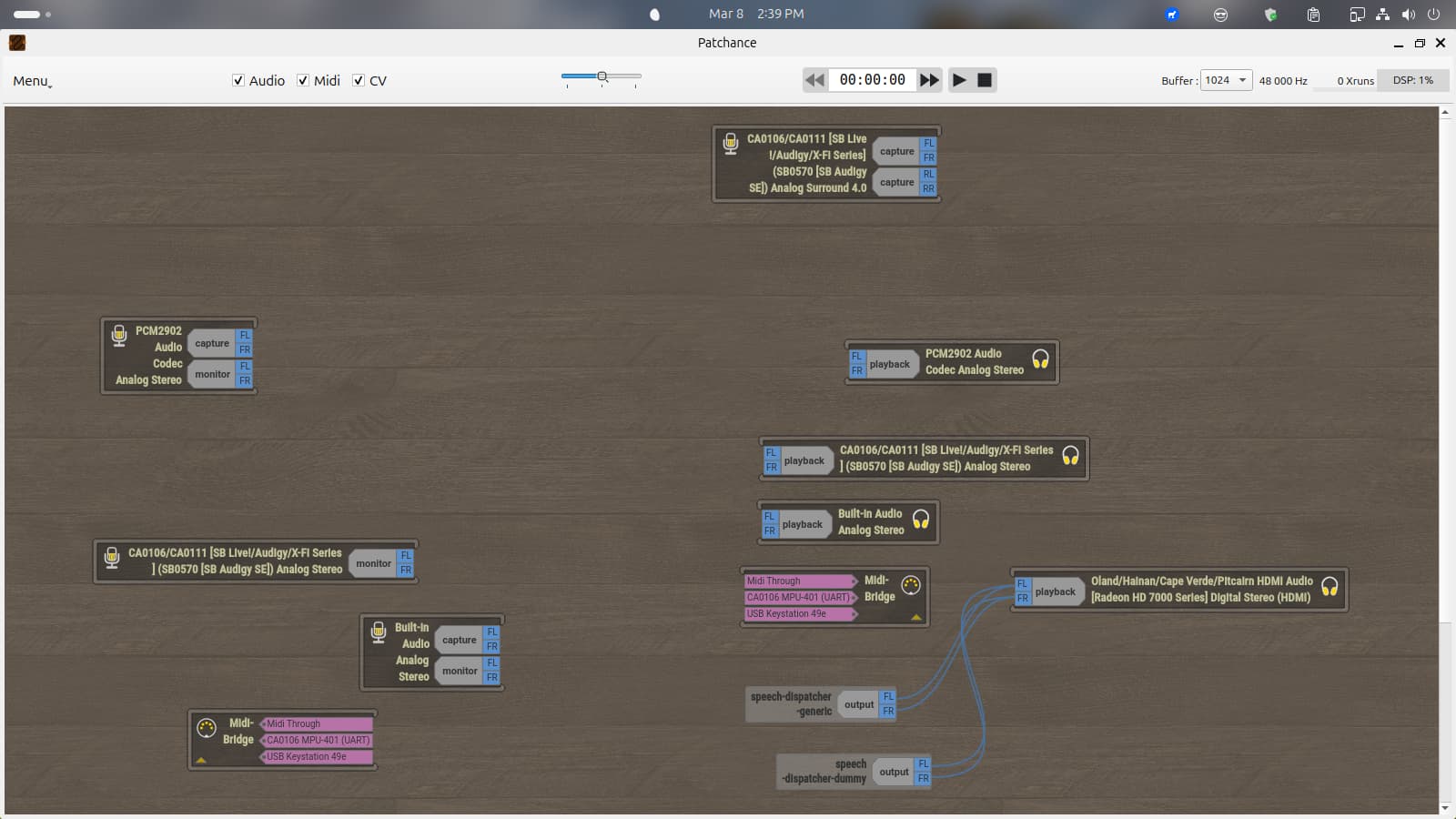
PCM 2902 Audio Codex caputure would be where I’m recording from, at least as it shows up in Patchance. The odd thing is that I don’t see that in the list unless it’s showing up differently. Puzzling…


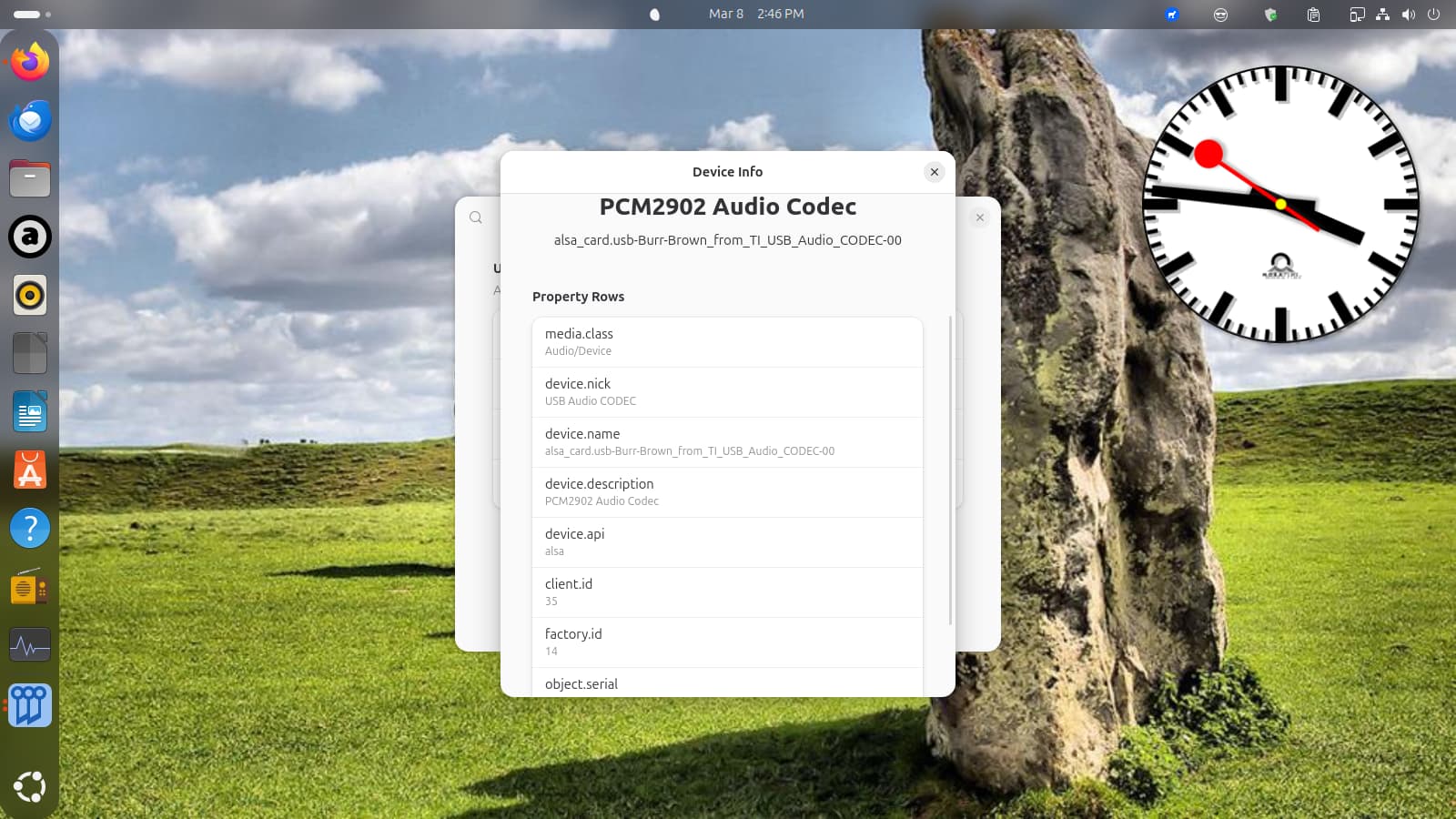
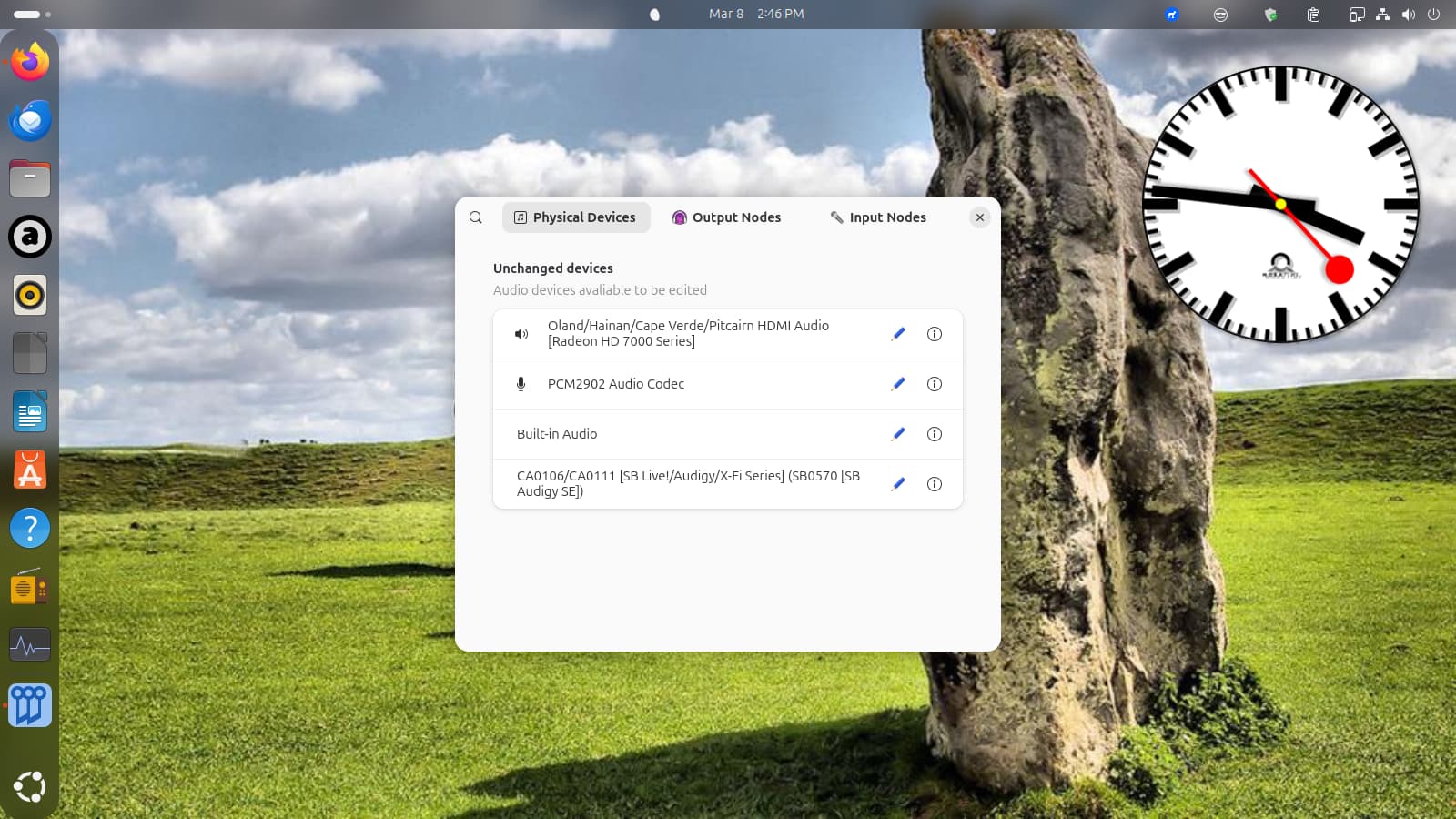
This is what Simple Wire Plumber GUI says about that device, I don’t know the command for a command line output. Well, let me Google that…

Maybe this?

pactl list short sources

-OptiPlex-7020:~$ pactl list short sources
56 alsa_output.pci-0000_01_00.1.hdmi-stereo.monitor PipeWire s32le 2ch 48000Hz SUSPENDED
57 alsa_output.usb-Burr-Brown_from_TI_USB_Audio_CODEC-00.analog-stereo-output.monitor PipeWire s16le 2ch 48000Hz SUSPENDED
58 alsa_input.usb-Burr-Brown_from_TI_USB_Audio_CODEC-00.analog-stereo-inputPipeWire s16le 2ch 48000Hz SUSPENDED
59 alsa_output.pci-0000_00_1b.0.analog-stereo.monitor PipeWire s32le 2ch 48000Hz SUSPENDED
60 alsa_input.pci-0000_00_1b.0.analog-stereo PipeWire s32le 2ch 48000Hz SUSPENDED
61 alsa_output.pci-0000_04_02.0.analog-stereo.monitor PipeWire s32le 2ch 48000Hz SUSPENDED
62 alsa_input.pci-0000_04_02.0.analog-surround-40 PipeWire s32le 4ch 48000Hz SUSPENDED

The interesting thing is that the output is the same when I record with Audacity (though I get signal onto Audacity):

OptiPlex-7020:~$ pactl list short sources
56 alsa_output.pci-0000_01_00.1.hdmi-stereo.monitor PipeWire s32le 2ch 48000Hz SUSPENDED
57 alsa_output.usb-Burr-Brown_from_TI_USB_Audio_CODEC-00.analog-stereo-output.monitor PipeWire s16le 2ch 48000Hz SUSPENDED
58 alsa_input.usb-Burr-Brown_from_TI_USB_Audio_CODEC-00.analog-stereo-inputPipeWire s16le 2ch 48000Hz SUSPENDED
59 alsa_output.pci-0000_00_1b.0.analog-stereo.monitor PipeWire s32le 2ch 48000Hz SUSPENDED
60 alsa_input.pci-0000_00_1b.0.analog-stereo PipeWire s32le 2ch 48000Hz SUSPENDED
61 alsa_output.pci-0000_04_02.0.analog-stereo.monitor PipeWire s32le 2ch 48000Hz SUSPENDED
62 alsa_input.pci-0000_04_02.0.analog-surround-40 PipeWire s32le 4ch 48000Hz SUSPENDED

OK! After further review of the list of cards I see Card 4 (CODEC): listed as:

  • Recording Device 0 (USB Audio):
    • Subdevice 0 (hw:CODEC,0,0):
      used by: pipewire (PID 401624)
      access: MMAP_INTERLEAVED
      format: S16_LE
      subformat: STD
      channels: 2
      rate: 48000 (48000/1)
      period_size: 512
      buffer_size: 32768

That would be the mixing board.

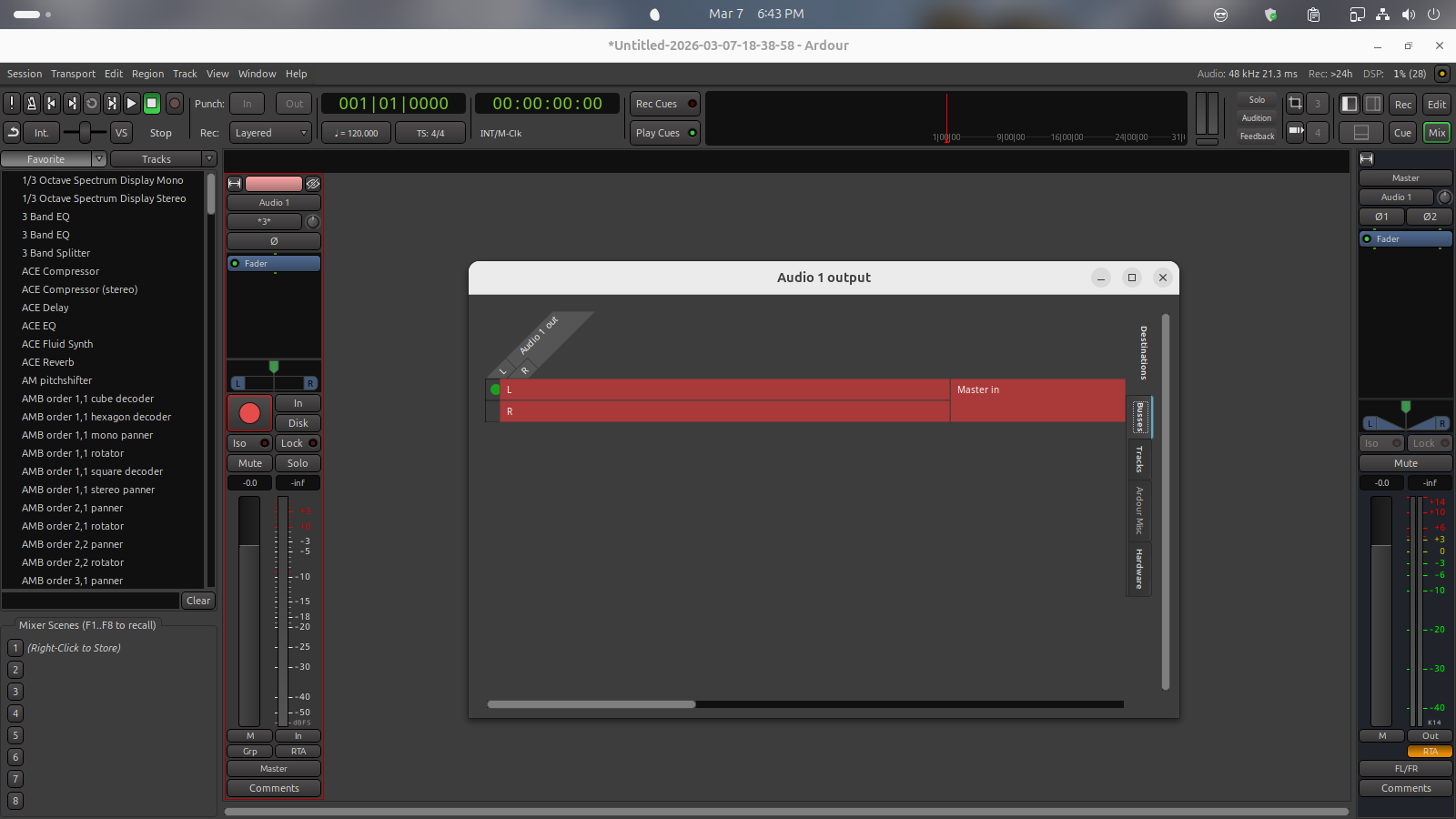
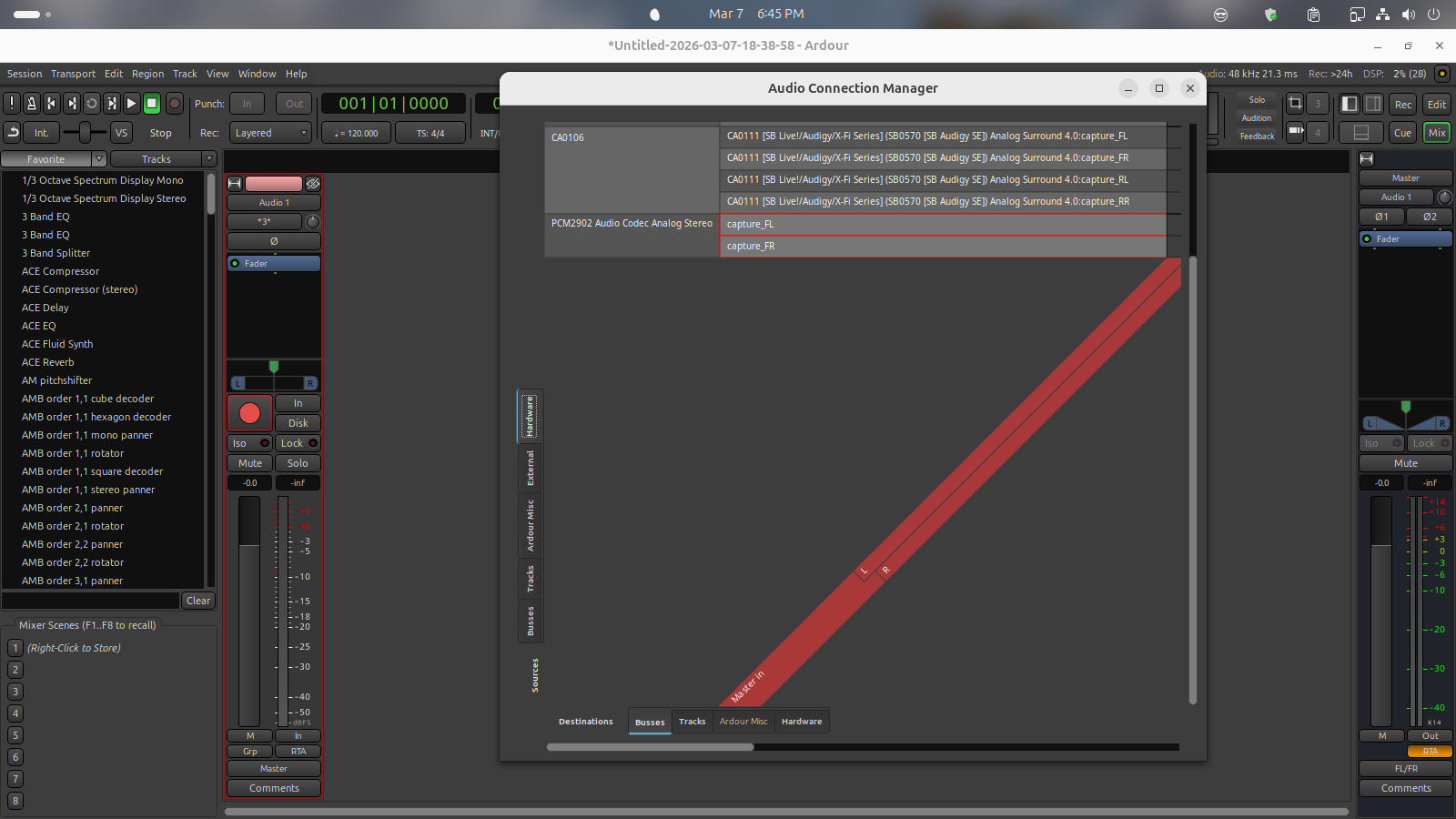
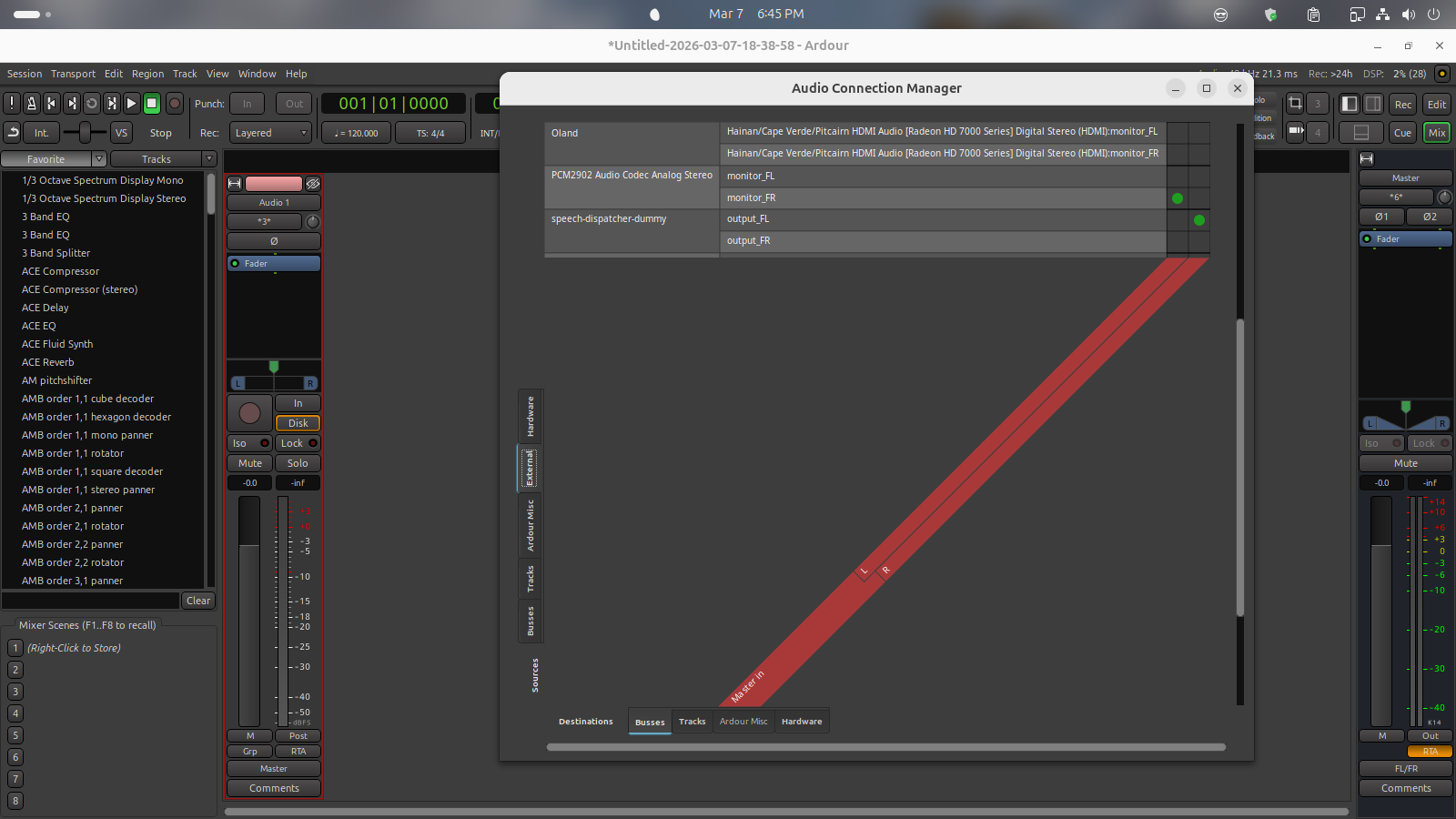
In most of the Ardour connection manager screenshots you have not made the window large enough, or not scrolled to the side showing the dots indicating connections made, so it cannot be determined what connections are actually made in Ardour.

The one exception is the fourth picture attached, which shows that the master bus inputs have the left master bus input connected to the mixer (PCM2902 Audio Codec) FR, and the master bus right input connected to speech-dispatcher-dummy FL. It would be really surprising if that is what you actually wanted connected to your master bus, so I think the mostly likely explanation is you made a slip of the mouse when making connections and connected outputs from two different devices to the master bus, rather than both outputs of one device.

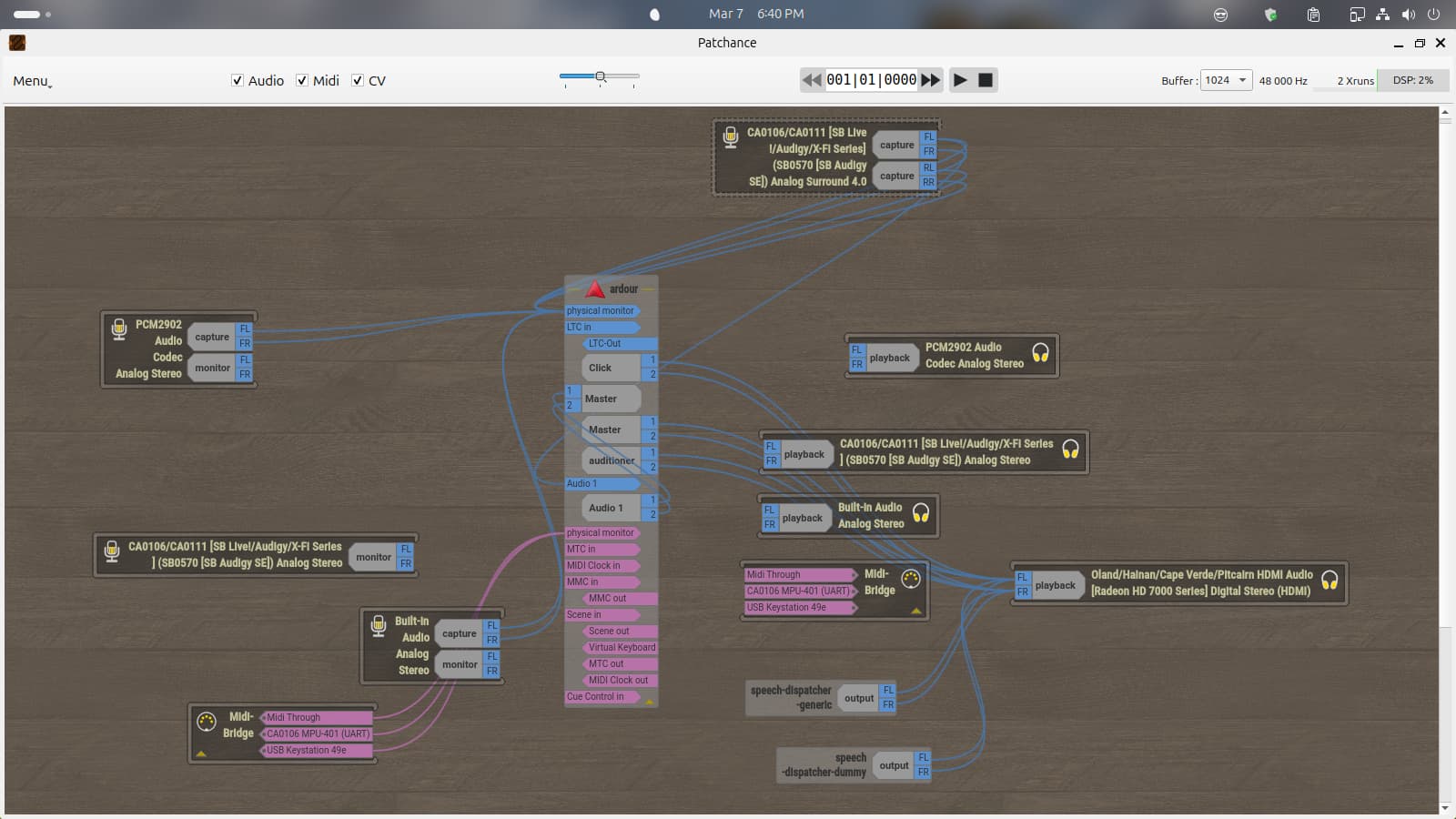
Note that does not match the connections shown in the Patchance screenshot attached as the first picture, so the two screenshots do not appear to be captured from the same running set of connections.

I do not see any other audio applications running. If you do not intend to route audio between applications then using the ALSA backend of Ardour, rather than the JACK/Pipewire backend, may be more straight-forward to connect, especially if you intend to use the Behringer mixer for both input and output. The Patchance connection appears to show the mixer connected to the physical monitor input of Ardour, and the Ardour output connected to a SoundBlaster Audigy card.

Note that although the Behringer mixer is connected to the physical input monitor of Ardour in the Patchance image, the track “Audio 1” has the input connected to the capture port of the Audigy card.
I also notice that most of the other system audio is routed through the HDMI controller, so presumably to a monitor with small built-in speakers.

It would be helpful to show the Audio/MIDI setup dialog to show what you attempted to select.
Note that this message:

indicates that the device CODEC (which usually refers to a USB connected audio device, presumably your Behringer mixer) has been added as a sample rate adjusted device. Using the same device for input and output will give the optimal audio quality and lowest latency, although whether that will matter for you or not depends on how you are trying to use your audio devices.

As to the HDMI controller, that’s how I output video and sound to my receiver, speakers and TV for sound and picture.

I have to admit that, in looking at this all, I was a little uncertain what sound card the board was going into. I was equally puzzled that it showed to be connected to Ardour both when running ALSA and Pipewire/JACK so I wasn’t sure why I wasn’t getting sound in from the board. Just out of curiosity I did try the Linux version of Reaper and was able to get sound off the board, but through ALSA only, and in setting it up I did encounter an error message but it still gave a signal. I’d almost wonder what’s going on here between that and Paul noting that Audacity wasn’t showing up when I gave him information with that running. It almost leaves me wondering if there isn’t something amiss with my installation. :thinking:

That is likely because audacity was using pipewire, not accessing the ALSA hardware device.

HDMI audio controllers often have limited options available for period size, so you may be limited if you want or need low latency audio monitoring.

What do you mean by “showed to be connected to Ardour?” Showed where? When using the ALSA backend the only place it could show would be the Ardour audio connections window, is that what you are referring to? Because if the audio device is still showing in Patchance then you are not actually running the ALSA backend, because ALSA backend takes exclusive control of the hardware device, making it unavailable for routing with pipewire-jack.

I think it more likely that you have misinterpreted some of the audio settings, but difficult to be sure since you have not provided screenshots of the Audio/MIDI setup dialog, and some of your descriptions are too vague to be useful (e.g. “I did encounter an error message”).

laftru68:

Paul noting that Audacity wasn’t showing up

That is likely because audacity was using pipewire, not accessing the ALSA
hardware device.


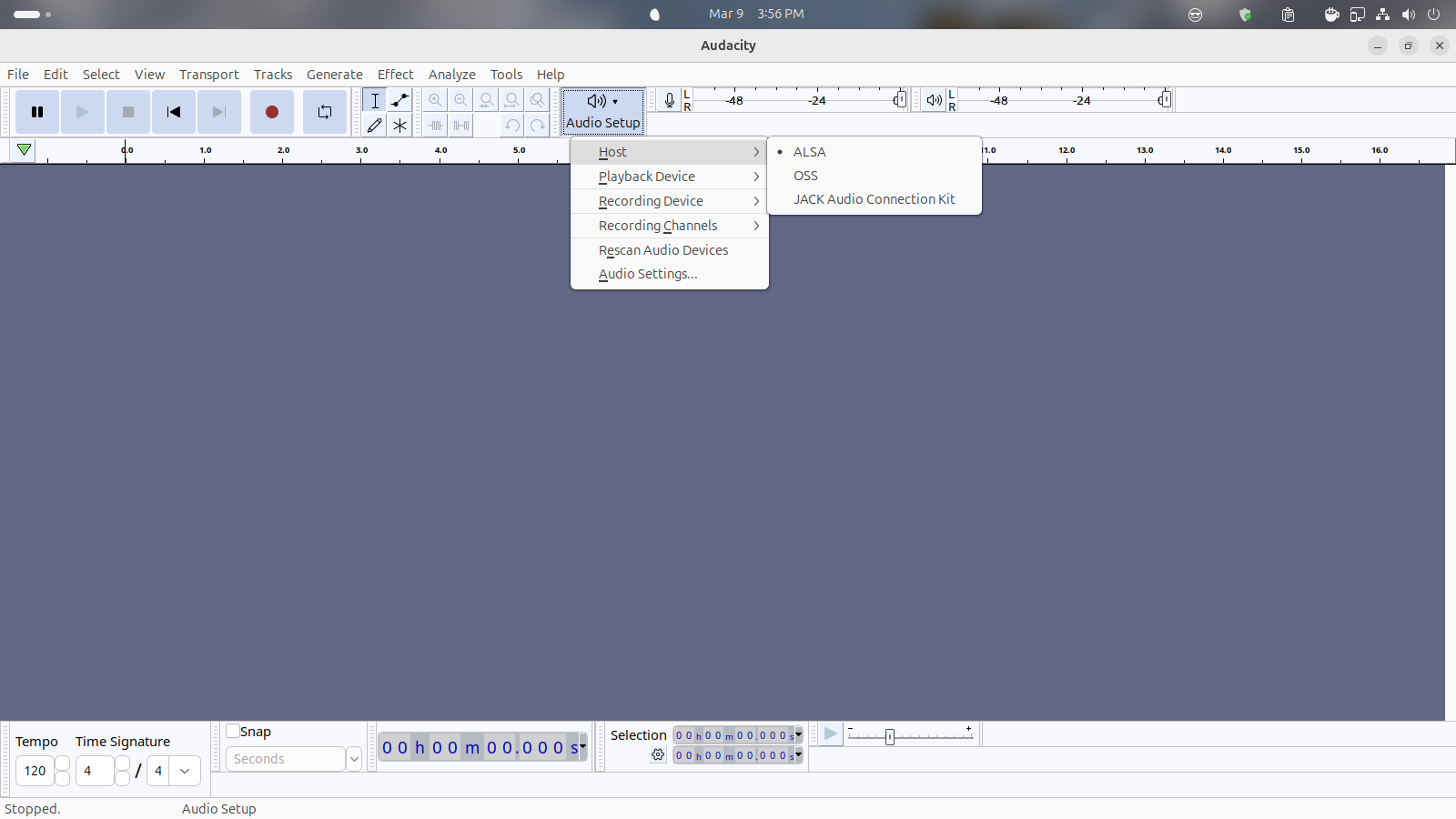
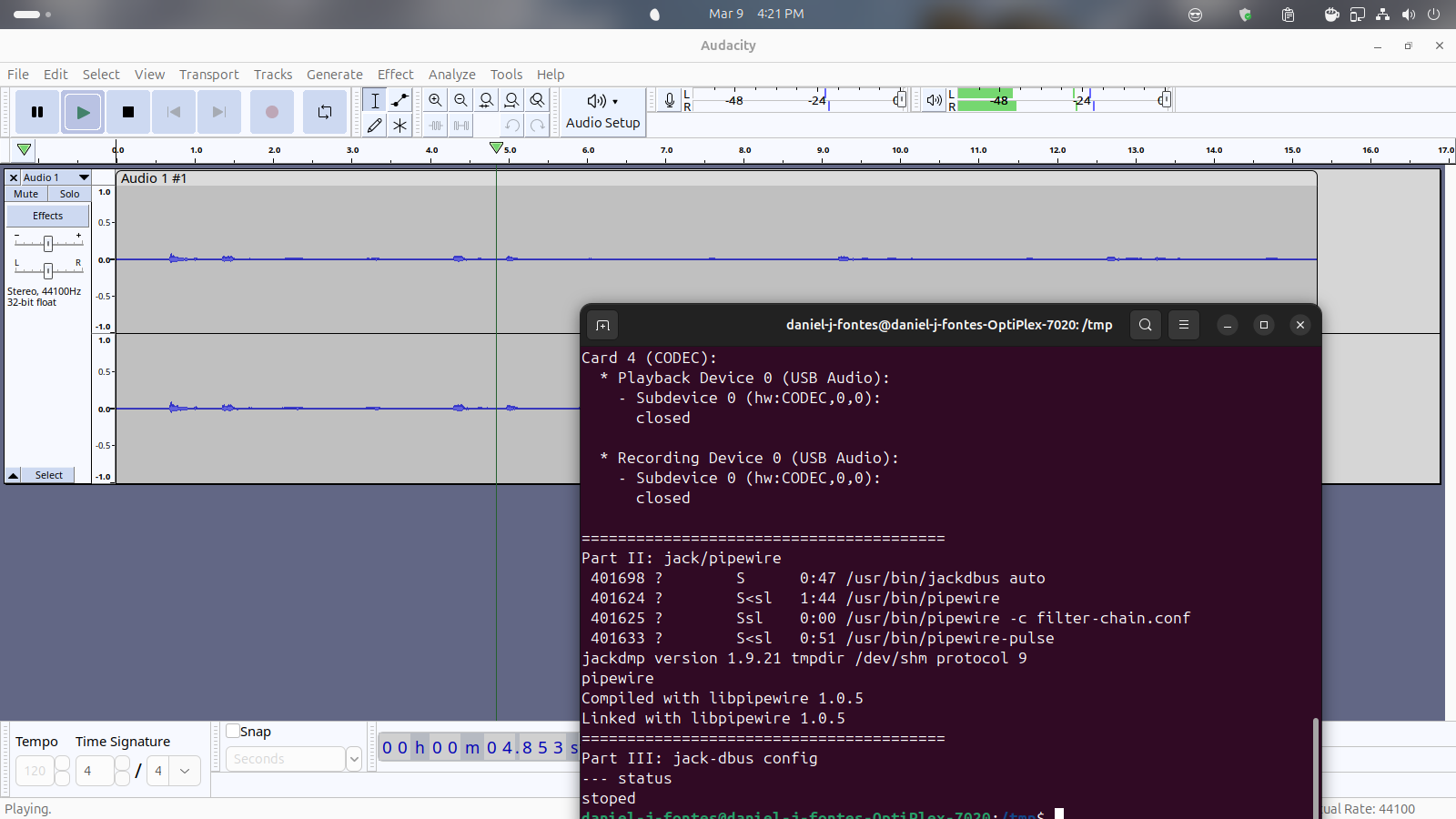
No, as this screenshot shows, Audacity is using ALSA.

the adevices.sh script shows the state of all audio (and MIDI) hardware and what process is using them, regardless of the API the application is using. the output did not show Audacity using any device, only pipewire.

It is possible that this is because Audacity wasn’t actively playing any audio at the time, despite my request that it be doing so when the script was run.

As I can recall I was running audio at the time. Had just recorded
something off the mic. Can try that again.

Running playback in Audacity:

daniel-j-fontes@daniel-j-fontes-OptiPlex-7020:~$ cd /tmp && wget
https://ardour.org/files/adevices.sh && bash ./adevices.sh
–2026-03-09 16:21:41-- https://ardour.org/files/adevices.sh
Resolving ardour.org (ardour.org)… 54.235.123.47
Connecting to ardour.org (ardour.org)|54.235.123.47|:443… connected.
HTTP request sent, awaiting response… 200 OK
Length: 2347 (2.3K) [application/octet-stream]
Saving to: ‘adevices.sh.1’

adevices.sh.1 100%[===================>] 2.29K --.-KB/s in 0s

2026-03-09 16:21:41 (1.23 GB/s) - ‘adevices.sh.1’ saved [2347/2347]

can’t read the actual script output there …

Using ALSA as the host setting, but which output device? If you use “default” as the output device then I think the portaudio backend will actually be using the pipewire-alsa virtual device, not the hardware device.