Power Metal - Plugins Recommendation

Are you quantizing aggressively? That is probably the biggest thing that can make played drum tracks feel machine-like.

Be careful with limiting, that is a form of clipping, i.e. distortion, you can end up with distortion-on-distortion that just makes everything sound like a huge mush of sound. Focus on getting a good arrangement, then a good mix, then tasteful compression of individual tracks to get the sound you want, then maybe a little compression of the mix bus if needed. You can experiment with a bit of limiting on individual instruments to see if that is a sound you are looking for (e.g. maybe limited drums or bass guitar fits the sound you are looking for), but hold off on a limiter for the entire mix until you have everything else right.

That really means you should not be “mastering” anything then, because the point of the mastering process is to perform any final tweaking in an excellent acoustical environment, with an experienced person who knows what effect changes will have on everything from an excellent audio system to a car to a small portable speaker, and can generate the proper output formats for the various delivery mechanisms you need (CD, vinyl, Spotify, etc.).

Do not neglect the importance of musical arrangement. The first thing to look at in a “mess of overlapping things that shouldn’t be overlapping” is what notes you are playing. Chord voicing and register choice will make a much bigger difference than just trying to tweak EQ a little on an arrangement that is too crowded.

1 Like

Okay, before I proceed, if that is not yet crystal clear, I’d like to make it: I am an absolute beginner and I don’t know what I’m doing. This is a hobby for me and I’m doing this alone. You have been warned!

I’m taking my time to learn more about Audio Engineering mostly because I broke my left hand and I cannot play guitar or drums for several months (one-handed keyboard will do for singing practice, though). If you’re planning to fall, guys, do NOT use your hand to protect your face. You can play with a broken nose, not with a broken hand.

@Majik
I didn’t know about this Monitor feature and I’m still not sure how it could be useful. Probably because I never used room correction, metering or loudness processing plugins. Should I look into that? I feel like I’m light years away from needing that.

@ccaudle @TonyBKDE
Thanks for the suggestion about chorus/background vocals. I have never thought about panning the recording, because the only mic I have is a cardioid condenser and I was afraid that stepping to the side would be a no-no. I did try to record with multiple distances though, but the larger the distance, the more succeptible to background noise was the recording (for obvious reasons, I guess) and the poor acoustics of my living room. It didn’t sound all that great. I’ve tried some noise removal plugins back then, but that was some 6 or 7 years ago and ended up with some version of Robocop singing. But I’m for trying again, I guess that I can get way better plugins now.

As for mic recording, the RODE NT-USB+ has some options like high/low pass filter, noise gate and etc. Is it recommended to turn those on for recording? Or are they mostly for live performance/streaming?

Finally, my voice DEFINITELY needs working. I can brag about my ridiculous range (up G#5 on a good day) and a pretty well controlled vibrato (I can make it long and woobly or fast a-la Kiske). Precision is problematic in the low/mid range, specially when I’m trying to sing soft or chest-y. If I’m not sounding like a fairy having a break down, it sounds crap. I have a Vocal Coach though and he has been working wonders, stay tuned!

@willy_dinglefinger
I would agree with you, if I had a minimal theoretical base. I don’t know what a compressor is, I just know how it sounds (sometimes). Trial-and-error of putting it before or after a plugin and tweaking it is very time consuming and the fact that I’m unhappy with the results 87.339% of the time probably shows that knowing what those things are would help me a lot. I am getting more and more interested in Airwindow from what you guys are saying, but I think I’ll stick to basics until I learn what the basics are.

@ccaudle
About the drums, I did quantize moderately exactly to avoid having a very mechanic-sounding drum line, but some parts were really out of beat and I can only blame the MIDI device I’m using to record (I did NOT play that out of beat at ALL). I think the solution is to tune down the quantizing and manually fix the sections there it is too off beat then?

About the limiter use, that’s very useful. I will keep that in mind.
That seems like a complete non sequitur. Why would you step to the side of the microphone?

You don’t need them. It’s just a nice capability and, having the Monitor section, provides a convenient place to put them.

Probably more generally useful is the ability to use the Monitor section to temporarily change the output level to your monitor speakers/headphones, and the ability to switch to mono.

The mono thing is useful because, when mixing in stereo, it’s fairly easy to create something that sounds great in stereo, but sounds a bit rubbish in mono. And, these days, so many devices from cellphones to portable speakers are mono (even some devices which have stereo capability are, effectively mono). Switching to mono occasionally whilst mixing/mastering is a useful thing to do.

The gain thing is a little more involved and is useful if you have calibrated your monitoring speaker levels. This is done so that, when mixing and mastering, you have a constant reference loudness level. If you’ve done that, you may wish to hear what the track sounds like at quieter volumes.

You could mess with the master track level, but that affects the final render. You could mess with the physical volume controls on your monitor speakers or audio interface, but you’ll then need to recalibrate afterwards.

Having the gain adjustment on the monitor section allows you to play with the listening levels without messing up the rendered file or your speaker calibration.

If you aren’t at the stage where you are considering calibrating your listening environment, then you probably don’t need this.

But the mono thing is useful.

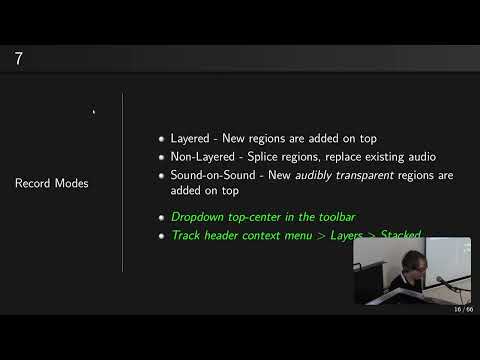
Robin covered some of the Monitor section stuff in his " 50 things you did not know you could do with Ardour" talk:

Cheers,

Keith