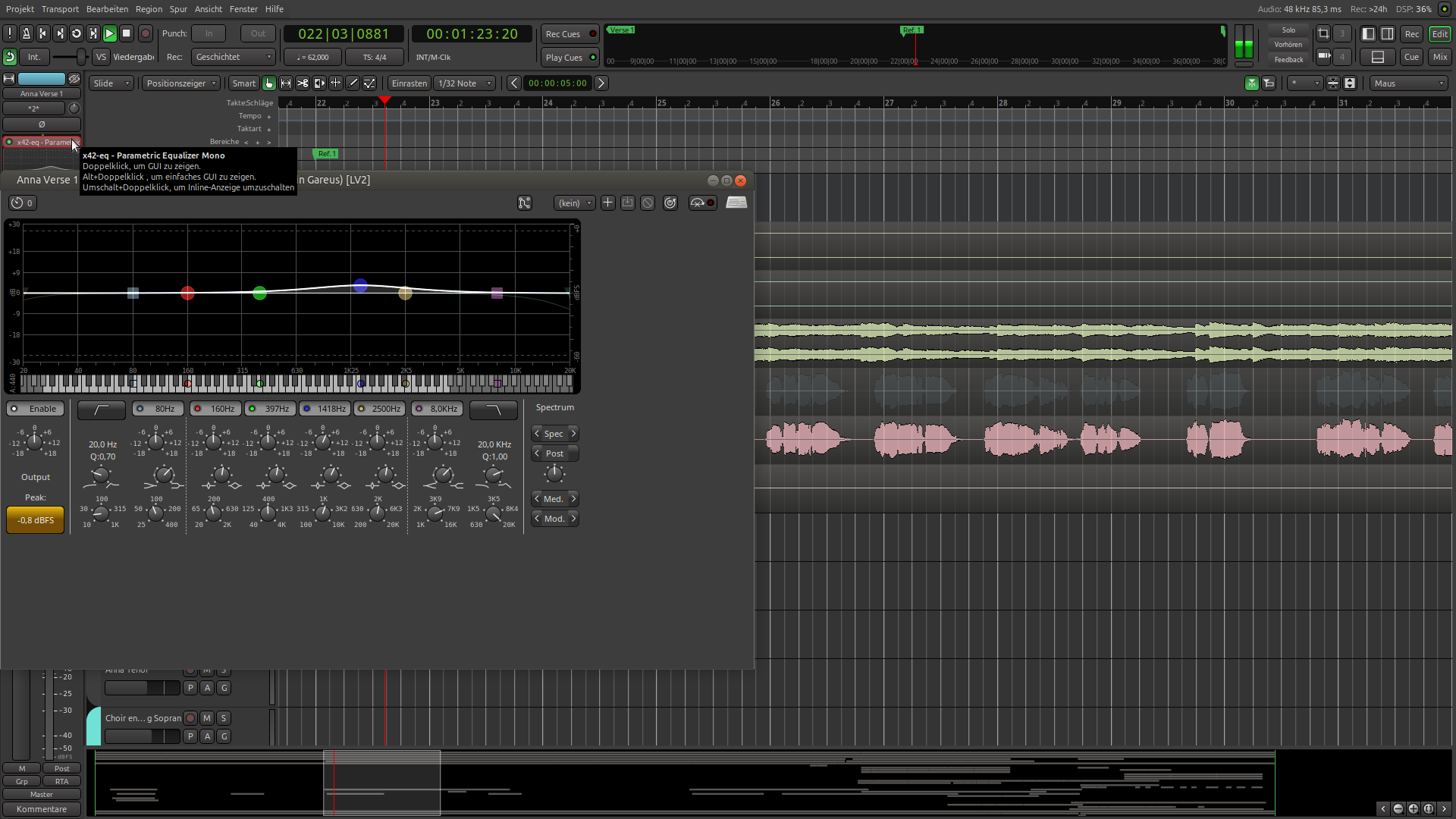
For example, when I open the x-42 plugin, the size isn’t right. I always have to adjust it manually. It works fine with other plugins.
1 Like
I don’t see this here. Could you provide more information?
Is this on Linux? Wayland or X11? do you use screen-scaling? Have you configured UI/font-scaling in Ardour Preferences > Appearance? Have you manually set the plugin’s UI scaling, overriding the default UI scale set by Ardour? …
I’m using Ubuntu MATE 24.04 with X11. I manually resized the plugin using the mouse. I didn’t change any settings in Ardour. I just discovered something: if I enlarge the plugin using GUI scaling—say, to 110%—it works fine. It only fails to work correctly when I resize it using the mouse; the plugin gets bigger, but the next time I open it, it looks like it does in the screenshot. Internal GUI scaling feature in the plugin works.
This topic was automatically closed 28 days after the last reply. New replies are no longer allowed.