Hi eveyone,
in the process of downloading the new version 9.5 of Ardour (congratulations to the devs and thank you for the release!), I noticed that the download button for the macOS version on the “Get Ardour” page still says: “[…] (Apple Silicon M1/M2)”.
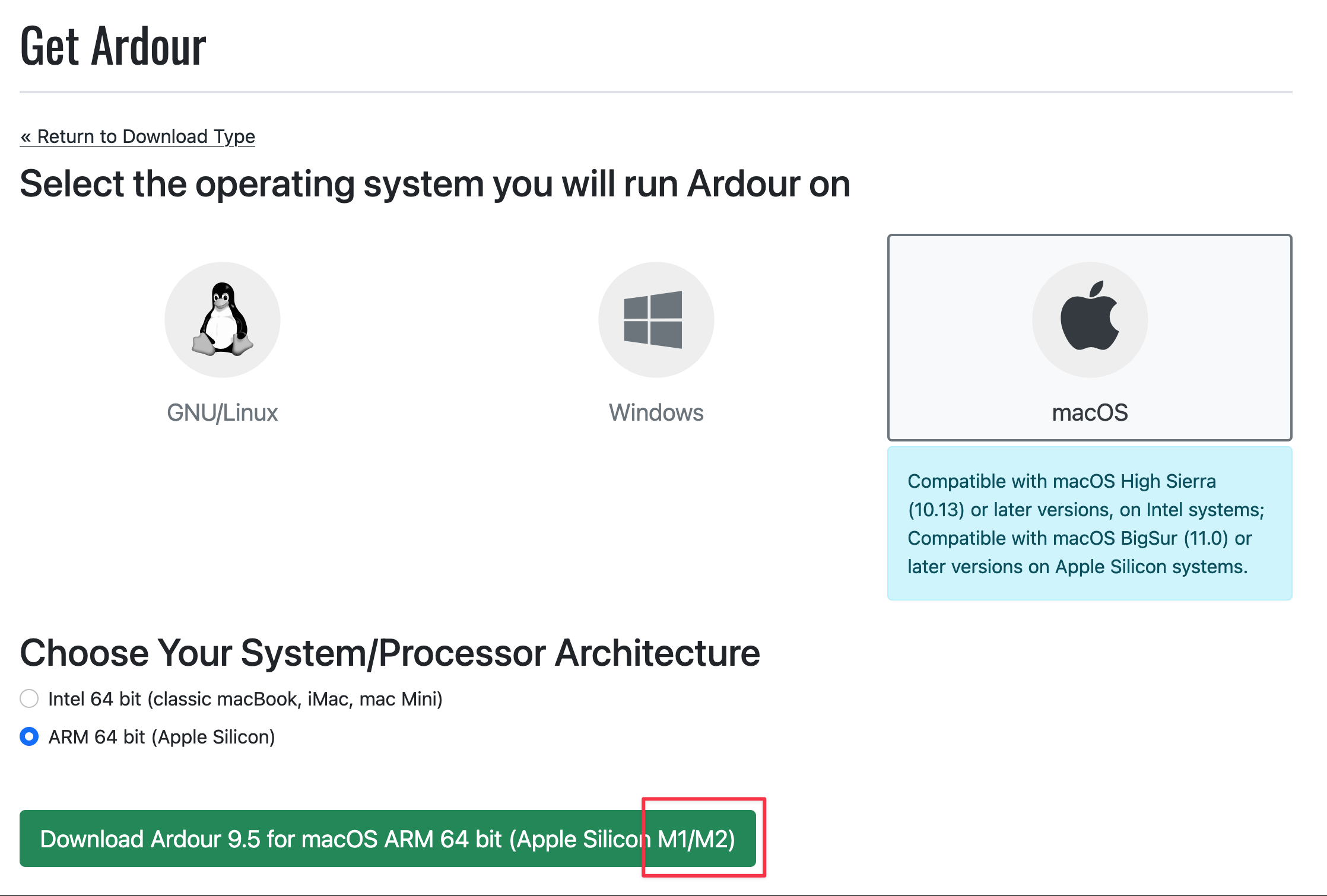
While this is technically not wrong, it might confuse people to believe they can’t run Ardour on anything newer than an M2 processor. The current generation of Apple Silicon is the M5, with Apple already working on the M6 estimated to be launched towards the end of this year.
I see three possible solutions to this problem:
-
Regularly update the text so it reflects the current state of Apple Silicon. Listing all M processor generations will probably make the download button too large sooner or later, so instead of “M1/M2/M3/M4/M5”, you might just write “M1-M5”.
-
Stop mentioning the M processor series altogether and rely on people to understand that “Apple Silicon” is what they have in their machine.
-
Use a wildcard/placeholder or a general term to indicate that the download is supposed to work on any M processor, maybe “Apple Silicon M*”, “Apple Silicon M1 or later” or “Apple Silicon M series”.
Cheers
saltecoffee