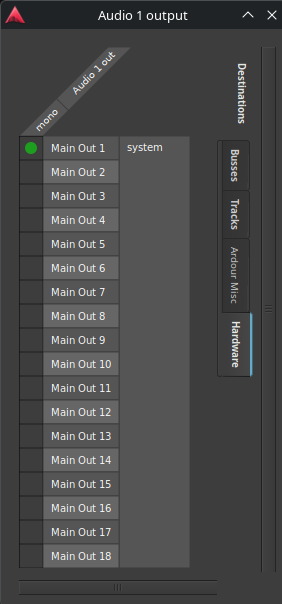
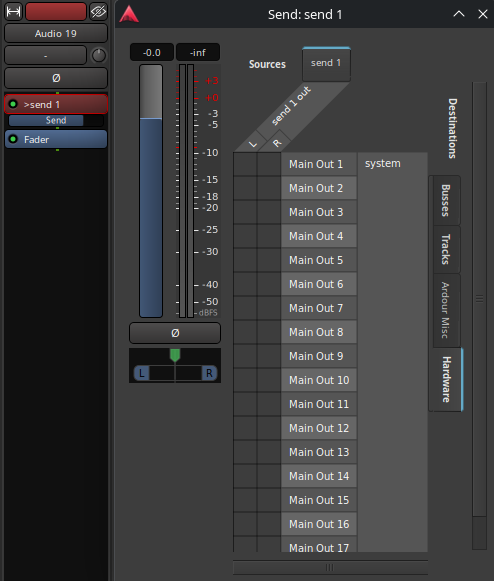
So I got a Behringer XR18 which I know how to configure very well.
Running Ardour 8.12 on Linux, It’s nicely recognized as an audio interface and I can record my 18 channels without a glitch.
I’m not interested in routing the stereo Master bus of Ardour to the XR18 like covered in other threads.
My need is to send back the 18 individual mono tracks to the XR18 to do “virtual soundchecks” and my question is about the Ardour channels.
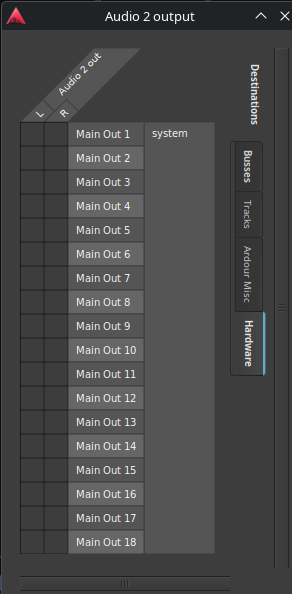
When I open the routing grid of the individual (mono) channels, I have access to my 18 USB outputs but my concern is related to the fact that my Ardour MONO tracks give me a L/R pair !
I’m assuming it’s because of the fader / pan pot but it feels odd that I would have to arbitrarily chose to send L or R to my XR18 mono channel …
If I do, it obviously works very well
But it doesn’t feel right … So I’m asking the question so I can sleep better
I’ve tried disabling the fader or bypassing the pan-pot, no change. I looked into Strict I/O no change.
I tried a Mono bus instead of a track, same …
There’s no plugin on the channel so it really stays mono all the way (no flexible I/O) …
Am I missing something ? Must mono tracks/busses always output a stereo pair ?
Thanks
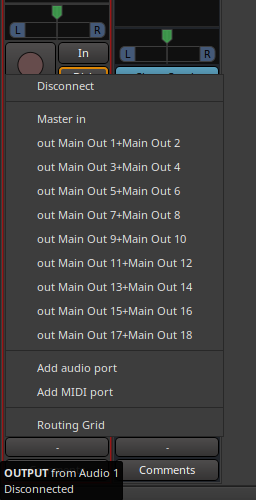
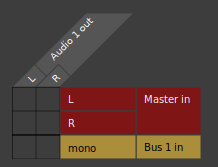
P.s. actually, if I remove the XR18 from the equation, I see the exact same behavior if I want to send a mono track to a mono bus ! It’s not offered to me in the dropdown list of the output connection and if I go to the routing grid, there’s my track’s stereo pair
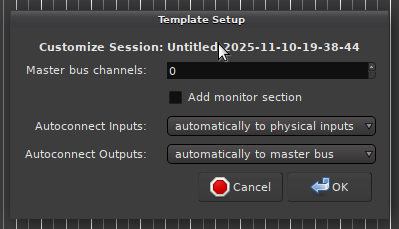
Screenshot below is from a brand new, blank session here I just created a single mono track and a single mono bus:
And following your alternative suggestion, I found out that one can also delete one of the channels of the existing track in the routing grid, the pan pot disappears and voilà
Ah, so there is indeed some uniqueness between Ardour/Mixbus:Livetrax. Why not just add that to Ardour as well? Seems like a good feature for sure. Perhaps it will be included in Ardour 9.
It is conceptually different. We’d essentially have to limit Ardour to mono tracks only, not allow to load any plugins which may alter signal flow, prevent custom port connections so 1:1 in/out mapping is guaranteed,…
Ha ha ! I had read something in another thread about an upcoming “live recording” version ! I looked for it on the Ardour site; I hadn’t realized it was a Mixbus product.
It looks exactly like what I need !! I’ll put that on the laptop used with the mixer and when I want to actually mix the recording, I’ll copy the session or stems to my main studio computer.
Ardour got the recording page, and that progressed a bit further to the LiveTrax software which was inspired by the ideology of Waves Tracks Live (Also based on Ardour, similar enough names for everyone to get nice and confused?)
But short version, Waves Tracks Live was a fantastic piece of software I used for live recording and virtual soundcheck for many years. I have purchase LiveTrax myself and used it successfully for a few projects now, been pretty happy with it honestly, though I haven’t even been able to take advantage of the A&H tie ins as I am primarily mixing on Yamaha these days (Or my personal iLive which is to old for it to tie in:)