I don’t use the pianoroll a lot.
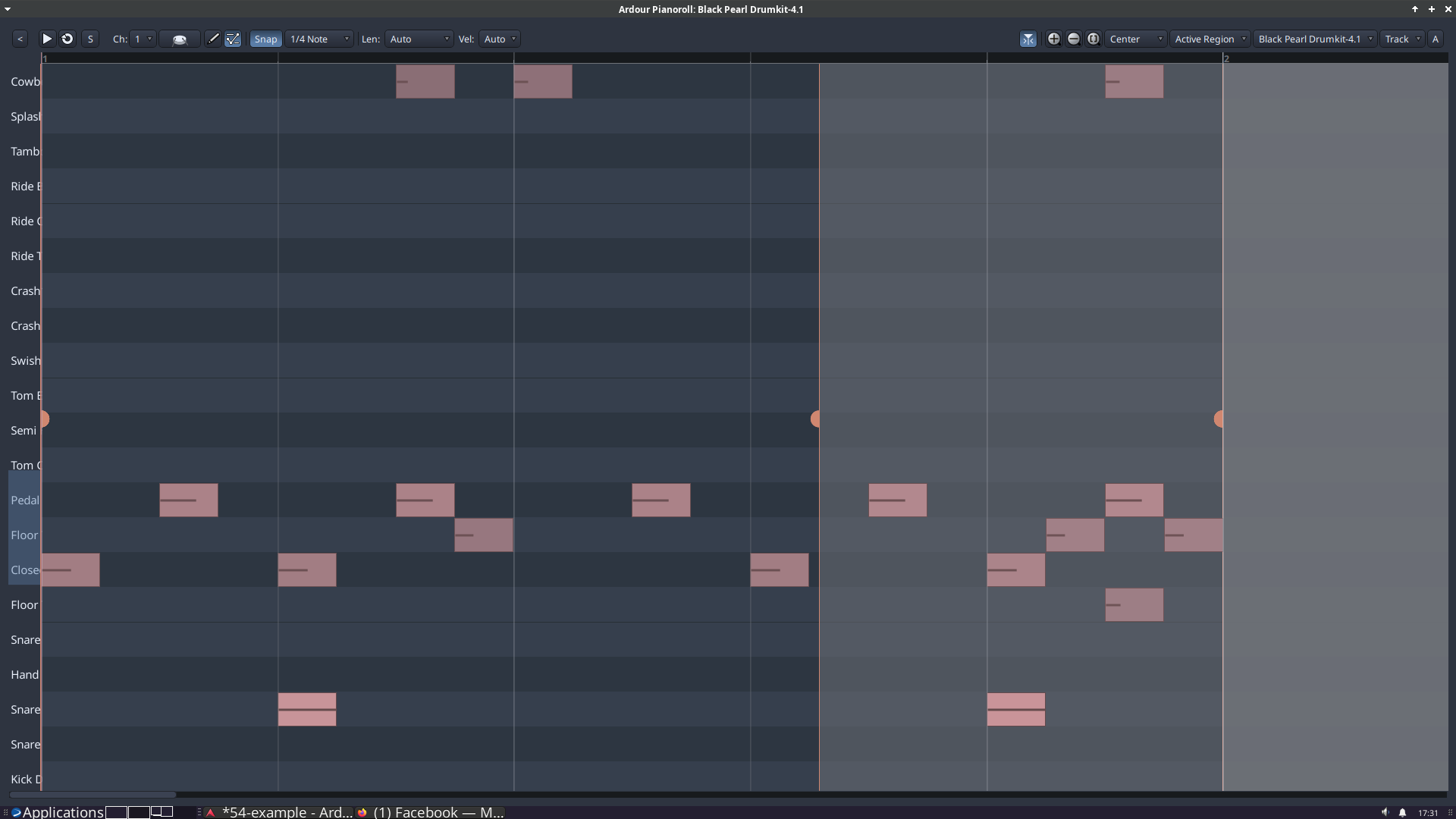
I often have a gray area in the pianoroll, and i can’t figure out what it is for, how to move it, mainly if it starts in the middle of the region, and so forth.
Can someone explain it to me, the extra, the gray region, or has a link where it is explained?
Edit: zooming is also pretty much beyond me. That in both: pianoroll and properties pane. There is something i don’t really understand.
A good tutorial or how-to or explanation, a link to it, that would be helpful anyway. I’m gonna hunt for it myself, but if someone has a good tip, that would be nice.
This is probably because it’s a bit flawed – the official package is missing a chord definition file. There may be other issues as well, but that’s the one I noticed almost immediately. It’s better to wait for 9.5, as Paul said.
The release notes will have some quick explainers with videos. A user guide update will follow sometime next week. I’m a bit overwhelmed to deliver docs update before the release this time, sorry.
Also, your screenshot was done before @paul patched the visibility of borders of non-active regions. That changed some hours ago.
Plus, one of the next versions may introduce changes to how pianorolls work in the editor. It’s a possibility that the PR window and the bottom pane MIDI editor will display the global rather than the local (region-level) timeline. That, too, would slightly change how you do things.
Oh, all is good. No hurry there.
And with the amount of new features i sure can understand you a bit overwhelmed. No need to be sorry.
To me, as said i don’t really use the pianoroll that often, it really is more of a general problem.
The screenshot ony made me finally ask if someone has a tutorial or how-to he can link to.
Also searching for it i found some other cool video, i think that was done by you too (unrelated topic though, splitting and joining notes with “s” and “j”).
And yes, in the latest nightly build i think what i see in the screenshot was already fixed too (i didn’t know it was a “problem”, i thought it was a feature i didn’t understand).
Perhaps it really is just a matter of using it more …
Thanks. A lot !