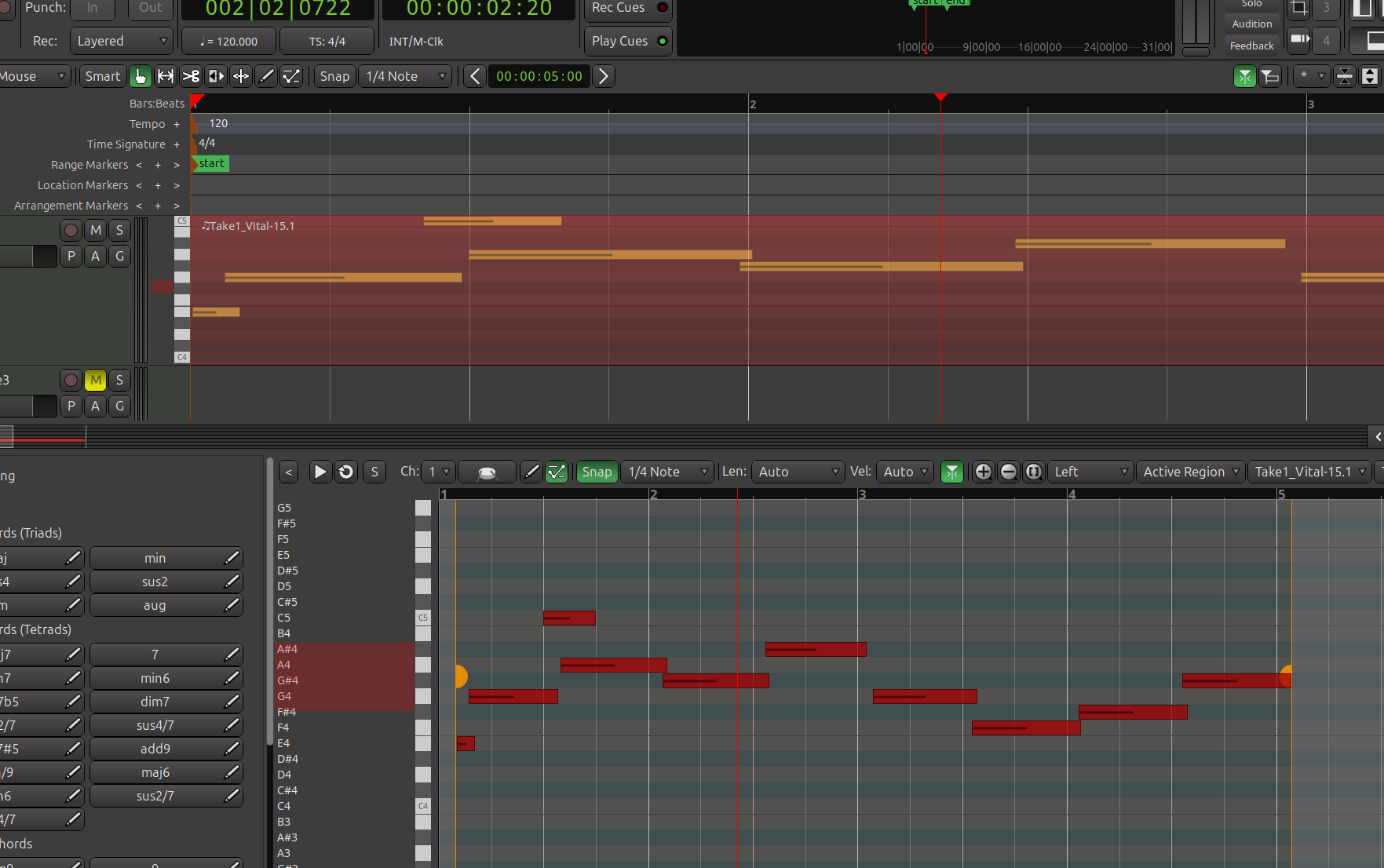
In the image you can see the same midi region in the top and bottom. The offsets are wrong, not alot but a bit. If I add a note to the bottom it appears correct key but wrong offset in the top, and vice versa.
If I drag the region in the top left or right, the bottom doesn’t move at all. Navigating away and back in doesn’t change anything.
(Note that the region in the lower window appears to be offset and I cannot change it at all)
In 9.0 - 9.5, the pianoroll is not a “magnifying glass” view on the timeline. It shows one (or more) regions on their own file-centric timeline (i.e. the start of the file that the region uses will be at zero/left edge of the pianoroll). Moving the region on the timeline will have no effect on the pianoroll at all, as you’ve noted.
In 9.6, I will change this since it clearly confuses many users and for no particularly good reason.
I have the opinion that you should keep this. In my experience with another daws that have a separated window or panel to edit MIDI, it is obvious that it should behave exactly like Ardour 9.5 behaves, when you are editing the content of a region, only the notes inside the region are affected and a change outside of the region should not affect the elements inside.
My current plan is to keep this when editing regions on the cue page, since these have no specific relationship to the global timeline at all.
Changes outside the region would not affect editing timeline regions in a pianoroll, but the grid display (and the position of the region on the grid) will match the global timeline.
Ok - many thanks for the information.
So I think the problem was the user, but the display could do ‘something’ to make it more apparent that they are not the same timings/offsets.
Now you tell me I see the point, and not even averse to the functionality either - it just needs to be a tiny bit clearer.
Thanks all.