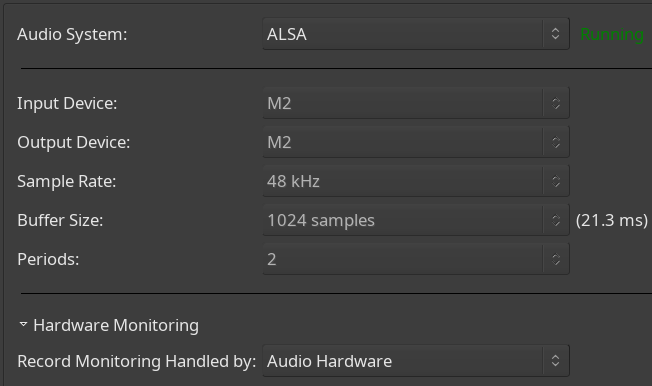
Hi! Can you help me troubleshoot or fix badly distorted recording? At first I’d assumed it was bad configuration of my usb interface which is still new to me: a Moto M2. However, I did manage to make one good recording in Ardour. I’ve no idea what was different if anything.
Audacity seems to record ok. In that system, I choose “M Series Mic in 1L”
In Ardour, in Audio Setup it is set to JACK/Pipewire, 1024 samples. I don’t believe I made any changes. For what it’s worth, there is always very very bright text that says ‘Jack/Pipewire already running…’.
If I open the routing grid from my track input section, it shows my sound interface as “M Series 0” and the channel is “capture_AUX0”.
I’m running a binary built from source. Help/About says:
What kind of distortion exactly? Is it digitally clipping? Is it ‘vibrating’? (-The latter happened to me a few times when my Resident Audio T4 interface software (application) was set to process 48kHz audio, but my Ardour project was recording at 44.1kHz).
If Audacity records it just fine, is that Audacity project recording at 48kHz like your Ardour project is, or some other sample rate?
There are many factors that could be inducing distortion along the way…
The only functionality you’d be missing out on is (a) sharing the soundcard with other applications (b) routing audio to/from other applications. It’s like JACK (in fact, is is JACK).
Well, here is a weird development. I switched it back to JACK/Pipewire, and I can still make good recordings.
One thing I did differently this time is click on the button in the bottom right of the Audio Setup window that said something like “Connect to Pipewire…” . A button that looked like it wanted to be clicked.
Could failing to click that button explain my recent distorted recordings? I don’t know – I think I would have clicked it before, if it had needed to be clicked.
My impression is that if Ardour detects the running PipeWire/Jack, it shouldn’t even show the dialog? At least according to what @paul has said before (and what I’ve observed when I tried the PipeWire/Jack backend).
It won’t show the dialog if you saved a session with the pipewire/jack backend in use the last time you used Ardour and there’s a jack server running when ardour starts up.
One thing is that PipeWire does dynamic resampling and stuff (unlike ALSA, where you select the sample rate etc explicitly). Perhaps when you set it with ALSA, PipeWire picked up that that should be the default for that interface, so the next time you used it, it did the right thing?