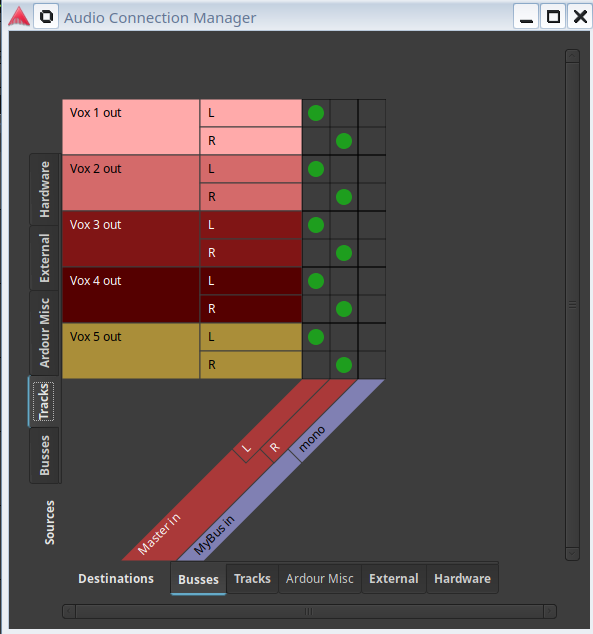
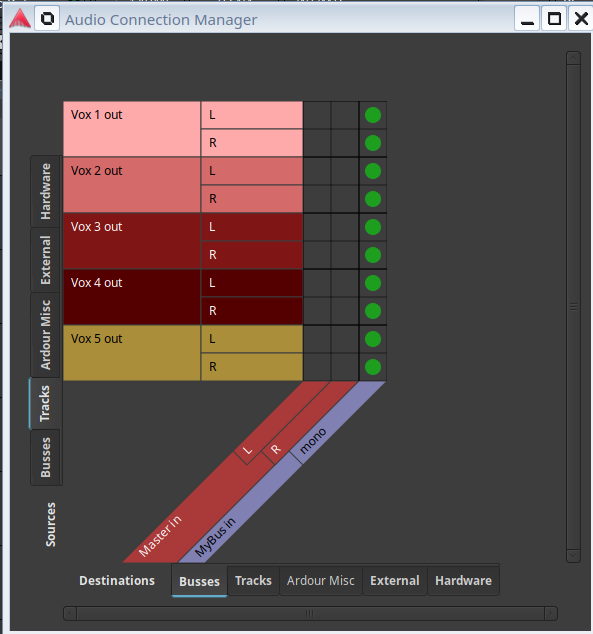
I very often (VERY often) find myself creating multiple audio tracks (e.g. several vocal tracks) and then having to manually re-route each one of them from “Master Out” to “MyBus Out” (e.g. Vocal Bus with base reverb effects and so on). This gets very tedious when you have to do it almost every time you start a new project, and when you have several tracks you wanna keep and toggle on/off later on.
Am I missing some secret technique the allows me to set the in/out of these tracks all at once? Selecting all tracks and opening the routing grid only sets the in/out of a single track, not all selected tracks. Also, I know about groups, but I don’t want the tracks in the same group, much the opposite - I will be muting and unmuting them separately while which combination works best.
Also: for some reason the drop-down menu (in the Mixer for quick input/output settings) of mono tracks do not show mono buses for a quick-setting, so I really have to open the routing grid for EACH ONE OF THEM. The output of mono tracks seems to be always stereo and the dropdown menu only shows stereo sinks, like stereo buses and master out.
Also, if you are frequently setting up the same thing, you could possibly create a session template with the tracks already created and connected to the bus, and the plugins installed.
Other than making tracks templates, you could “right-click → duplicate track” on the track that is already connected, and, when asked, select “new playlist”. You can also get multiple copies with one click.
Also when you make a group for tracks, you can decide if they are getting muted/soloed together or individually. Right-clicking on the group exposes also a couple of possibilities to route the tracks to a bus via sends or whatnot.
It depends on your workflow which solution is better.