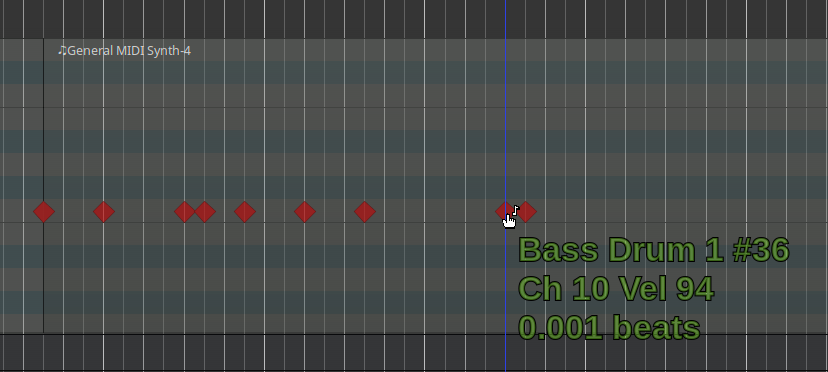
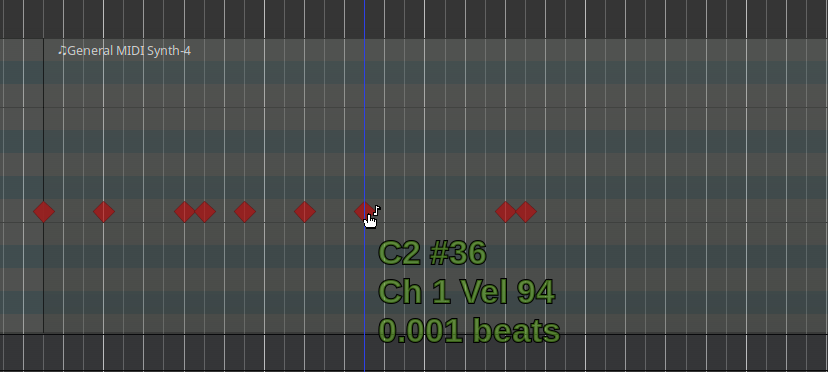
I am trying to use LSP Multi-Sampler for drums editing. I have no idea what is going on.
I was adding notes to the grid and then suddenly the whole thing just got messy. I am 135% sure that I am adding notes to the correct note, with the correct sampler and the correct velocity and the correct everything. Look at these nodes, side by side. One plays, the other doesn’t. Even the tooltip shows one note as being “Bass Drum” the other as being “C2”.
What was the “Channel” drop-down set to as you entered the notes?
That is the thing that sets the channel number when you’re entering notes in internal-edit mode.
@jondbennett
My assumption here is that I pressed some shortcut that changed the channel back 1. I only now found the channel dropdown, so I don’t think I intentionally changed it at any rate.
Manually editing MIDI in painful. That’s why I’m learning to play drums. I bought a used e-drum kit (Simmons SD500) because it’s better than a mouse for entering drum patterns.
Beating things with a stick is not a downside either.