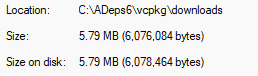
The slightly modified script worked for me. (Only changes in the local script: adding --binarysource=clear so that it wouldn’t pick up already built gperf/dependencies in cache, passing only “gperf” to install_deps, and commenting out the post-install patches from being run.)
PS C:\ADeps6> python installdependencies.vcpkg.py
  Running: git clone https://github.com/microsoft/vcpkg.git
Cloning into 'vcpkg'...
remote: Enumerating objects: 329578, done.
remote: Counting objects: 100% (430/430), done.
remote: Compressing objects: 100% (170/170), done.
remote: Total 329578 (delta 367), reused 260 (delta 260), pack-reused 329148 (from 3)
Receiving objects: 100% (329578/329578), 106.65 MiB | 16.23 MiB/s, done.
Resolving deltas: 100% (219258/219258), done.
Updating files: 100% (14073/14073), done.
  Running: bootstrap-vcpkg.bat -disableMetrics
Downloading https://github.com/microsoft/vcpkg-tool/releases/download/2026-05-27/vcpkg.exe -> C:\ADeps6\vcpkg\vcpkg.exe... done.
Validating signature... done.

vcpkg package management program version 2026-05-27-d5b6777d666efc1a7f491babfcdab37794c1ae3e

See LICENSE.txt for license information.
  Running: C:\ADeps6\vcpkg\vcpkg.exe --overlay-ports=C:\ADeps6\vcpkg\overlay_ports install gperf --binarysource=clear
Computing installation plan...
A suitable version of cmake was not found (required v4.3.3).
Downloading https://github.com/Kitware/CMake/releases/download/v4.3.3/cmake-4.3.3-windows-x86_64.zip -> cmake-4.3.3-windows-x86_64.zip
Successfully downloaded cmake-4.3.3-windows-x86_64.zip
Extracting cmake...
A suitable version of 7zip was not found (required v26.1.0).
Downloading https://github.com/ip7z/7zip/releases/download/26.01/7z2601-x64.exe -> 7z2601-x64.7z.exe
Successfully downloaded 7z2601-x64.7z.exe
Extracting 7zip...
A suitable version of 7zr was not found (required v26.1.0).
Downloading https://github.com/ip7z/7zip/releases/download/26.01/7zr.exe -> f798fab8-7zr.exe
Successfully downloaded f798fab8-7zr.exe
The following packages will be built and installed:
    gperf:x64-windows@3.3
  * vcpkg-cmake:x64-windows@2024-04-23
  * vcpkg-cmake-get-vars:x64-windows@2025-05-29
  * vcpkg-make:x64-windows@2026-01-01
Additional packages (*) will be modified to complete this operation.
Detecting compiler hash for triplet x64-windows...
A suitable version of powershell-core was not found (required v7.6.2).
Downloading https://github.com/PowerShell/PowerShell/releases/download/v7.6.2/PowerShell-7.6.2-win-x64.zip -> PowerShell-7.6.2-win-x64.zip
Successfully downloaded PowerShell-7.6.2-win-x64.zip
Extracting powershell-core...
Compiler found: C:/Program Files/Microsoft Visual Studio/18/Community/VC/Tools/MSVC/14.50.35717/bin/Hostx64/x64/cl.exe
Installing 1/4 vcpkg-cmake:x64-windows@2024-04-23...
vcpkg-cmake:x64-windows@2024-04-23 package ABI: 0e06edc7f0da167693184387d9c834ca256d323266cf305a1522e6a91ea797be
Building vcpkg-cmake:x64-windows@2024-04-23...
-- Installing: C:/ADeps6/vcpkg/packages/vcpkg-cmake_x64-windows/share/vcpkg-cmake/vcpkg_cmake_configure.cmake
-- Installing: C:/ADeps6/vcpkg/packages/vcpkg-cmake_x64-windows/share/vcpkg-cmake/vcpkg_cmake_build.cmake
-- Installing: C:/ADeps6/vcpkg/packages/vcpkg-cmake_x64-windows/share/vcpkg-cmake/vcpkg_cmake_install.cmake
-- Installing: C:/ADeps6/vcpkg/packages/vcpkg-cmake_x64-windows/share/vcpkg-cmake/vcpkg-port-config.cmake
-- Installing: C:/ADeps6/vcpkg/packages/vcpkg-cmake_x64-windows/share/vcpkg-cmake/copyright
-- Performing post-build validation
Elapsed time to handle vcpkg-cmake:x64-windows: 142 ms
Installing 2/4 vcpkg-cmake-get-vars:x64-windows@2025-05-29...
vcpkg-cmake-get-vars:x64-windows@2025-05-29 package ABI: a1534383e3e83b45aa9fadaa4f4b4d8ecebf54b3531cb57de64c0aec77bd4075
Building vcpkg-cmake-get-vars:x64-windows@2025-05-29...
-- Installing: C:/ADeps6/vcpkg/packages/vcpkg-cmake-get-vars_x64-windows/share/vcpkg-cmake-get-vars/vcpkg_cmake_get_vars.cmake
-- Installing: C:/ADeps6/vcpkg/packages/vcpkg-cmake-get-vars_x64-windows/share/vcpkg-cmake-get-vars/cmake_get_vars
-- Installing: C:/ADeps6/vcpkg/packages/vcpkg-cmake-get-vars_x64-windows/share/vcpkg-cmake-get-vars/cmake_get_vars/CMakeLists.txt
-- Installing: C:/ADeps6/vcpkg/packages/vcpkg-cmake-get-vars_x64-windows/share/vcpkg-cmake-get-vars/cmake-get-vars.cmake.in
-- Installing: C:/ADeps6/vcpkg/packages/vcpkg-cmake-get-vars_x64-windows/share/vcpkg-cmake-get-vars/vcpkg-port-config.cmake
-- Installing: C:/ADeps6/vcpkg/packages/vcpkg-cmake-get-vars_x64-windows/share/vcpkg-cmake-get-vars/copyright
-- Performing post-build validation
Elapsed time to handle vcpkg-cmake-get-vars:x64-windows: 126 ms
Installing 3/4 vcpkg-make:x64-windows@2026-01-01...
vcpkg-make:x64-windows@2026-01-01 package ABI: c84af5ccfb6b5c2b877a2ffc4b9bea5c188db183eb85f1860ccaf8675f2e7f97
Building vcpkg-make:x64-windows@2026-01-01...
Downloading automake-1.17.tar.gz, trying https://ftpmirror.gnu.org/gnu/automake/automake-1.17.tar.gz
Successfully downloaded automake-1.17.tar.gz
-- Extracting source C:/ADeps6/vcpkg/downloads/automake-1.17.tar.gz
-- Using source at C:/ADeps6/vcpkg/buildtrees/vcpkg-make/src/automake-1-c362683103.clean
-- Getting CMake variables for x64-windows
-- Loading CMake variables from C:/ADeps6/vcpkg/buildtrees/vcpkg-make/cmake-get-vars_C_CXX-x64-windows.cmake.log
-- x64-windows autotools triplet: x86_64-pc-mingw32 (from vcpkg)
-- Performing post-build validation
Elapsed time to handle vcpkg-make:x64-windows: 7.7 s
Installing 4/4 gperf:x64-windows@3.3...
gperf:x64-windows@3.3 package ABI: 7f8d152617654564f8a2677329f025db9796258e7891c5b5fe8ca958bcb0d1e5
Building gperf:x64-windows@3.3...
Downloading gperf-3.3.tar.gz, trying https://ftpmirror.gnu.org/gnu/gperf/gperf-3.3.tar.gz
Successfully downloaded gperf-3.3.tar.gz
-- Extracting source C:/ADeps6/vcpkg/downloads/gperf-3.3.tar.gz
-- Using source at C:/ADeps6/vcpkg/buildtrees/gperf/src/gperf-3-b814f52c10.clean
-- Getting CMake variables for x64-windows
-- Loading CMake variables from C:/ADeps6/vcpkg/buildtrees/gperf/cmake-get-vars_C_CXX-x64-windows.cmake.log
Downloading msys2-autoconf-wrapper-20250528-1-any.pkg.tar.zst, trying https://mirror.msys2.org/msys/x86_64/autoconf-wrapper-20250528-1-any.pkg.tar.zst
Successfully downloaded msys2-autoconf-wrapper-20250528-1-any.pkg.tar.zst
Downloading msys2-automake-wrapper-20250528-1-any.pkg.tar.zst, trying https://mirror.msys2.org/msys/x86_64/automake-wrapper-20250528-1-any.pkg.tar.zst
Successfully downloaded msys2-automake-wrapper-20250528-1-any.pkg.tar.zst
Downloading msys2-autoconf-archive-2024.10.16-1-any.pkg.tar.zst, trying https://mirror.msys2.org/msys/x86_64/autoconf-archive-2024.10.16-1-any.pkg.tar.zst
Successfully downloaded msys2-autoconf-archive-2024.10.16-1-any.pkg.tar.zst
Downloading msys2-binutils-2.45.1-1-x86_64.pkg.tar.zst, trying https://mirror.msys2.org/msys/x86_64/binutils-2.45.1-1-x86_64.pkg.tar.zst
Successfully downloaded msys2-binutils-2.45.1-1-x86_64.pkg.tar.zst
Downloading msys2-libtool-2.5.4-4-x86_64.pkg.tar.zst, trying https://mirror.msys2.org/msys/x86_64/libtool-2.5.4-4-x86_64.pkg.tar.zst
Successfully downloaded msys2-libtool-2.5.4-4-x86_64.pkg.tar.zst
Downloading msys2-make-4.4.1-2-x86_64.pkg.tar.zst, trying https://mirror.msys2.org/msys/x86_64/make-4.4.1-2-x86_64.pkg.tar.zst
Successfully downloaded msys2-make-4.4.1-2-x86_64.pkg.tar.zst
Downloading msys2-which-2.23-4-x86_64.pkg.tar.zst, trying https://mirror.msys2.org/msys/x86_64/which-2.23-4-x86_64.pkg.tar.zst
Successfully downloaded msys2-which-2.23-4-x86_64.pkg.tar.zst
Downloading msys2-bash-5.3.009-1-x86_64.pkg.tar.zst, trying https://mirror.msys2.org/msys/x86_64/bash-5.3.009-1-x86_64.pkg.tar.zst
Successfully downloaded msys2-bash-5.3.009-1-x86_64.pkg.tar.zst
Downloading msys2-coreutils-8.32-5-x86_64.pkg.tar.zst, trying https://mirror.msys2.org/msys/x86_64/coreutils-8.32-5-x86_64.pkg.tar.zst
Successfully downloaded msys2-coreutils-8.32-5-x86_64.pkg.tar.zst
Downloading msys2-file-5.46-2-x86_64.pkg.tar.zst, trying https://mirror.msys2.org/msys/x86_64/file-5.46-2-x86_64.pkg.tar.zst
Successfully downloaded msys2-file-5.46-2-x86_64.pkg.tar.zst
Downloading msys2-gawk-5.3.2-1-x86_64.pkg.tar.zst, trying https://mirror.msys2.org/msys/x86_64/gawk-5.3.2-1-x86_64.pkg.tar.zst
Successfully downloaded msys2-gawk-5.3.2-1-x86_64.pkg.tar.zst
Downloading msys2-grep-1~3.0-7-x86_64.pkg.tar.zst, trying https://mirror.msys2.org/msys/x86_64/grep-1~3.0-7-x86_64.pkg.tar.zst
Successfully downloaded msys2-grep-1~3.0-7-x86_64.pkg.tar.zst
Downloading msys2-gzip-1.14-1-x86_64.pkg.tar.zst, trying https://mirror.msys2.org/msys/x86_64/gzip-1.14-1-x86_64.pkg.tar.zst
Successfully downloaded msys2-gzip-1.14-1-x86_64.pkg.tar.zst
Downloading msys2-diffutils-3.12-1-x86_64.pkg.tar.zst, trying https://mirror.msys2.org/msys/x86_64/diffutils-3.12-1-x86_64.pkg.tar.zst
Successfully downloaded msys2-diffutils-3.12-1-x86_64.pkg.tar.zst
Downloading msys2-pkgconf-2.5.1-1-x86_64.pkg.tar.zst, trying https://mirror.msys2.org/msys/x86_64/pkgconf-2.5.1-1-x86_64.pkg.tar.zst
Successfully downloaded msys2-pkgconf-2.5.1-1-x86_64.pkg.tar.zst
Downloading msys2-sed-4.9-1-x86_64.pkg.tar.zst, trying https://mirror.msys2.org/msys/x86_64/sed-4.9-1-x86_64.pkg.tar.zst
Successfully downloaded msys2-sed-4.9-1-x86_64.pkg.tar.zst
Downloading msys2-msys2-runtime-3.6.5-1-x86_64.pkg.tar.zst, trying https://mirror.msys2.org/msys/x86_64/msys2-runtime-3.6.5-1-x86_64.pkg.tar.zst
Successfully downloaded msys2-msys2-runtime-3.6.5-1-x86_64.pkg.tar.zst
Downloading msys2-autoconf2.72-2.72-3-any.pkg.tar.zst, trying https://mirror.msys2.org/msys/x86_64/autoconf2.72-2.72-3-any.pkg.tar.zst
Successfully downloaded msys2-autoconf2.72-2.72-3-any.pkg.tar.zst
Downloading msys2-automake1.16-1.16.5-1-any.pkg.tar.zst, trying https://mirror.msys2.org/msys/x86_64/automake1.16-1.16.5-1-any.pkg.tar.zst
Successfully downloaded msys2-automake1.16-1.16.5-1-any.pkg.tar.zst
Downloading msys2-automake1.17-1.17-1-any.pkg.tar.zst, trying https://mirror.msys2.org/msys/x86_64/automake1.17-1.17-1-any.pkg.tar.zst
Successfully downloaded msys2-automake1.17-1.17-1-any.pkg.tar.zst
Downloading msys2-automake1.18-1.18.1-1-any.pkg.tar.zst, trying https://mirror.msys2.org/msys/x86_64/automake1.18-1.18.1-1-any.pkg.tar.zst
Successfully downloaded msys2-automake1.18-1.18.1-1-any.pkg.tar.zst
Downloading msys2-libiconv-1.18-1-x86_64.pkg.tar.zst, trying https://mirror.msys2.org/msys/x86_64/libiconv-1.18-1-x86_64.pkg.tar.zst
Successfully downloaded msys2-libiconv-1.18-1-x86_64.pkg.tar.zst
Downloading msys2-libintl-0.22.5-1-x86_64.pkg.tar.zst, trying https://mirror.msys2.org/msys/x86_64/libintl-0.22.5-1-x86_64.pkg.tar.zst
Successfully downloaded msys2-libintl-0.22.5-1-x86_64.pkg.tar.zst
Downloading msys2-zlib-1.3.1-1-x86_64.pkg.tar.zst, trying https://mirror.msys2.org/msys/x86_64/zlib-1.3.1-1-x86_64.pkg.tar.zst
Successfully downloaded msys2-zlib-1.3.1-1-x86_64.pkg.tar.zst
Downloading msys2-findutils-4.10.0-2-x86_64.pkg.tar.zst, trying https://mirror.msys2.org/msys/x86_64/findutils-4.10.0-2-x86_64.pkg.tar.zst
Successfully downloaded msys2-findutils-4.10.0-2-x86_64.pkg.tar.zst
Downloading msys2-tar-1.35-3-x86_64.pkg.tar.zst, trying https://mirror.msys2.org/msys/x86_64/tar-1.35-3-x86_64.pkg.tar.zst
Successfully downloaded msys2-tar-1.35-3-x86_64.pkg.tar.zst
Downloading msys2-gmp-6.3.0-2-x86_64.pkg.tar.zst, trying https://mirror.msys2.org/msys/x86_64/gmp-6.3.0-2-x86_64.pkg.tar.zst
Successfully downloaded msys2-gmp-6.3.0-2-x86_64.pkg.tar.zst
Downloading msys2-gcc-libs-15.2.0-1-x86_64.pkg.tar.zst, trying https://mirror.msys2.org/msys/x86_64/gcc-libs-15.2.0-1-x86_64.pkg.tar.zst
Successfully downloaded msys2-gcc-libs-15.2.0-1-x86_64.pkg.tar.zst
Downloading msys2-libbz2-1.0.8-4-x86_64.pkg.tar.zst, trying https://mirror.msys2.org/msys/x86_64/libbz2-1.0.8-4-x86_64.pkg.tar.zst
Successfully downloaded msys2-libbz2-1.0.8-4-x86_64.pkg.tar.zst
Downloading msys2-liblzma-5.8.2-1-x86_64.pkg.tar.zst, trying https://mirror.msys2.org/msys/x86_64/liblzma-5.8.2-1-x86_64.pkg.tar.zst
Successfully downloaded msys2-liblzma-5.8.2-1-x86_64.pkg.tar.zst
Downloading msys2-libzstd-1.5.7-1-x86_64.pkg.tar.zst, trying https://mirror.msys2.org/msys/x86_64/libzstd-1.5.7-1-x86_64.pkg.tar.zst
Successfully downloaded msys2-libzstd-1.5.7-1-x86_64.pkg.tar.zst
Downloading msys2-libreadline-8.3.003-1-x86_64.pkg.tar.zst, trying https://mirror.msys2.org/msys/x86_64/libreadline-8.3.003-1-x86_64.pkg.tar.zst
Successfully downloaded msys2-libreadline-8.3.003-1-x86_64.pkg.tar.zst
Downloading msys2-mpfr-4.2.2-1-x86_64.pkg.tar.zst, trying https://mirror.msys2.org/msys/x86_64/mpfr-4.2.2-1-x86_64.pkg.tar.zst
Successfully downloaded msys2-mpfr-4.2.2-1-x86_64.pkg.tar.zst
Downloading msys2-libpcre-8.45-5-x86_64.pkg.tar.zst, trying https://mirror.msys2.org/msys/x86_64/libpcre-8.45-5-x86_64.pkg.tar.zst
Successfully downloaded msys2-libpcre-8.45-5-x86_64.pkg.tar.zst
Downloading msys2-m4-1.4.19-2-x86_64.pkg.tar.zst, trying https://mirror.msys2.org/msys/x86_64/m4-1.4.19-2-x86_64.pkg.tar.zst
Successfully downloaded msys2-m4-1.4.19-2-x86_64.pkg.tar.zst
Downloading msys2-perl-5.40.3-1-x86_64.pkg.tar.zst, trying https://mirror.msys2.org/msys/x86_64/perl-5.40.3-1-x86_64.pkg.tar.zst
Successfully downloaded msys2-perl-5.40.3-1-x86_64.pkg.tar.zst
Downloading msys2-ncurses-6.5.20240831-2-x86_64.pkg.tar.zst, trying https://mirror.msys2.org/msys/x86_64/ncurses-6.5.20240831-2-x86_64.pkg.tar.zst
Successfully downloaded msys2-ncurses-6.5.20240831-2-x86_64.pkg.tar.zst
Downloading msys2-libxcrypt-4.5.2-1-x86_64.pkg.tar.zst, trying https://mirror.msys2.org/msys/x86_64/libxcrypt-4.5.2-1-x86_64.pkg.tar.zst
Successfully downloaded msys2-libxcrypt-4.5.2-1-x86_64.pkg.tar.zst
-- Applying patch C:/ADeps6/vcpkg/scripts/cmake/compile_wrapper_consider_clang-cl.patch
-- Using msys root at C:/ADeps6/vcpkg/downloads/tools/msys2/19f68f647e350a23
-- Generating configure for x64-windows
-- Finished generating configure for x64-windows
Downloading msys2-mingw-w64-x86_64-pkgconf-1~2.5.1-1-any.pkg.tar.zst, trying https://mirror.msys2.org/mingw/mingw64/mingw-w64-x86_64-pkgconf-1~2.5.1-1-any.pkg.tar.zst
Successfully downloaded msys2-mingw-w64-x86_64-pkgconf-1~2.5.1-1-any.pkg.tar.zst
-- Using cached msys2-msys2-runtime-3.6.5-1-x86_64.pkg.tar.zst
-- Using msys root at C:/ADeps6/vcpkg/downloads/tools/msys2/3e71d1f8e22ab23f
-- Configuring x64-windows-rel
-- Using cached msys2-autoconf-wrapper-20250528-1-any.pkg.tar.zst
-- Using cached msys2-automake-wrapper-20250528-1-any.pkg.tar.zst
-- Using cached msys2-autoconf-archive-2024.10.16-1-any.pkg.tar.zst
-- Using cached msys2-binutils-2.45.1-1-x86_64.pkg.tar.zst
-- Using cached msys2-libtool-2.5.4-4-x86_64.pkg.tar.zst
-- Using cached msys2-make-4.4.1-2-x86_64.pkg.tar.zst
-- Using cached msys2-which-2.23-4-x86_64.pkg.tar.zst
-- Using cached msys2-bash-5.3.009-1-x86_64.pkg.tar.zst
-- Using cached msys2-coreutils-8.32-5-x86_64.pkg.tar.zst
-- Using cached msys2-file-5.46-2-x86_64.pkg.tar.zst
-- Using cached msys2-gawk-5.3.2-1-x86_64.pkg.tar.zst
-- Using cached msys2-grep-1~3.0-7-x86_64.pkg.tar.zst
-- Using cached msys2-gzip-1.14-1-x86_64.pkg.tar.zst
-- Using cached msys2-diffutils-3.12-1-x86_64.pkg.tar.zst
-- Using cached msys2-pkgconf-2.5.1-1-x86_64.pkg.tar.zst
-- Using cached msys2-sed-4.9-1-x86_64.pkg.tar.zst
-- Using cached msys2-msys2-runtime-3.6.5-1-x86_64.pkg.tar.zst
-- Using cached msys2-autoconf2.72-2.72-3-any.pkg.tar.zst
-- Using cached msys2-automake1.16-1.16.5-1-any.pkg.tar.zst
-- Using cached msys2-automake1.17-1.17-1-any.pkg.tar.zst
-- Using cached msys2-automake1.18-1.18.1-1-any.pkg.tar.zst
-- Using cached msys2-libiconv-1.18-1-x86_64.pkg.tar.zst
-- Using cached msys2-libintl-0.22.5-1-x86_64.pkg.tar.zst
-- Using cached msys2-zlib-1.3.1-1-x86_64.pkg.tar.zst
-- Using cached msys2-findutils-4.10.0-2-x86_64.pkg.tar.zst
-- Using cached msys2-tar-1.35-3-x86_64.pkg.tar.zst
-- Using cached msys2-gmp-6.3.0-2-x86_64.pkg.tar.zst
-- Using cached msys2-gcc-libs-15.2.0-1-x86_64.pkg.tar.zst
-- Using cached msys2-libbz2-1.0.8-4-x86_64.pkg.tar.zst
-- Using cached msys2-liblzma-5.8.2-1-x86_64.pkg.tar.zst
-- Using cached msys2-libzstd-1.5.7-1-x86_64.pkg.tar.zst
-- Using cached msys2-libreadline-8.3.003-1-x86_64.pkg.tar.zst
-- Using cached msys2-mpfr-4.2.2-1-x86_64.pkg.tar.zst
-- Using cached msys2-libpcre-8.45-5-x86_64.pkg.tar.zst
-- Using cached msys2-m4-1.4.19-2-x86_64.pkg.tar.zst
-- Using cached msys2-perl-5.40.3-1-x86_64.pkg.tar.zst
-- Using cached msys2-ncurses-6.5.20240831-2-x86_64.pkg.tar.zst
-- Using cached msys2-libxcrypt-4.5.2-1-x86_64.pkg.tar.zst
-- Using msys root at C:/ADeps6/vcpkg/downloads/tools/msys2/19f68f647e350a23
-- Building/Installing x64-windows-rel
-- Making target 'all' for x64-windows-rel
-- Making target 'install' for x64-windows-rel
-- Installing: C:/ADeps6/vcpkg/packages/gperf_x64-windows/share/gperf/copyright
-- Performing post-build validation
Elapsed time to handle gperf:x64-windows: 16 min
Total install time: 16 min
Installed contents are licensed to you by owners. Microsoft is not responsible for, nor does it grant any licenses to, third-party packages.
Some packages did not declare an SPDX license. Check the `copyright` file for each package for more information about their licensing.
Packages installed in this vcpkg installation declare the following licenses:
GPL-3.0-or-later
MIT
All requested installations completed successfully in: 16 min