Hi, I have a suggestion regarding Crossfades. When editing drums (in Protools) I sometimes have to make a trick to keep it sounding natural that involves a long fade out for the previous region, and no fade in for the upcoming so when combined the cymbals sustain doesn’t stop while the new f ex. Crash + Bdrum hit sounds complete. This kind of trick would be a nice addition. I know I could use another track(s) and make this custom xfade ‘manually’ but that involves duplicating 4~16 (all the drums mics) tracks and losing time. Here I put an example, it could become a crossfade ‘preset’.
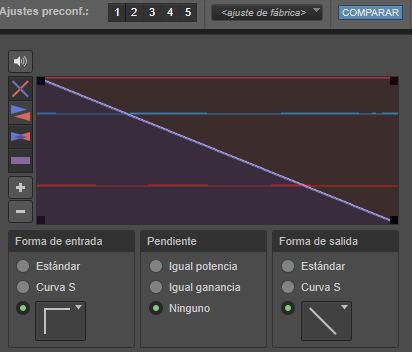 It also works well for compiling CDs when xfading between two songs, the first tail goes smoothly out while the next song starts as is.
1 Like
In the distant Past Ardour 2 or 3, there was a pro-tools style cross-fade Edtitor.
This was removed since Ardour supports transparent regions, which simplifies things.
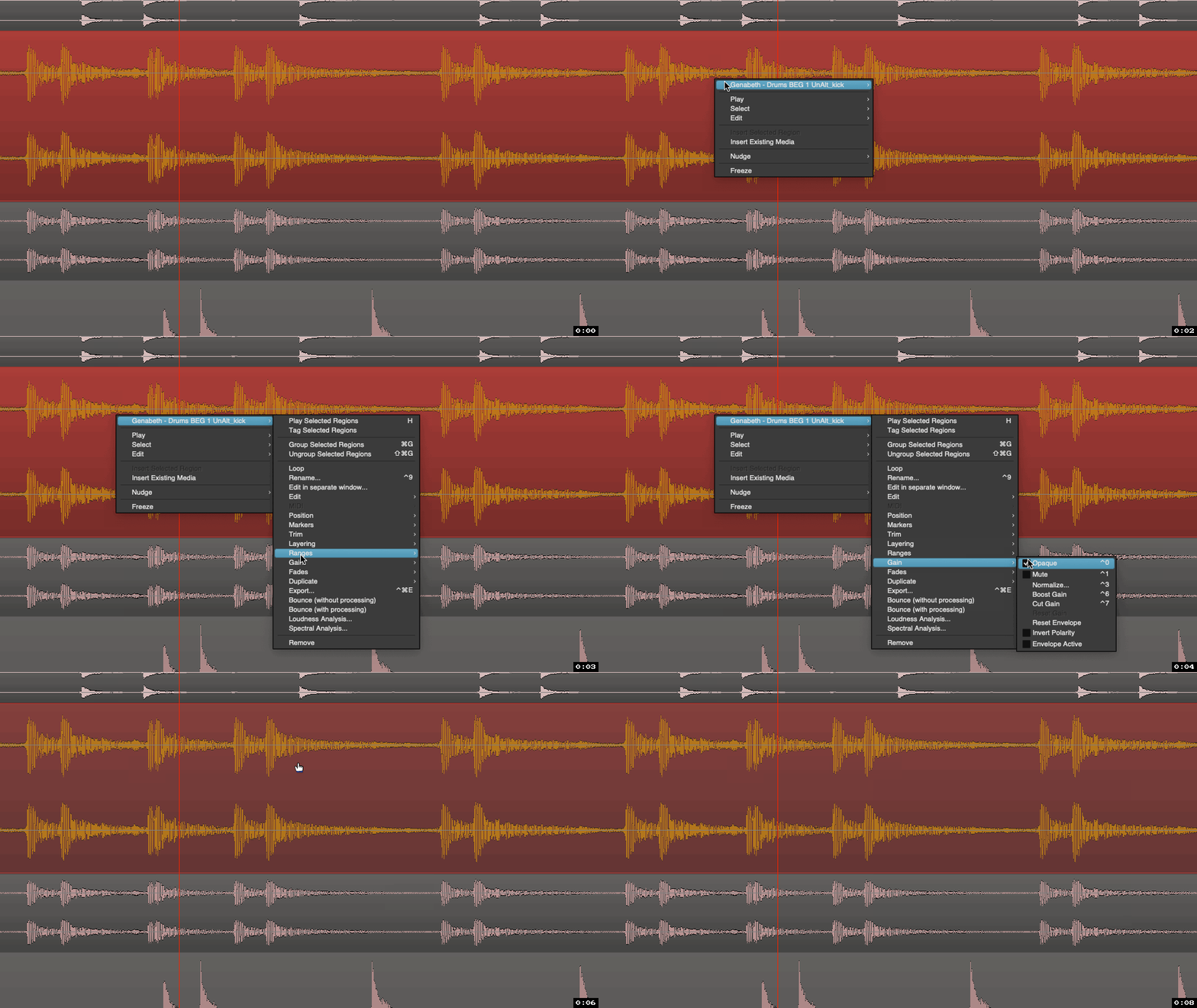
So in your case you can make the top region transparent (disable Menu > Region > Edit > Opaque). And only fade out the top region.
–
PS. It is still possible to have custom fade shapes and inverse fade shapes, but there is currently no GUI for it.
3 Likes
If I understand you correctly, then yes, as Robin pointed out, you can do what you are talking about via the use of Opaque vs Transparent regions:
Also, it might be good to get yourself familiar with Region Layering, which you can adjust the view of by right-clicking on a track → Layers → Overlaid vs Stacked. (-These terms will likely be different in Spanish, obviously.  ) A relevant setting is also found here:
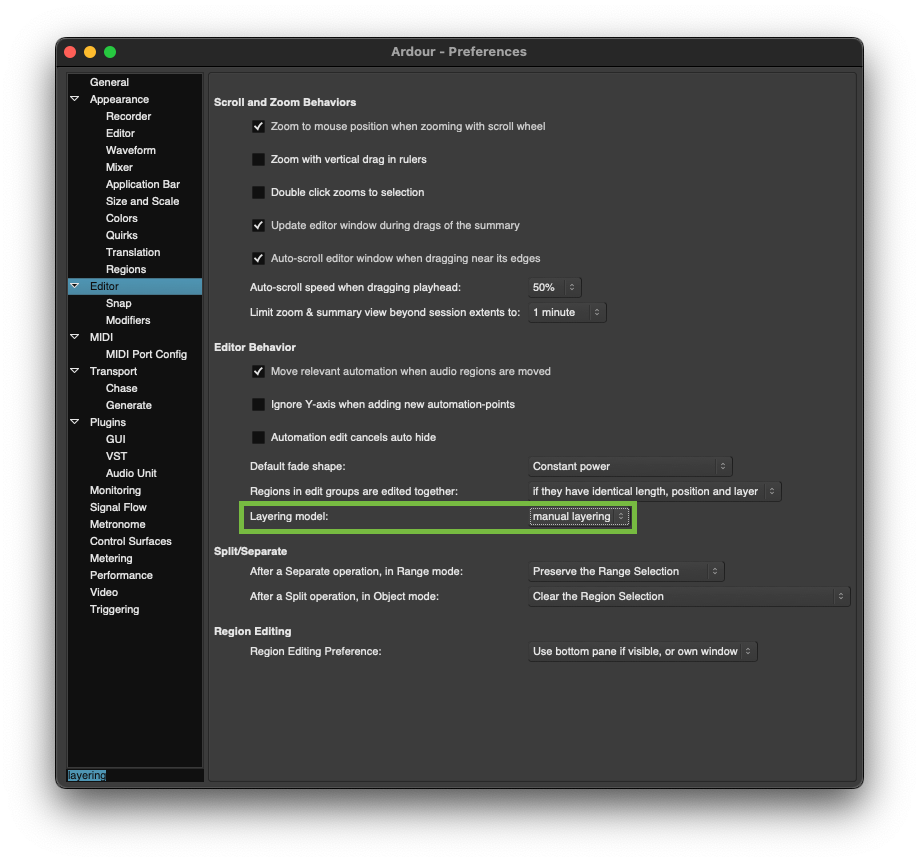
Transparent regions will let other audio regions play with them, unless an Opaque region is sitting above the transparent region in the specific region layering you have.
Also x2, about the layering view… The “Stacked” setting can get very annoying to look at long-term, especially if you are editing long sequences of overlapping drum regions (etc.). But switching briefly to “Stacked” in some cases can be quite helpful.
-J
4 Likes
I did not know this feature. I’ll give it a try, many thanks 
I saw the stacked setting, but I feel transparent regions are quite useful for the workflow I need. I’ll have to try them to see, but I’m happy I’m close to circumvent/improve my crossfade needs. Many thanks for the tips!
1 Like
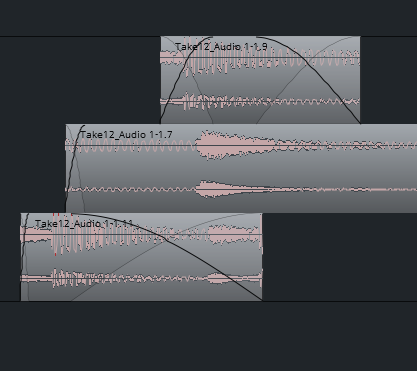
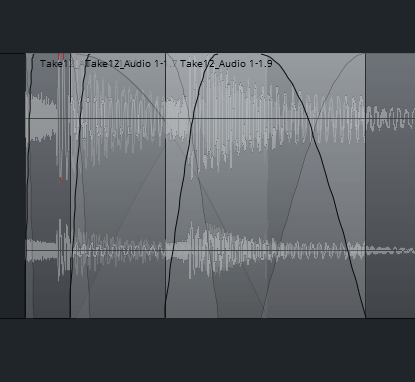
This is great, I’ve found I can stack more than two regions and freely edit the fades. I have to practice and look for customizing keyb. shorcuts to be fast, but this method (transparent reg + stacked view) is quite impressive, when you understand it. Thanks again!
4 Likes
This topic was automatically closed 91 days after the last reply. New replies are no longer allowed.