(Before putting in a request post about this, wanted to get an idea if this makes sense / would be desired by any other users)
Because Ardour directly uses ALSA hardware drivers, typical system volume controls are not able to adjust the overall volume of Ardour.
The common suggested solution for this is to use Monitoring Section in Ardour.
Although it is good that this is provided, to me this does not seem that efficient because this volume control approach can only be accessed when in the Mixer section. If user needed to lower “system” volume quickly this parameter is not available in other sections of Ardour.
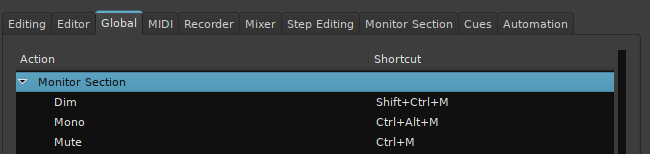
I was wondering would it be possible to offer shortcut keys for this Monitoring Section Volume Up Volume Down Volume Mute (toggle)
This way user can have access to the volume controls from anywhere in Ardour.
When I first quickly thought about this I was thinking maybe could then try assigning the same volume shortcuts as “system” volume shortcuts, which would then show system volume OSD meter but then when really thought about it realized would not be able to match up the volume amounts of Ardour and System volumes to match each other.
The shortcuts in Ardour though would still be useful if this is possible.
Please let me know if this would be possible and if I should take the time to put in a request post about this.
Thank You
Side Note:
Not sure if it just me/project I was testing this out on, but it does not feel like the volume knob in the monitoring section has a big volume range.
Does anyone else experience this or is this just me?
I see there is a small boost knob, but not sure if this is for this purpose, and if it is seems like would be better if the knob just had more range itself.
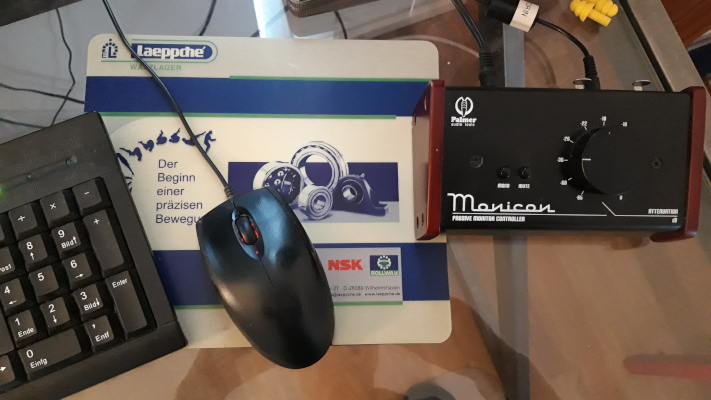
Firstly, I have a physical volume knob on my monitors I can quickly access if something is too loud.
Secondly, the approach I have taken is to calibrate my monitors to approximately 79 dB SPL using a -20 dBFS pink noise source in Ardour, and an SPL app. This isn’t exect, but the point is it’s a consistent level that I can recalibrate back to if I do need to adjust the physical volume knob.
This is quite loud. So I then set my system volume levels for desktop apps so they are at a reasonable level. For me this is just under 50% volume.
If I need to reduce the volume, I’ll normally then do ithis as part of the mix, by reducing the levels of the tracks, as this also gives more headroom.
The idea is this gives me a setup which is probably as loud as I ever need, and as loud as I should have it without damaging my ears, and then I should only ever need to turn things down.
Of course, if an individual track was recorded at a low level, that may need boosting, but the result of that should never be audio above 79 dB SPL (as long as I stay below 0 dBFS).
The aim is to produce more consistent mixes with more headroom.
Thank you for all these replies.
I overlooked mute being available, this at least provides some kind of control.
Volume controls could be nice as well.
I agree having a physical hardware knob/fader in front of you for volume is ideal but sometimes not available.
I admit I am more looking at this, grouping all application volumes together.
I just like the idea of being able to have one set of global volume control hotkeys available for all.
Ardour is unique in this case because its use, uses volume a little differently, both literally because it uses direct ALSA drivers but also because it is used to often mix multi sources of audio together.