Hi,
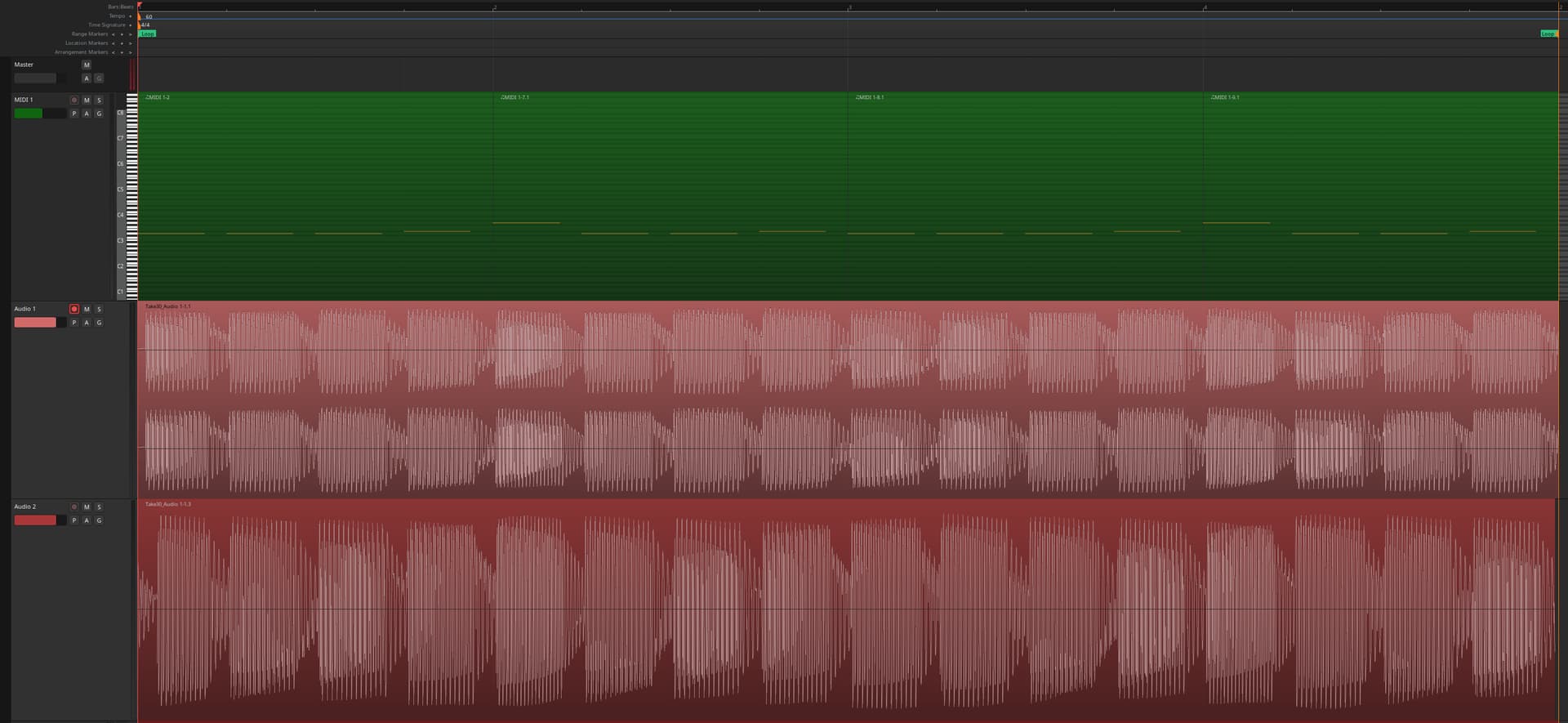
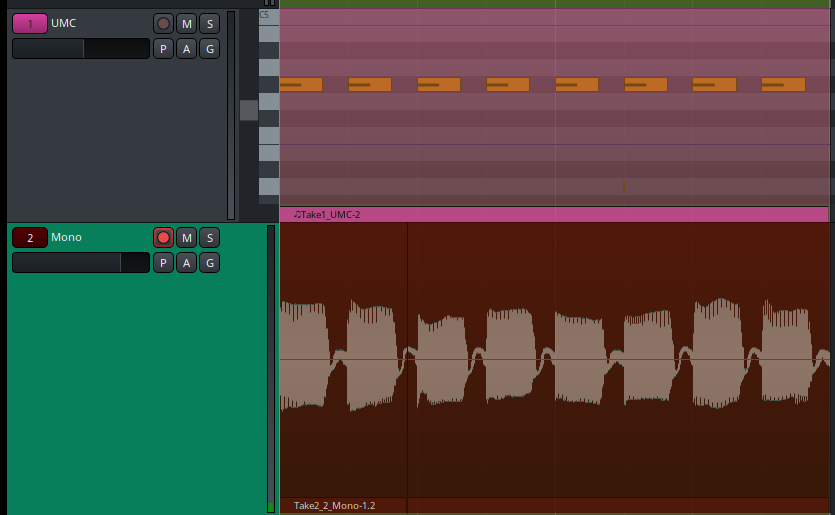
I have some strange issue when using MIDI with external synth: when I create a loop region, it plays fine for the first time, next rounds are somehow chopped at the beginning. Same issue on 8.12 and 9. It is only related to loop, everything works fine, even if I’m playing on external USB MIDI keyboard.
Looks like the incoming Audio is delayed. The latency (midi out → audio in) is not compensated for.
Have you calibrated systemic latency?
With Arodur/ALSA that is directly available in Ardour Menu > Window > Audio/MIDI Setup
With pipewire, you have to manually measure it (e.g. jack_iodelay, and set it manually).I don’t know if this became easier these days or of pw-cli is still the way to go:
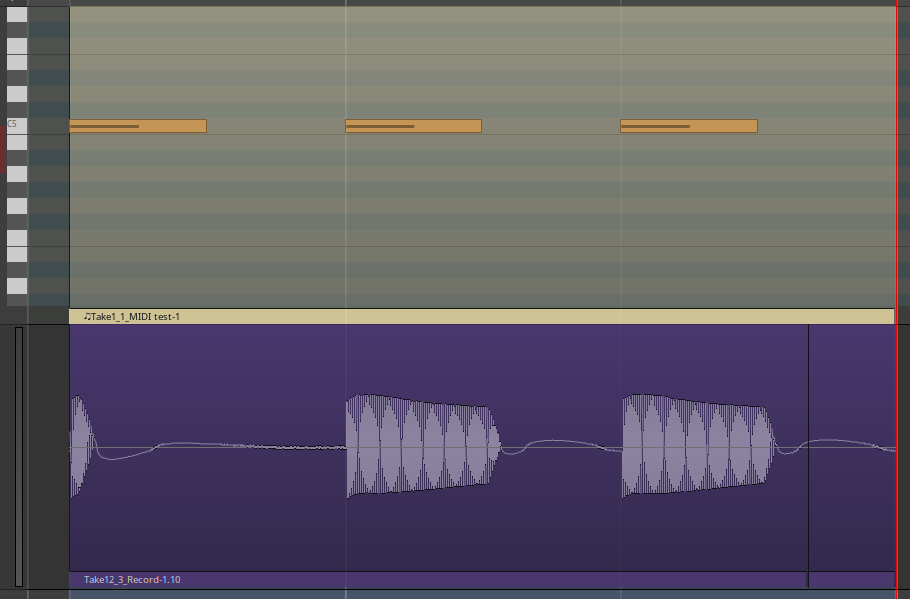
But if you look closely at the recorded audio, only the first note is seriously “delayed”. In fact, it’s somewhat chopped at the beginning… which is strange. Maybe the characteristics of the OP’s device and/or patches have something to do with it.
But I’m investigating a very similar issue right now, which I think may be related. As can be seen, in my case the first looped note is also chopped – but just after the beginning:
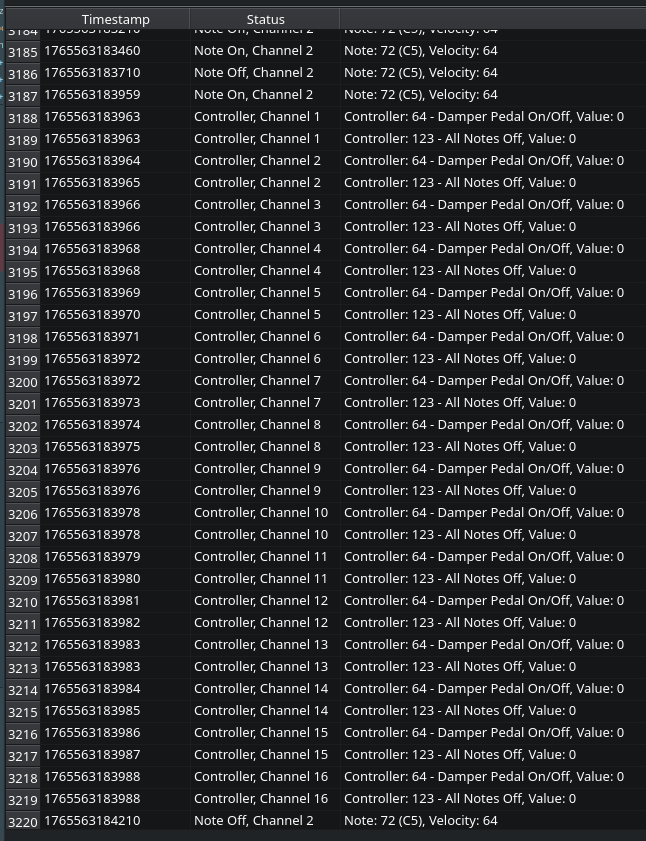
Although the All Notes Off messages arrive first at the beginning of the loop, it is enough to silence the first note shortly after it starts. I don’t yet know the exact mechanism behind this, but filtering out controller 123 solves the issue for me.
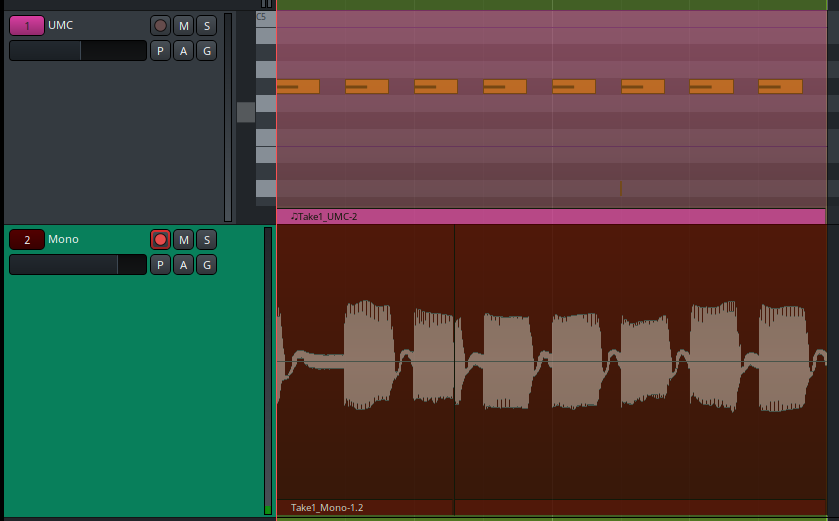
Checked it on two different MIDI interfaces and several synths, and the behavior is the same. Please note that sending the messages to all channels also stops other sustained notes that might be played across the loop, breaking the performance… It would be extremely useful to have an option to disable this behavior.
To the OP: maybe try filtering out Controller 123 and see if that helps? Not sure if it’s possible in Ardour because this is added after the processors AFAIK. I’m doing this in the hardware.
No, the behavior in 9.0 is exactly the same. It would be great to have an option to turn off these events when looping. So filing a feature request in Mantis is a good idea. Actually, I was planning to do it myself.
Yes, I just tested a workaround, although a bit crude.
Create a MIDI bus and set its output to your MIDI interface.
Add a MIDI filtering plugin to that bus (e.g. MIDI Event filter available in Ardour) and filter out CC 123.
Route the track output to that bus instead of the hardware (for example using an Aux Send).
Voila. Just using the plugin directly on the track won’t work, because if the track output is routed to hardware, Ardour will send CC 123 after the plugin. An External Send won’t help either, for the same reason.
Also noticed that these All Notes Off CCs are sent only to hardware ports. Apparently, they are suppressed when the track output is routed to a software port, whether internal or external. That may explain why plugins aren’t affected.
Yeah, you’re right! I could have sworn that when I ran the tests yesterday, I double-checked whether the plugin was really necessary… Never mind. Apparently messed something up badly in the connections.
Now it makes even more sense. Routing the track output through any internal port to the hardware is just enough to suppress those messages. Anyway, having an option to disable this behavior would be really useful.
If anyone is curious, it is under Preferences → MIDI → MIDI output ports should send panic message at the end of a timeline (transport) loop. I see another exciting option there, but it would be OT.