Here is the situation in Linux (MIDI keyboard connected via USB):
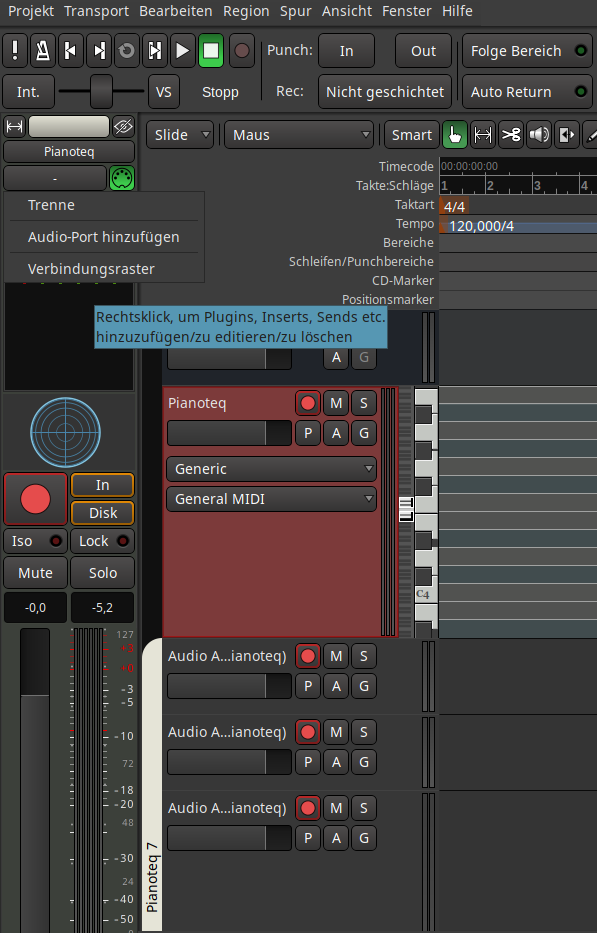
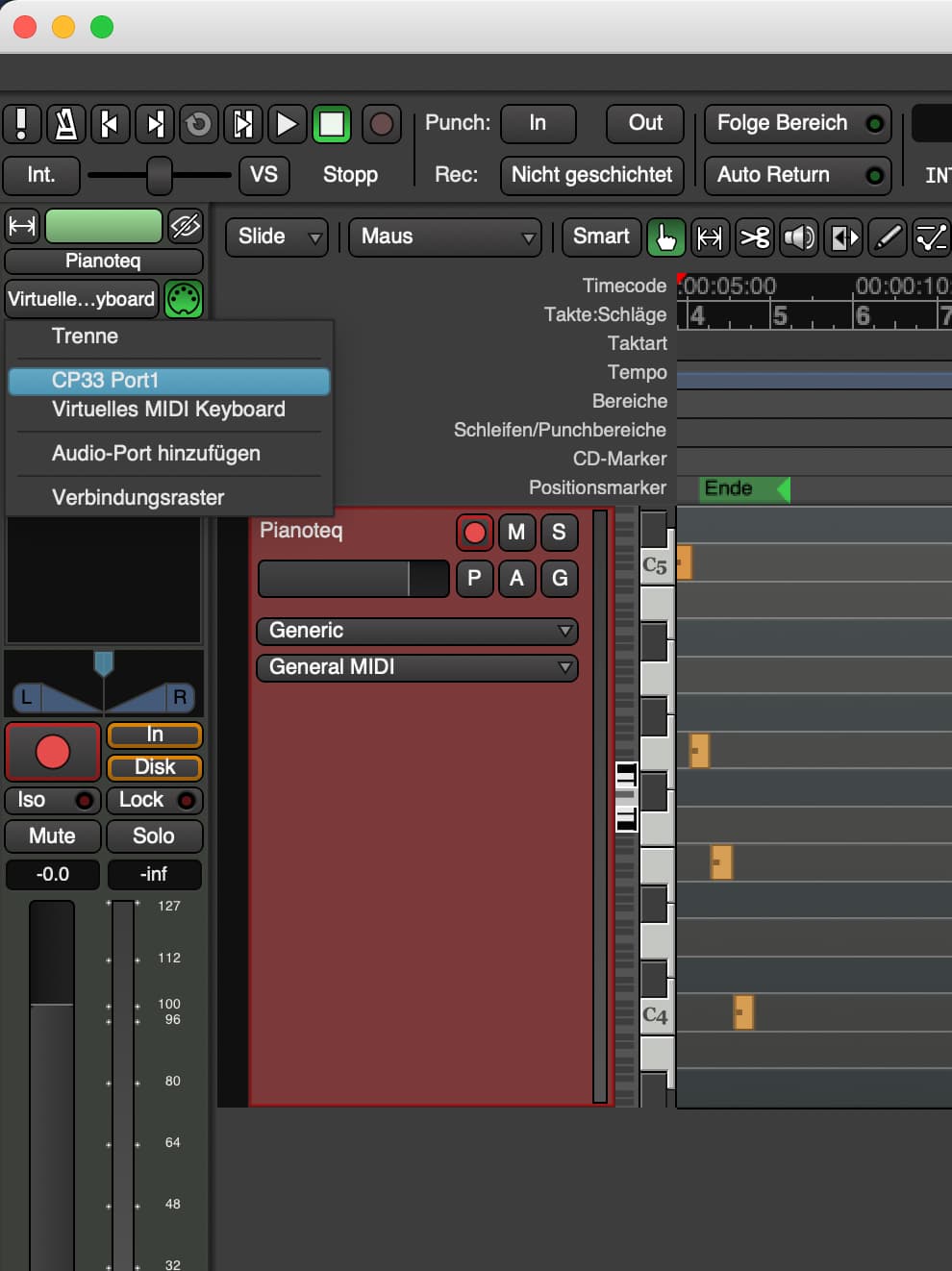
And here is the (same) situation in Macbook pro with MIDI connected via USB. My MIDI keyboard (cp33) is recognized:
Jack vs ALSA has to do with the sound, am I right?
Sound (via Jack) does work. Only the MIDI keyboard is not recognized.
And MIDI. With the ALSA backend, you have to tell Ardour which style ALSA interface to use (raw or sequencer). With JACK, Ardour will use JACK MIDI, which does not present the hardware MIDI interfaces by default. You have to select raw or ALSA sequencer with jackd as well. In the past, there was better performance using a program called a2jmidid (ALSA to JACK MIDI daemon), but I don’t know if the most recent versions of jackd include those performance improvements or not.
If you use a2jmidid rather than the built-in ALSA sequencer driver, start it with the -e to make it export hardware ports as JACK ports.
See this section of the Ardour manual:
MIDI on Linux manual chapter
I followed the directions of that manual, at no avail.
MIDI keyboard is still not there in Ardour.
There seems to be something really weird. You don’t even see Ardour’s virtual keyboard, which, others correct me if I’m wrong, isn’t really a midi device, is it?
It would seem if the keyboard is recognized by Ardour on Mac but not Ardour on Linux, the problem is not Ardour. I would assume it has to do with your JACK setup. Unfortunately, I cannot help with JACK because I haven’t used it since the Ardour release that dropped it as a requirement, but I know from these forums that MIDI setup is more complicated using JACK compared to ALSA. You might be best off jumping on the support chat so you can get help in realtime:
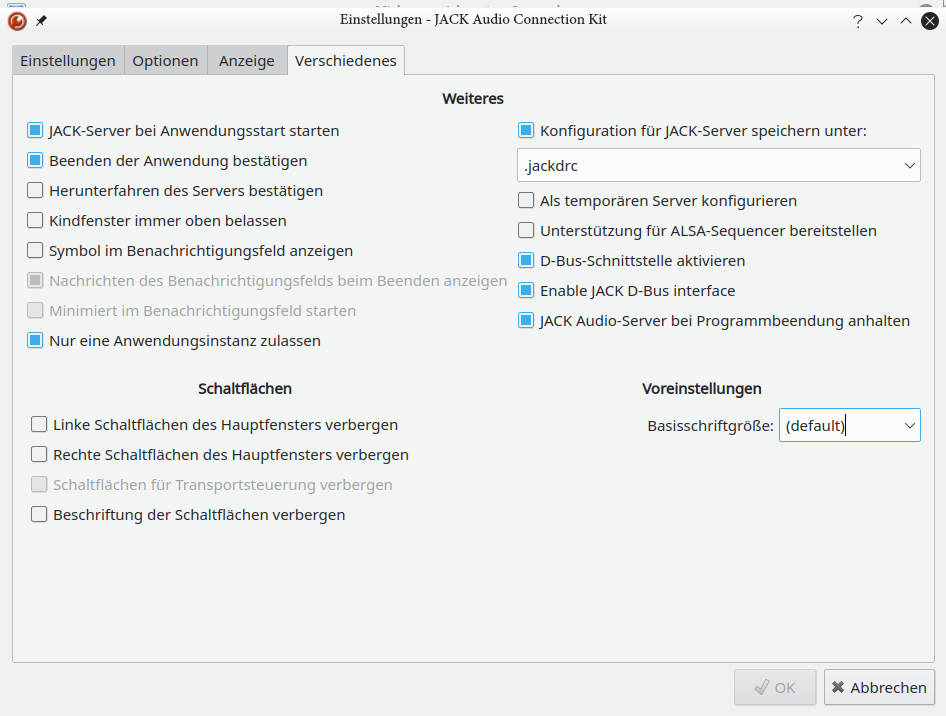
I believe that I forgot to say, that I really appreciate your input.
Thanks a lot!
One bi step further to the solution:
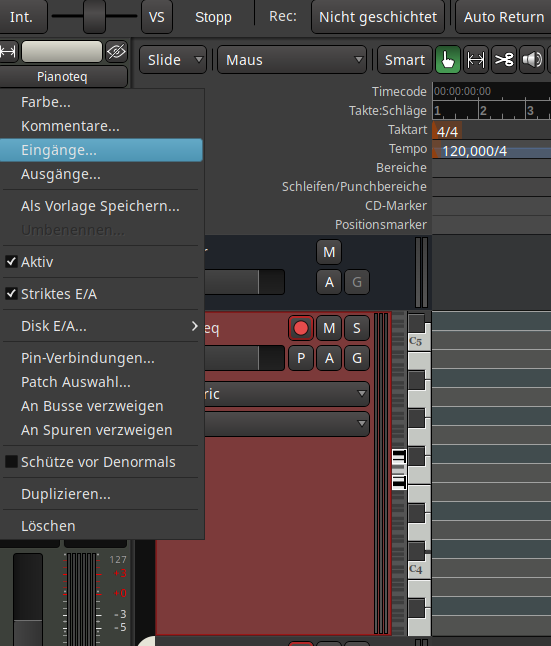
I found this menu enttry (in ALSA mode, I have to see if it exists in JACK):
There my keyboard CP33 is listed:
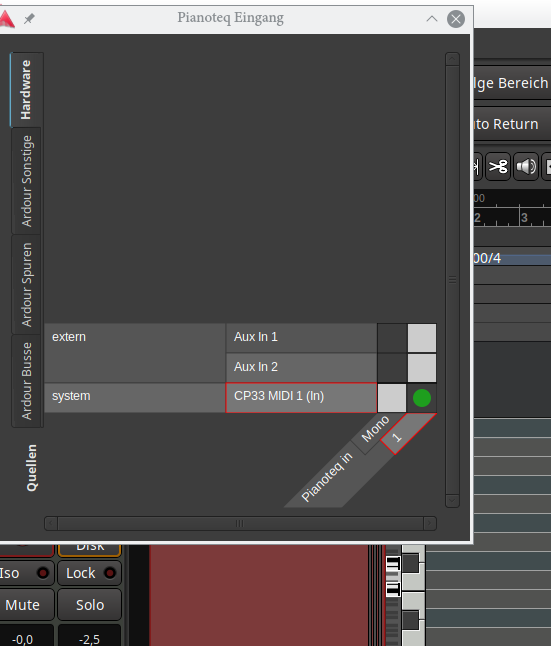
When I connect it, Ardour reacts on keystrokes (my keyboard is visible in Ardour).
Now I have to figure out how I can also produce sound.
In the jack settings try changing the period buffer to 3 from 2 see if that helps.
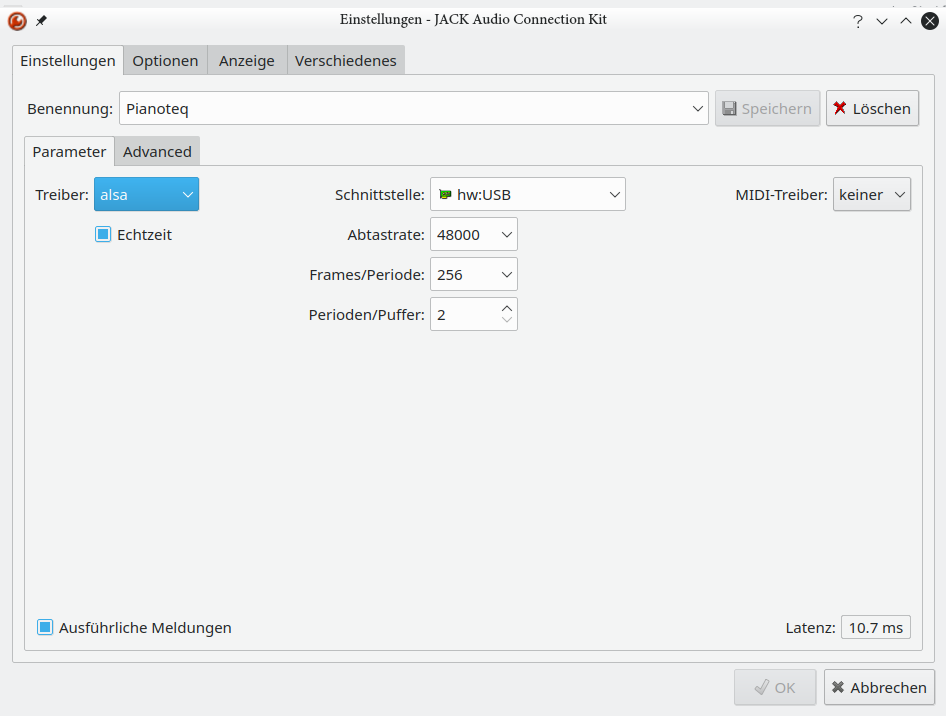
Your MIDI driver (MIDI-Treiber) is set to “keiner” which if Google translate is correct is “none” in English. In other words, no MIDI.
You either need to pick the ALSA Sequencer driver for jackd, or keep the no driver (keiner) selection and run “a2jmidid -e” as a separate program.
As mentioned in the Ardour manual MIDI on Linux chapter, running a2jmidid -e from the Options tab of QJackCtl is usually the most convenient.
1 Like
It seems to work now. I have set the Jack settings to MIDI driver seq (raw seems to work as well) and I run a2jmidid -e. The whole situation looks like this in Ardour:
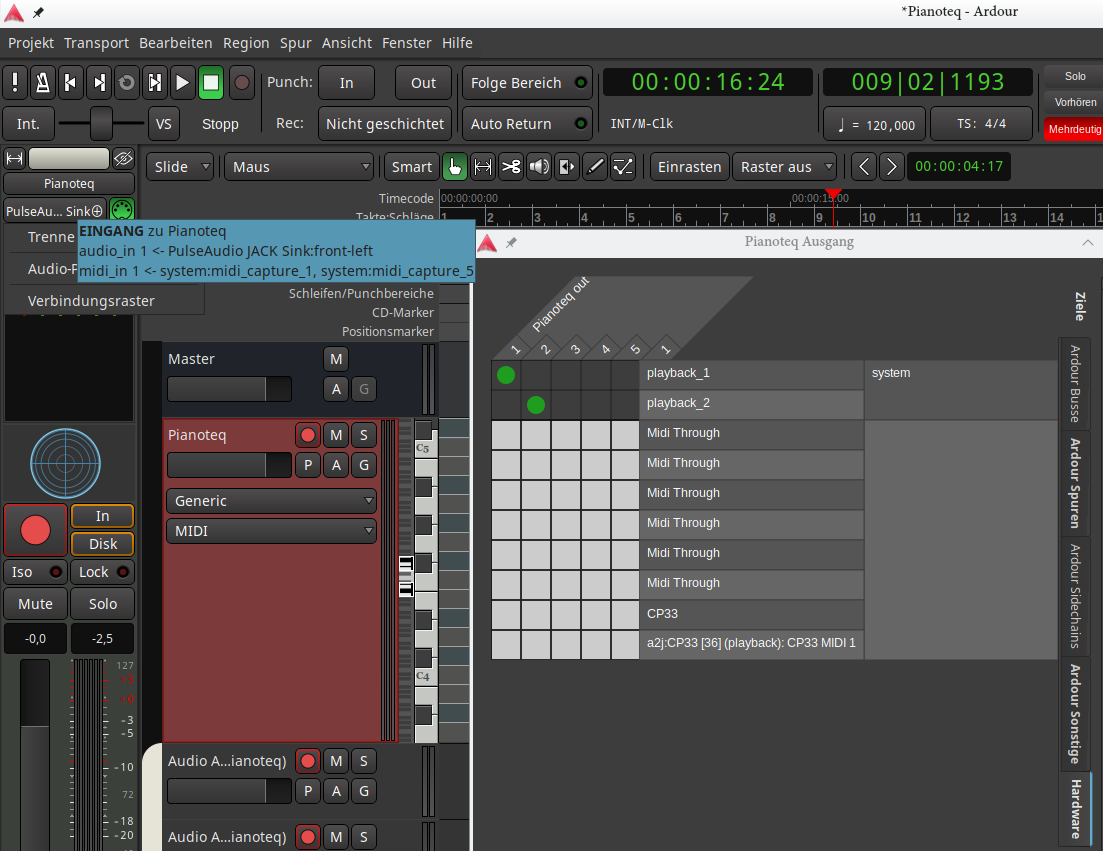
Still different than in the Macbook.
Thanks a lot to all who contributed here.
Only one, never both together. That is why you have an entry for CP33 and also an entry for a2j:CP33.
To quote from the Ardour manual MIDI on Linux chapter again:
" Using a2jmidid acts as a bridge between ALSA MIDI and JACK. The -X seq or -X raw arguments should not be used—the timing and performance of these options is unacceptable."
The -X seq or -X raw command line argument described are what are set by the QJackCtl MIDI-Driver selection box.
I choose to only use a2jmidid -e, since I read that this is a better option than the ‘raw’ or ‘seq’ in terms of latency.
Thank you for pointing this out.
Just for completeness, in case someone else finds this post later:
I checked on the jackd forum and the timing concern with jackd v2 was corrected in version 1.9.13. The Ardour manual is outdated in that regard, and I expect the manual to be updated in the future to reflect that.
1 Like
Pull request time! 
1 Like
I think I will work on that this week. Any quick pointers on how to make a pull request? Does that mean I need to first clone the manual git project onto an accessible server, make the mod, then send a pull request back to the original project?
Seems a lot more convoluted than just emailing a patch file. 
OK, I have a fork on github, I’ll make some changes and see if I can figure out how to make a pull request after that.
Any thoughts on what to do with the existing information? Split into “jack 2 1.9.12 and earlier” and “jack 2 1.9.13 and later” sections, move the existing jack2 section into a “historical interest” type section, just get rid of the current jack v2 info since 1.9.13 has been out for 3 years now?