I can still hear my MIDI track on playback, but the regions are missing. When I expand my piano roll, nothing. When I click a visible automation lane, the tracks disappear. I am not sure how to fix this. Please see screenshots. This occurred after pressing z on the keyboard. Not sure why that would cause this issue.I could be wrong, perhaps it is something else.
Thank you.
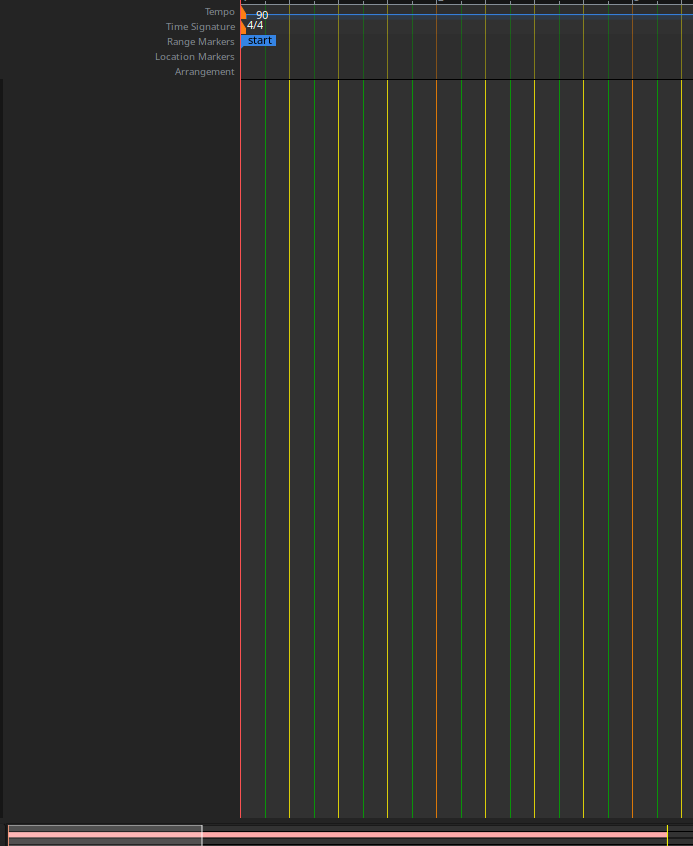
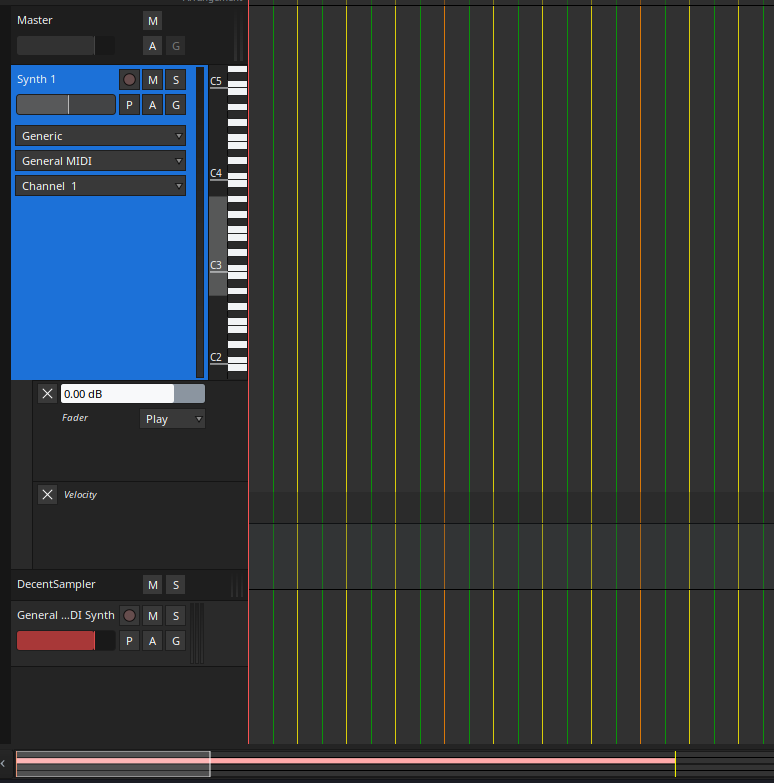
Version of Ardour? Platform?
Ardour v8.12.0. I’m on Manjaro 25, but I download from Ardour.org and install to /opt/.
Don’t know if kernel matters, but I am on 612 LTS.
That is a very weird color theme …
1 Like
We have seen a couple of other reports of this, but not been able to reproduce it. We would need a precise recipe that is completely (or mostly) reproduceable.
2 Likes
Needed more contrast on the different barline/subdivisions, so I picked some colors… 
1 Like
I was able to repeat; however, it is a combination of pressing f to expand automation and pressing z afterward. I tried it a third time with only a midi track and master track, and everything is okay – region stays in place, nothing is borked. However, as soon as I show automation, and do the same thing to an automation lane, that is when the glitch occurs. Again, it can still play back, I just cannot click anything or edit, etc.
I went back to the session where I experienced this, and discovered that it was still broken. I deleted all the tracks, and after deleting the last track, the Master bus disappeared. I did not delete the Master (I think a warning appears if you try to do such a thing). The master is also missing from the Mix view. Since it was a a simple session, I will just delete it and move on. Figured it was worth mentioning that deleting the tracks did not help.
I don’t even see a track… could it be that you have hidden the MIDI track?
Can you check the side-bar of the editor (or mixer) if it is still listed there?
Yes, I checked that in the side-bar. They are listed, tried unchecking and rechecking to see if hide/unhide would fix it. No dice.
Would an unusual glitch as this be graphics card related? I haven’t had any other graphical issues, so maybe that is a long shot.
I think it may have been due to using the PC’s internal gpu. I finally got around to installing a geforce card (nothing fancy), and I have tried the aforementioned steps again. This time, I was able to retrieve the hidden tracks by clicking the track in the sidebar, as Robin suggested. And it works now.
So, maybe my internal gpu wasn’t quite up to par? Everything else in Ardour is/was running fine (I’m not a power user. just a hobbyist).
Addendum: One small thing I did notice, however; after performing the steps I mentioned previously, if I double-click on the track that has automation, the track ui will jump to the last track. None of the tracks are missing, everything is “in its place”, it just jumps to the bottom track for some reason. I can of course, scroll back up to the track that contains automation and edit/clear the automation. Not a big deal, just thought I’d mention it. No more missing tracks, however, so that’s good.
This topic was automatically closed 91 days after the last reply. New replies are no longer allowed.