I am running Fedora 42 with KDE Plasma and utilizing a Focusrite Clarett+ 8Pre as my audio processor. I have run into an issue that I am not sure why it is occurring and how I might trouble-shoot the issue.
Note that I am utilizing the drivers and control panel elements for the Clarett+ 8Pre that were created by Geoffrey Bennett on Git Hub for Linux.
Here is a description of what is happening:
When I start Linux, Linux operating system recognizes the monitor output speakers of the Clarett+ and I can select the Clarett+ 8Pre as the default output speakers (which is what I need for my project).
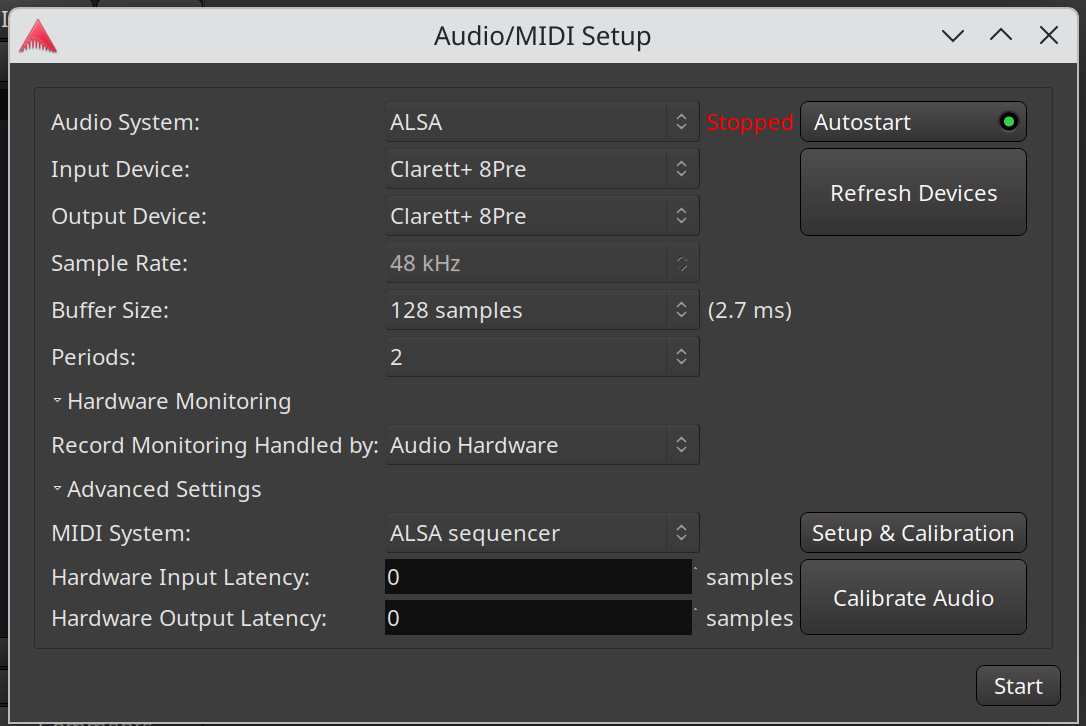
But then, when I start Ardour, select ALSA as the audio system, select Clarett+ 8Pre as the input and output devices, and then press start in the Audio/MIDI Setup window, Linux drops the Clarett+ 8Pre device from being available, and just shows system available speakers.
Any suggestions for possible resolution would be appreciated.
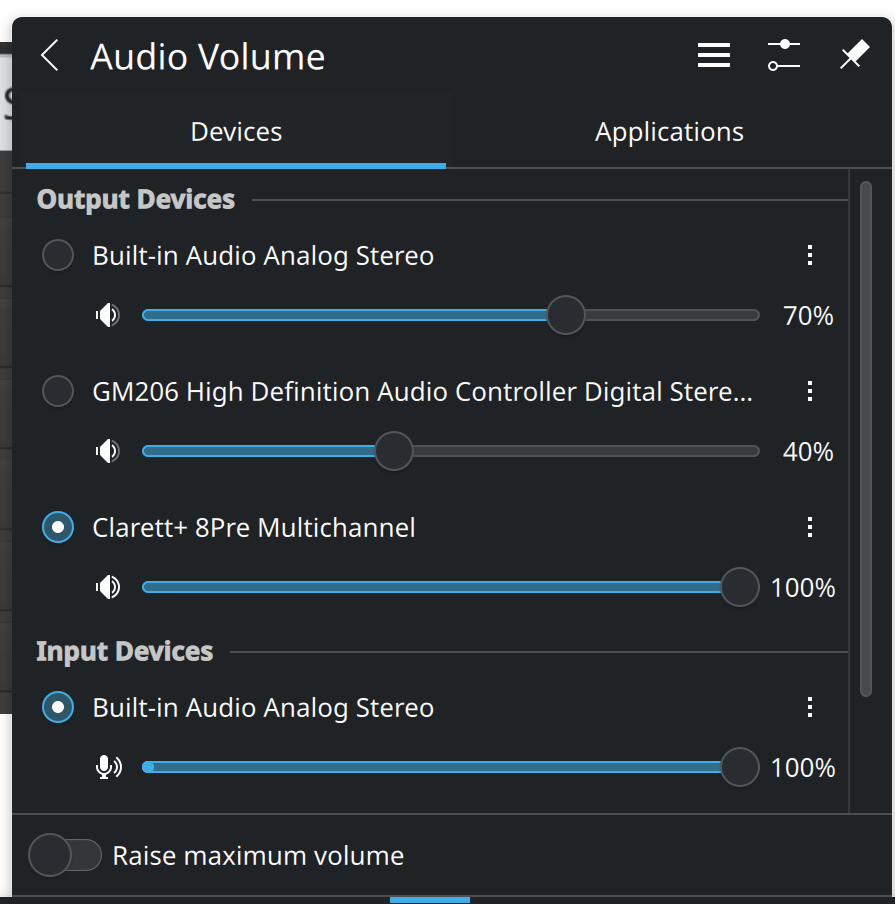
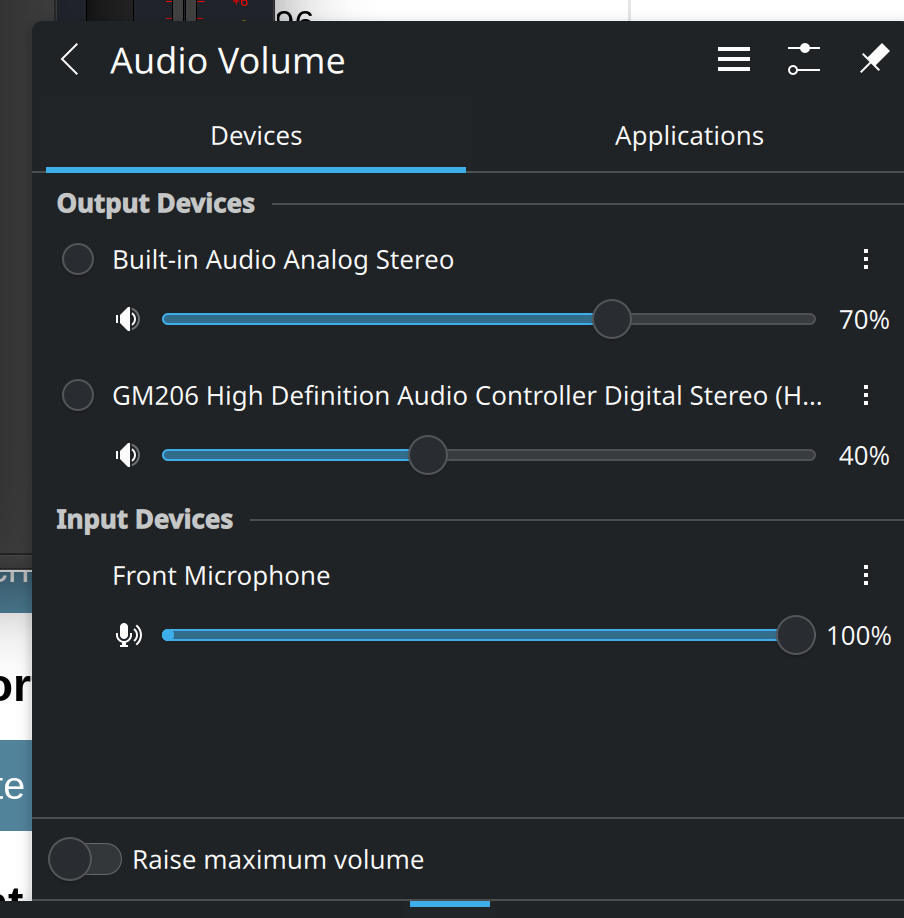
When I Start the Audio/MIDI, the speakers and input devices associated with the Clarett+ drop out as being available. When I stop the Audio/MIDI Setup, they return in the system sound, as shown here:
When Ardour uses a hardware device (as is the case with the ALSA backend), it takes complete control of it and it is no longer available for other applications. If that’s unaccepable, then switch to the JACK/Pipewire backend, which will allow device sharing.
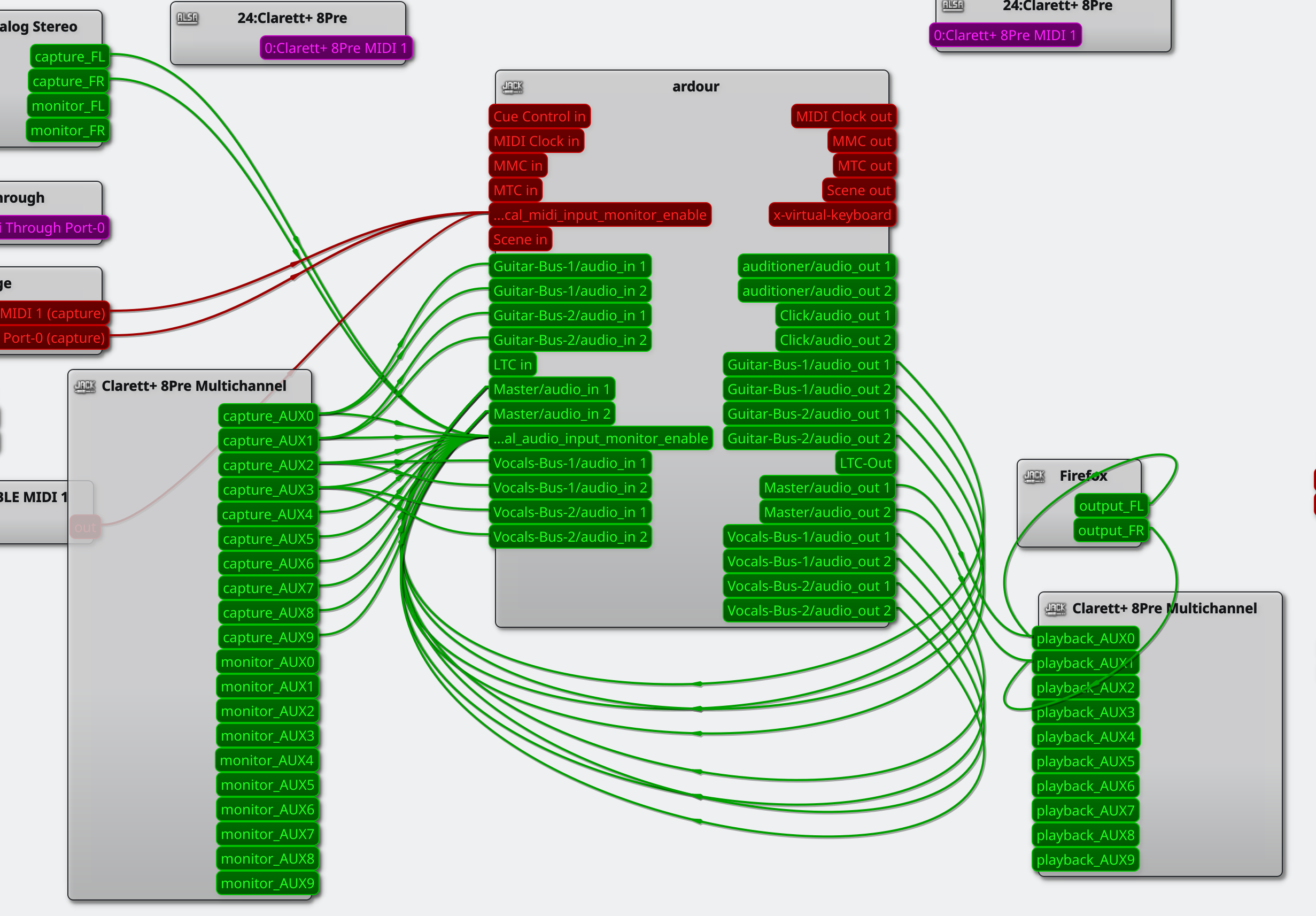
Just to close the loop on this: The JACK/Pipewire backend solved the issue for me. It works just as I need it to now. An interesting side effect of using JACK/PipeWire backend is that the Clarett+ 8Pre inputs and outputs are characterized as AUX inputs and outputs with QjackCtl and have a 0 starting index:
That labelling is done by Pipewire and has nothing to do with the meaning of “AUX” within Ardour. You can essentially pretend the characters “AUX” are not there.
I’m posting on this thread as I have a similar issue…
I’m using Ubuntu 25.04 with ardour 8.12 and a usb soundcard (Fast Track C600).
I’m having the exact same issue (loosing the C600 interface when starting ardour), except… I have set up the jack/pipewire backend and it doesn’t seem to work for me.
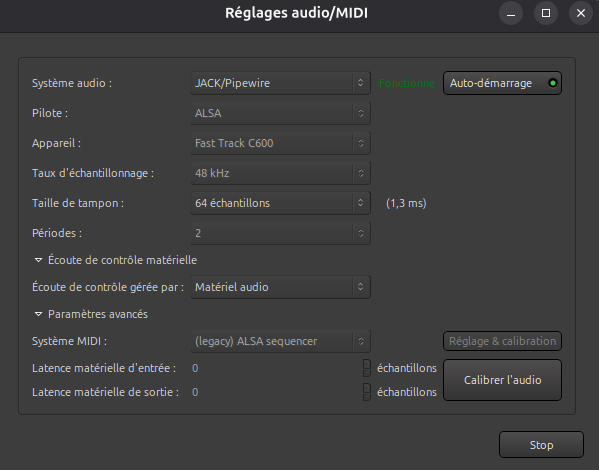
Here’s my audio setup in Ardour :
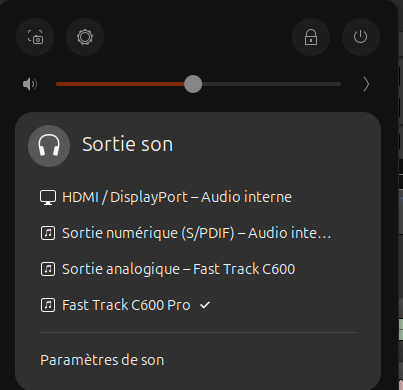
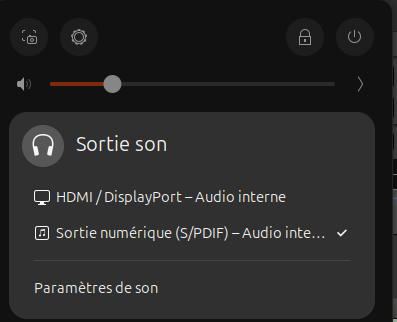
And the before/after in ubuntu audio setup :
Before I start Ardour (Fast Track C600 is here) :
After (Fast Track is gone) :
Could it be because “Alsa” is selected in the audio set up window as a “pilote” ? I’m not sure how it translate to english as I’m using the french version of Ardour… word for word it means “driver”, but from what I get from the 1st post, it looks like it should be “input device” ? In any case, I can only select “Alsa” as a value here…
That is the dialog you see when there is no JACK server running, so Ardour expects to start jackd using the parameters you select.
That indicates that your Pipewire installation does not include pipewire-jack. Pipewire is modular and the JACK server support is optional, so likely Ubuntu has a separate package you can install to enable pipewire-jack.
I have pipewire-jack, pipewire-alsa and pipewire-pulse packages installed.
I uninstalled / re-installed all 3 packages and then was getting an error message : “Impossible to reconnect to audio/midi engine” and Ardour would not start.
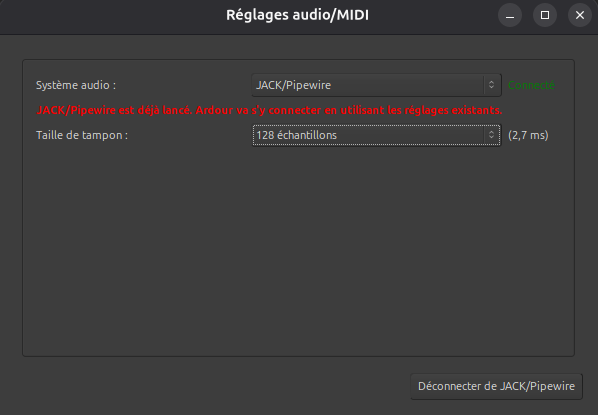
Just as a workaround I tried to start ardour from the terminal using command : pw-jack ardour… and it worked. I can now see :
How can I start Ardour without forcing use of pw-jack ?
That is usually set correctly by the distribution if only pipewire-jack is installed. The original need for pw-jack was during development of pipewire-jack when both pipewire-jack and jackd would be installed to compare performance and behavior. Most distributions now install only pipewire-jack and set the library paths correctly so pw-jack is not needed.
I researched a bit how that is setup, and what should have happened is that a file should have been created in /etc/ld.so.conf.d with the path to the jack libraries.
Do you have the pipewire-audio metapackage installed? Perhaps that is where the setup was expected to be done.
Whatever the reason it is missing, there should be a file named pipewire-jack.conf in the directory /etc/ld.so.conf.d which contains only one line:
/usr/lib/pipewire-0.3/jack
Then run the command
sudo ldconfig
and JACK aware applications should find the pipewire-jack libraries without needing to use pw-jack.
No, I don’t have jackd installed right now. At one point, I installed it to try to solve my problem and got Ardour running with qjackctl, but I still couldn’t see my sound card, so I uninstalled it.
Yes, it is installed. I really don’t understand what went wrong…
But anyway I added a pipewire-jack.conf file in /etc/ld.so.conf.d and pointed to /usr/lib/x86_64-linux-gnu/pipewire-0.3/jack where the jack libraries are, ran sudo ldconfig and it worked !!
I tried with other jack oriented softwares and it also works like a charm.