Is there a way to insert a MIDI Plugin prior to "MIDI Control in"?

As per the title: Is there a way to insert a MIDI Plugin prior to the “MIDI Control In” port?

I can add a MIDI Plugin like “MIDI CC Map” or “MIDI Sostenuto” to a track or strip and can see the changed events at the “SoftSynth/midi_in 1” but Ardour is not matching the changed MIDI events within the MIDI Mapping/Binding function.

When is Ardour’s MIDI Mapping/Binding occurring in the MIDI incoming chain? Does Ardour’s MIDI Binding occur before/after or within “MIDI Control In”?

I was assuming that Ardour’s MIDI Mapping/Binding was happening within the “MIDI Control In” - am I correct in that assumption?

With the above assumption I was trying to insert a MIDI Plugin prior to “MIDI Control In” but I cannot seem to find a way to do so.

Am I barking up the wrong tree? Any ideas or suggestions?

I think what you want are I/O plugins

1 Like

Thanks for the pointers @DHealey . I was unfortunately, unable to make it work after many different attempts.

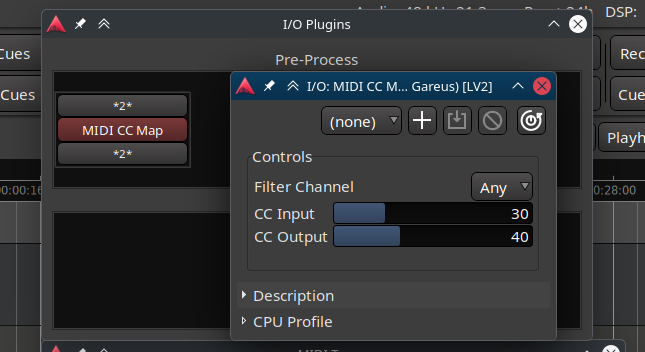
As way of an example - I have used the MIDI Plugin “CC Map” to change a controller CC 30d to CC 40d and traced the MIDI messages via MIDI Tracer.

It seems a conflict is caused when connecting the “Pre-process I/O Plugin output” to Ardour’s “MIDI Control In” as the “No Align” alarm is generated. When disconnected the “No Align” alarm is cleared.

The changed output of the “Pre-process I/O Plugin output” is successfully seen at the SoftSynth but the “MIDI Control” sees no events.

If I have incorrect understanding - please let me know. Will greatly accept any ideas or suggestions of what I’ve done wrong…

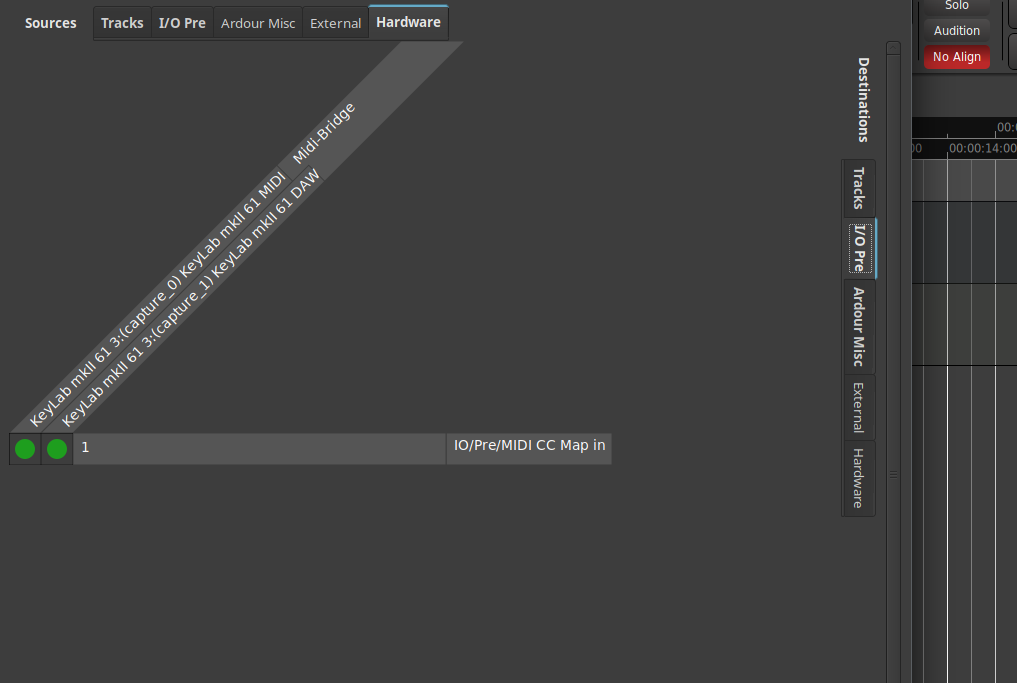
Connections dialog shows matrix with correct connections between Keyboard DAW port and MIDI port and Pre-process IO Plugin MIDI In Port.

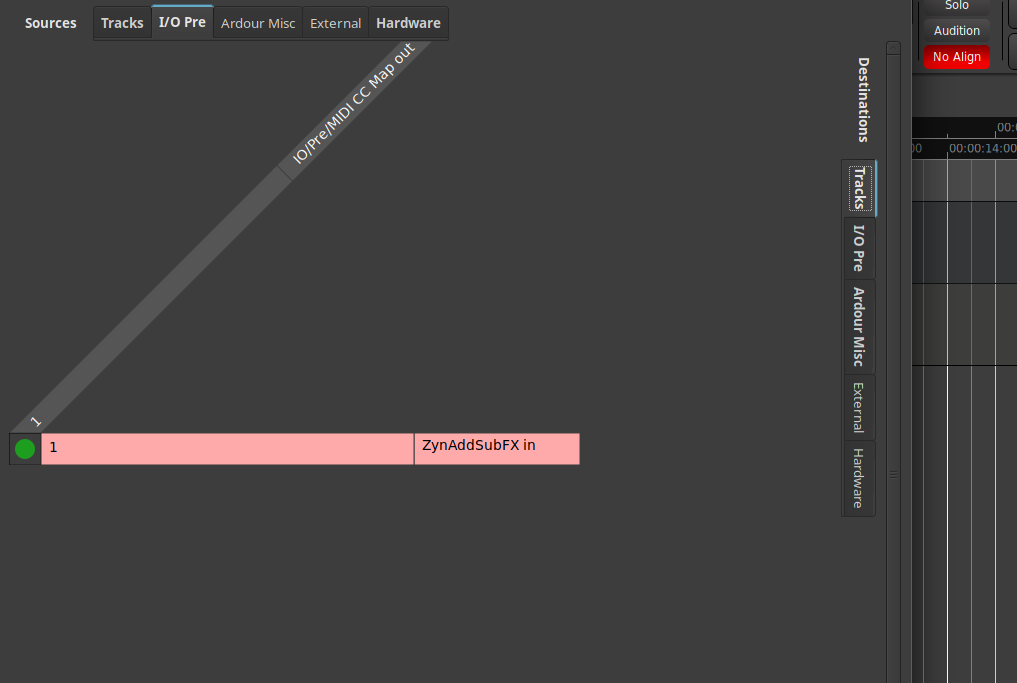
Connections dialog shows matrix with correct connections between Pre-process IO Plugin MIDI Out Port and SoftSynth.

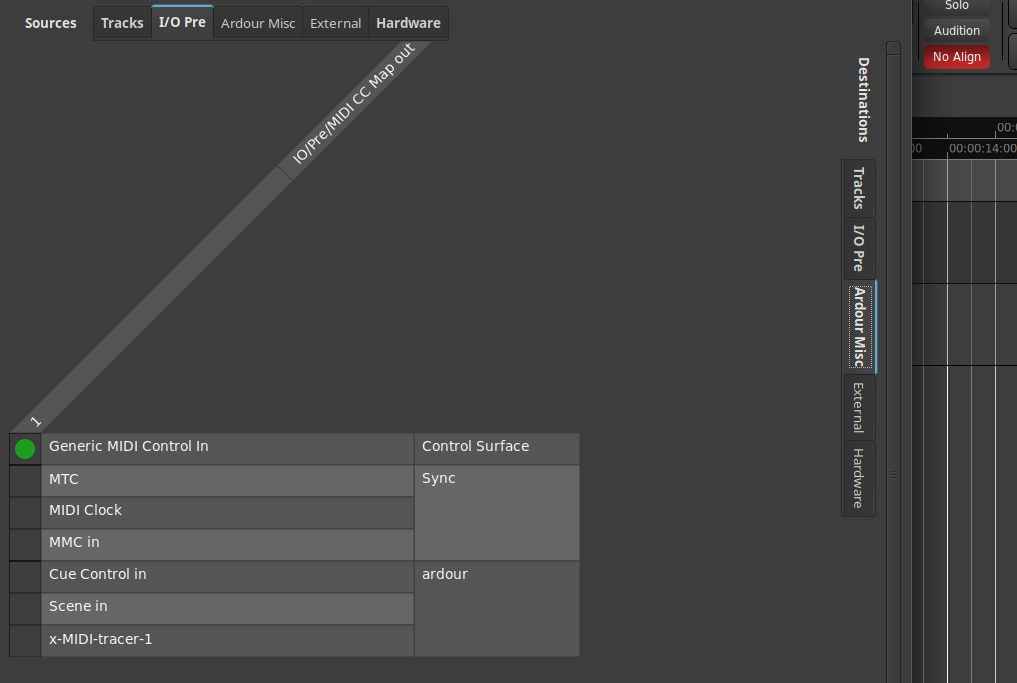
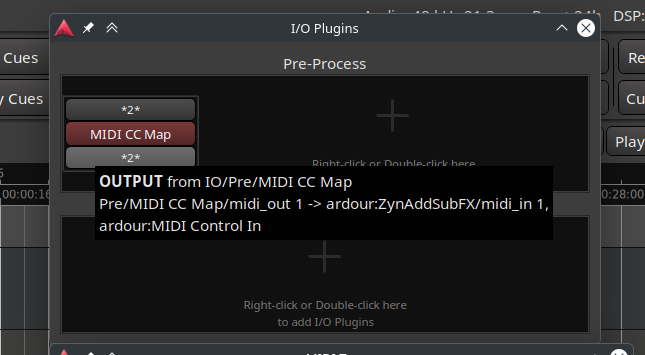
Connections dialog shows matrix with correct connections between Pre-process IO Plugin MIDI Out Port and “MIDI Control In”. This connection causes the “No Align” error. Remove this connection and the “No Align” error clears.

==============================

Pre-process I/O Plugin Input Tooltip - shows correct connections to both Keyboard DAW port and MIDI port.
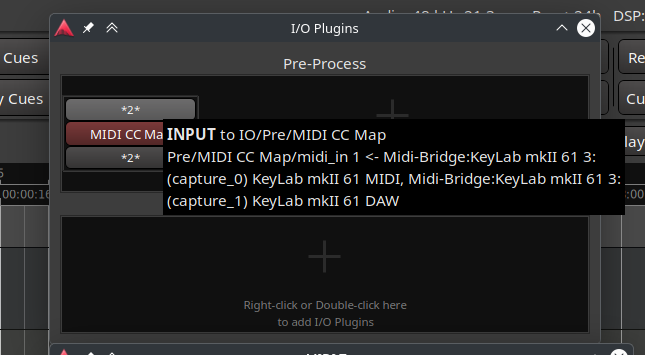
Screenshot_20251114_190207

Pre-process I/O Plugin MIDI Output Tooltip - shows correct connections to SoftSynth and “MIDI Control In”.
Screenshot_20251114_190247

Pre-process I/O Plugin MIDI In Port - CC 30d inbound.
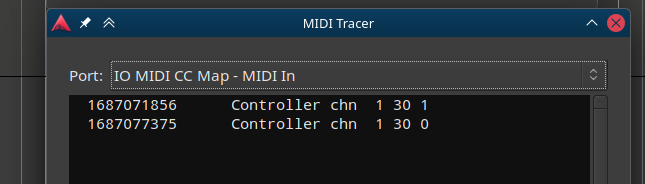
Screenshot_20251114_190335

Simple MIDI CC Change from 30d to 40d as a proof of concept.
Screenshot_20251114_190620

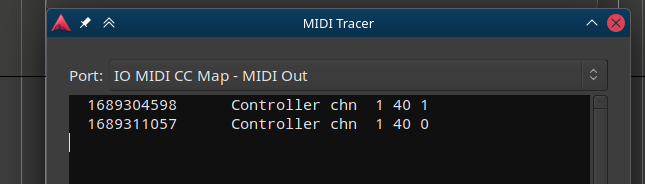
Pre-process I/O Plugin MIDI Out Port - CC 40d successfully changed.
Screenshot_20251114_190416

SoftSynth MIDI In Port. CC 40d successfully seen.
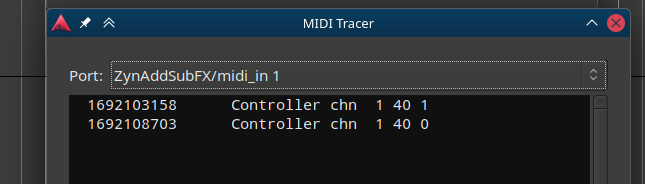
Screenshot_20251114_190518

Ardour Control Surface “MIDI Control In” sees nothing.
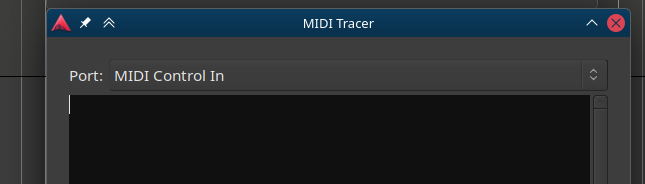
Screenshot_20251114_190450

td;dr: not currently possible.

That is correct.

However because MIDI Control, controls the session, an Ardour session cannot control itself.

MIDI Data that arrives on “MIDI Control In” port is processed before anything else happens in any given process cycle. Any data that the session (MIDI track, I/O plugin, …) writes to the port has no effect in the current cycle. (It may only apply to the next process cycle if the data can be kept around somehow).

One option to achieve what you want is via mididings - a MIDI router/processor based on Python or you could use JACK/Pipewire and a LV2 plugin host for MIDI plugins.

1 Like

Thanks @x42 for the verification of my understanding and for the pointer to mididings. I was starting to come to the conclusion that I’d have to have a processor outside of Ardour doing MIDI message transformations between keyboard and Ardour.

My initial Google foo had turned up “Midish — command-line MIDI sequencer and filter for BSD and Linux”. However, I’ll also look for JACK/Pipewire or LV2 plugin host for MIDI plugins as alternative options.

I’ll try a few and see which one I get along with.

Thanks

If you want midi message conversion of any kind + routing, I suggest midi-router-client (which I am using for a different context) : MIDI Router Client

1 Like